
Beschrijving
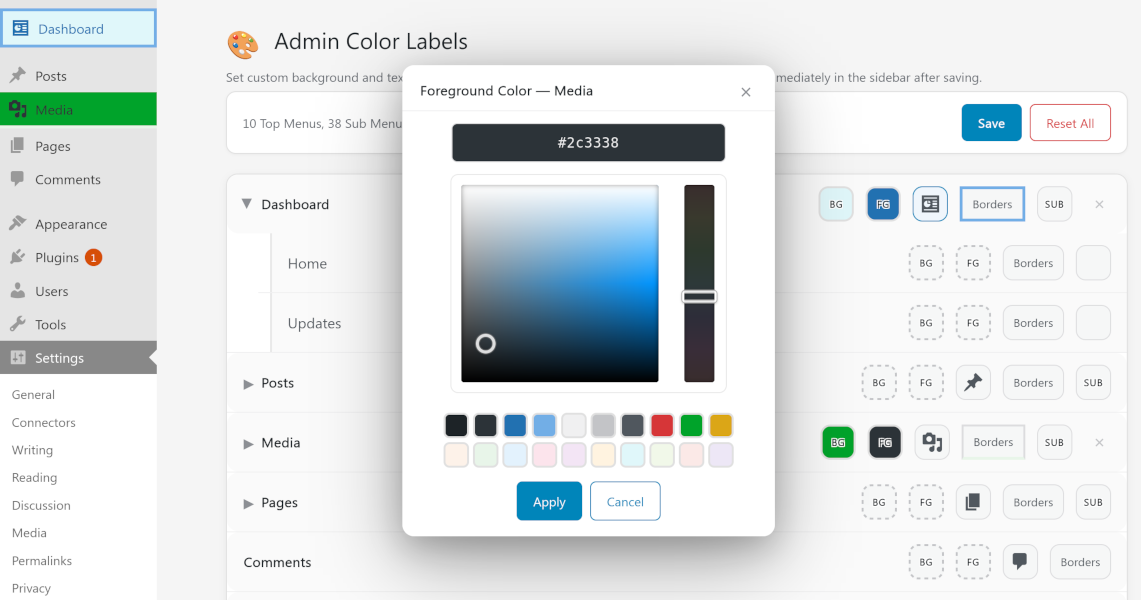
Your WordPress admin menu doesn’t have to be plain. ZCBRG Admin Color Labels lets every user put their personal stamp on the admin sidebar — color-code menus for instant recognition, highlight the items that matter most, match your brand, or simply make the dashboard a place you enjoy working in. Choose custom background and text colors, borders, and icons for each menu and submenu item — all per user, with zero impact on your visitors or other admins.
Functies
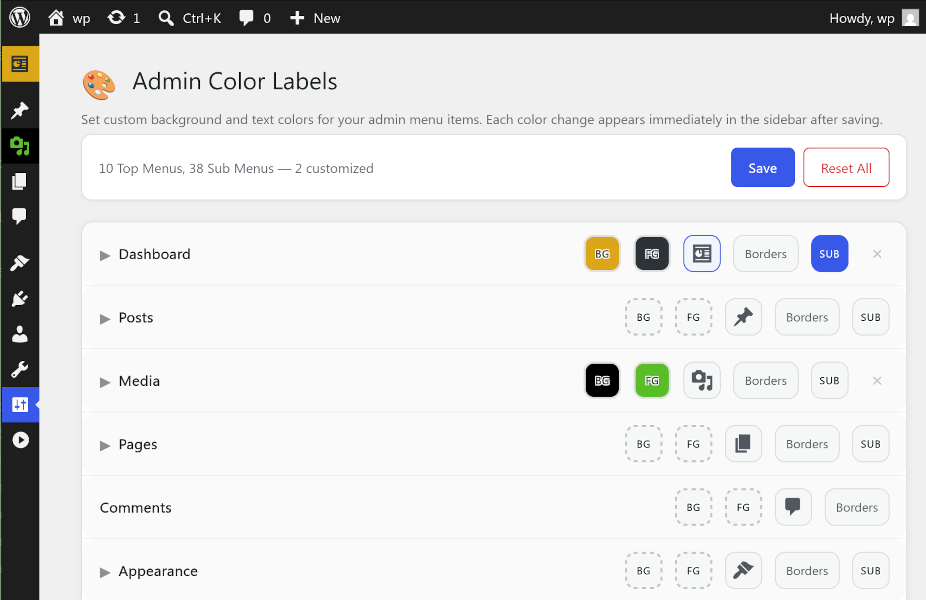
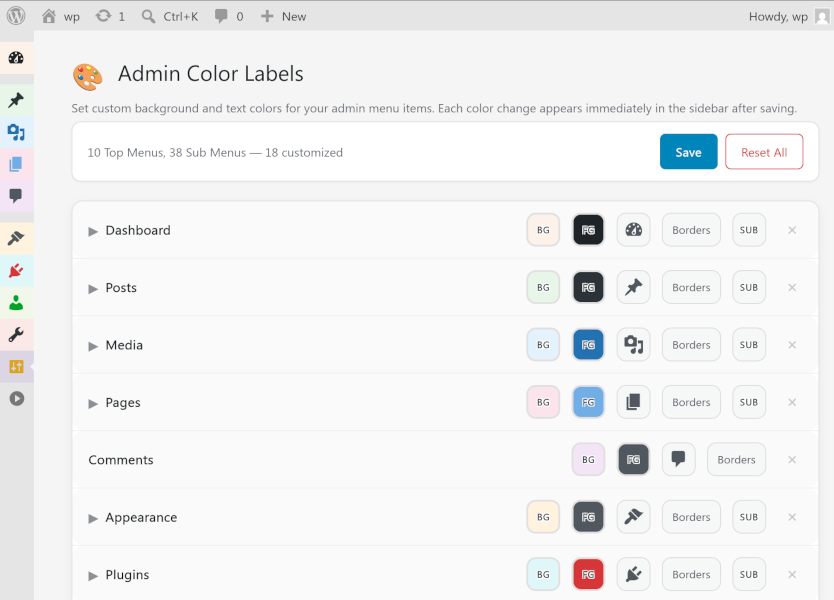
- Per-menu colors — Set a background and foreground color for any top-level admin menu
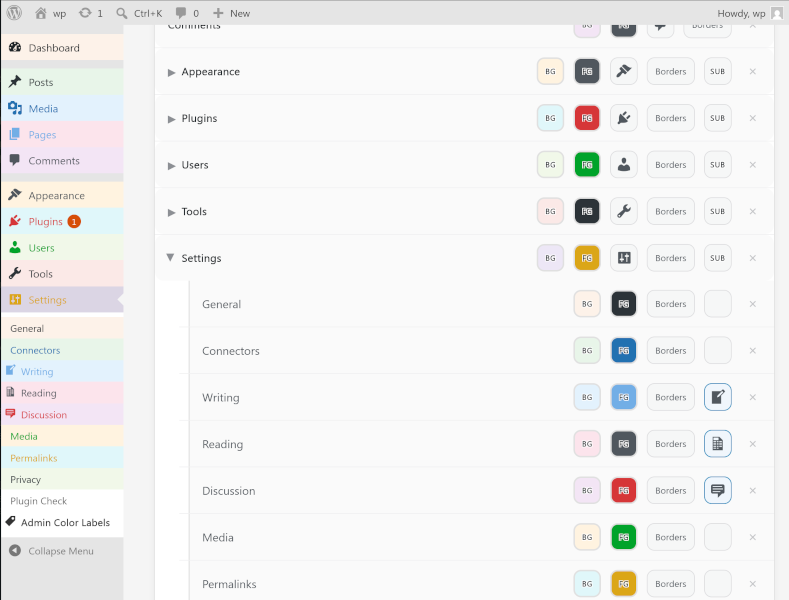
- Per-submenu colors — Customize individual submenu items too
- Apply to Submenus — One click copies a menu’s colors to all its submenu items
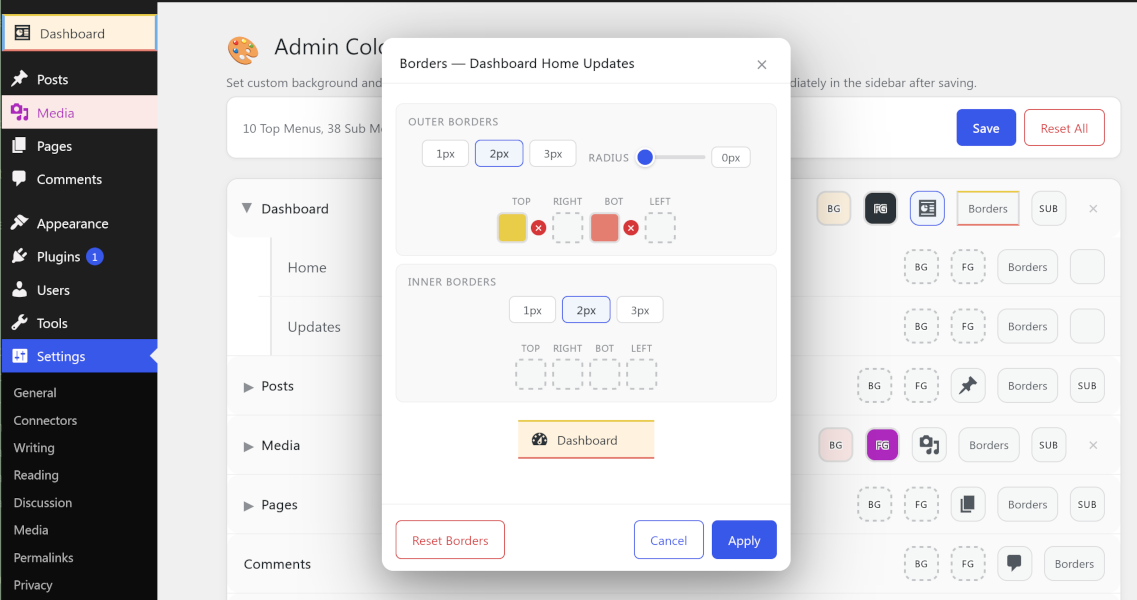
- Borders — Add colored outer borders and inner highlight shadows to any menu item, with per-side colors and corner radius
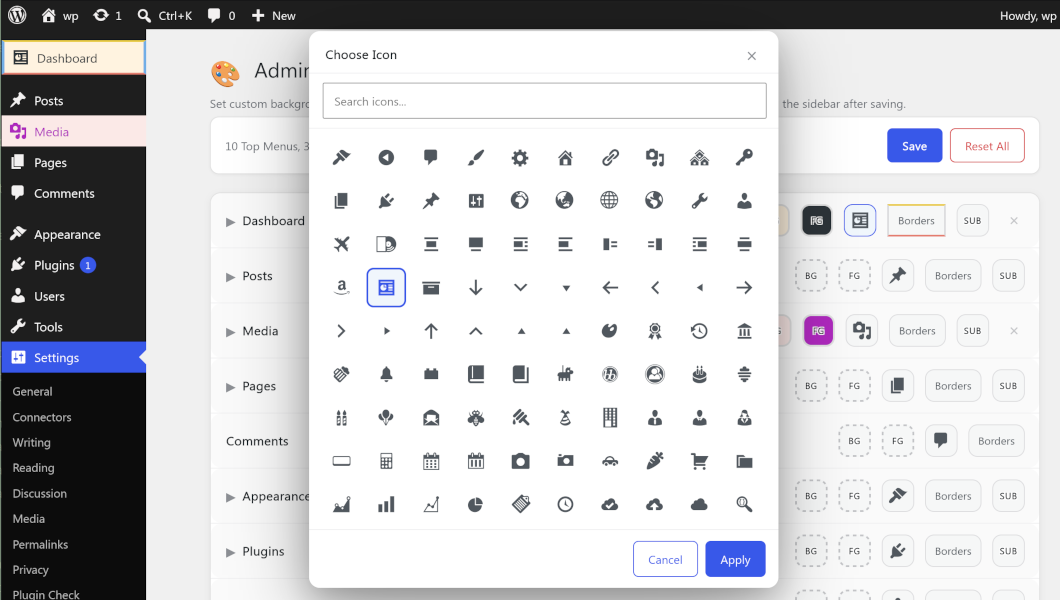
- Menu icons — Replace any menu or submenu dashicon with another from a searchable picker
- Built-in Iris color picker — WordPress’s own color wheel with hex input
- 20-color premade palette — WordPress admin tones + soft pastels
- Per-user settings — Each admin customizes their own experience
- Reset all — One click restores defaults, item by item or all at once
- No external dependencies — Just pure WordPress
Who is it for?
- WordPress site administrators who want to personalize their admin
- Agencies managing multiple sites who want visual distinction
- Users with specific color preferences or accessibility needs
- Anyone who wants their admin menus to look more organized with color cues
Ondersteuning
Please, for feature requests and issues, use the plugin’s support forum. Thank you!
Schermafbeeldingen
FAQ
Zijn mijn wijzigingen zichtbaar voor andere gebruikers?
Nee. Elke gebruiker past zijn eigen kleuren aan. Wijzigingen worden per gebruiker opgeslagen in WordPress user meta.
Kan ik afzonderlijke items resetten?
Yes. Each menu item that has custom colors shows a small ✕ button next to it. Click it to clear that item’s colors.
Kan ik alles resetten?
Yes. Click the Reset All button at the top of the settings page to clear all your customizations.
Yes! The plugin reads the actual
$menuand$submenuWordPress globals, so any menu item added by any plugin will appear on the settings page and can be customized.Will this slow down my admin?
No. The plugin only outputs a small inline
<style>block on admin pages. If no colors are customized, nothing is output at all.Heeft dit invloed op de front-end van mijn site?
No. The plugin only runs in the WordPress admin area.
Beoordelingen
Er zijn geen beoordelingen voor deze plugin.
Bijdragers & ontwikkelaars
“ZCBRG Admin Color Labels” is open source software. De volgende personen hebben bijgedragen aan deze plugin.
Bijdragers
“ZCBRG Admin Color Labels” is vertaald in 3 localen. Dank voor de vertalers voor hun bijdragen.
Vertaal “ZCBRG Admin Color Labels” in je eigen taal.
Interesse in ontwikkeling?
Bekijk de code, haal de SVN repository op, of abonneer je op het ontwikkellog via RSS.