Ga naar de inhoud
WordPress.org

Nederlands

  • Thema’s
  • Plugins
  • Nieuws
    • Documentatie
    • Forums
  • Over
    • Vertaalproces
    • Stijlgids
    • Onze community
    • Meetups
    • WordCamps
  • Contact
  • WordPress downloaden
WordPress downloaden
WordPress.org

Plugin Directory

WP ShareX

  • Dien een plugin in
  • Mijn favorieten
  • Login
  • Dien een plugin in
  • Mijn favorieten
  • Login

Deze plugin is niet getest met de laatste 3 grotere versies van WordPress. Mogelijk wordt het niet meer onderhouden of ondersteund. Ook kunnen er compatibiliteitsproblemen ontstaan wanneer het wordt gebruikt met recentere versies van WordPress.

WP ShareX

Door joomdev
Download
  • Details
  • Beoordelingen
  • Installatie
  • Ontwikkeling
Ondersteuning

Beschrijving

WP ShareX is an advanced WordPress Social Share plugin enables you to add social share buttons on Posts and pages. You can assign buttons on Top of the Content, Bottom of the Content, Sidebar and on media.

Features of WP Social Share by JoomDev
1. 24 Social Network
2. You have the option to select either Icons or Icons with Text
3. 3 Button Shapes
4. 4 Button Animations
5. URL Shortening Option with Bitly and Goo.gl
6. Embed Twitter Handle and desired tags with Tweet
7. 4 Button display Location e.i. Top of the Content, Bottom of the content, Media, and Sidebar
8. Hide On Mobile Ability
9. Default Share Count Option. (You can play with your user’s mind)
10. Encourage your Audience to share your content with Share Incentive Feature

Schermafbeeldingen
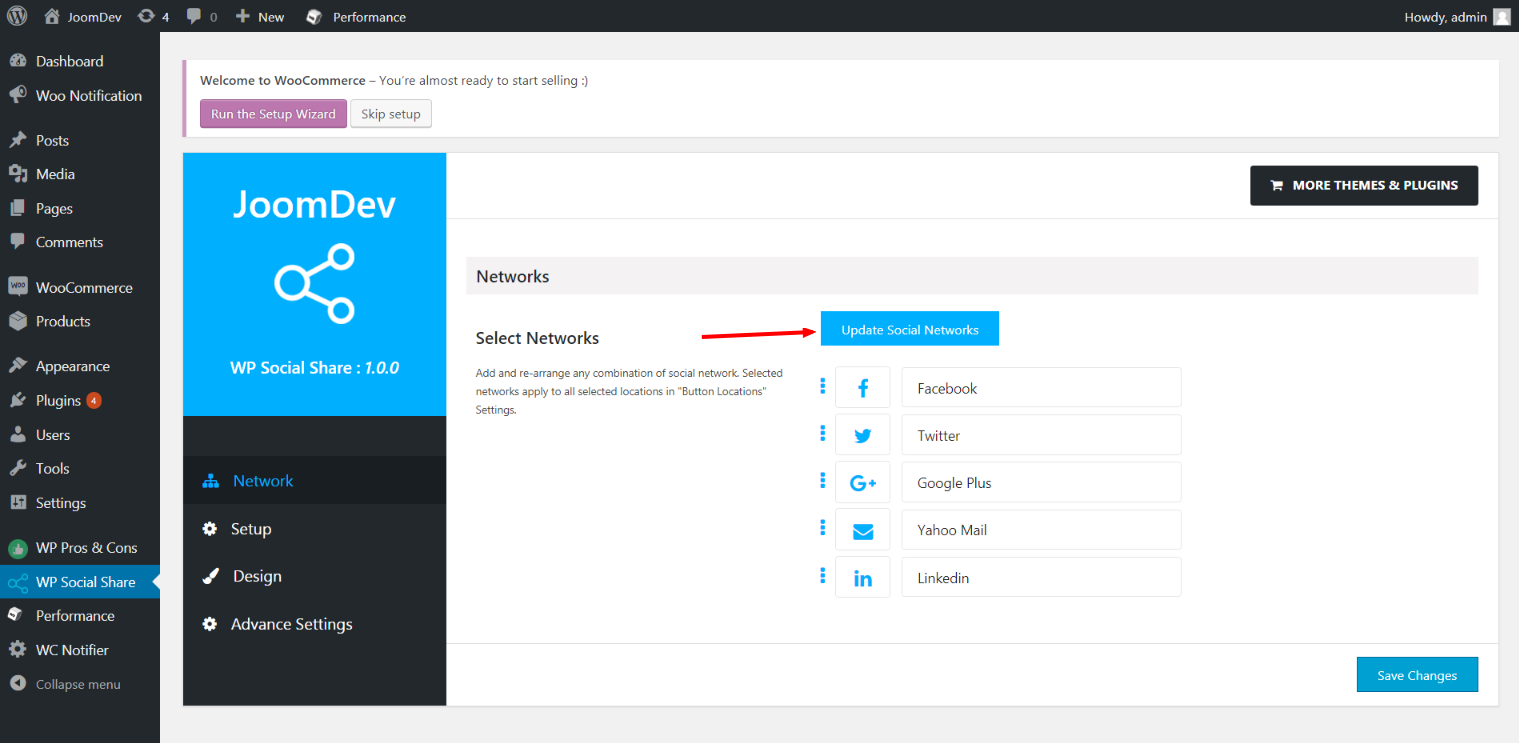
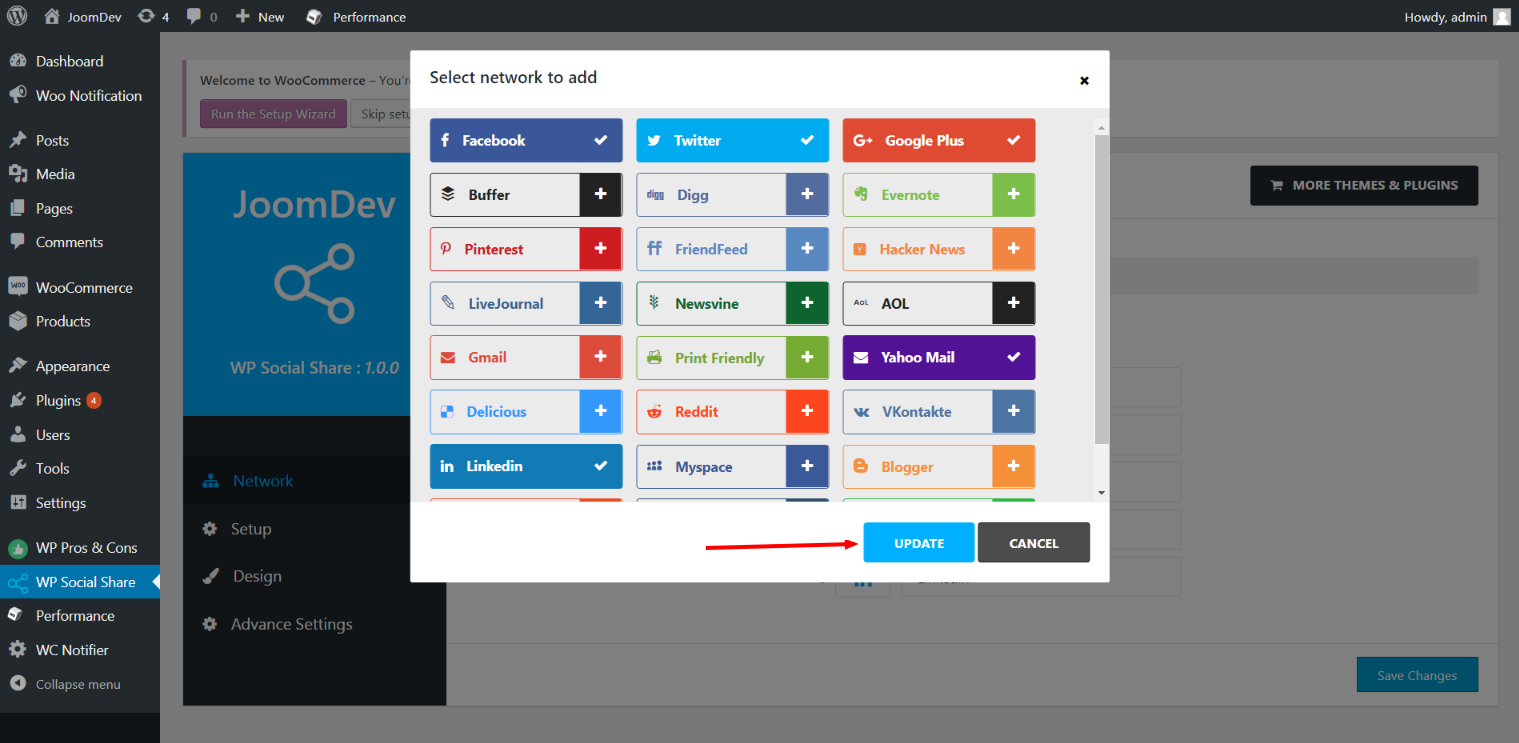
  • Click here to select networks
  • Update networks after selecting them.
  • Setup plugin and api settings.
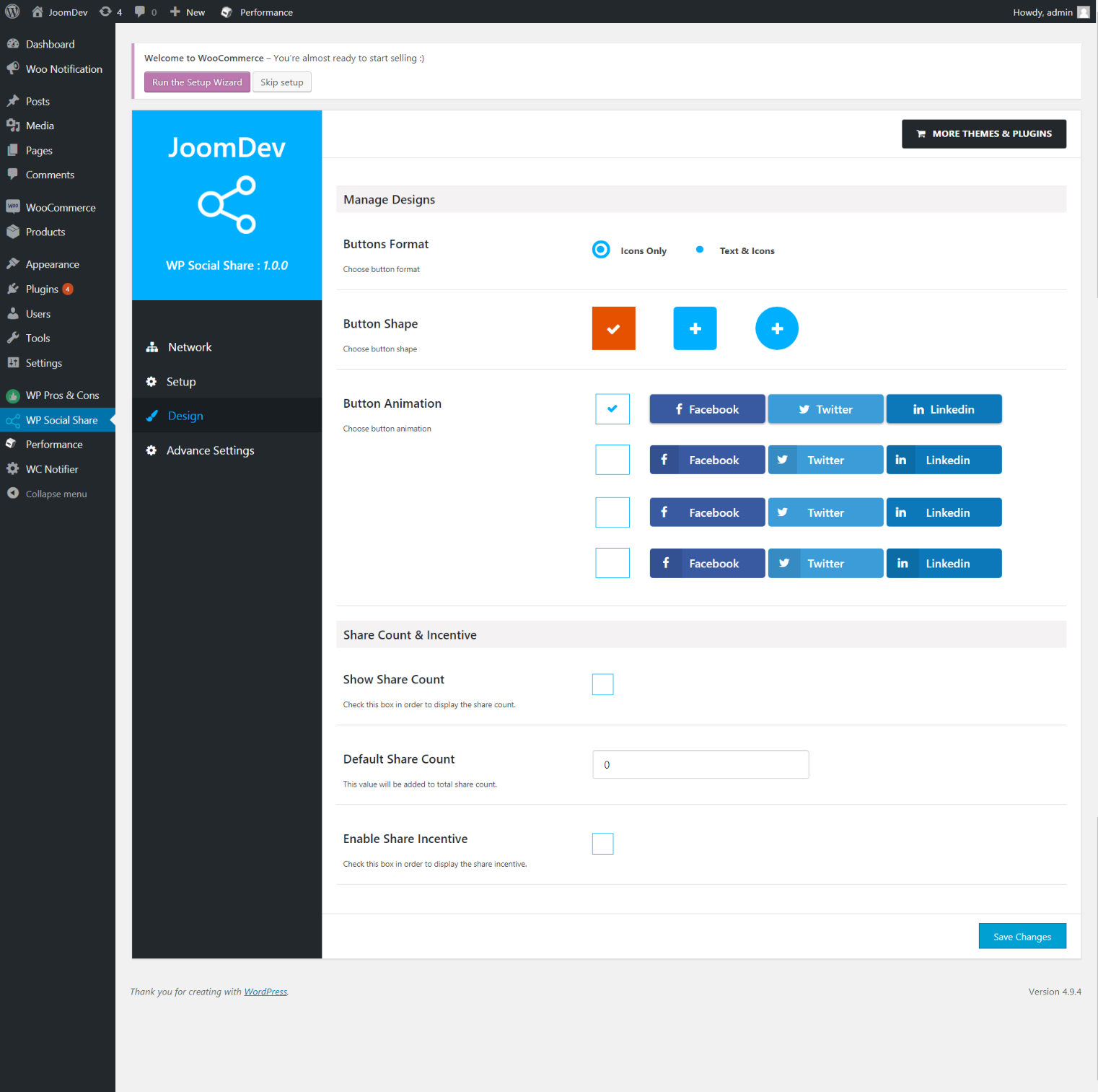
  • Select any design to display the buttons.
  • For mobile

Installatie

Way 1:
1. Upload joomdev-wp-social-share.zip to the /wp-content/plugins/ directory
2. Extract the zip file.
3. Activate the plugin from wordpress plugins page. And you have done.

Way 2:
1. Go to plugins page in admin.
2. Click on Add New button.
3. Search for “WP ShareX”.
4. Click install on WP Social Share.
5. Activate the plugin.

FAQ

Installation Instructions

Way 1:
1. Upload joomdev-wp-social-share.zip to the /wp-content/plugins/ directory
2. Extract the zip file.
3. Activate the plugin from wordpress plugins page. And you have done.

Way 2:
1. Go to plugins page in admin.
2. Click on Add New button.
3. Search for “WP ShareX”.
4. Click install on WP Social Share.
5. Activate the plugin.

How do I use this plugin?

See description.

Beoordelingen

Excellent!

Arnab Mohapatra 16 maart 2018 1 reactie
Incredible plugin. It allows to add any sharing button on the page simply and fast!
Lees 1 beoordeling

Bijdragers & ontwikkelaars

“WP ShareX” is open source software. De volgende personen hebben bijgedragen aan deze plugin.

Bijdragers
  • joomdev

Vertaal “WP ShareX” in je eigen taal.

Interesse in ontwikkeling?

Bekijk de code, haal de SVN repository op, of abonneer je op het ontwikkellog via RSS.

Changelog

1.0.0

  • New Plugin initialized.

Meta

  • Versie 1.0.0
  • Laatst geüpdatet 8 jaar geleden
  • Actieve installaties 10+
  • WordPress versie 3.0 of nieuwer
  • Getest t/m 4.9.29
  • Taal
    English (US)
  • Tags
    sharesocialsocial share
  • Geavanceerde weergave

Waarderingen

5 van 5 sterren.
  • 1 5 ster beoordeling 5 sterren 1
  • 0 4 sterren beoordelingen 4 sterren 0
  • 0 3 sterren beoordelingen 3 sterren 0
  • 0 2 sterren beoordelingen 2 sterren 0
  • 0 1 sterren beoordelingen 1 ster 0

Your review

Bekijk alle beoordelingen

Bijdragers

  • joomdev

Ondersteuning

Iets te melden? Hulp nodig?

Het supportforum bekijken

Doneren

Wil je de groei van deze plugin ondersteunen?

Doneer aan deze plugin

  • Over
  • Nieuws
  • Hosting
  • Privacy
  • Showcase
  • Thema's
  • Plugins
  • Patronen
  • Leren
  • Ondersteuning
  • Ontwikkelaars
  • WordPress.tv ↗
  • Raak betrokken
  • Evenementen
  • Doneren ↗
  • Five for the Future
  • WordPress.com ↗
  • Matt ↗
  • bbPress ↗
  • BuddyPress ↗
WordPress.org
WordPress.org

Nederlands

  • Bezoek ons X (voorheen Twitter) account
  • Bezoek ons Bluesky account
  • Bezoek ons Mastodon account
  • Bezoek ons Threads account
  • Onze Facebook pagina bezoeken
  • Bezoek ons Instagram account
  • Bezoek ons LinkedIn account
  • Bezoek ons TikTok account
  • Bezoek ons YouTube kanaal
  • Bezoek ons Tumblr account
Code is poëzie.
The WordPress® trademark is the intellectual property of the WordPress Foundation.