
Beschrijving
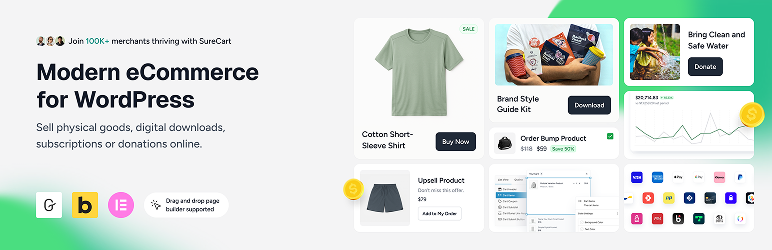
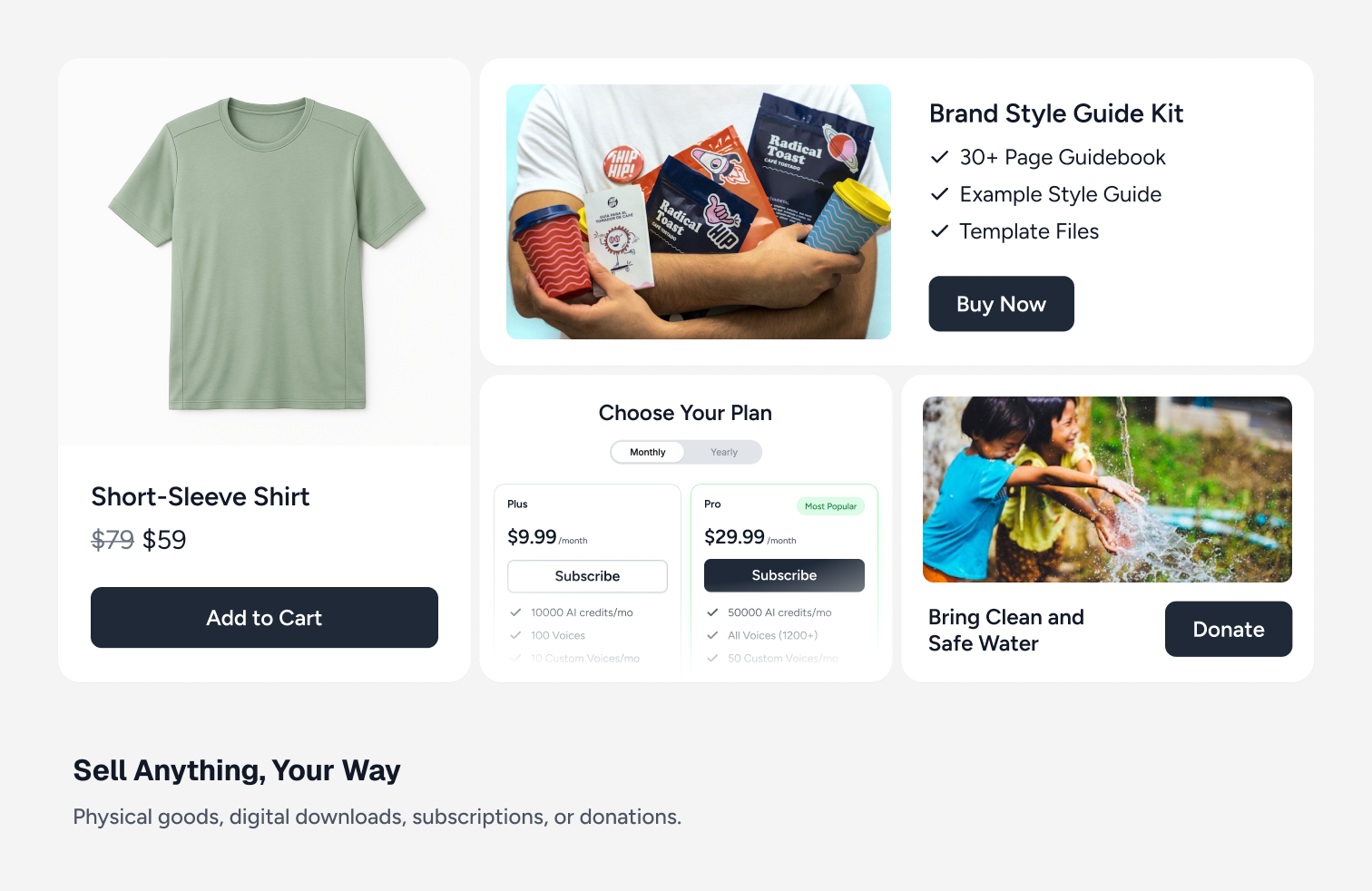
Sell anything on WordPress: digital downloads, subscriptions, physical products, services, and donations.
SureCart turns WordPress into a fast online store. Add products, a shopping cart, and a conversion-optimized checkout in minutes, then accept one-time and recurring payments with Stripe, PayPal, Mollie, Razorpay, or Paystack.
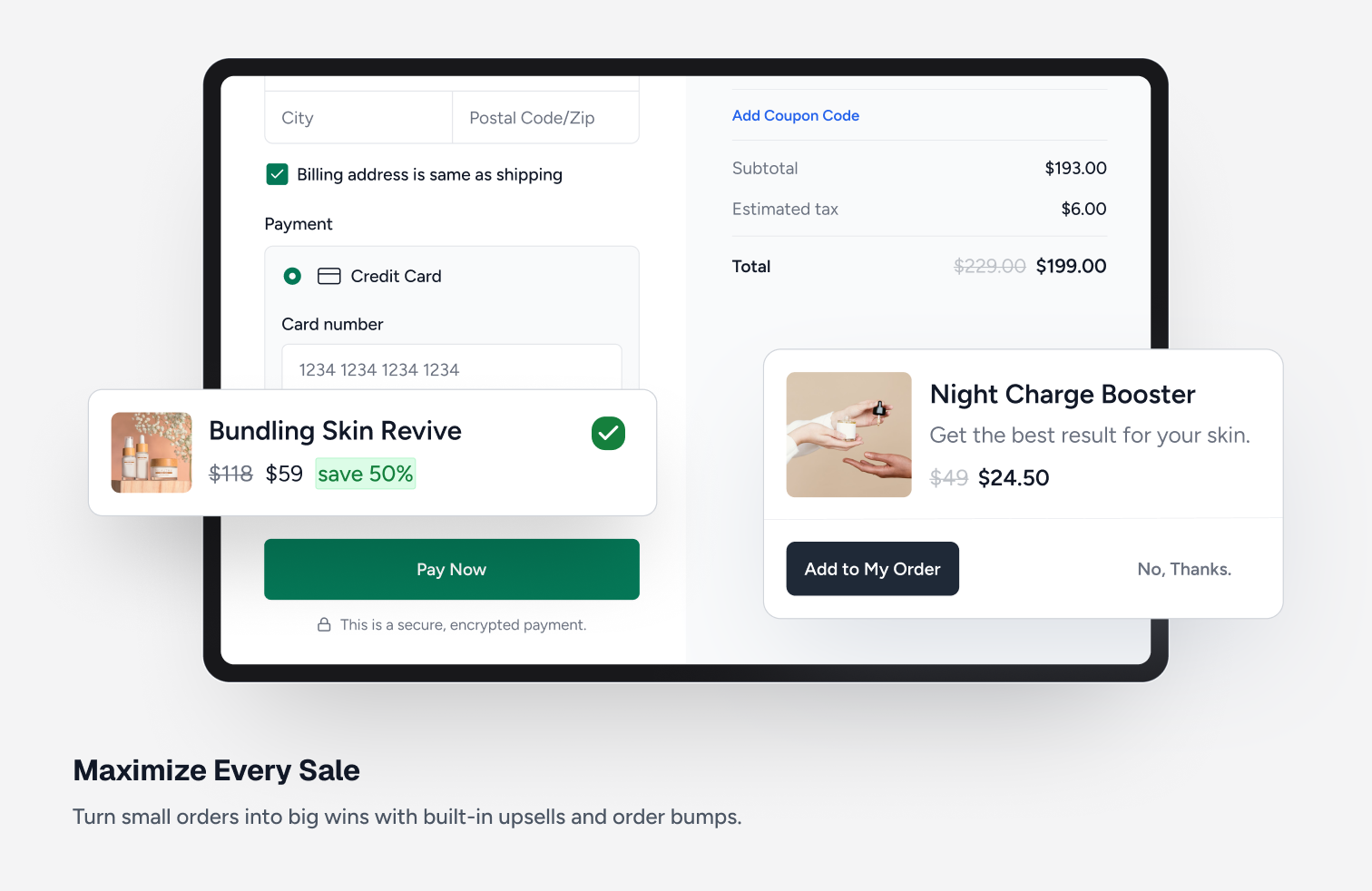
Everything is built in: subscriptions with free trials and payment plans, order bumps and upsells, abandoned cart recovery, coupons, an affiliate program, software licensing, taxes, and a customer dashboard.
Looking for a lightweight WooCommerce alternative? SureCart runs payments, subscriptions, and checkout on its own cloud platform, so your site stays fast and your database stays small.
What’s New | Blog | Docs | Video Tutorials | Get Help | Community
Start With a Completely Free Store
With SureCart’s free plan, you can create a store with full core functionalities: unlimited products, flexible checkout customization, subscription support, and powerful built-in features, without needing a stack of add-ons.
Scale when you’re ready. No forced upgrades. No unnecessary bloat.
What Makes SureCart Different?
Most WordPress ecommerce solutions run entirely inside your website. As stores grow, this can introduce performance issues, database bloat, plugin conflicts, and caching complications.
SureCart consists of two parts: the plugin and the platform. The plugin connects your WordPress site to the SureCart platform, a cloud-based ecommerce engine that handles payments, subscriptions, taxes, and checkout processing at scale, so heavy operations never run on your server.
Because of this architecture, you get:
- A lighter WordPress footprint
- Reduced database bloat
- Fewer plugin conflicts
- Compatibility with caching systems
- Built-in security, backups, and infrastructure handling
The result is a smoother ecommerce experience with less technical overhead and fewer moving parts to manage.
Voor wie is SureCart?
Each year we send all of our users a survey, so here are the 2025-26 results of who is using SureCart.
- Subscription-Based Businesses: SureCart is ideal for coaches, course creators, membership sites, and SaaS companies that rely on recurring revenue and need powerful subscription management with built-in retention tools.
- Service-Based Businesses: Perfect for web agencies, legal firms, and local businesses that charge through subscriptions, installment plans, or one-time setup fees with flexible billing built right into the checkout.
- Digital Product Creators & Developers: Built for selling ebooks, printables, creative assets, and digital downloads and increasingly trusted by WordPress software developers who leverage SureCart’s built-in licensing system.
- Physical Product Stores: Great for merchants who want a simple way to launch an online store, manage orders and fulfillment, and increase average order value with built-in cart abandonment recovery, order bumps, and post-purchase upsells.
- Agencies & Freelancers: Instead of turning down eCommerce projects due to complexity, agencies are confidently taking on more online store clients. SureCart makes setup and ongoing management simple and their clients love the experience.
- Nonprofits & Fundraisers: Ideal for charities and causes that need flexible donation forms while also having the ability to sell merchandise, event tickets, or other products, all from one streamlined checkout experience.
Traditionele Storefront
Wanting to add a traditional online store to your websites?
This is where you have a shop page to showcase all of your products, product pages, cart, then checkout?
SureCart has all the features for selling products this way on your website. These include product variations, product collection, coupons, inventory tracking, shipping calculations, product fulfillment, product returns, and customer area.
Product Pricing Options (Now with Dynamic Pricing)
SureCart gives you flexible, conversion-focused pricing control without duplicating products or creating complex checkout flows.
Instead of being limited to one price per product, you can attach multiple pricing options to a single product and let customers choose what works best for them.
You can offer:
- One-time payments
- Subscription payments (daily, weekly, monthly, yearly, etc.)
- Installment plans
- Free trials
- Paid trials
- Setup fees
- Setup discounts
- “Name your own price”
Dynamic Pricing (New)
SureCart also includes built-in Dynamic Pricing, allowing prices to automatically adjust at checkout based on real conditions.
You can:
- Apply discounts when cart subtotal exceeds a threshold
- Add conditional fees based on user role or customer type
- Offer bulk/quantity discounts
- Reward logged-in customers with special pricing
- Run BOGO-style offers without duplicating products
Pricing updates instantly at checkout exactly where buying decisions happen.
This makes it easier to increase average order value (AOV), reward loyal customers, and run smarter promotions without adding extra plugins.
Advanced Subscription Management & Retention for WordPress
Selling a plan is the easy part. Managing renewals, reducing churn, and maximizing lifetime value is where recurring-revenue businesses actually grow.
SureCart goes beyond basic recurring payments by giving you built-in tools to actively manage and retain subscribers and not just collect payments.
Flexible Subscription Setup
With SureCart, you can:
- Create flexible billing intervals (daily, weekly, monthly, yearly, or custom)
- Offer free trials and paid trials
- Add setup fees or setup discounts
- Create installment plans
- Apply Dynamic Pricing rules to recurring products
- Offer multiple pricing options on a single product
Reduce Churn From Failed Payments
One of the biggest causes of churn is failed payments. SureCart includes built-in dunning management that:
- Automatically retries failed payments
- Sends advanced pre-payment reminders
- Notifies customers about payment issues
- Helps recover revenue that would otherwise be lost
This helps keep subscribers active without requiring third-party add-ons.
Reduce Voluntary Cancellations
The second major source of churn is subscribers choosing to cancel. SureCart’s Subscription Saver feature helps reduce cancellations and gives you insights into why customers leave.
You can:
- Offer upgrade or downgrade paths with automatic proration
- Pause a subscription for a set period instead of cancelling it
- Reactivate cancelled subscriptions
- Let customers change payment methods
- Allow changes to billing dates
- Provide self-service management via customer dashboards
Instead of forcing cancellations, you give customers flexible options that keep revenue flowing.
Built-In Management Without Extra Extensions
Many WordPress setups require multiple add-ons to manage recurring billing. SureCart includes billing logic, retention tools, and email notifications natively.
Because SureCart is cloud-based and API-driven, recurring billing is handled reliably without adding heavy processing load to your WordPress site.
This gives you greater control over subscriber experience, retention, and recurring revenue, all from a single platform.
Het beste WooCommerce alternatief
SureCart is the WooCommerce alternative WordPress users have been asking for!
We highly respect WooCommerce and how it has paved the way for adding an online store to WordPress. But it’s not ideal for everyone.
It would cost you $2,849 per year, per store, in WooCommerce add-ons to get the same features SureCart offers out of the box! And your store would be more prone to plugin conflicts, security vulnerabilities, constant updates required for each plugin, and a potentially slower website.
(These are reasons told to us by SureCart merchants that switched from WooCommerce)
There are cases where using WooCommerce may be the only choice for your store due to their deep ecosystem of paid add-ons and payment gateways if you have very specific requirements.
Where SureCart’s approach is different. Everything is built in, no add-on required. Everything is made easier, your site will run faster, we are there to support you, you are never alone.
SureCart functies
These are just some of the key features SureCart users love.
-
Multiple Payment Processors, Express Checkout Apple Pay & Google Pay:
Easily connect to Stripe, PayPal, Mollie, Razorpay, and Paystack with support for 135+ currencies, 45+ countries, and dozens of payment methods including cards, wallets, bank debits, and more. You can use multiple processors on a single checkout form. Also, you can optionally accept Apple Pay or Google Pay express checkout options. -
Powerful Payment Options:
One-time payments, subscriptions with or without free trials, setup fees, payment plans (installments), pay what you want, donations. SureCart covers most ways you may want to be paid, all included on the free plan. -
Most Complete Subscription Payments System:
There is a lot more to recurring billing than rebilling on an interval. SureCart’s subscription engine is second to none, and it goes beyond other ecommerce platforms by offering prorated upgrades and downgrades. If a buyer on a monthly plan wants to move to annual, SureCart prorates the change. -
Built-In Product Reviews
SureCart includes a native product review system so you can collect and display verified customer feedback without installing a separate reviews plugin. You can enable star ratings with written feedback, moderate and approve reviews, and display them directly on product and checkout pages. Reviews are managed inside your SureCart dashboard and work seamlessly with your products and pricing options, helping build trust at the point of purchase without adding extra plugins or complexity. -
Dynamic Pricing
SureCart includes built-in Dynamic Pricing so you can automatically adjust prices at checkout based on real conditions without duplicating products or creating complex coupon rules. You can apply discounts or fees based on cart subtotal, product quantity, customer type, user role, or other checkout conditions, and pricing updates instantly where purchase decisions happen. Dynamic Pricing works seamlessly with one-time payments and subscription products, giving you more flexibility to increase average order value and run smarter promotions without adding extra plugins. -
Order Bumps & Upsell Funnels:
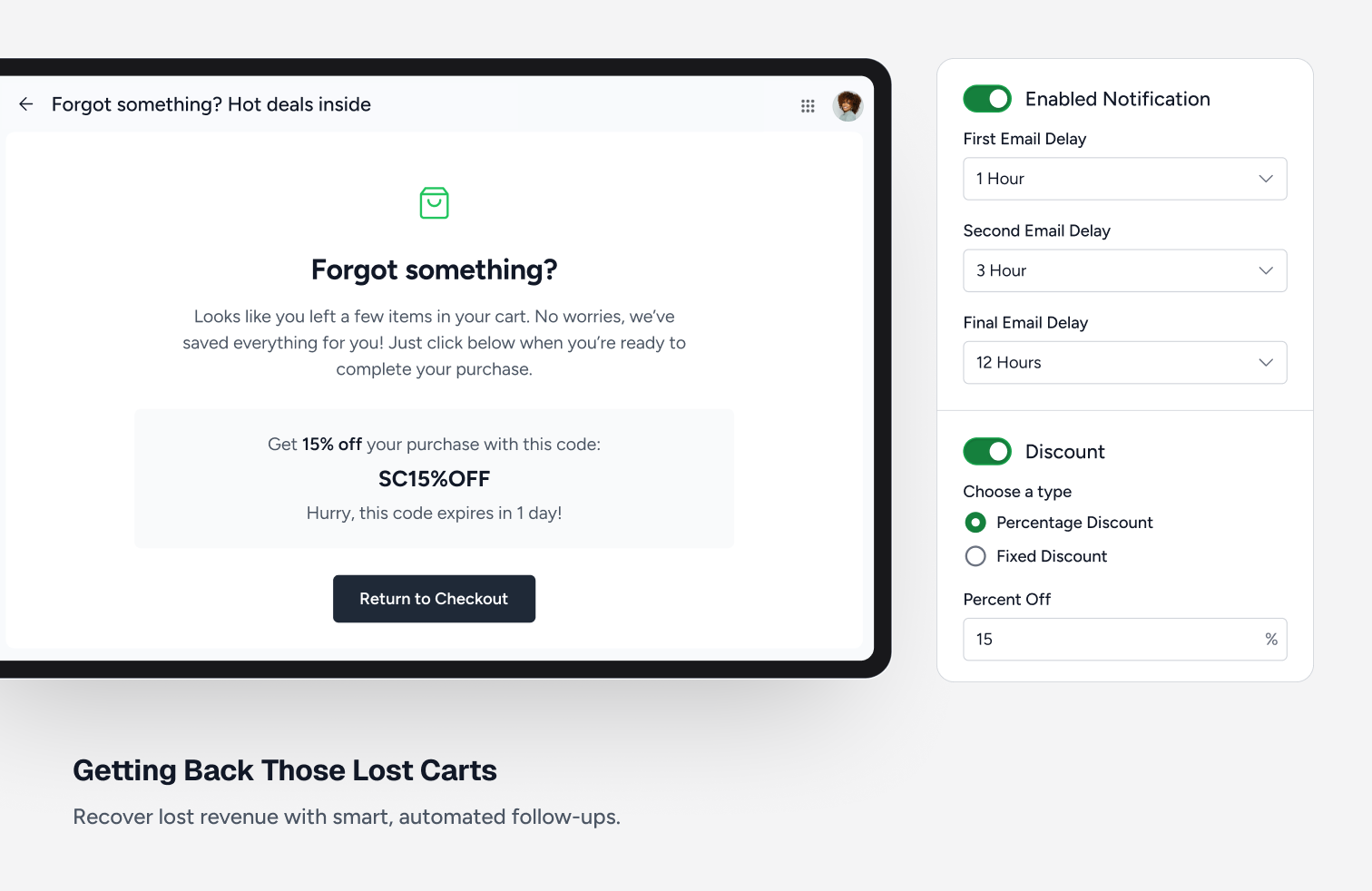
SureCart merchants have more profitable stores due to a full suite of revenue optimization features. Generate more revenue with one-click order bumps, post purchase one-click upsells, and cart abandonment recovery. -
Affiliate Platform:
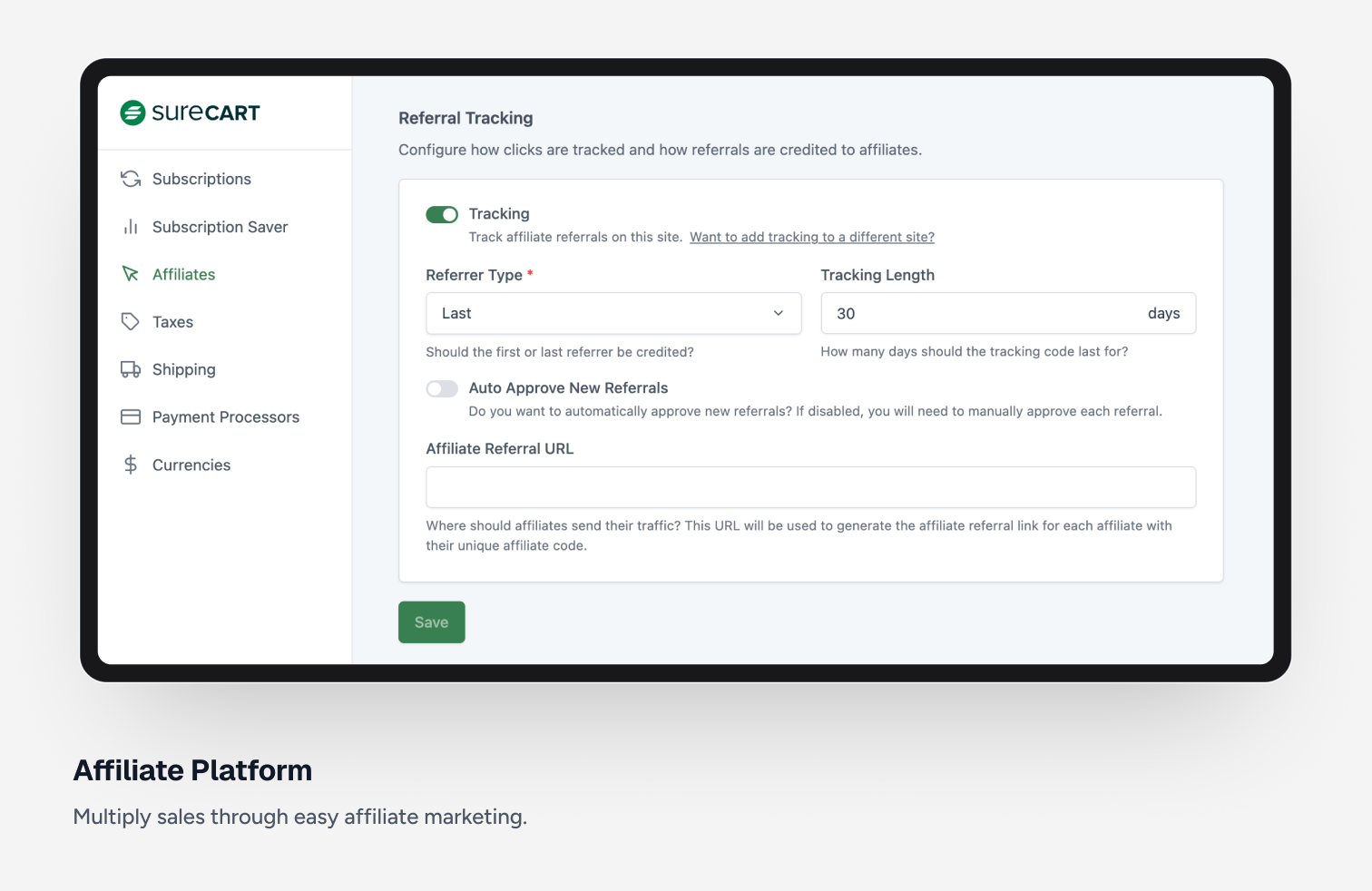
Generate more sales by adding an affiliate program. Easily launch an affiliate program in just a few minutes. You can customize each aspect of your affiliate program, including lifetime commissions, custom affiliate rates, affiliate coupons, and more. -
Self Service Customer Area (Subscription Upgrades / Downgrades):
With our highly customizable customer area, you can have full control on what a customer sees and is able to do. For example, you can let your customers change their personal details, password, access secure digital downloads, update credit cards on file, upgrade a subscription, downgrade a subscription. All with a beautiful and modern user experience. -
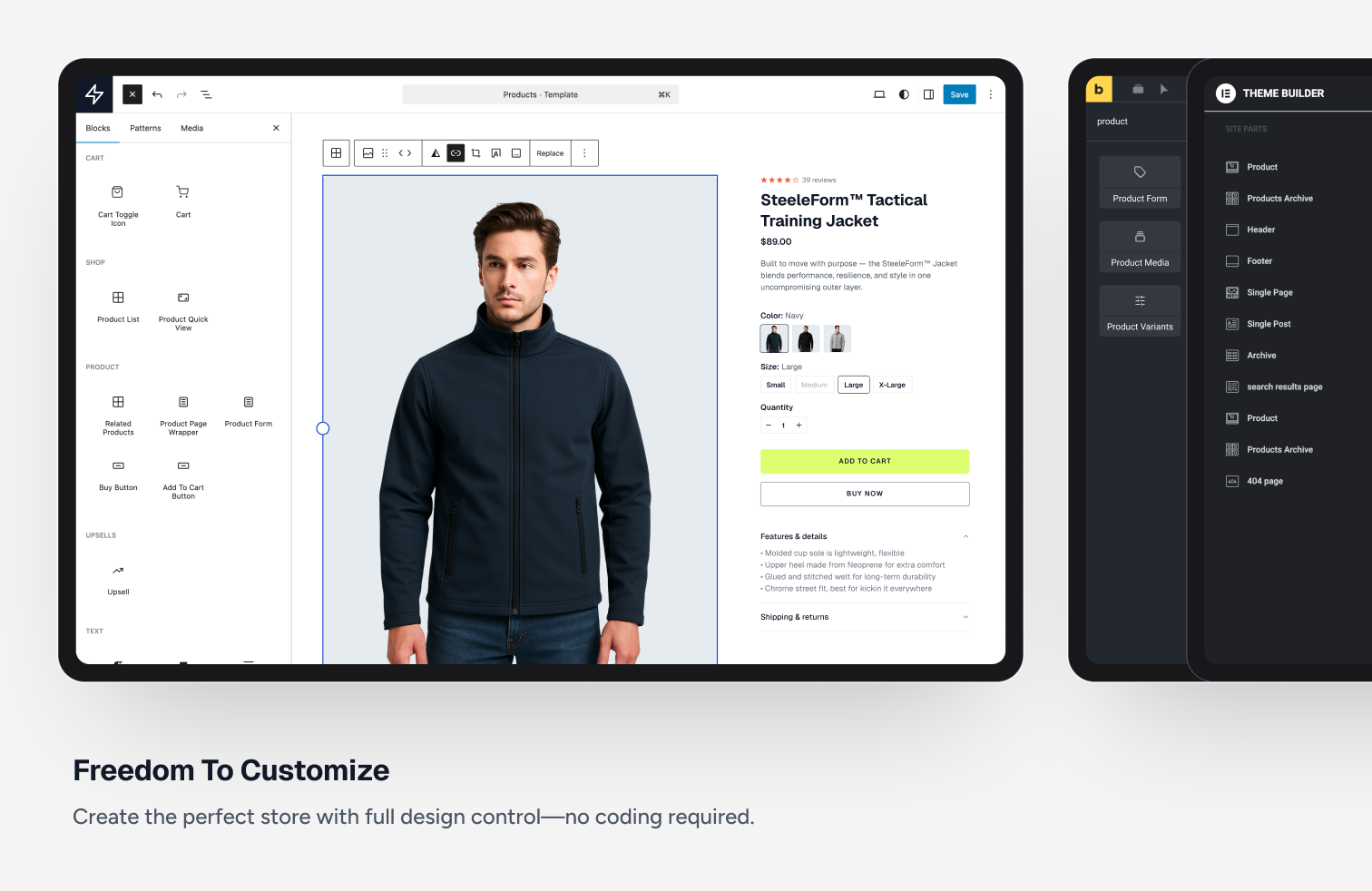
Customizable Shopping Experience:
Customize product pages, shop pages, cart, and customer dashboard using an intuitive and powerful drag and drop editor that utilizes the WordPress block editor. -
Flexible Checkout Form Builder:
Create a completely custom checkout form. In fact, create as many as you like. There is no other ecommerce platform with this much customizability. Simply drag and drop fields, price choosers, donation choosers, check boxes, and other parts to create the perfect checkout form. -
Coupon Discounts:
Incentivizing buyers with a coupon discount is a great way to increase sales. You can easily create unlimited coupons as well as automatically add coupons with a URL parameter. -
Secure digital file delivery:
Selling digital downloads? This could be software, printables, ebooks, you name it and SureCart can deliver it securely to your buyers. -
Slide-out Cart:
If you want to sell your products or services using a traditional cart allowing buyers to add items then checkout, you will love SureCart’s beautiful and lightning fast slide-out cart. -
Complete EU Compliance:
If you are an EU-based merchant, you know there are very strict requirements regarding VAT, how you display the prices inclusive of VAT, what information is on invoices, how invoices need to be numbered, etc. SureCart has you covered. -
Integrate & Automate:
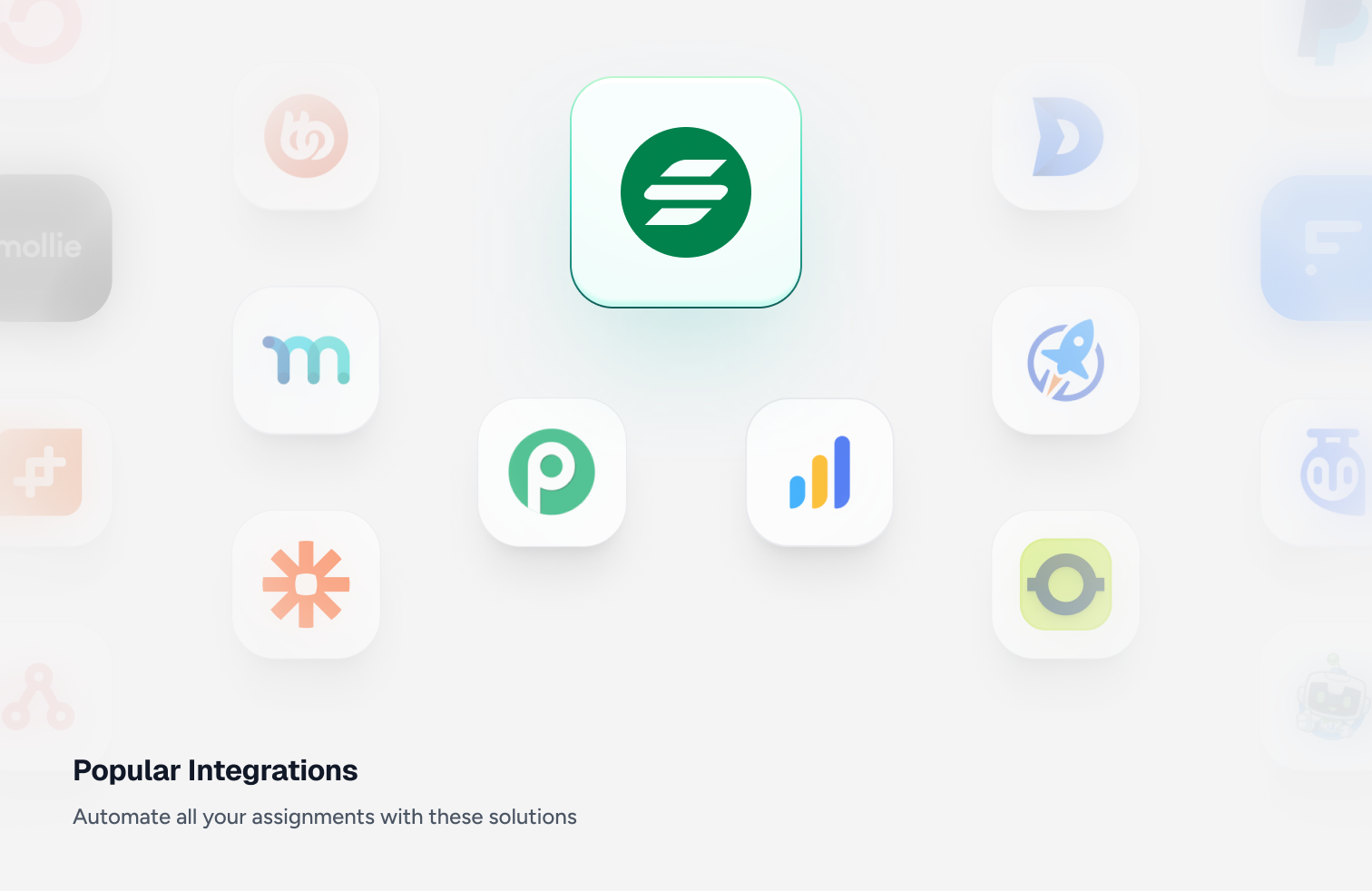
The most important part of an ecommerce platform is how it integrates with other plugins and external platforms. SureCart offers integrations with many WordPress plugins, so you can use SureCart for all of your ecommerce. -
Seamless Scaling:
With other ecommerce plugins, if you get an influx of buyers for that big sale or promotion, unless you have high-powered and high cost hosting, your website will be slow or worse, it will crash. Since SureCart is platform based, when you get an influx of new buyers, you have nothing to worry about because we take care of the scaling for you. -
Real-time VAT & Sales Tax Calculations:
Other ecommerce platforms let you integrate with expensive tax calculation services, usually costing $50 per month and up. Not with SureCart, we are fully integrated with TaxJar, and we pay for the calculations, so you don’t have to. And the setup is a breeze.
SureCart integraties
Recommended
- OttoKit
- SureDash
- SureMembers
- Astra
- Starter Templates
Analytics
- Google Analytics
- Facebook Pixel
- Analytics WP
- Conversion Bridge
- Independent Analytics
- Kadence Insights
Automation
- OttoKit
- Bit Flows
- Zapier
- WPFusion
- Bit Integrations
- Flowmattic
- Integrately
- Omnisend
- Pabbly Connect
- Thrive Automator
- viaSocket
Booking & Events
- LatePoint
- Pie Calendar
Community / Network
- SureDash
- BuddyBoss
- GamiPress
- Omnisend
Courses & Online Learning
- SureDash
- LearnDash
- LifterLMS
- Masteriyo
- TutorLMS
Data Management
- WP Ultimate CSV Importer
Design & Theme
- Astra
- Bricks Builder
- Starter Templates
- Block Editor (Gutenberg)
- Kadence Cloud
- Meta Box
- Advanced Custom Fields
- JetEngine
- Elementor
- Spectra Site Builder
- Divi Builder
- Beaver Builder
- Thrive architect
- Oxygen Builder
Themes
SureCart werkt met elk thema, inclusief:
- Astra thema
- Avada
- Blocksy
- Divi thema
- Flatsome
- GeneratePress
- Kadence thema
- Neve
- OceanWP
- Spectra One thema
Membership
- SureMembers
- MemberPress
Other Integrations
- Presto Player
- AffilliateWP
OttoKit Integrations
SureCart also integrates with OttoKit, which is like Zapier for WordPress. OttoKit integrates with over 500 apps and services. These will require you to add the OttoKit plugin to your website to integrate with:
- ActiveCampaign
- ConvertKit
- FluentCRM
- Google Sheets
- GoHighLevel
- Klaviyo
- MailChimp
- MailGun
- Restrict Content Pro
- SendinBlue
- Slack
- The Events Calendar
- Twilio
- Webhooks
- Zoom
- See the full list
Word lid van de SureCart Facebook groep
Join our Facebook group community: Learn the tricks and techniques that other SureCart users are using to grow their business. Also, get exciting insider information on upcoming feature releases.
Want to contribute to the plugin?
You may now contribute to the plugin on Github: SureCart WordPress Plugin on Github
Terms And Conditions
Privacy Policy
External services
SureCart is a hosted ecommerce platform. The plugin connects to the SureCart platform (api.surecart.com) to provide its ecommerce features: products, checkouts, orders, subscriptions, customers and payments are stored and processed there. Store data is sent when you create or edit it in the admin, and checkout data when a customer places an order.
Usage data. If you opt in (during onboarding, under SureCart Settings Advanced, or from a one-time notice), the plugin sends usage data to api.surecart.com. This includes basic information about your site, such as its URL, software versions, theme and related plugins, and how you use SureCart’s setup screens. Customer, order and payment data are never included. You can turn this off at any time under SureCart …
Schermafbeeldingen
Blokken
Deze plugin heeft 227 blokken.
- Titel bestelling bump Toon de titel van de bestelling bump product.
- Geselecteerde prijs krasbedrag Toont het momenteel geselecteerde prijsbedrag.
- Ster waardering Toon de gemiddelde productwaardering sterren.
- Bestel bump prijs Display the order bump price, original price and interval.
- Volgende Toon de product paginering vervolgens.
- Subtotaal bedrag The subtotal amount for the instant checkout order summary.
- Sticky aankoop Toon de sticky aankoop.
- Invoer Toon de invoer voor de productkwantiteit
- Regelitem kras bedrag Toon het krasbedrag van het product regelitem.
- Selectievakje Toon het filter selectievakje.
- Filter (dropdown) Toon het productfilter.
- Nummers Toon de product paginanummers.
- Afbeelding Toon de productafbeelding.
- Variant van regelitem Display the product line item variant, or the included items when the product is a bundle.
- Sorteren (radiogroep) Toon de productlijst sorteer radio groep.
- Paginering bestelling bump Paginabesturingselementen voor bestelling bumps.
- Vorige Toon de productpaginering vorige.
- Zijbalk Toon de productlijst zijbalk.
- Prijs Toont bedrag van een prijs.
- Selectievakje Toon het selectievakje voor het productbeoordeling filter.
- Icoon Toon een icoon uit de SureCart icoon bibliotheek.
- Verminder hoeveelheid Toon de knop om de productkwantiteit te verlagen
- Regelitem titel Toon de product regelitem titel.
- Voorwaarden Required terms-of-service checkbox shown before the submit button.
- Beoordeling formulier indienen knop Geef een indienknop voor het productbeoordelingsformulier.
- Adres Shipping and billing address fields for the checkout form. Inserts both address blocks together.
- Save to List Product Name The name of the product being saved.
- Tekstveld Collect a custom text value at checkout. The value is saved on the order under the field name you choose.
- Product media Een container om de productmedia te tonen
- Geselecteerde prijzen Toont de momenteel geselecteerde prijsvergoedingen.
- Winkelwagen items De items in de winkelwagen
- Winkelwagen toggle icoon Het icoon van het winkelwagen menu dat je winkelwagen hoeveelheid toont.
- Text Area Collect a longer custom text value at checkout, such as a gift note. The value is saved on the order under the field name you choose.
- CTA bestelling bump Display the order bump call-to-action line. Hidden when the bump has no CTA.
- Bestelling bump toevoegen knop Knop om de bestel bump toe te voegen aan de winkelwagen.
- Volgende bestelling bump Ga naar de volgende pagina van bestelling bumps.
- Product notitie Laat klanten een notitie toevoegen aan het product
- Label Toon het productlijst filter tags label
- Beoordeling titel Toont de titel van een productbeoordeling.
- Toegepaste filters Toon de toegepaste filters.
- Toegepaste filters Toon de productbeoordeling toegepaste filters.
- Template Toon de sorteergroep template.
- Winkelwagen Toon SureCart uitschuifbare winkelwagen
- Subtotaal label The subtotal row label for the instant checkout order summary.
- Betaling Payment methods for the instant checkout form.
- Productbeoordelingsformulier Toon het formulier voor productbeoordelingen.
- Winkelwagen subtotaal Toon het subtotaal van de winkelwagen
- Geselecteerde prijsbedrag Toont de momenteel geselecteerde prijs of variantbedrag.
- Order Bump Card The card shown for each recommended add-on.
- Volgende Toon de volgende paginering van de productbeoordeling.
- Knop snel toevoegen Toon de knop Product snel toevoegen aan winkelwagen.
- Label Toon het product beoordeling lijst filter tags label
- Geselecteerde variant toont Toont de nu geselecteerde variant van een product.
- Beoordelingen aantal Toont het totale aantal beoordelingen voor het product.
- Bestel bumps Toon aanbevolen bestelling bumps in de winkelwagen.
- Line Item Amount Display the line item price, interval and original price.
- Tag Toon het productbeoordeling filter tag.
- Template Toont productlijst.
- Template Toon de selectievakjes voor het beoordelingsfilter.
- Beoordeling formulier waardering Geef een ster waardering invoer voor product beoordeling.
- Keuzes voor verzending Shipping method picker for the instant checkout form. Hidden when shipping is not required.
- Product titel Toon de producttitel.
- Tag Toon de filtertag.
- Gemiddelde waardering Toont de gemiddelde productwaarderingswaarde.
- Factuur adres Billing address fields, with a 'same as shipping' toggle.
- Winkelwagen items De uitvouwbare winkelwagen items
- Verkoop badge Toon een badge als het product nu in de aanbieding is
- Besturing Toon de controle voor de productkwantiteit
- Toggle knop zijbalk Toon de productlijst zijbalk toggle.
- Winkelwagen bump regel item Toon de winkelwagen bump line item
- Indien knop winkelwagen De verzendknop van de winkelwagen
- Line item save for later Move the line item from the cart to the shopper's saved items.
- Productlijst Toon een lijst met producten.
- Winkelwagen header Toon een header voor een winkelwagen
- Instant Checkout Form The instant checkout form.
- Line Item Fees Display per-item fee rows (e.g. order-bump fees) for the line item.
- Regel item kwantiteit Quantity stepper (or a read-only "Qty: N") for a checkout line item.
- Save to List Choices A checkbox for each of the shopper's lists, with how many products each holds.
- Product kopen Toon de koopknop van het product.
- Beoordelingsoverzicht Toont een overzicht van productbeoordelingen per sterrenwaardering.
- Saved Items Icon A heart icon linking to the shopper's saved items, with an optional count.
- Paginering Toon de productpaginering.
- Voornaam Customer first name input for the instant checkout form.
- Template Toon de filter selectievakjes.
- Beoordeling inhoud Geeft de inhoud van de beoordeling weer.
- Beoordeling inhoud Toon de inhoud van de productbeoordelingen
- Wachtwoord Let a new customer set an account password at checkout. Hidden automatically for a customer who is already logged in.
- Regelitem interval Toon de productregel item interval.
- Save to List Dialog The dialog shoppers use to choose which saved-item lists a product is in.
- Sluit winkelwagen knop Toon de winkelwagen sluiten knop.
- Korting badge bestelling bump Display the order bump savings tag. Hidden when the bump has no discount.
- Beoordeling formulier sluiten knop Toon de knop om het formulier voor productbeoordelingen te sluiten.
- Producttemplate container Toon de product template container.
- E-mail Email input field for the instant checkout form.
- Radio Toon de sorteerradio.
- Prijs interval Toont het prijsinterval.
- Sorteren (dropdown) Toon de productvolgorde.
- Line Item Trial Display the line item trial text (e.g. "Starting in 120 days").
- Productbeoordelingsoverzicht Toon de samenvatting van de productbeoordeling.
- Zwevende icoon voor winkelwagen Het icoon van de winkelwagen dat je winkelwagen hoeveelheid toont.
- Prijs Toont de prijs van een product met een keuze aan opties.
- Naam van prijsregel Toon de naam van de prijs van het product regelitem.
- Beschrijving bestelling bump Toon de beschrijving van de bestelling bump.
- Product snel toevoegen Toon de knop Product snel toevoegen.
- Selectievakjes filteren Toon de productlijst filter selectievakjes.
- Template Toon de filtertags.
- Geselecteerde productvariant afbeelding Geeft de afbeelding voor de nu geselecteerde productvariant weer.
- Regel item notitie Toon de product regelitem notitie.
- Belasting label The tax row label for the instant checkout order summary.
- Productbeschrijving Toon de productbeschrijving.
- Selectievakjes filteren Toon de selectievakjes voor het filteren van de productbeoordelingen lijst.
- Winkelwagen bericht Toon een aangepast bericht in de winkelwagen
- Bedrag bestelling bump Toon de prijs van de bestelling bump.
- Afbeelding van regelitem Display the line item product image.
- Belasting ID Tax ID type + number input for the instant checkout form. Hidden until a tax ID is required.
- Proefprijs Toont een proef van een prijs.
- Indien knop winkelwagen De verzendknop van de winkelwagen
- Regel kosten Toon de productregel item kosten.
- Total Amount The total amount for the instant checkout order summary.
- Regelitem titel Display the line item product name.
- Belasting Tax line item for the instant checkout order summary. Hidden when tax is zero.
- Naam prijs Toont de naam van een prijs.
- Beoordeling datum Toont de datum van een productbeoordeling.
- Prijs kras bedrag Toont krasbedrag van een prijs.
- Beoordeling waardering sterren Toont de waardering die de beoordeler aan een productbeoordeling geeft met sterren.
- Tag Een verzamel tag voor een product.
- Ontvangstadres Shipping address fields for the instant checkout form. Hidden when the checkout does not require a shipping address.
- Beoordeler naam Toont de naam van de beoordeler voor een productbeoordeling.
- Prijs Toon de statische productprijs.
- Template Toon de filtertags.
- Aantal producten Toon de product hoeveelheid selecteerder
- Paginering Toon de paginering van de productbeoordeling.
- Choices Let the customer pick one option, saved on the order under the field name you choose.
- Customer Dropdown Display the logged-in customer avatar with Dashboard and Logout links on the Instant Checkout page.
- Customer Saved Items The shopper's saved items: a short overview, or the full list with their lists.
- Kras prijs Toon de product krabbelprijs.
- Nummers Toon de paginanummers van de productbeoordeling.
- Productformulier Toon productvorm.
- Afbeelding van regelitem Toon de afbeelding van het product regelitem.
- Pil Toont een productvariant als pil.
- Label Toon het label voor de selectievakjes in het productbeoordelingen lijst filter.
- Subtotaal Subtotal line item for the instant checkout order summary.
- Waardebon Apply a discount code on the instant checkout form.
- Checkbox Field A yes/no checkbox saved on the order under the field name you choose.
- Afbeelding bestelling bump Toon de afbeelding van het bestelling bump product.
- Geselecteerde prijs aangepast bedrag Toont het momenteel geselecteerde prijs aangepaste bedrag.
- Winkel logo Display the store brand logo linked to the home page on the Instant Checkout page.
- Varianten selector Toon productvarianten als pillen selector.
- Template Toont product beoordeling template
- Fouten bij het afrekenen Displays checkout-level error messages on the instant checkout form.
- Aantal regelitems Toon de hoeveelheid van het product regelitem.
- Prijs selector Toont mogelijke keuzes voor productprijzen.
- Original Total The struck-through original total for the instant checkout order summary.
- Totaal Grand total line item for the instant checkout order summary.
- Winkelwagen subtotaal Toon het subtotaal van de winkelwagen
- Toggle knop zijbalk Toon de productbeoordeling lijst zijbalk toggle.
- Winkelwagen waadebon Toon een waardebon formulier in de winkelwagen
- Tax Amount The tax amount for the instant checkout order summary.
- Line item details Collapsible container for the line item's extra details (variant, bundle items, note) shown under a cart line item.
- Save to List New List Lets shoppers create a list and save the product to it. Hidden once they reach the list limit.
- Scratch bedrag bestelling bump Toon de oorspronkelijke prijs (met doorhaling) voor de bestellingsboost.
- Status van het regelitem Toon de status van het product regelitem.
- Gerelateerde producten Toon een lijst met producten die gerelateerd zijn aan het huidige product.
- Bedrag van het regel item Toon het bedrag van het product regelitem.
- Schrijf een beoordeling knop Een knop om het beoordelingsformulier van het product te openen.
- Regelitem verwijderen Toon het product regelitem verwijderen.
- Vorige bestelling bump Ga naar de vorige pagina van bestelling bumps.
- Telefoon Phone number input. Shown when the checkout requires a phone number.
- Collectie tags Toont collectie selectors voor een product.
- Geselecteerde prijs trial Toont de nu geselecteerde prijs trial.
- Wisselen A yes/no toggle saved on the order under the field name you choose.
- Label Toon het productlijst filter selectievakjes label.
- Indienen Submit button for the instant checkout form.
- Productbeoordelingslijst Toon een lijst met productbeoordelingen.
- Totaal label The total row label for the instant checkout order summary.
- Regelitem proef Toon het productregel item proefabonnement.
- Discounts & Shipping Discount, trial and shipping rows for the order summary. Empty rows are hidden.
- Titel bestelling bump Display the order bump product name.
- Valuta wisselaar Toon een valuta wisselaar dropdown.
- Wis alles Toon de filter tags van de productlijst Wis alles link.
- Beoordelingsformulier titel Geef een titel invoerveld voor productbeoordelingen.
- Achternaam Customer last name input for the instant checkout form.
- Remove Line Item Remove button for a checkout line item.
- Beoordeling Verified Badge Toont een bevestigingsbadge voor een productbeoordeling.
- Line Item Variant Display the line item variant options (e.g. "Small / Red").
- Aantal items in winkelwagen Toon het aantal items in de winkelwagen.
- Regelitems Display the checkout's line items with optional quantity edit and remove.
- Inhoud Toon de inhoud van de productlijst.
- Order Summary Collapsible container for line items, subtotal, tax, and total.
- Label Toon het productlijst sorteer radio groep label
- Geselecteerd prijsinterval Toont de momenteel geselecteerde prijsinterval.
- Winkelwagen subtotaal bedrag Toon het winkelwagen subtotaal bedrag
- Geen beoordelingen Bevat de blok-elementen die worden gebruikt om inhoud weer te geven wanneer er geen beoordelingen worden gevonden.
- Afbeelding bestelling bump Toon de afbeelding van het bestelling bump product.
- Vorige Toon de vorige paginering van de productbeoordeling.
- Koop knoppen Toont de knoppen Kopen en Toevoegen aan winkelwagen
- Korting badge bestelling bump Toon de bestelling bump korting badge.
- Beschrijving bestelling bump Display the order bump product description.
- Save for Later Button Let shoppers save the product for later.
- Wis alles Toon het product beoordelingslijst filter tags wissen alle link.
- Inhoud Toon de productbeoordelingen.
- Aantal verhogen Toon de knop om de productkwantiteit te verhogen
- CTA bestelling bump Toon de tekst voor de Call To Action van de bestelling bump.
- Geen producten Bevat de blokelementen die worden gebruikt om inhoud weer te geven als er geen producten worden gevonden.
- Beoordeling formulier inhoud Geef een inhoud tekstveld voor productbeoordelingen.
- Sluiten Toon de knop Product snel toevoegen sluiten.
- Winkelwagen subtotaal Scratch bedrag Toon het subtotaal bedrag van de winkelwagen (originele prijs voor korting).
- Zijbalk Toon de zijbalk met filters voor de productbeoordelingslijst.
- Zoeken Toon de productzoekopdracht.
- Prijs setupkosten Toont de setup kosten van een prijs.
- Bestelling bump templates Template voor het renderen van elk bestelling bump item.
- Checkout Order Bumps Recommended add-ons for the instant checkout form. Hidden when no bumps are available.
- Naam Customer name input for the instant checkout form.
- Payment Label The payment section label and the test-mode badge for the instant checkout payment block.
- Tekstveld Toont een formulier tekst invoerveld. Dit wordt opgeslagen met de bestelling als extra metadata.
- Icoon menu winkelwagen Het icoon van het winkelwagen menu dat je winkelwagen hoeveelheid toont.
- Verdeler Toont een scheidingslijn.
- Knop kopen Toon een knop om direct door te gaan naar de afrekenpagina met het product in de winkelwagen.
- Toevoegen aan winkelwagen knop Toon een knop om een specifieke prijs aan de winkelwagen toe te voegen.
- Product winkelwagenknop Voeg een koop nu of voeg toe aan winkelwagen knop toe.
- Pagina dashboard voor klanten Toont de tab klanten dashboard van de gebruiker.
- Dashboard voor klanten Toont het klanten dashboard van de gebruiker.
- Knop Toon een afrekenformulier knop.
- Choice One option inside Choices. Its value is saved on the order when the customer picks it.
- Bevestiging Template voor de bevestigingsinhoud van de beoordeling. Wordt weergegeven bij het bewerken van de bevestiging.
- Formulier Template voor de inhoud van het beoordelingsformulier. Wordt weergegeven bij het bewerken van het formulier.
- Formulier Toont een formulier.
Installatie
- Upload de SureCart map naar de /wp-content/plugins/ directory
- Activeer de SureCart plugin via het ‘Plugins’ menu in WordPress
FAQ
-
Waarom heb ik een SureCart.com account nodig?
-
There are 2 parts to SureCart, the platform and the plugin. In order for the plugin to function, it needs to be linked to your account on the platform.
-
Welke betalingsverwerkers kan ik gebruiken?
-
SureCart currently supports payment processing via Stripe, PayPal, Mollie, Razorpay, and Paystack with support for 135+ currencies, 45+ countries, and dozens of payment methods including cards, wallets, bank debits, and more. You can also offer Apple Pay and Google Pay express checkout.
-
Does SureCart support subscriptions and recurring payments?
-
Yes. You can sell subscriptions with daily, weekly, monthly, yearly, or custom billing intervals, free or paid trials, setup fees, and installment plans. Failed payments are retried automatically, and customers can upgrade, downgrade, or update their payment method from their customer dashboard. Subscriptions can also be paused and resumed.
-
Can I sell digital downloads and software license keys?
-
Yes. SureCart delivers digital downloads securely to your buyers, and its built-in licensing system lets you sell WordPress plugins, themes, and other software with license keys.
-
Can I sell physical products and charge for shipping?
-
Yes. SureCart includes product variations, inventory tracking, shipping rates, order fulfillment, and returns, so you can run a traditional online store.
-
Does SureCart include a shopping cart?
-
Yes. SureCart includes a shop page, product pages, and a fast slide-out shopping cart. You can also skip the cart and send buyers straight to checkout with buy buttons and direct checkout links.
-
Can I accept donations?
-
Yes. You can add donation amounts or a “name your own price” option to any checkout form, and sell merchandise or tickets in the same checkout.
-
Does SureCart recover abandoned carts?
-
Yes. Abandoned cart recovery is built in. SureCart automatically emails buyers who leave checkout before paying, so you can win back lost sales.
-
Can I build a membership site with SureCart?
-
SureCart handles the payments and subscriptions, and integrates with membership and course plugins such as SureMembers, MemberPress, LearnDash, and LifterLMS to grant and revoke access automatically.
-
Zal SureCart mijn site vertragen?
-
Because of SureCart’s innovative approach to performance, all the tasks that would normally slow down your website are offloaded to our platform ensuring your website load speeds fly!
-
Is SureCart volledig vertaalbaar?
-
Yes, all the strings in SureCart can be translated. You can help translate SureCart into your language on translate.wordpress.org.
-
Will SureCart work with my theme?
-
SureCart will work with all WordPress themes. With there being over 10k WordPress themes available, there may be cases where you have to set a button style, or change some spacing. We have ensured out of the box perfection with the most widely used themes. If you run into any challenges, please be sure to reach out to us.
-
Waar kan ik nieuwe SureCart functies aanvragen?
-
The best way is to request features via our dedicated website. You can upvote feature requests that have already been made.
-
Wat zijn de e-commerce kosten?
-
SureCart offers multiple payment processors and each charges different fees that can vary depending on their pricing. In the Launch plan, you can connect to your payment processor, and they will charge you processing fees and there will be a transaction fee of 2.9%. This fee goes toward support for our free users. Paid plans have no transaction fee. This is explained in our doc understanding fees, which has a full breakdown of how this works.
-
Where can I find complete documentation?
-
We have an extensive knowledgebase here https://surecart.com/docs/
-
Waar kan ik hulp krijgen met mijn webwinkel?
-
You can submit a support ticket via the support forum at anytime. You can also seek help via our support desk.
-
Hoe migreer ik van WooCommerce?
-
SureCart can import your products, customers, and active Stripe subscriptions. We have documentation on it here https://surecart.com/docs/migrate-to-surecart/
-
Can I setup an affiliate program?
-
SureCart comes with a full-featured affiliate platform built in. There is no need to buy and integrate a 3rd party tool, simply turn on the native affiliate platform.
-
Can I give my customers downloadable PDF Invoices?
-
SureCart comes with a customer area on your website where your customers can see all their orders and download PDF invoices and receipts that you can customize for them.
-
Heeft SureCart WooCommerce nodig?
-
SureCart is a standalone ecommerce, payments & subscription plugin and does not require other payment or ecommerce plugins, such as WooCommerce or Easy Digital Downloads, to work.
-
Kan ik het afrekenformulier aanpassen?
-
Yes, the checkout form can be customized using our visual builder. You can change the order of the form fields, remove fields that aren’t required and also add extra fields to the form like Inputs, Checkboxes, Radio buttons, and more. You can even add conditional containers.
-
Is SureCart toegankelijk?
-
Accessibility is a huge priority for the entire team building SureCart. As you know, accessibility is an ongoing improvement task. Our development and QA teams are trained in accessibility best practices and build/test each new feature for accessibility. If you come across any edge issues, we want to know about it and will prioritize its resolution. Please contact us via our website.
Beoordelingen


Bijdragers & ontwikkelaars
“SureCart – Ecommerce Made Easy For Selling Physical Products, Digital Downloads, Subscriptions, Donations, & Payments” is open source software. De volgende personen hebben bijgedragen aan deze plugin.
Bijdragers


“SureCart – Ecommerce Made Easy For Selling Physical Products, Digital Downloads, Subscriptions, Donations, & Payments” is vertaald in 3 localen. Dank voor de vertalers voor hun bijdragen.
Interesse in ontwikkeling?
Bekijk de code, haal de SVN repository op, of abonneer je op het ontwikkellog via RSS.
Changelog
4.13.1 – November 16th, 2026
- New: Duplicate coupons, order bumps and upsell funnels from their list or edit screen. Duplicated coupons don’t copy promotion codes, and duplicated upsell funnels start disabled.
- Improvement: The “No Thanks” opt-out link under the checkout email field can now be changed under Settings Abandoned Checkout GDPR Settings.
- Improvement: Shop Managers can now open SureCart Settings and manage store settings. Admin-only tabs such as Connection, Advanced, Payment Processors and AI Assistants stay hidden.
- Improvement: Shipping labels can be created without a recipient phone number, because some carriers (such as USPS domestic) don’t need one. A note recommends adding it, since most carriers do.
- Fix: Customer links that include a page path, such as checkout or subscription links from SureCart-powered apps, opened the customer dashboard home instead of the requested page since 4.11.0.
- Fix: MemberPress members could keep access after their purchase was cancelled or revoked.
- Fix: A webhook delivered twice at the same moment could be processed twice.
- Fix: A failed product duplicate left the duplicate dialog stuck loading.
4.13.0 – November 11th, 2026
- New: Multiple tax components. A manual tax rate can be split into up to 5 named components (for example GST + PST), and each one shows as its own tax line at checkout and on invoices.
- New: Agent-Ready Catalog. Your store publishes a public, read-only product list that shopping AIs such as ChatGPT, Gemini, Copilot and Perplexity can read instead of scraping your store. It’s on by default and can be turned off under Settings AI Assistants, which also has a scan showing what AI shoppers see.
- New: Connect your AI. A guided 4-step wizard connects Claude, ChatGPT, Cursor, VS Code and other AI assistants to your store, with separate switches for editing and deleting store data. The MCP settings tab is renamed AI Assistants.
- Improvement: SureCart now works out of the box with WP-Optimize, NitroPack, Fast Velocity Minify, Flying Pages and Asset CleanUp. Dynamic pages like checkout and the customer dashboard are no longer cached or have their scripts delayed, and cached product pages are cleared when stock changes.
- Fix: Strengthened security of product page and product review form navigation (props to Filip Kowalski from Patchstack).
- Fix: Paying an invoice as a guest with Stripe could fail with an email error when the invoice was already linked to a customer.
- Fix: The SureCart Media modal collapsed to its content, leaving most of it blank with the footer under the file list.
- Fix: Adding a payment method from the customer dashboard could fail because the return URL was rejected as invalid.
- Fix: The “Filters” button label in the product reviews list couldn’t be translated.
4.12.2 – November 6th, 2026
- Fix: Strengthened security of product page and product review navigation (props to PatchStack).
- Fix: Adding to cart from Quick View left the page focusable behind the open cart drawer and dropped keyboard focus.
- Fix: Screen readers announced a product as added to the cart when the store had rejected it.
4.12.1 – November 4th, 2026
- New: Developers can customize the Stripe Payment Element per checkout with the
surecart_stripe_payment_element_elements_configJavaScript filter, for example to hide payment methods like Klarna for specific products. - Improvement: Store setup can connect a site to an existing store using an API token instead of always creating a new store.
- Improvement: Saved Items settings now show where the Save for Later Button and Saved Items Icon blocks go, with links to edit the Shop page and open the Site Editor.
- Fix: Browser autofill on the address field didn’t reveal the remaining address fields, and could clear the country or city filled in at the same time.
- Fix: Some block labels and default template text (cart, product page, product collection, reviews and upsell) were hard-coded in English and couldn’t be translated.
4.12.0 – November 3rd, 2026
- New: Save for later. Shoppers can save products to named lists from product pages, product cards, Quick View and the slide-out cart, and view them on a new Saved Items page and in the customer dashboard.
- New: Customizable Instant Checkout. Design buy link pages in the Site Editor with blocks, including custom checkout fields. Turn it on under Settings Orders & Invoices.
- Improvement: The Orders list shows “Awaiting Label” in the Shipping column when a shipment is waiting for a shipping label to be bought.
- Improvement: SureCart is now fully translated into 33 languages, and translation updates arrive through WordPress without waiting for a plugin update.
- Improvement: Adding a product priced in a different currency from the store now explains the mismatch instead of showing “Product is invalid.” Errors like out of stock or purchase limit reached also show their specific message again.
- Improvement: Strengthened security of the passwordless login code flow.
- Improvement: The AI assistant (MCP) settings now warn that ChatGPT is retiring custom GPTs on December 11, 2026, which stops the ChatGPT connection. Claude, Cursor and VS Code keep working.
- Fix: Custom translations from Loco Translate or your own files now keep priority, and anything they don’t cover uses SureCart’s translation instead of English.
- Fix: Entering a wrong login code now shows a clear message instead of “Not found.”
4.11.0 – October 28th, 2026
- New: Advanced filters for Orders, Subscriptions and Customers, including customer, product, coupon, return status and date. Filtered views are saved in the URL.
- New: Patterns library in the Site Editor with new product page, quick view, sticky purchase and upsell patterns.
- New: Automatic compatibility with WP Super Cache, Autoptimize, Breeze, Cache Enabler and Hummingbird. No manual cache exclusions needed.
- New: AI assistant (MCP) order abilities now include the buyer’s name, email and redeemed coupon or promotion code.
- Fix: Card payments were lost when the checkout page reloaded during 3D Secure approval on mobile devices.
- Fix: The Shippo fulfillment drawer failed with a generic “Can’t be blank” error when the order had no customer email, with no way to add one.
- Fix: Admin lists froze for stores with very large totals. Lists with more than 100 pages now use a page number input.
- Fix: Login code emails are now rate-limited and no longer reveal a user’s email address.
- Fix: Customer email redirect links can no longer be used to send customers to another site.
4.10.0 – October 20th, 2026
- New: A redesigned onboarding helps you create a new store or connect an existing one in a few steps.
- New: A Setup guide page walks you through adding a product, branding, a test order, connecting your store, payments and launching.
- New: Browse and import Starter Templates from Settings Design & Branding.
- Fix: The Shippo shipping label screen crashed when the order’s shipping method had no description.
- Fix: The default Checkout page now uses the wide layout, so the two-column checkout form is no longer cramped on block themes. This applies to newly created or restored Checkout pages.
- Fix: The Product Review List block no longer includes reviewer data in the page source.
- Fix: Strengthened security of the passwordless login code flow (props to PatchStack).
- Fix: Hardened REST API request handling so requests only reach the intended endpoints (props to PatchStack).
- Fix: Improved validation of block icons and checkout redirect URLs (props to PatchStack).
4.9.6 – October 16th, 2026
- New: Product variants can now appear as individual listings in Google rich results and Google Merchant Center.
- Fix: Creating an invoice failed for stores using Shippo, because a phone number was required but there was no field to enter it.
- Fix: The product page template could put classic themes into quirks mode, causing layout issues.
- Fix: The checkout now only redirects to a custom success URL on your own site. A success URL on another domain falls back to the form’s success page.
- Fix: Hardened data access checks to keep information scoped to the right users (props to Erwan from WPScan).
- Fix: Strengthened security of the passwordless login code flow (props to Wordfence).
4.9.5 – October 12th, 2026
- Fix: The “Leave a review” link in Review Request emails opened the customer dashboard instead of the product’s review form.
- Fix: Hardened data access checks to keep information scoped to the right users (props to Erwan from WPScan).
- Fix: Improved output escaping and input sanitization in several areas (props to dzaku of PatchStack and UKO – Korea University of Wordfence).
4.9.4 – October 9th, 2026
- Improvement: The MCP settings tab now installs the MCP Adapter plugin from WordPress.org, so it appears under Plugins and receives normal updates.
- Fix: The “Charge tax on this product” toggle showed as off and disabled when opening a product by navigating within the admin instead of loading the page directly.
- Fix: Refreshing the checkout page after clicking Buy Now no longer loses the checkout. It is now kept in the URL, so a refresh shows the same items instead of an empty checkout or the saved cart.
- Fix: Hardened handling of stored data to only accept expected formats (props to Ananda Dhakal of PatchStack).
- Fix: Improved output escaping in an additional area (props to neurotx of PatchStack).
4.9.3 – October 5th, 2026
- Fix: In the customer dashboard, switching plans within an upgrade group did not show the group’s draft (members-only) products to customers who own a product in that group.
4.9.2 – October 2nd, 2026
- Improvement: Product structured data now includes the offer URL, item condition, SKU, and sale (strikethrough) pricing, so more product pages qualify for Google rich results.
- Fix: Product structured data no longer lists subscription, pay-what-you-want, or free prices as offers. It now uses the price the product page preselects.
- Fix: Currency codes in product structured data are now uppercase, as Google expects.
- Fix: The SureCart Dashboard and Learn pages appeared blank when the classic view was enabled.
- Fix: Draft products in the checkout form editor were wrongly shown as “This product has been archived.”
4.9.1 – September 30th, 2026
- New: Connect SureCart to ChatGPT with a Custom GPT and manage your store by chatting with it.
- New: Import and Export options on admin list pages, grouped under one menu. Exports now run right inside your dashboard.
- Improvement: Google and Facebook conversion tracking now counts accepted post-purchase upsells.
- Improvement: Search engines no longer crawl the endless filter and sort variations of your shop page, which keeps your SEO clean.
- Improvement: Block labels such as button and field text now appear in your site’s language instead of always in English.
- Fix: Dates picked in the admin (coupons, invoices, trials, subscriptions, affiliates, payouts, fees) now follow your site’s timezone instead of your computer’s.
- Fix: A subscription scheduled to pause was shown as “cancelling” to both you and your customer.
- Fix: You can now choose a specific variant of a physical product when adding it to a checkout form.
- Fix: When picking a price for a Name Your Own Price product in the checkout form editor, every price looked the same, and product search did not work.
- Fix: Saving changes to a subscription in the admin failed with an error.
- Fix: Broken spacing on SureCart admin pages when Astra’s Design Library is active.
4.9.0 – September 23rd, 2026
- New: Bulk shipping labels — pick multiple orders under Orders Shipping Labels, compare rates, and buy labels in one go.
- New: “Start With a Complete Site” onboarding option to preview and import a ready-made SureCart starter template.
- New: Checkout, orders, invoices, and subscriptions show each tax rate on its own line when a region stacks taxes (e.g. Canadian GST + PST).
- New: Tax overrides can carry a custom Tax Label (e.g. “GST + PST”) shown at checkout and on receipts.
- New: “Limit Location Capture To” setting asks only buyers in the countries you pick for their location.
- New: First-party integrations with WP Rocket, Perfmatters, and SiteGround Optimizer — SureCart registers the cache and delay-JS exclusions they need.
- Improvement: Affiliate click tracking now runs through your own site, so ad blockers no longer drop clicks.
- Improvement: Customer-facing “invoice” wording is now “receipt” where the downloaded document is a receipt.
- Improvement: Tax ID placeholder now names the expected type for the selected zone (e.g. “Enter EU VAT”).
- Improvement: Dynamic pricing rules now warn when a Geo Address Country rule targets a country location capture will not collect.
- Fix: Instant Checkout
/buy/pages treated as the blog index, giving SEO plugins the wrong canonical, robots, and duplicate Open Graph tags. - Fix: Product review pagination disabled state, and unfilled rating stars rendering incorrectly.
- Fix: Payout batch creation was left on the legacy admin screen — it now opens in the modern admin, from an “Add Payout Batch” button on the Payouts list.
- Fix: Shippo labels ignoring the selected “Label file type” when buying a label unless Re-quote was clicked first.
- Fix: Hardened batch permission checks so users can only read batches and batch operations they are allowed to see.
4.8.0 – September 15th, 2026
- New: Added the modern DataViews list experience to the rest of the SureCart admin pages.
- New: Fully client-side, SPA-like navigation across the SureCart admin.
- New: Product integrations list now has an edit action and a richer view.
- Improvement: Print the JS translation catalog once per page instead of once per block handle (~150 copies down to 1), fixing a blank block editor on WP 7.1 (Chromium).
- Fix: Checkout only requires a phone number for physical products when shipping actually needs one, instead of always.
- Fix: Collection sync now adopts an existing unlinked term instead of failing when a collection term creation collides with it.
- Fix:
sc_product_mediashortcode rendering a placeholder instead of the WP media library gallery when passing an id. - Fix: Price input fields ignoring the site locale and only accepting a dot as the decimal separator.
- Fix: PayPal’s Credit Card option losing its button or reverting to the regular PayPal button after a checkout field change like email or address.
- Fix: Product page migration wrapping WooCommerce’s
single-productblock template, corrupting product pages on hybrid WooCommerce/SureCart sites.
4.7.3 – September 9th, 2026
- Improvement: Faster block registration using a build-time metadata manifest.
- Fix: Shop page and Quick View load time on stores with many product variants, cutting it from 20-30s to a few seconds.
- Fix: SureCart disabling LiteSpeed Cache’s page caching site-wide.
- Fix: Address autocomplete reversing the street name and house number order for countries that write them in that order.
- Fix: Cancelling or editing a subscription that no longer exists now shows a “Not found” message on the customer dashboard instead of a fatal error.
- Fix: Hardened product integrations against user-role privilege escalation (props to TurboNexic of PatchStack).
- Fix: Hardened subscription, order, and license activation permission checks.
- Fix: PayPal button reloading on every checkout field change.
4.7.2 – September 3rd, 2026
- Fix: Product image unclickable in the Shop page product list when the image sits inside a Cover block.
4.7.1 – September 2nd, 2026
- New: Variant Pills and Buy Buttons blocks can now be added inside a Product List, so shoppers can pick a variant and add to cart without leaving the list.
- New: “Product List with Variants” block pattern, built with the new Variant Pills and Buy Buttons support.
- New: Native “Duplicate” row action for checkout forms, cloning a form as a new draft.
- New: Order fulfillment timeline now shows the package a purchased shipping label was rated against (carrier package, saved template, or custom size).
- Fix: Upsell Funnel and Order Bump price picker omitting valid prices on products with more than ~20 prices.
- Fix: Product page migration silently stripping
<style>tags and CSS backslash escapes from customized product templates on every plugin update. - Fix: Shipping provider status now shows the actual reason (not connected, disabled, or wrong mode) instead of a generic “disconnected or disabled” message.
- Fix: Checkout location-based pricing not recalculating until the shopper interacted with the form after geo coordinates resolved.
- Fix: Long product notes breaking the order line item layout on both the storefront and admin order screens.
- Fix: Checkout address focus ring clipped on country and street line selects.
4.7.0 – August 25th, 2026
- New: Ship orders from the fulfillment drawer — get live Shippo rates, buy a label, and track the package.
- New: Warehouse management under Settings Shipping for managing ship-from addresses.
- New: “Live carrier rates” shipping rate type quotes real-time carrier rates at checkout from your connected Shippo account, with separate test/live mode support.
- New: Customers see shipment tracking and status on their dashboard order page as soon as a label is purchased.
- Improvement: Address autocomplete now uses Google’s Places Autocomplete API instead of Text Search, returning street addresses instead of businesses and billing each search as a single session.
- Fix: UK address autocomplete now picks the correct city and building/street line for addresses without a street number.
- Fix: Hardened account creation at checkout confirmation to prevent an unauthenticated request from creating a WordPress user account (props to Jakub Herman).
Full changelog can be found here – SureCart changelog