

Beschrijving
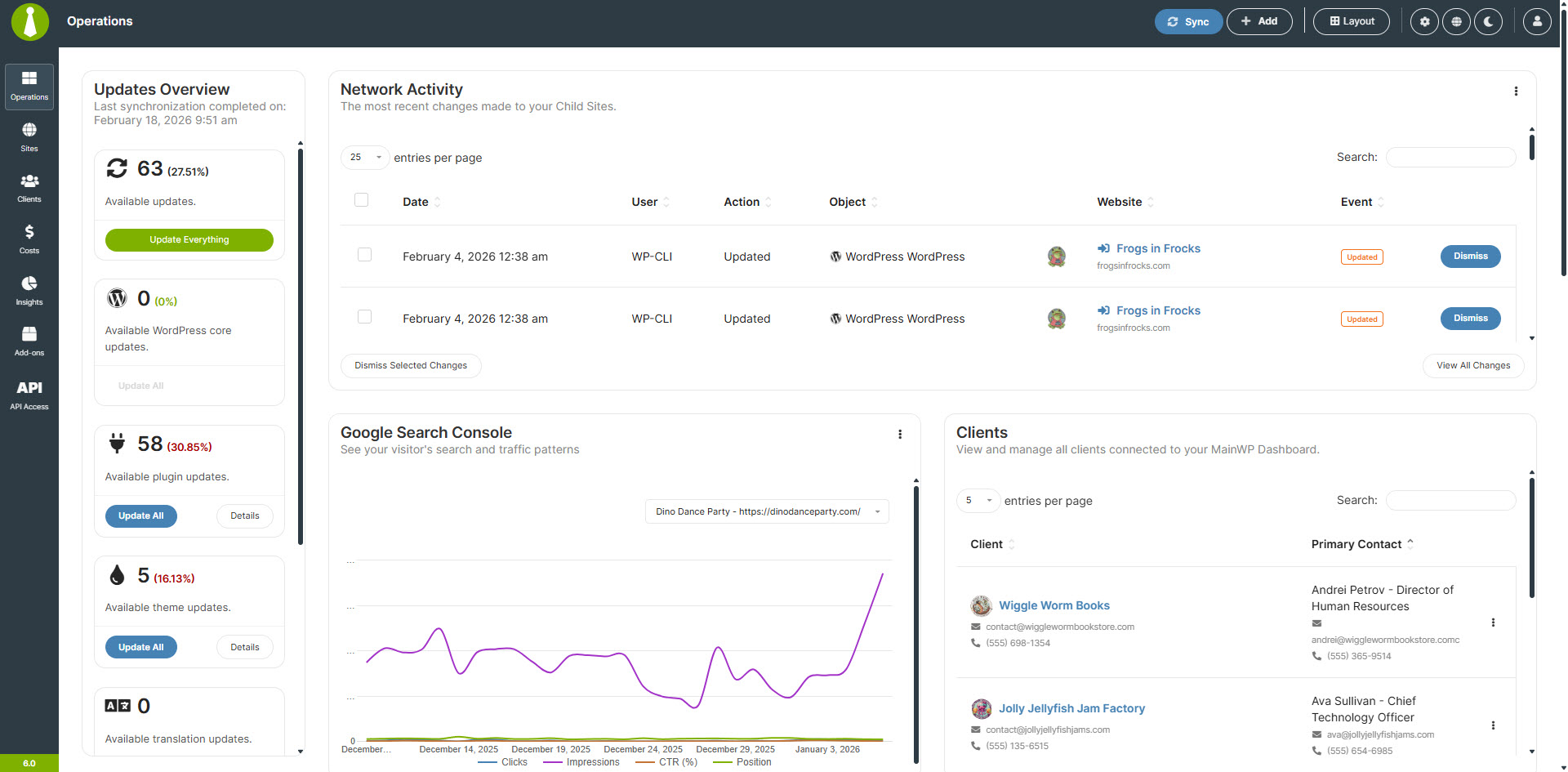
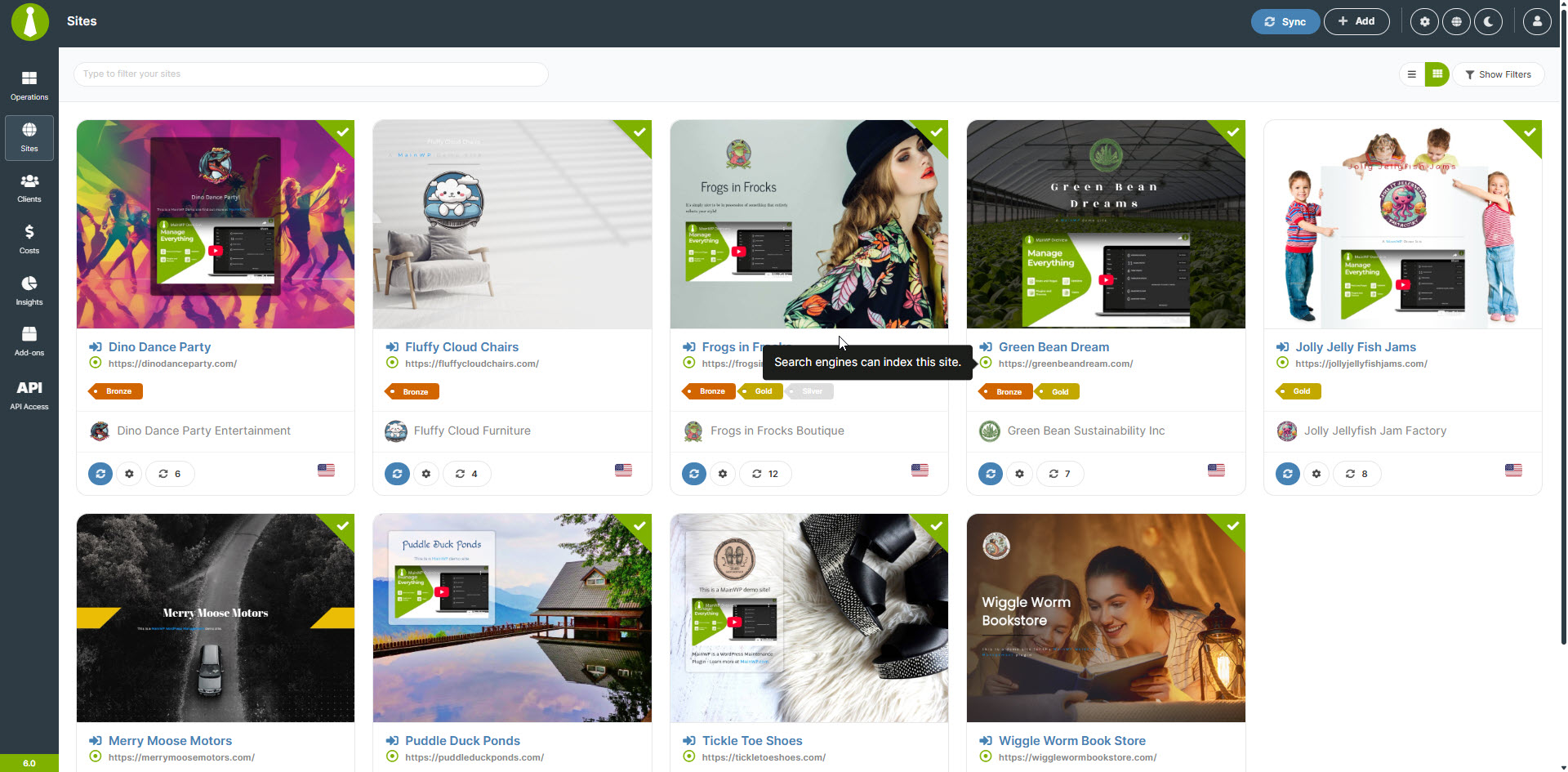
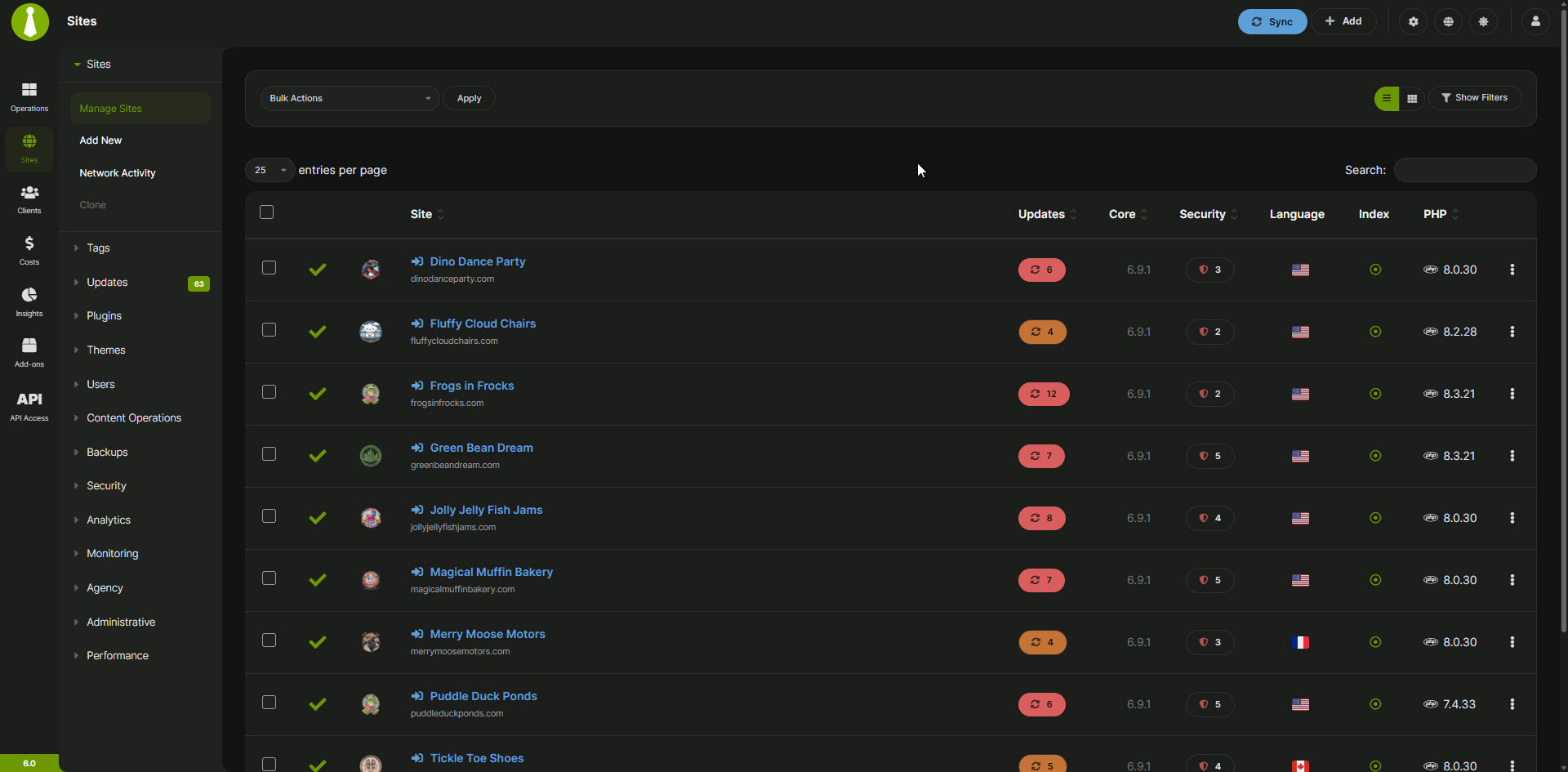
Managing multiple WordPress sites can be a time-consuming and frustrating task. The MainWP Dashboard empowers you to take back your time by allowing you to efficiently manage and secure all your WordPress sites from your own centralized Dashboard.
Ontworpen voor bureaus, freelancers en web professionals, biedt MainWP uitgebreide controle met een privacy-eerst aanpak. Gebruik de kracht van MainWP voor updates, back-ups en meer, zodat je sites altijd soepel en veilig draaien.
Functies voor geavanceerd WordPress beheer:
- Gecentraliseerde updates: houd al je WordPress sites up-to-date met updates met één klik.
- Secure Backups: Implement scheduled or on-demand backups for complete site security.
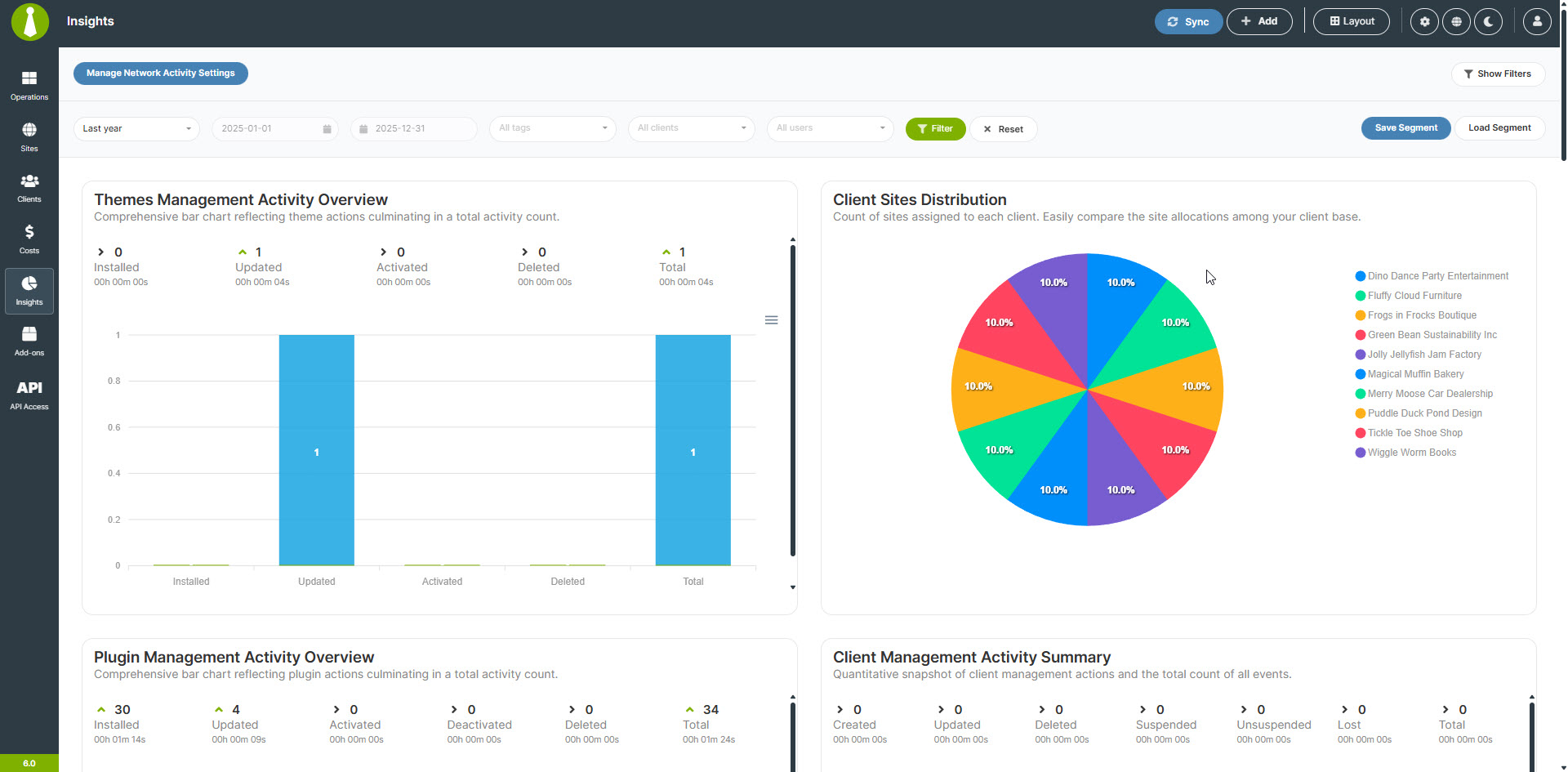
- Manage both your sites and your clients with the Client Management module
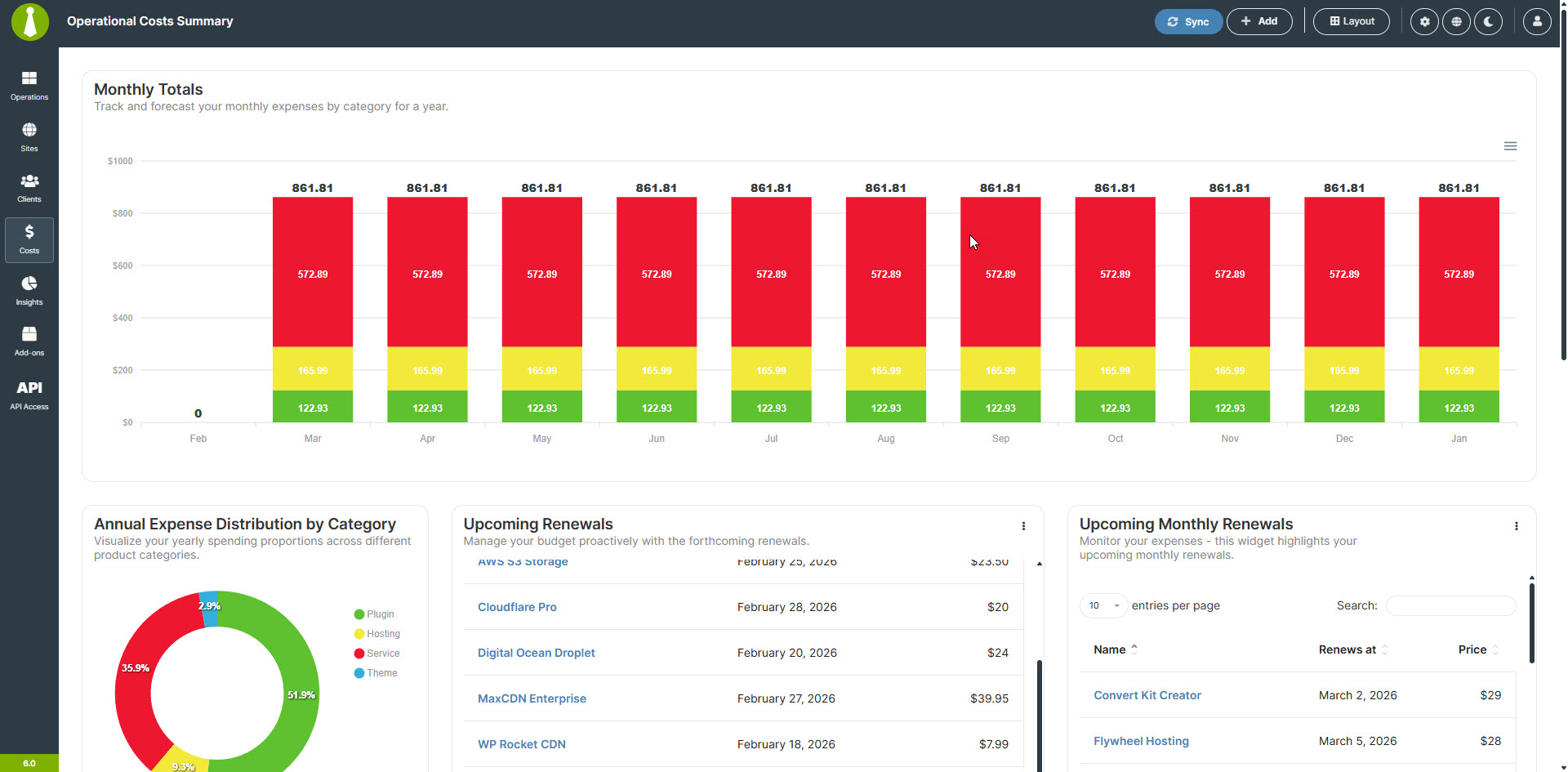
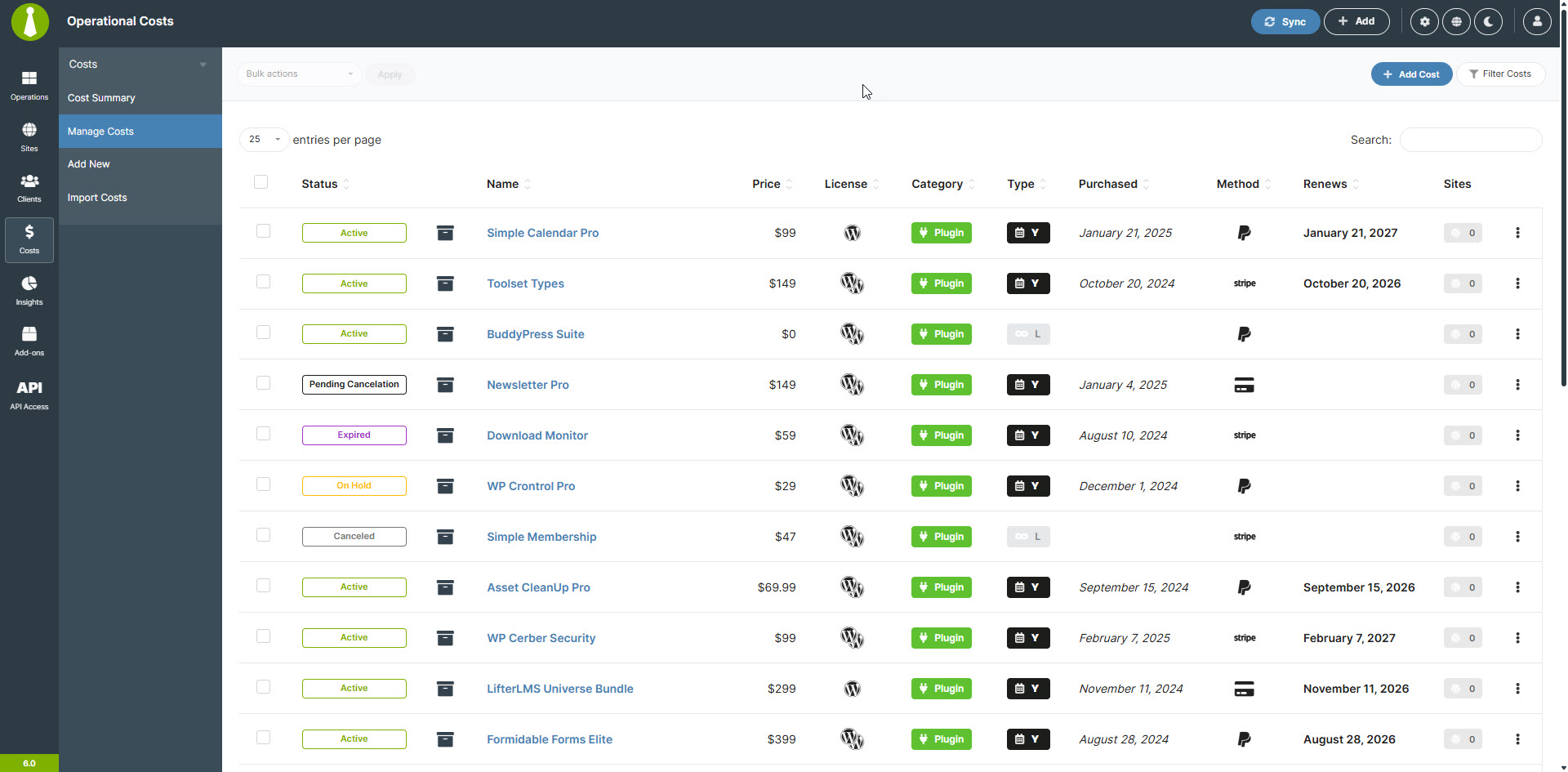
- The built-in Cost Tracker allows you to easily keep track of client costs
- Private and Self-hosted: Your data stays yours, with full privacy and control.
Stop de Software as a Dienst (SaaS) treadmill:
Gebouwd op de coreprincipes van WordPress, is de MainWP Dashboard plugin uniek gepositioneerd als dé oplossing voor WordPress beheer. Het combineert gebruiksgemak met krachtige functies en ongeëvenaarde privacy.
The MainWP plugins are open-source and privacy-focused and come with their own privacy policies to ensure that the plugins do not collect any personally identifiable information (PII).
The MainWP Dashboard is extendable, allowing third-party developers to hook into it. It also provides support for CLI and has its own REST API, so anything you need or want to run your business your way can be developed for your MainWP Dashboard.
Dit alles maakt MainWP de beste niet-SaaS alternatief voor ManageWP, InfiniteWP, WPRemote en WP Umbrella.
Aan de slag met MainWP:
MainWP is designed to be user-friendly and intuitive, even for those new to WordPress management plugins. With a straightforward setup process and a clean, organized dashboard, you’ll be able to start managing your WordPress sites efficiently in no time.
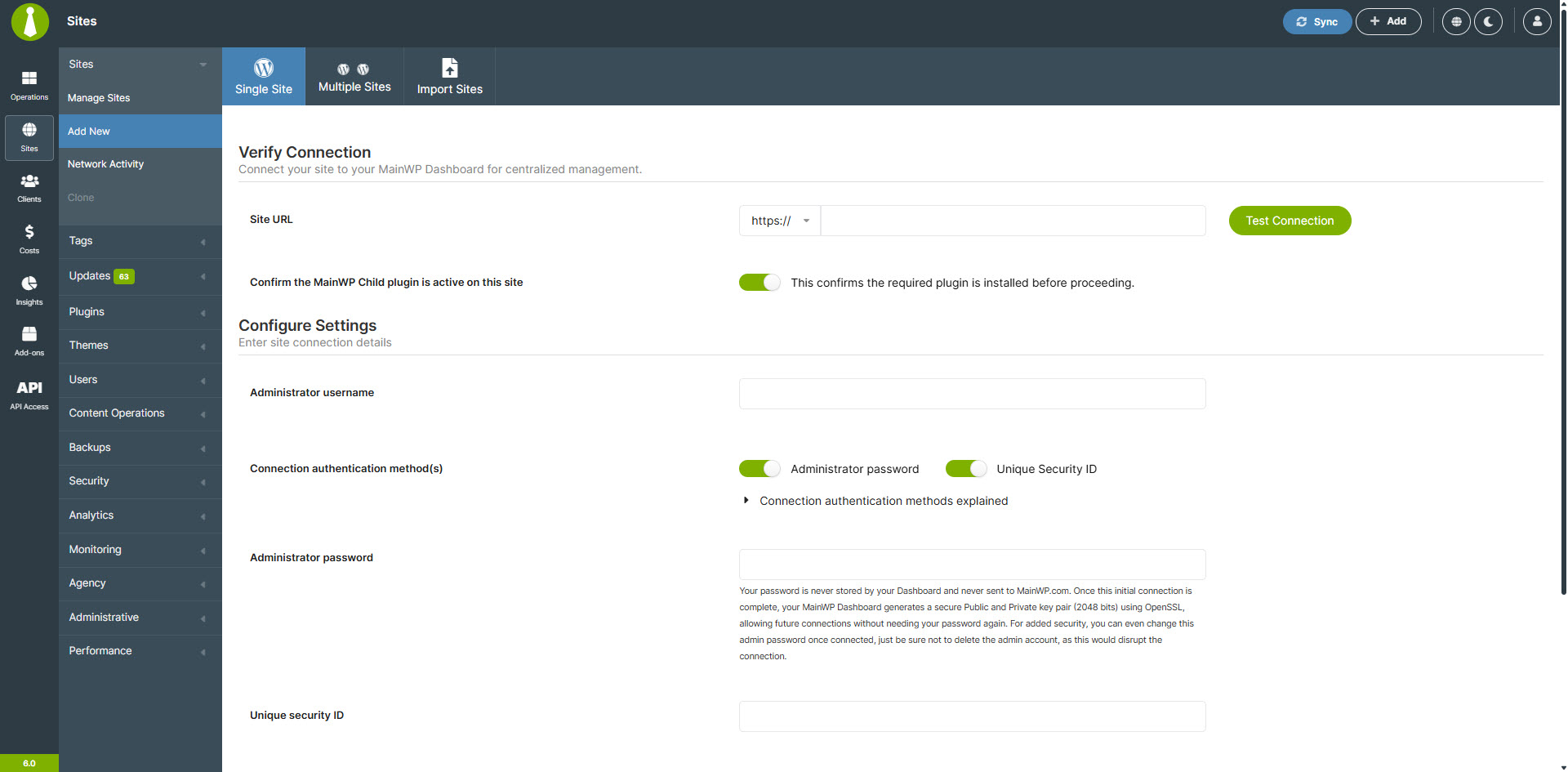
- Setting up MainWP is straightforward, install the dashboard on a private WordPress site, add the MainWP Child plugin to your other WordPress sites, and take control.
Je privacygarantie
The MainWP plugins come with their own privacy policies to ensure that the plugins do not collect any personally identifiable information (PII).
Hoe kan MainWP gratis zijn? Wat is het addertje onder het gras? Hoe blijf je de ontwikkelingskosten betalen?
MainWP Dashboard is 100% FREE and always will be. Whether you manage 5 sites or 5,000, the core dashboard remains free.
We make money by offering MainWP Pro, which provides access to a wide range of premium add-ons. These premium add-ons are organized into two clear categories:
-
Integraties:
Add-ons in deze categorie zorgen voor naadloze verbindingen met populaire externe diensten en plugins, zodat je de gereedschappen die je al gebruikt direct kunt integreren in je MainWP Dashboard. -
Extensies:
Dit zijn op maat gemaakte, zelfstandige add-ons die exclusief zijn ontwikkeld voor het MainWP Dashboard, bedoeld om unieke en gespecialiseerde functionaliteit toe te voegen aan je WordPress beheerervaring.
For more details, visit our Premium Add-ons page and see how our free and pro features compare at Free vs. Pro: Know the Difference.
Ervaar het MainWP verschil
Ben je klaar om het gedoe van het beheren van je WordPress sites achter je te laten? MainWP maakt het makkelijk om alles geüpdatet, veilig en precies zoals je het wil te houden. Met meer dan 20k site-eigenaren die MainWP vertrouwen met meer dan 700k WordPress sites, elke dag weer, zie je snel hoe veel simpeler sitebeheer kan zijn. Probeer het vandaag nog en ervaar zelf het verschil!
Schermafbeeldingen
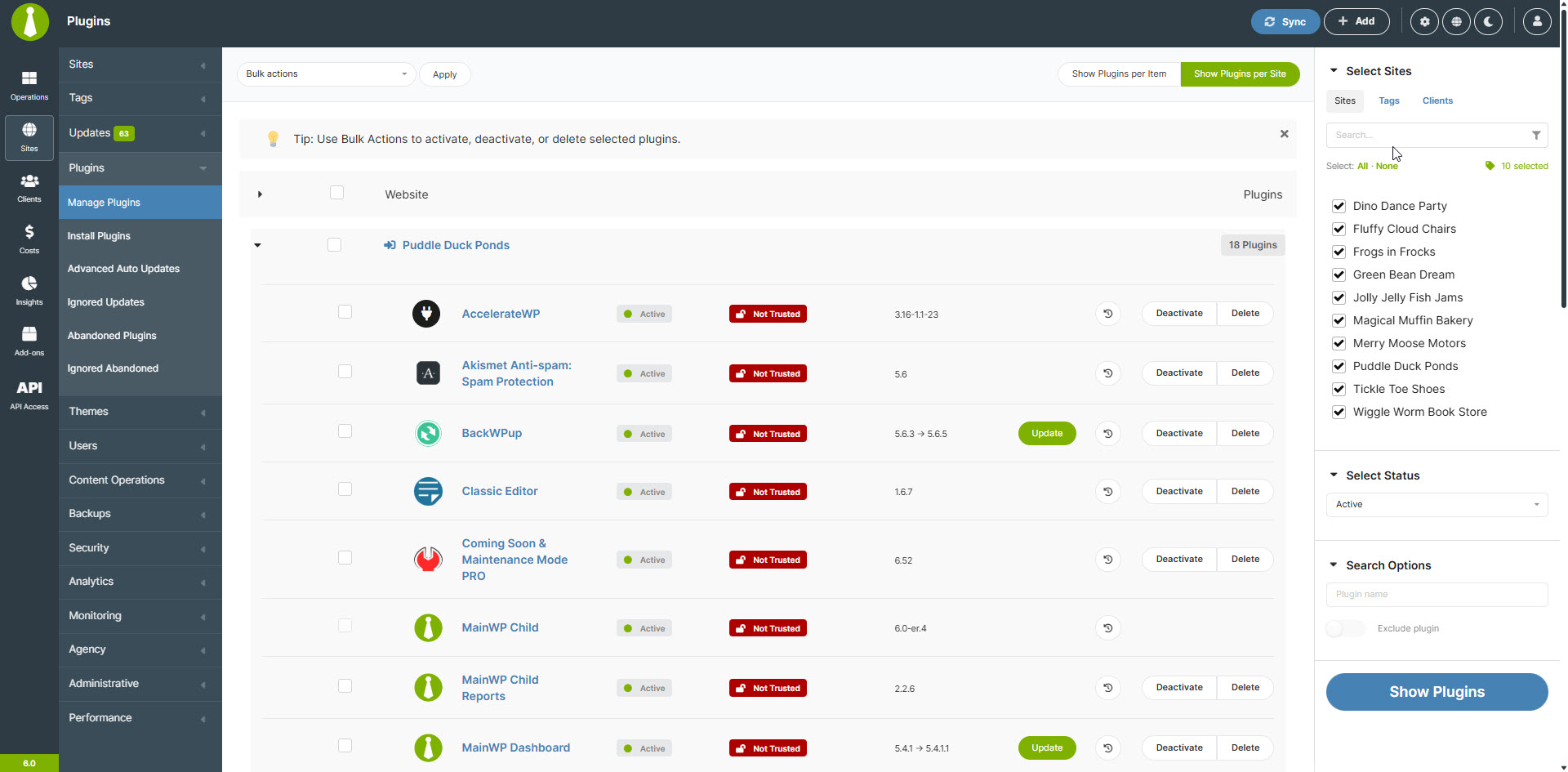
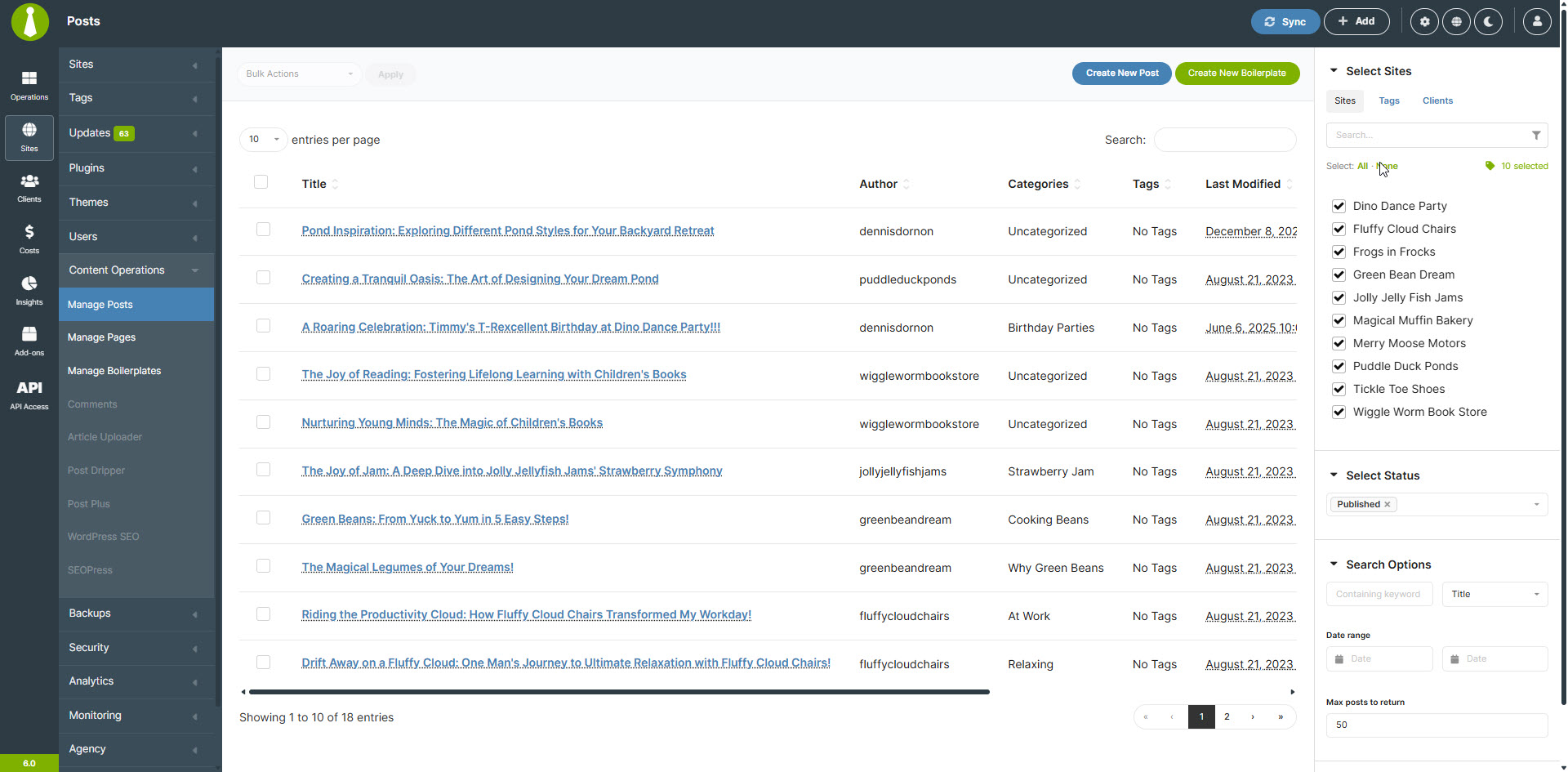
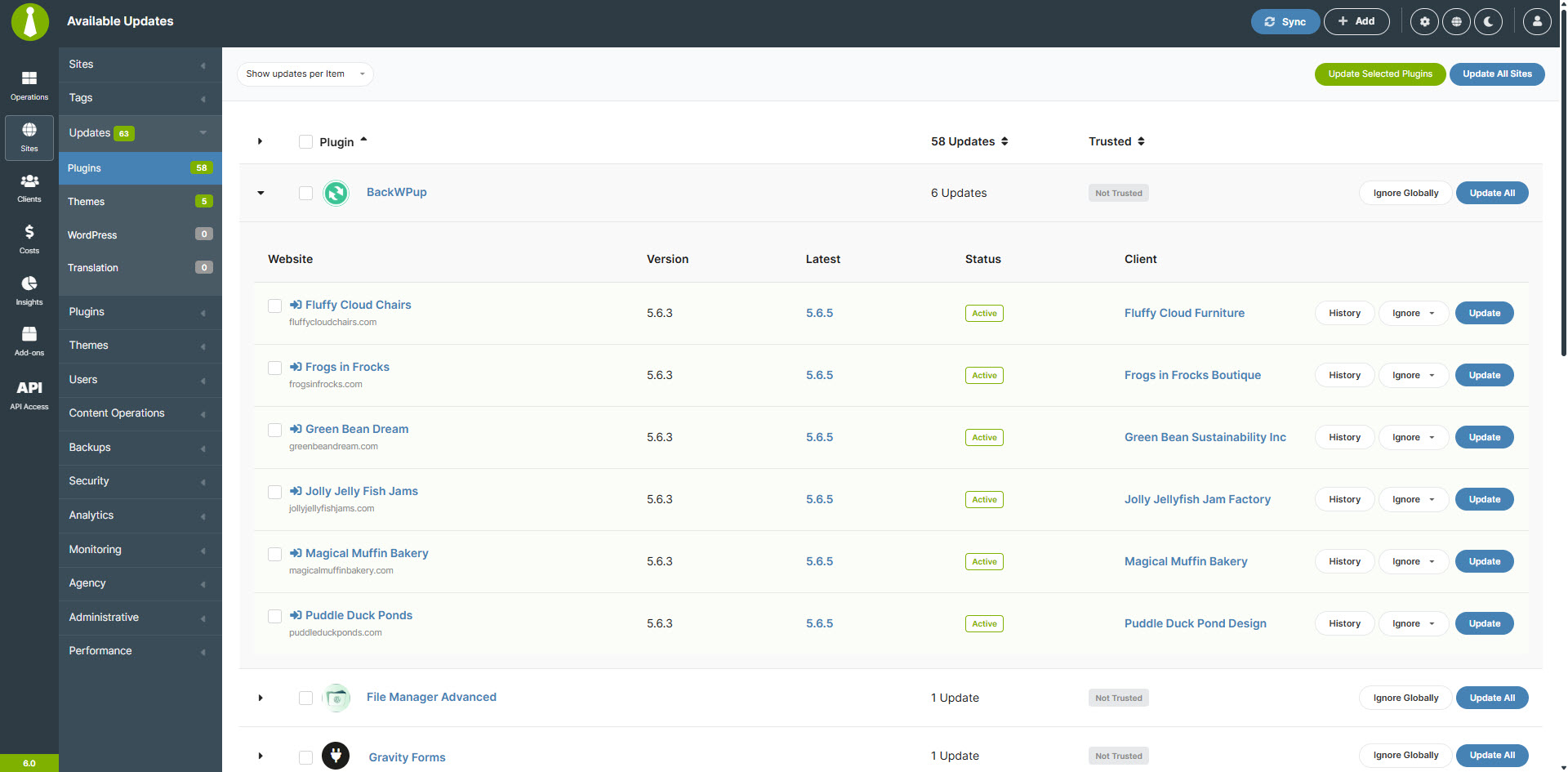
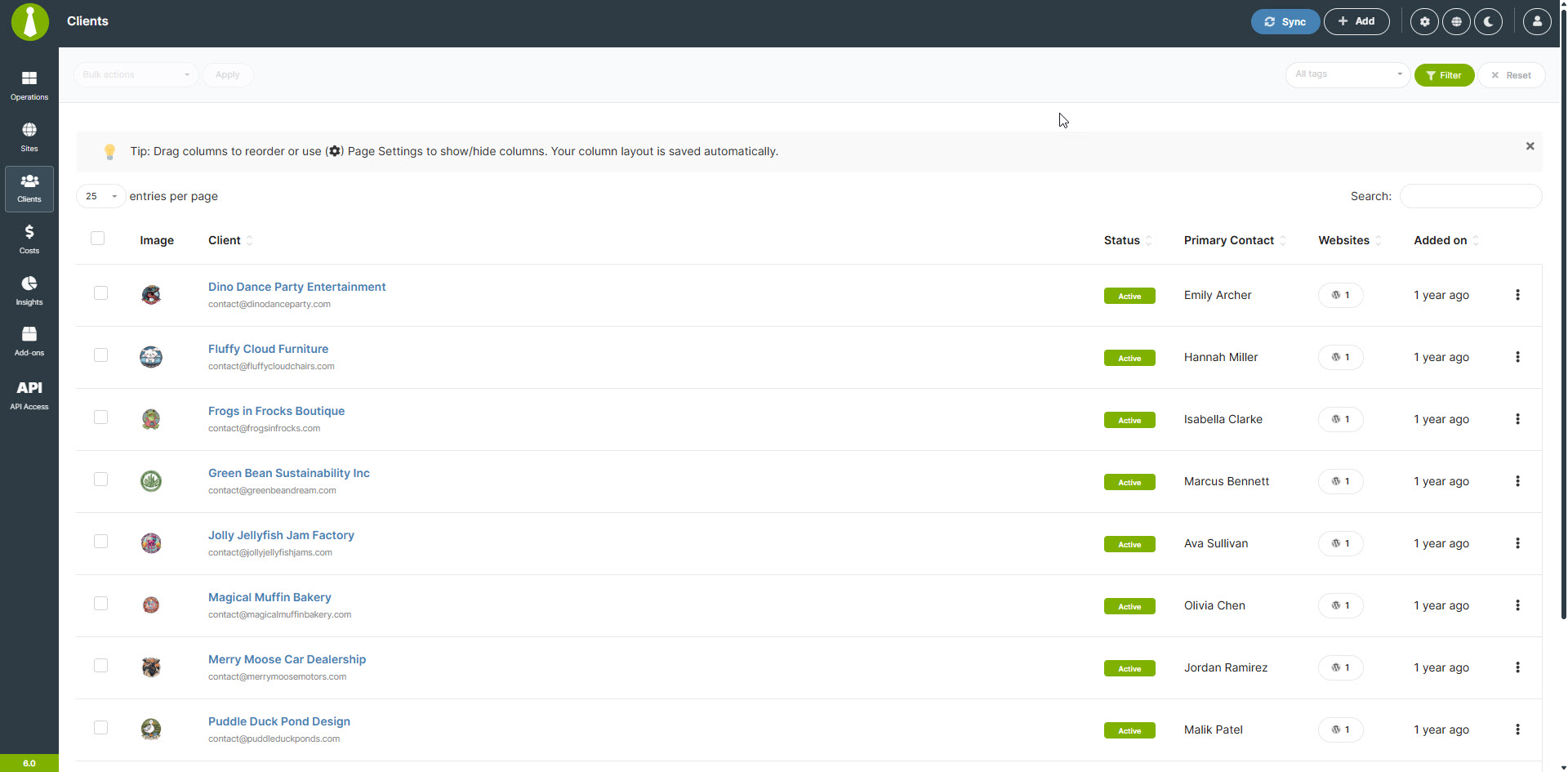
Installatie
Note: MainWP is not tested on or designed for multisite installs.
However, we have user reports that most functions work correctly, but support will be limited. We DO NOT recommend installing the MainWP Dashboard plugin on a multisite install.
- We HIGHLY recommend a NEW WordPress install for your MainWP Dashboard.
Using a new WordPress install will help reduce Plugin Conflicts and other issues caused by trying to run your MainWP Dashboard from an active site.
Most hosting companies provide free subdomains (“demo.yourdomain.com”), and we recommend creating one if you do not have a specific dedicated domain to run your MainWP Dashboard. If you are not sure how to set up a subdomain, contact your hosting company’s support.
You can even install your MainWP Dashboard on a WordPress site located on your local computer using WAMP or any other setup that allows you to run WordPress locally.
Once you have set up the separate WordPress website, install the MainWP Dashboard plugin following your normal installation procedure, either the automatic process by searching MainWP or by uploading the MainWP plugin to the ‘/wp-content/plugins/’ directory.
Once installed then Activate the plugin through the Plugins menu in WordPress.
Add your first Child Site to the MainWP Dashboard – Documentation
Set your MainWP Settings – Documentation
FAQ
-
What sets MainWP apart from other WordPress management platforms like ManageWP or InfiniteWP?
-
MainWP is a self-hosted, open-source WordPress management plugin that prioritizes user privacy and customization.
Unlike SaaS (Software as a Service) platforms like ManageWP, WPUmbrella, or WPRemote, MainWP gives you complete control over your data and allows for extensive customization through its open-source architecture.
-
Kan MainWP bulk updates uitvoeren voor WordPress core, plugins en thema’s?
-
Yes, MainWP makes it easy to perform bulk updates for WordPress core, plugins, and themes across all your managed sites. With just a few clicks, you can ensure all your sites are running the latest versions, saving you valuable time and effort.
-
How does MainWP help with client management for WordPress agencies and freelancers?
-
MainWP offers a robust client management system that allows you to organize sites by client, assign tags, and generate customizable client reports. This streamlines your workflow and helps you provide better service to your clients by keeping all their site information organized and easily accessible.
-
Biedt MainWP functies voor het bijhouden van kosten die verbonden zijn aan het beheren van WordPress sites?
-
Yes, MainWP has a built-in Cost Tracker. This feature allows you to:
* Record and categorize expenses for each site
* Set up recurring costs
* Generate detailed cost reports
* Gain insights into your expenditure distribution
* Track payments received and upcoming renewals -
What security features does MainWP offer to protect my WordPress sites?
-
MainWP prioritizes security by providing features like real-time security monitoring, malware scanning, and vulnerability detection. The plugin also integrates with popular security plugins.
-
Kan ik MainWP gebruiken om WordPress sites te beheren die op verschillende servers of bij verschillende hostingproviders staan?
-
Yes, MainWP is designed to work with WordPress sites hosted on any server or hosting provider.
-
How does MainWP handle WordPress site backups?
-
MainWP offers multiple backup options, including built-in backup solutions for popular hosting providers and integrations with some of the most installed backup plugins.
-
How do you pronounce MainWP?
-
MainWP is a unique name that we created for our company, so it’s understandable if you’re unsure about how to pronounce it. Here’s the easiest way to remember:
Main + WP = MainWP
Think of it as the word “Main” followed by the letters “WP” (pronounced as “double-u pee”). In phonetic notation, it would look like this: /ˈmeɪn ˈdʌbəl juː ˈpiː/.
Maar maak je geen zorgen als je het anders uitspreekt – we reageren op bijna alles, ook op WP Main en WPMain!
-
I have an idea for MainWP; how do I let you know?
-
Please follow the steps outlined in the MainWP Voice so you can add your idea to the MainWP Community to be voted on.
-
I have more questions. Do you have any other information?
-
Yes, we have a quick FAQ with many more questions and answers here.
-
Where do I report security bugs found in this plugin?
-
Please report security bugs found in the source code of the MainWP plugin through the Patchstack Vulnerability Disclosure Program. The Patchstack team will assist you with verification, CVE assignment, and notify the developers of this plugin.
Beoordelingen


Bijdragers & ontwikkelaars
“MainWP Dashboard: Self-hosted WordPress Management for Agencies” is open source software. De volgende personen hebben bijgedragen aan deze plugin.
Bijdragers
“MainWP Dashboard: Self-hosted WordPress Management for Agencies” is vertaald in 19 localen. Dank voor de vertalers voor hun bijdragen.
Vertaal “MainWP Dashboard: Self-hosted WordPress Management for Agencies” in je eigen taal.
Interesse in ontwikkeling?
Bekijk de code, haal de SVN repository op, of abonneer je op het ontwikkellog via RSS.
Changelog
6.2.1 – 9-30-2026
- Fixed: Resolved an issue where enabling global uptime monitoring left monitors for previously added sites disabled.
- Fixed: Removing a website now also removes its associated monitors and monitoring data.
- Fixed: Improved database schema comparisons to correctly handle nullable defaults without misinterpreting markers inside quoted SQL values.
- Fixed: Database upgrades now ensure group records include the required identifier and primary key.
- Fixed: Resolved an issue affecting tag updates through REST API v2.
- Fixed: Update rows now leave the version field blank when version information is unavailable.
- Fixed: Resolved inconsistencies when processing update and synchronization responses.
- Updated: Improved upgrade status reporting for plugins, themes, and translations, including clearer handling when upgrades begin or cannot proceed.
- Updated: Strengthened authenticated and renewal request signatures with a longer, cryptographically random nonce.
- Updated: Missing primary monitors are now repaired automatically, restoring monitoring for affected sites.
- Updated: Clarified the notices on the “Edit Client” and “Edit User” screens that leaving fields blank preserves their existing values on child sites.
- Updated: Improved tag readability by validating background colors and automatically selecting contrasting black or white text.
6.2 – 9-9-2026
- Fixed: Improved database size notices on the Operations and Client Overview pages with appropriate spacing and context.
- Fixed: Sorting by URL in the Connection Status widget.
- Fixed: File input field sanitization issues specific to Windows hosts.
- Fixed: Prevented unnecessary loading overlays and processing errors when the overlay is unavailable.
- Added: New Database section to Server Information with database version, size, prefix, privilege status, and table health information.
- Added: System Monitor for WordPress cron health with scheduled checks, fallback execution, and manual triggering.
- Added: Command Palette trigger in the header for quicker navigation in supported WordPress setups.
- Added: Optional request signature verification for authenticated requests using structured signing details and request IDs.
- Added: Support for exact client field names and values, including empty values and “0”, in searches and API requests.
- Added: Validation of supported groups, actions, and item formats for REST API batch requests.
- Added: Automatic cleanup of cost records when clients or tags are deleted through the REST API.
- Added: Re-introduced the User column in the Network Activity widget.
- Updated: Improved privacy-safe diagnostics for unexpected responses without recording sensitive response content or URLs.
- Updated: Improved validation and normalization of JSON input for GET and DELETE capability requests.
- Updated: Improved REST API error handling for invalid, ambiguous, oversized, malformed, or incorrectly typed request data with clear 400 responses.
- Updated: Expanded REST API batch operations, API key management, and cost tracking associations.
- Updated: Adjusted the Plugin Details modal height.
- Updated: Standardized site name URL formatting in Insights Events by removing HTTP prefixes and trailing slashes.
6.1.8 – 8-25-2026
- Fixed: Improved self-connection checks by using the standard AJAX endpoint and more reliable request and response validation.
- Added: Support for the Cloudways REST API v2 in “API Backups””, with secure access-token authentication and continued support for legacy API credentials.
- Added: Option to bypass cache during Uptime Monitoring checks, with global and per-monitor settings to help improve the accuracy of site availability checks.
- Added: Localized titles for Network Activity changes involving site registration, users, comments, URLs, homepage settings, date and time, updates, language, site title, and site icon.
- Updated: Improved activity log entries for system settings and database changes with clearer, more descriptive object titles.
- Updated: default Network Activity settings to exclude additional event types from logging.
6.1.7 – 8-18-2026
- Updated: Improved the connection status table layout in the “Connection Status” widget for a cleaner, more focused presentation.
- Updated: HTTP response options are now shown only in global settings, preventing them from appearing in individual monitor configurations.
6.1.6 – 8-5-2026
- Fixed: Corrected Site Health calculations and REST API responses so health scores accurately reflect each site’s status, including sites with missing, malformed, negative, or critical issue data.
- Fixed: Corrected multiple REST API v2 schemas and pagination settings for automatic updates, uptime monitoring, expected status codes, tag site counts, and client custom fields, including support for the deprecated
pre_pagealias. - Fixed: Improved REST API validation and response handling to reject malformed settings, prevent PHP 8 errors and unintended batch operations, validate custom option names, and exclude sensitive or internal data from responses.
- Fixed: Improved REST API validation so invalid monitoring values, unsupported enum formats, and unsupported batch update requests return appropriate errors.
- Fixed: Ensured uptime monitors correctly report a DOWN status when no HTTP status code is received.
- Fixed: Resolved an issue that could leave the site removal process stuck in the “Removing” state on some hosting environments.
- Updated: Redesigned the “Connection Status” widget with tabbed filtering, live connection totals, paginated site details, in-widget reconnection, and more accurate staging site status reporting.
- Updated: Improved uptime monitoring retry scheduling so retries occur only after a valid retry time has been set and the configured retry interval has elapsed.
- Updated: Improved REST API pagination compatibility and expanded schemas for monitoring settings, update flags, expected statuses, and site counts.
- Updated: Replaced the generic __() JavaScript translation function with a namespaced MainWP translation helper to prevent conflicts with other scripts.
- Dev: Added the mainwp_add_site_top_navigation and mainwp_add_site_tabs_content hooks to support custom navigation and tab content on the “Add Site” screen.
6.1.5 – 7-28-2026
- Fixed: Corrected misspelled “Required” indicators for the “Site URL,” “Admin Username,” “Security ID,” “Client Name,” and “Client Email” fields in the setup wizard.
- Added: Added an additional connection retry when the expected site data is not returned on the first attempt, improving connection reliability.
- Updated: Improved the loading performance of the “Network Activity” widget by limiting the overview to activity recorded within the last 24 hours.
- Updated: Improved the loading performance of the “Updates Overview” widget by optimizing update queries, separating summary totals from detailed action data, and loading site and update details only when needed.
6.1.4 – 7-21-2026
- Fixed: Corrected the display of site health indicators in the sites monitoring table so they now follow the configured site health setting.
- Fixed: Corrected the text color in the “Help” popup when using the default light theme.
- Added: Added a confirmation prompt when disabling “Installed Plugins Sync” in the “Advanced” settings to help prevent accidental changes.
- Added: Added Site Lockdown Security for MainWP to the available extensions catalog.
- Updated: Improved DNS resolution for connection and uptime monitoring checks by limiting lookups to relevant A, AAAA, and CNAME records.
6.1.3 – 7-7-2026
- Fixed: Improved core auto-update retry behavior by re-queuing failed updates when the last failure is older than 6 hours.
- Updated: Improved uptime monitoring scheduling so the latest check time is saved more reliably before checks begin.
- Updated: Server information displays to keep the “Last Run” value accurate for child site uptime monitoring.
- Updated: Import clients process so it does not require associated child sites.
6.1.2 – 6-23-2026
- Security: Restricted access to MainWP
bulkpostandbulkpagecustom post type functionality by requiring themanage_optionscapability. - Fixed: Improved Plesk API URL construction to properly handle slash combinations in request paths and prevent potential request errors.
- Fixed: Resolved an issue where the “Manage Sites” list did not immediately reflect changes to a site’s suspension status.
- Fixed: Resolved a support modal overlay issue on the Lighthouse Integration page.
- Added: Category management for custom post types now shows site associations through contextual tooltips/popups, making it easier to see which sites contain each category.
- Updated: Updated page navigation links that open in new tabs to include proper attributes, helping protect user sessions.
6.1.1 – 6-2-2026
- Fixed: Resolved a duplicate
LIMITclause in the log archive batch query to prevent query errors during log processing. - Updated: Improved directory permission handling for user and site directories to ensure more consistent access control across the Dashboard.
- Updated: Simplified REST API availability checks for v1 and v2 endpoints to streamline behavior and reduce internal validation complexity.
6.1 – 5-26-2026
- Important: Version 6.1 includes internal connection handling changes. Rolling back to a version earlier than 6.1 may temporarily disconnect child sites from your MainWP Dashboard. If this happens, reconnect the affected sites from the Manage Sites page using the Reconnect bulk action.
- Security: Strengthened protection for internal key files by replacing predictable file names with secure, non-guessable identifiers and tightening directory permissions for related storage locations.
- Security: Improved protection of stored extension license keys by encrypting them at rest and avoiding unnecessary plaintext caching.
- Security: Updated API credential fields to display masked placeholders instead of stored values, preventing sensitive keys from being exposed in page HTML.
- Security: Removed sensitive authentication fields from REST API site responses to prevent credentials from being exposed through API requests.
- Security: Improved REST API key storage by hashing new consumer secrets at rest while maintaining compatibility with existing keys.
- Security: Removed unused legacy connection and API key handling paths, with safer comparison handling for any existing legacy records.
- Fixed: Improved validation when restoring saved table layouts to ensure saved column structures match the current table, preventing broken or incorrect table displays after updates.
- Fixed: Resolved an issue with saving plugin and theme notes on Auto Update pages.
- Fixed: Resolved an issue with fetching child site favicons when connecting a site.
- Fixed: Resolved an issue where installed plugin and theme names were not displayed in the Object column in Network Activity.
- Fixed: Enhanced application stability by refining initialization conditions for admin notifications related to log database monitoring.
- Fixed: Improved group visibility filtering to ensure users without management permissions only see groups they are authorized to access.
- Fixed: Typos and inconsistencies in user login event log descriptions and action identifiers for improved clarity and consistency across Network Activity logs.
- Updated: Improved code quality and internal handling in several areas.
- Updated: Improved uptime column rendering in the sites list with intelligent caching for faster display of uptime information.
- Updated: Updated the PHPSecLib library to the latest version.
- Updated: Refreshed the light theme using the newer dark theme structure for improved consistency across the Dashboard UI.
- Updated: Tuned the light theme shell, navigation, top bar, shadows, and client icon rendering for a more polished interface.
- Updated: Improved the “Manage Updates” action for outdated themes in Site Hardening to open the relevant “Theme Updates” tab.
6.0.12 – 5-5-2026
- Fixed: Improved site management stability with enhanced handling of site data to prevent errors in edge cases.
- Fixed: An issue with logging auto-updates in the Network Activity logs.
- Updated: Improved performance when performing bulk syncing.
- Dev: Preserve response envelope for
_fieldsREST API v2 requests in sites controller.
6.0.11 – 4-28-2026
- Fixed: Improved performance when performing bulk updates.
- Fixed: The “Updates Overview” widget now includes only connected child sites in its overview counts.
- Added: A duplicate cost action to create a prefilled copy of an operational cost. (Feature request by Stéphane)
- Added: A WordPress tab path to access ignored core updates through the existing “View Ignored Updates” button.
- Added: Support for the
custom_fieldsparameter in thesitesREST API endpoint. - Added: “Copy Permalink” and “Copy ID” actions to the pages and posts table dropdown menus.
- Updated: Server Information report exports now always use English to make support requests easier to review.
- Updated: Cache invalidation is now limited to fewer scenarios to reduce unnecessary cache clearing.
- Updated: Changed the default value of the
mainwp_module_log_disable_cron_logfilter tofalseso cron logging remains enabled by default. - Updated: Kept abandoned check actions visible in empty states for easier access.
- Updated: Centralized screenshot URL generation and thumbnail metadata across pages for more consistent and maintainable preview behavior.
6.0.11-er.2 – 4-24-2026
- Fixed: Improved performance when performing bulk updates.
- Added: A WordPress tab path to access ignored core updates through the existing “View Ignored Updates” button.
- Added: Support for the
custom_fieldsparameter in thesitesREST API endpoint. - Updated: Kept abandoned check actions visible in empty states for easier access.
- Updated: Centralized screenshot URL generation and thumbnail metadata across pages for more consistent and maintainable preview behavior.
6.0.11-er.1 – 4-22-2026
- Fixed: The “Updates Overview” widget now includes only connected child sites in its overview counts.
- Added: A duplicate cost action to create a prefilled copy of an operational cost. ([Request by Stéphane])[https://voice.mainwp.com/p/cost-tracker-duplication]
- Added: “Copy Permalink” and “Copy ID” actions to the pages and posts table dropdown menus.
- Updated: Server Information report exports now always use English to make support requests easier to review.
- Updated: Cache invalidation is now limited to fewer scenarios to reduce unnecessary cache clearing.
- Updated: Changed the default value of the
mainwp_module_log_disable_cron_logfilter tofalseso cron logging remains enabled by default.
6.0.10 – 4-21-2026
- Fixed: Resolved an issue that could reduce concurrency during plugin and theme installation and update processes.
- Fixed: Improved site selection for continued updates to reduce missed or duplicate update runs.
- Fixed: Restricted monitor widget data to authorized sites only and improved monitor status query performance.
- Updated: Improved site loading performance by optimizing site queries and refining filtering, sorting, and cache handling.
6.0.9 – 4-14-2026
- Fixed: Improved uptime monitoring status tracking and retry behavior for failed health checks to provide more reliable monitoring results.
- Fixed: String concatenation in
mainwp.jsthat introduced an extra semicolon when rendering site links. - Fixed: Resolved an issue that could reduce sync concurrency during site synchronization.
- Added: Global search for filtering all system report tables.
- Added: A detected issues summary and report tables for each system report section.
- Updated: Improved diagnostics for REST API reachability and dashboard self-connect checks, including safer handling of unexpected response body output.
- Updated: Refreshed the “Server Information” page UX with cleaner issue summary rows and more consistent section spacing.
- Updated: Expanded Network Activity tracking to monitor core, plugin, and theme updates handled by WordPress auto-updates.
- Updated: Improved performance by better isolating data so settings and options are correctly scoped per child site.
- Updated: Click handler to sidebar site items to toggle accordion when clicking outside title/content.
- Updated: Adjusted dark theme CSS so sidebar accordion title/content use transparent background.
6.0.8 – 4-7-2026
- Fixed: Corrected a typo in the “Remove Site” button ID attribute that caused the button to malfunction.
- Fixed: Improved the stability of the site synchronization process to prevent issues with the Regression Testing feature.
- Fixed: Resolved an issue where the Network Activity feature continued logging events even when the feature was disabled.
- Fixed: An issue during site registration where URLs with and without the
wwwsubdomain were handled inconsistently. - Added: Added detailed sync monitoring with per-call timing and execution data to the Custom Event Monitor.
- Added: Added an option to set a custom Network Activity data retention period in child site databases.
- Added: Added size monitoring and cleanup actions for Network Activity-related database tables on child sites.
- Updated: Optimized the log archiving process with improved database operations to resolve performance issues related to the Network Activity feature.
- Updated: Redirect URL and enhanced feedback handling in the Cost Tracker module.
6.0.7 – 3-31-2026
- Fixed: Resolved an issue causing unresponsive text editor elements in the Pro Reports add-on.
- Fixed: Corrected an issue where an unwanted text string was displayed on the Media Library page.
- Updated: Reorganized system initialization to improve menu configuration timing and better align with WordPress action hooks.
6.0.6 – 3-24-2026
- Fixed: Corrected a typo in the “Add Site” step of the Quick Start Wizard.
- Fixed: Prevented a redundant confirmation modal from appearing when running updates immediately after removing a child site from the “Manage Sites” screen.
- Updated: Improved informational messaging on the Add-ons page for better clarity.
- Updated: Moved the search field in the “Install Add-ons” modal so it remains available across all tabs.
- Updated: Refined accordion element border radius styling for better visual consistency.
6.0.5 – 3-20-2026
- Security: Updated the
phpsecliblibrary to address a recently disclosed vulnerability. The issue does not affect MainWP in normal usage.
6.0.4 – 3-17-2026
- Fixed: Resolved a WordPress database error caused by a call to a legacy database table.
- Fixed: Display consistency for WordPress core updates.
- Fixed: Client assignment when updating sites via the REST API.
- Fixed: Adjusted logic for website preview image rendering to improve consistency in the interface.
- Added: Added an empty page placeholder to the “Application Passwords” page for a clearer experience when no items are available.
- Added “Execution Sync” log category with a NOTICE level (orange) and automatic start/end sync entries to surface runtime-based sync progress.
- Updated: Removed the unwanted border radius from accordion elements in “Manage Plugins” and “Manage Themes.”
- Updated: Removed the “Close” button and added a close (X) icon to the “Add Application Password” modal for a cleaner interface.
- Updated: Added a page reload after successfully creating an application password so the new entry appears immediately.
- Updated: Improved update visibility handling to display appropriate empty-state messages when no updates are available for WordPress core, plugins, themes, and translations.
- Updated: Enhanced tab navigation and activation logic for the updates interface.
- Updated: Enhanced plugin update filtering logic to more reliably handle ignored updates with improved support for both legacy and new formats of ignore indicators.
- Updated: Removed the
mainwp_delete_siteaction hook registration from the constructor of the MainWP database site actions class. - Updated: Email footer link label changed from “Extensions” to “Add-ons” and the developer documentation link.
6.0.3 – 3-10-2026
- Fixed: Resolved an issue where the “Update Tag” button remained disabled when only the tag color was changed.
- Fixed: Prevented a PHP warning caused by attempts to read a non-existent property.
- Fixed: Restored the broken hamburger menu button to ensure mobile navigation works correctly.
- Fixed: Corrected child site assignment during Cost Tracker imports.
- Fixed: Improved pagination handling when cached results are used to ensure accurate offsets and result display.
- Fixed: Removed caching from auto-update detection to provide accurate real-time results.
- Updated: Improved icon alignment in the mobile menu for a cleaner layout.
- Updated: Added border radius to accordion elements and refreshed background colors for better visual consistency.
- Updated: Slightly reduced padding for second-level navigation items to improve spacing.
- Updated: Renamed the “API Access” menu item label for improved clarity.
- Updated: Enhanced extension package handling and verification during updates for improved reliability.
- Updated: Increased auto-update logging frequency from 15 minutes to 5 minutes for more timely monitoring.
- Dev: Applied minor SQL syntax formatting adjustments for improved consistency and code standardization.
6.0.2 – 3-3-2026
- Fixed: Fixed duplicate event titles appearing in the logs overview.
- Fixed: Fixed REST API site data retrieval to correctly handle ability-based lookups, ensuring site information is properly returned in API responses.
- Fixed: Fixed Abilities API pagination handling to ensure consistent integer values across client and update lists.
- Fixed: Fixed an issue where the second-level navigation could cover a dropdown menu on some pages.
- Updated: Enhanced event filtering to include related event variants for more accurate results.
- Updated: Enhanced script loading by reorganizing the initialization sequence and explicitly defining resource dependencies for improved performance.
- Updated: Added extensive translator comments throughout the application to provide better context for localization efforts, clarifying placeholder meanings and string usage patterns.
- Updated: Improved translation domain consistency by adding explicit mainwp text domain parameters to translation functions.
- Updated: Enhanced string formatting by standardizing placeholder styles for improved translation handling.
- Updated: Refined WordPress filesystem integration for improved file handling reliability.
- Updated: Updated the informational message shown when the “Network Activity” table becomes too large for better accuracy.
- Updated: Improved Abilities API input validation for batch job operations.
- Updated: Enhanced Abilities API site status checking with uptime-based monitoring support.
- Updated: Standardized site naming format across all operations in the Abilities API.
- Dev: Added the mainwp_module_logs_get_log_records hook.
- Removed: Removed bundled moment.js and clipboard.js scripts and fell back to the versions included in WordPress core.
6.0.1 – 2-26-2026
- Fixed: Database update routines now check for and remove only schema elements that actually exist (columns and indexes), preventing errors during upgrades.
- Added: Plugin search now includes a dedicated MainWP Child plugin card.
- Updated: Improved update/install error handling to avoid noisy failures and reduce risk of incomplete updates.
- Updated: Lower dimmer z-index, raise top header z-index to prevent UI elements overlapping.
- Updated: Refine modal responsive rules to fix layering and sizing for the “Install Add-ons” modal.
- Dev: A new public hook handler to “Log_Manager” that exposes log record retrieval via the
mainwp_module_logs_get_log_recordsfilter.
6.0 – 2-24-2026
- Fixed: Improved monitor record handling by filling missing monitor IDs from the related site ID and preventing unintended site ID updates when partial monitor data is received.
- Fixed: Navigation menu rendering to prevent ID conflicts and duplicate element references.
- Fixed: Nonce input handling in setup and posting forms for better form submission reliability.
- Fixed: An issue with setting the
activeclass on the active tab menu item on the Manage Plugins and Manage Themes pages. - Fixed: Resolved an issue where the date picker would no longer open in the Network Activity filters after a date/time value was set.
- Fixed: An issue where sorting in Sites > Updates did not persist after page reload.
- Fixed: An issue where using Page Reset on a child site’s Operations page incorrectly redirected to Manage Sites.
- Fixed: Resolved an issue where post categories were not showing when creating posts in bulk.
- Fixed: A usability issue where the “Enable Site Health monitoring” tooltip could cover dropdown options in the “Quick Setup Wizard”.
- Fixed: A usability issue where the confirmation modal after creating a new user did not close automatically.
- Fixed: An issue where the page could remain blank after closing the add-on promo modal because it didn’t reload properly.
- Fixed: Resolved various browser console errors caused by duplicate element IDs and related issues.
- Fixed: Corrected multiple typos across the plugin UI.
- Fixed: An issue where the “Get Tags” REST API endpoint returned no results.
- Fixed: Resolved multiple PHP warnings related to undefined variables.
- Fixed: Admin link generation to ensure consistent and reliable access to WordPress admin pages.
- Fixed: An issue with displaying site selection after using the search filter.
- Fixed: Missing user information for certain objects and events in the Sites Changes feature.
- Fixed: Duplicate records appearing for certain objects and events in the Sites Changes feature.
- Fixed: Incorrect display of user information in the Sites Changes table where user IP addresses were unintentionally shown.
- Fixed: Malformed timezone information in uptime monitoring email notifications.
- Fixed: A database error that occurred when dismissing Sites Changes logs.
- Fixed: Sites Changes columns not resetting to their default state when clicking the “Reset Page” button.
- Fixed: Multiple minor cosmetic issues related to the new Dark theme to improve visual consistency.
- Fixed: Multiple PHP warnings and notices to ensure cleaner operation.
- Fixed: An issue with displaying global cPanel API settings in individual site settings.
- Fixed: An issue with saving widget size and position on widgetized pages.
- Fixed: Dashboard email alignment has been updated to center the content for improved readability.
- Fixed: Resolved an issue where the “Dismiss Changes” button remained disabled after selecting items to dismiss.
- Fixed: Prevented dismissed site changes from reappearing in the “Sites Changes” table after updating to version 5.5.
- Fixed: An issue with the accordion element icon not rotating when the element is expanded or collapsed.
- Fixed: In multiple places there was “Are you sure.” so it was fixed to “Are you sure?” in confirmation popups.
- Added: Password policy management to set and enforce password expiration rules. (Request by Julia)
- Added: Cost import functionality for easier cost entry management.
- Added: “Jump to WP Admin” quick link in site dropdown menu.
- Added: Monitoring data retention settings with configurable duration options (30, 90, 180, 365 days, or keep forever).
- Added: Bulk delete support for client general fields to speed up cleanup and maintenance.
- Added: A confirmation step when removing installed add-ons to help prevent accidental removals.
- Added: Action buttons for quick page and post creation.
- Added: Inline license key input and validation flow on the “Add-ons” page, including a “Remember Key” option and a dedicated validation action to simplify license management.
- Added: Granular, per-action permission controls for REST API access and application passwords to improve security and administrative flexibility.
- Added: Permission-aware UI for managing application passwords, including per-row actions and dedicated edit flows based on user access rights.
- Added: Introduced new REST API endpoints for user management, including listing, creating, editing, and deleting users, CSV-based user imports, and cross-site administrator password updates with per-site result reporting.
- Added: Introduced Application Password management in the “REST API” page, allowing users to view, create, and revoke Application Passwords directly from the MainWP Dashboard (mirroring WordPress “Users” > “Edit User” for easier access).
- Added: Green coloring for the ‘Enable’ icon in the extensions view for better visual feedback.
- Added: Sync status tooltips that show the last synchronization time for each site.
- Added: Introduced an outdated data indicator (red badge) for sites that haven’t synced in over 24 hours.
- Added: Plugin compatibility validation for PHP versions across update and activation workflows.
- Added: A quick theme switcher so users can toggle between light and dark modes from the UI.
- Added: Support for the Abilities API.
- Added: New REST API v2 endpoints for Monitoring (Request by James), Settings, and Client Fields.
- Added: A new “Plugin and Theme History” feature to provide an accessible history of actions by item and by day.
- Added: An “Import Sites” menu item on the “Add Sites” page for quicker access.
- Added: Support for the
[site.name]token in the Site Health Monitoring notification template to allow dynamic site name insertion. - Added: WordPress transient caching for frequently executed database queries to improve performance.
- Added: Site IP address as an available column option for the “Manage Sites” page. (Request by Ken)
- Added: Comprehensive object caching layer to enhance overall dashboard performance.
- Added: Smart prefetching for common navigation paths to reduce page load times and improve user experience.
- Added: New tracking events to the Non-MainWP Changes logging feature to provide more comprehensive monitoring capabilities.
- Added: New default “WP Version” column in the Manage Sites table.
- Added: Child site timezone information to the
$websiteobject. - Added: Ability to delete plugins and themes that are currently active while respecting the recommended process of deactivating before deleting in the background. (Request by Chrilles)
- Added: New default dark theme.
- Added: Loading element to widgetized pages that hides widgets before all data is loaded properly and Gridstack is loaded. (Request by Mario)
- Added: Descriptive labels for disabled bulk actions in the Manage Plugins and Themes pages explaining why they’re disabled.
- Added: Optional auto-archiving for Sites Changes logs and the ability to delete archived logs.
- Added: Option to select which Sites Changes logs to track.
- Added: Support ticket element to the Support modal.
- Added: Color coding to the Updates columns data in the Manage Sites table. (Request by Orchid) and (Nazar)
- Updated: Site filter PHP version options – removed “PHP Ver < 7.0” and added filters for PHP 8.1, 8.2, 8.3, and 8.4. (Request by Philip)
- Updated: Reorganized site management forms with collapsible accordion sections.
- Updated: Enhanced empty-state placeholders across widgets with clearer messaging.
- Updated: Improved site connection verification flow with better guidance.
- Updated: Refined authentication setup options with clearer descriptions.
- Updated: Backup settings layout for better organization.
- Updated: Improved cost tracker terminology (Operational Costs).
- Updated: Better table layouts with improved column organization.
- Updated: Optimized cURL handle management to reduce unnecessary handle recreation and improve resource efficiency during multi-request operations.
- Updated: Redesigned the “Select Sites” header with text links and a live selection counter for clearer bulk actions.
- Updated: Improved empty-state guidance with helpful actions to make next steps more obvious.
- Updated: Refined the “Select Sites” header controls for a cleaner, more consistent workflow.
- Updated: Moved widget layout controls (save, load, delete) from the dedicated action bar into the page header to reduce UI clutter and free up space.
- Updated: Refreshed the “Create REST API Key” screen with clearer permission chips/labels, improved messaging, and better placement for the compatibility toggle.
- Updated: Applied a broader UI polish pass with more consistent spacing, cleaner page structure, and reorganized layouts across affected screens.
- Updated: Improved action buttons and bulk controls so they enable or disable correctly based on the current selection.
- Updated: Repositioned and simplified several informational notices to improve visibility and reduce clutter.
- Updated: Improved uptime monitoring retry behavior with better handling and enhanced logging of retry attempts for easier troubleshooting.
- Updated: Reorganized navigation categories with new “Content Operations” group and improved menu structure.
- Updated: Interface terminology from “Overview” to “Operations” throughout.
- Updated: Changed update count label colors to green …