

Beschrijving
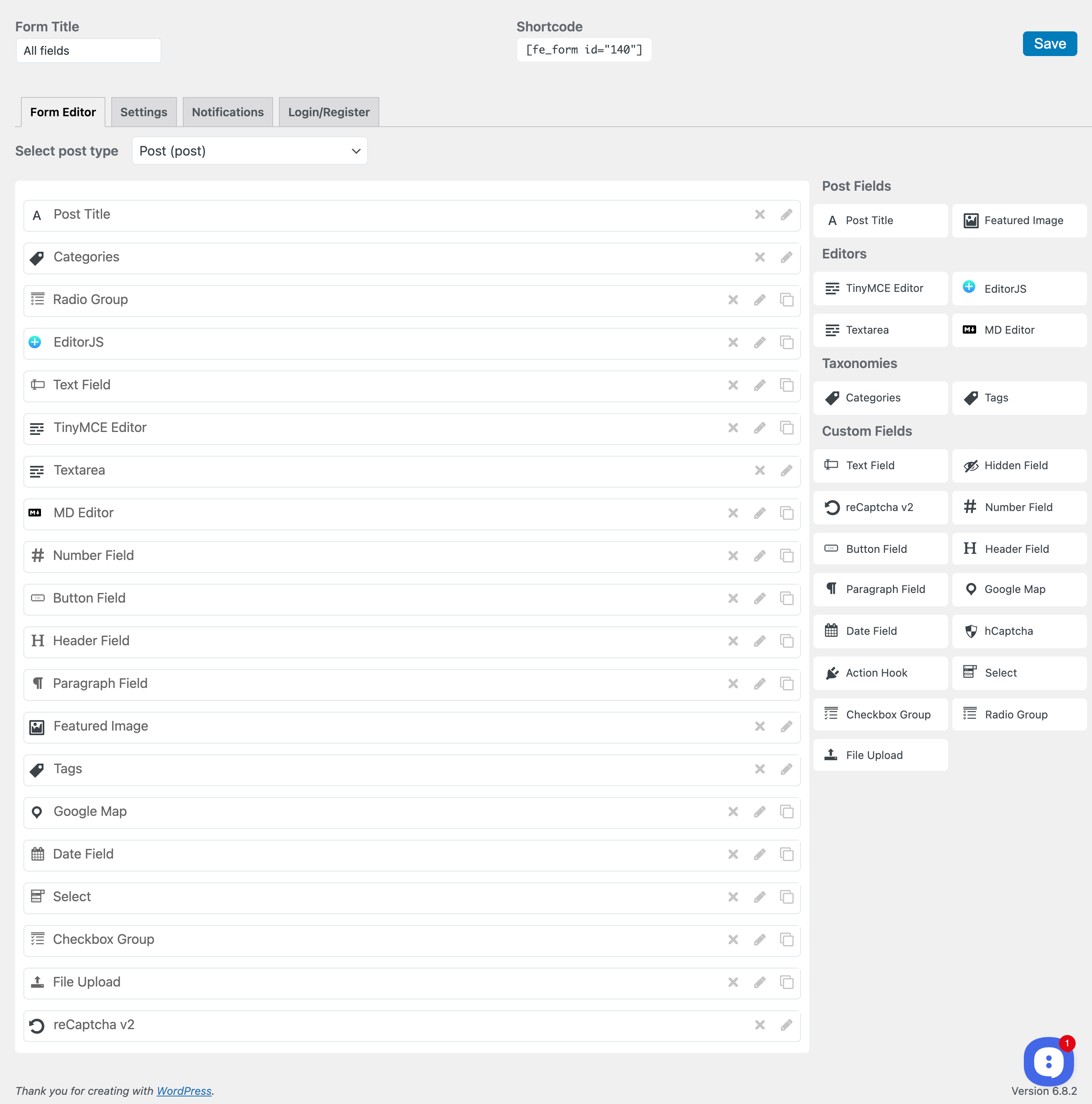
Front User Submit lets visitors and members create, edit and manage WordPress posts from the front end of your site, without ever opening wp-admin. Build a submission form in minutes with the drag-and-drop form builder, drop it on any page with a shortcode or block, and start collecting guest posts, user-generated content, listings, reviews or news.
New in 5.3: guest posting, captcha fields (Cloudflare Turnstile, hCaptcha, reCAPTCHA), simple custom fields, file uploads and the ✨ AI form generator are now in the free version.
New in 5.1: a free ✨ AI writing assistant right inside your forms. Your users write from a prompt, improve their text, fix grammar, shorten or expand it, using OpenAI, Anthropic Claude, Google Gemini, OpenRouter or a local model with your own API key.
📖 Documentation · 💬 Community · 🚀 Pro version
Why site owners choose Front User Submit
- Focused and lightweight. A frontend post submission plugin, not a membership suite. No extra modules you will never use.
- Modern editors your users enjoy. Block-style EditorJS, Markdown, TinyMCE or a simple textarea, chosen per form.
- AI writing help in the free version. Your users get an AI assistant inside the form, no Pro license needed.
- Your keys, your costs, your rules. AI is off by default, per-form switch, who-can-use-it setting and a daily limit per user.
- Rated 5 stars by the people who use it.
Who is it for?
- Guest posting and multi-author blogs: accept articles from guest authors without giving them a wp-admin account.
- Community and news sites: let members publish stories, events and announcements.
- Directories and classifieds: collect listings with images, maps, dates and custom fields. Charge per submission with WooCommerce.
- Membership and course sites: a frontend dashboard where users manage their own posts.
Core features (free)
- Frontend post submission form for logged-in users and for guests without an account
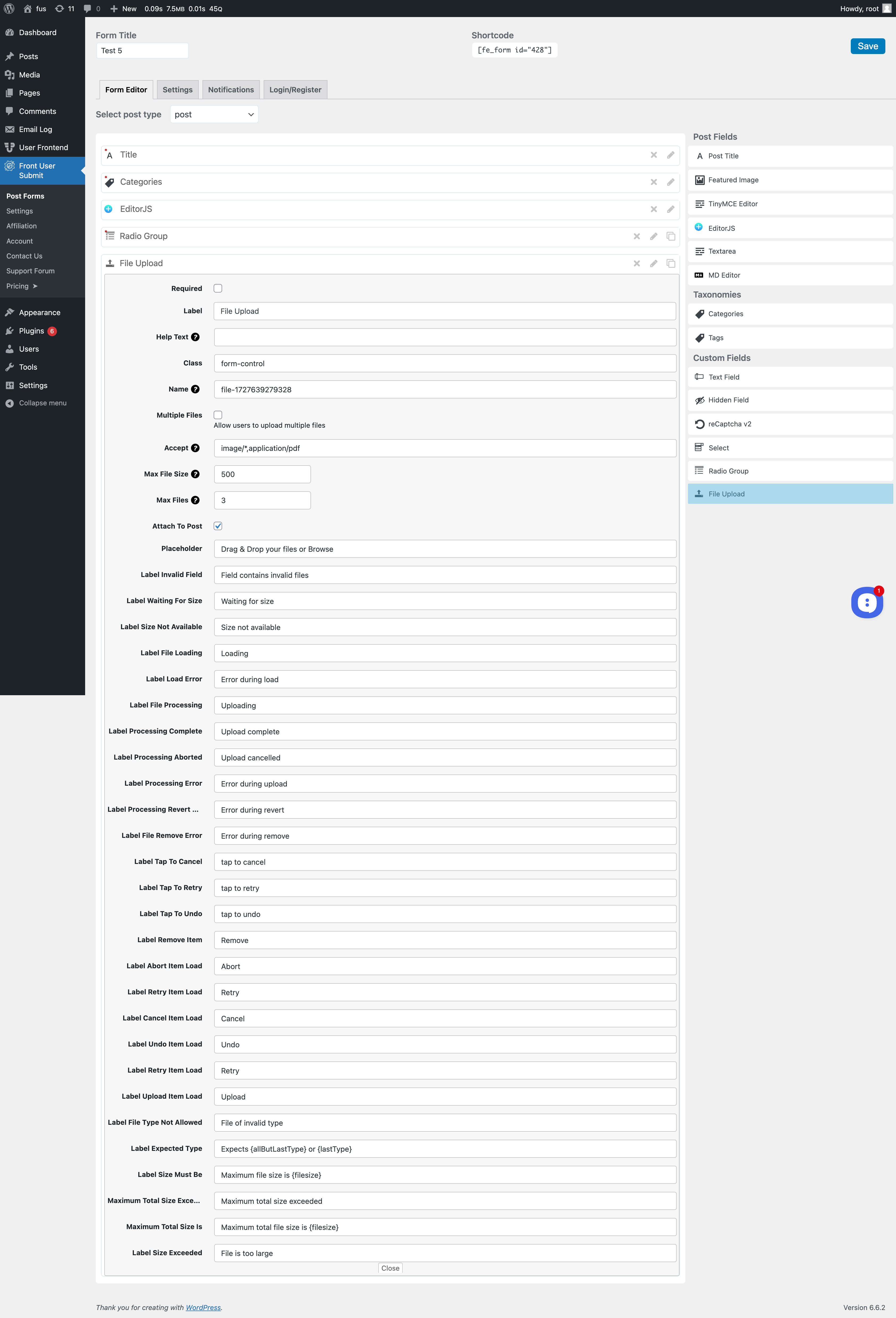
- Drag-and-drop form builder with live preview
- ✨ AI form generator: describe the form in your own words and AI adds the fields (uses your own AI provider key)
- Multiple forms, each with its own settings
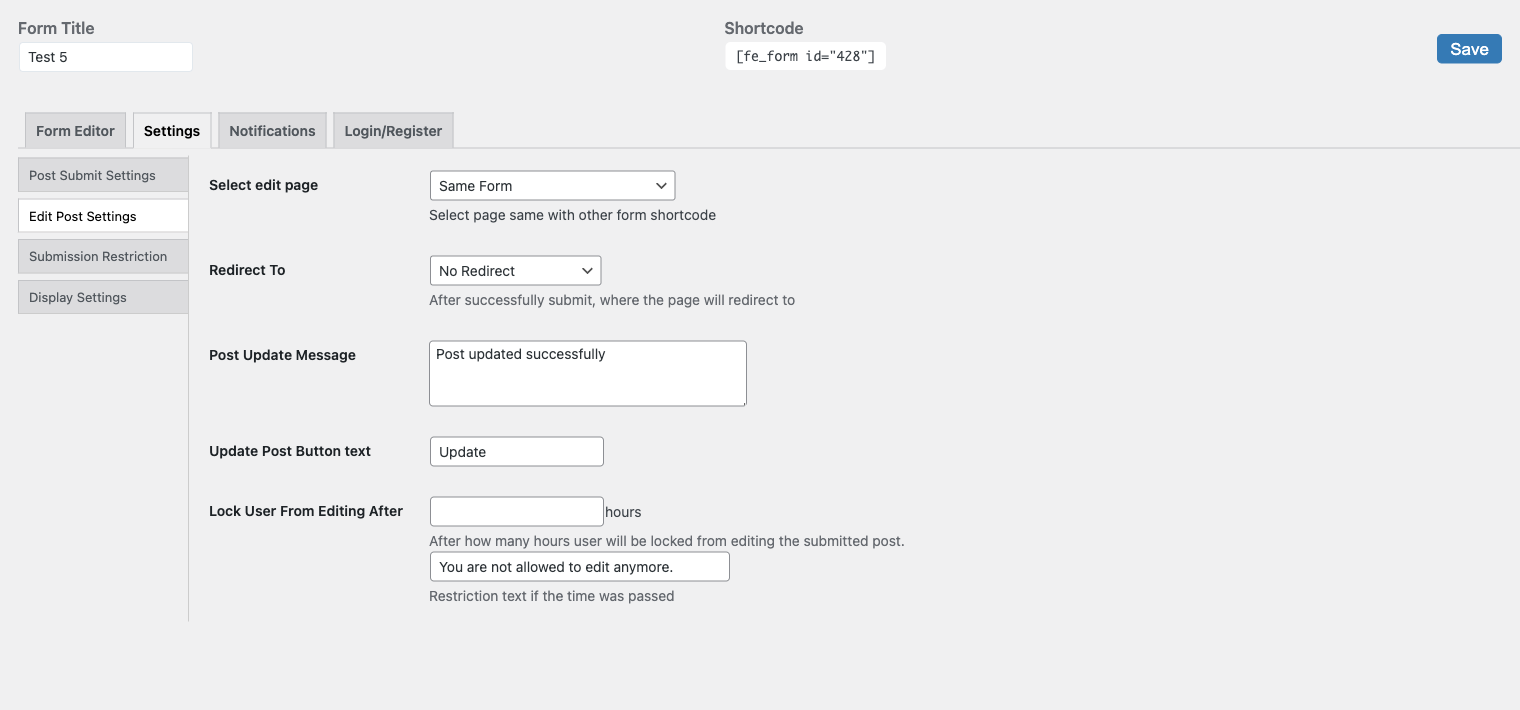
- Edit and delete posts from the front end
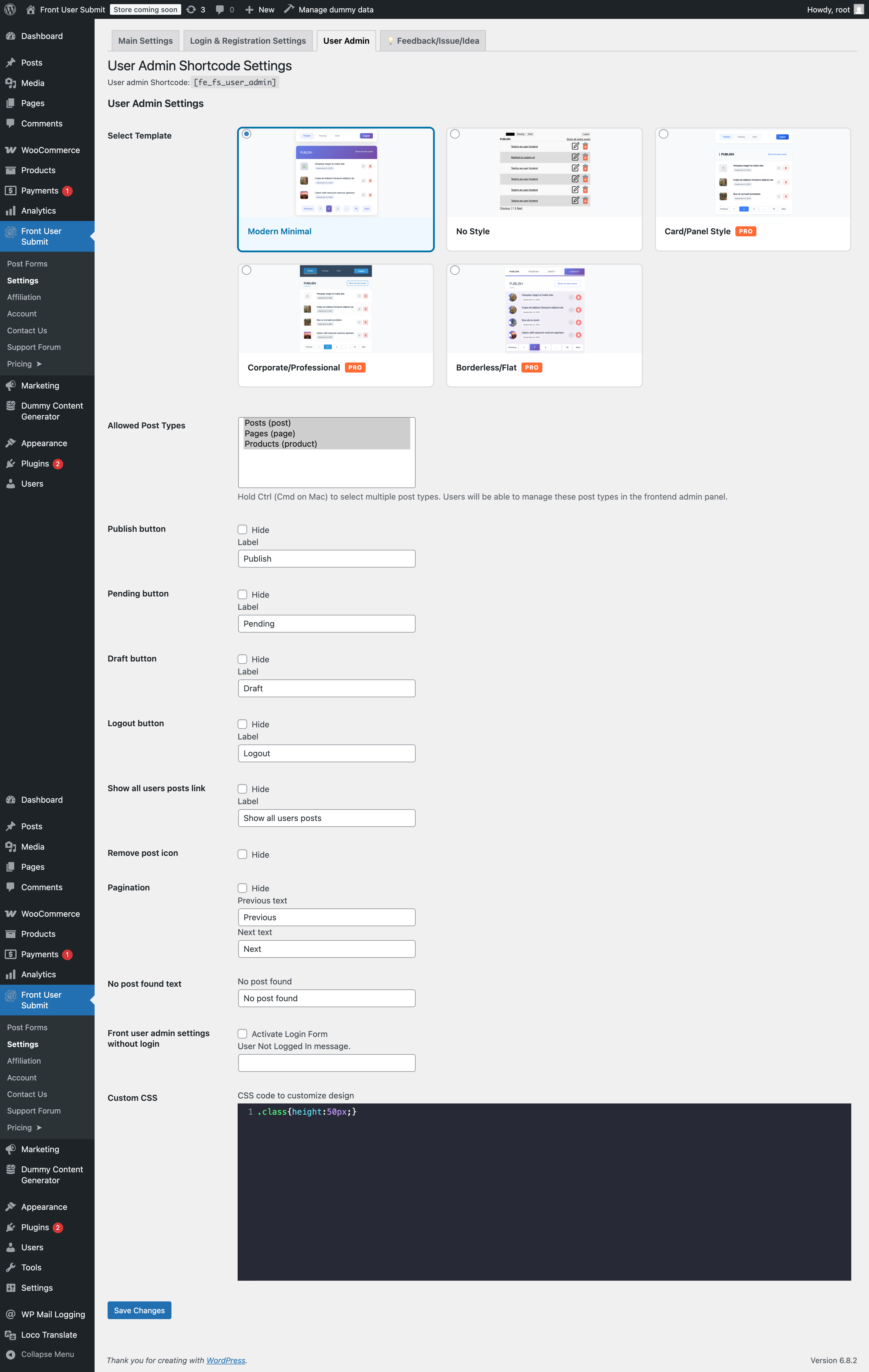
- User post dashboard:
[fe_fs_user_admin] - Login and registration forms:
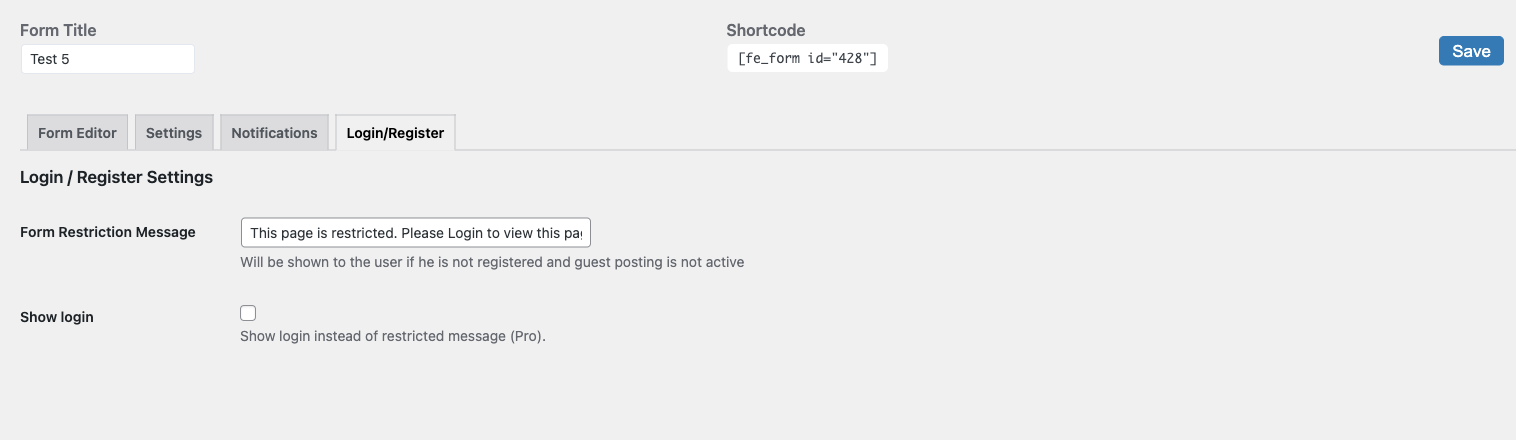
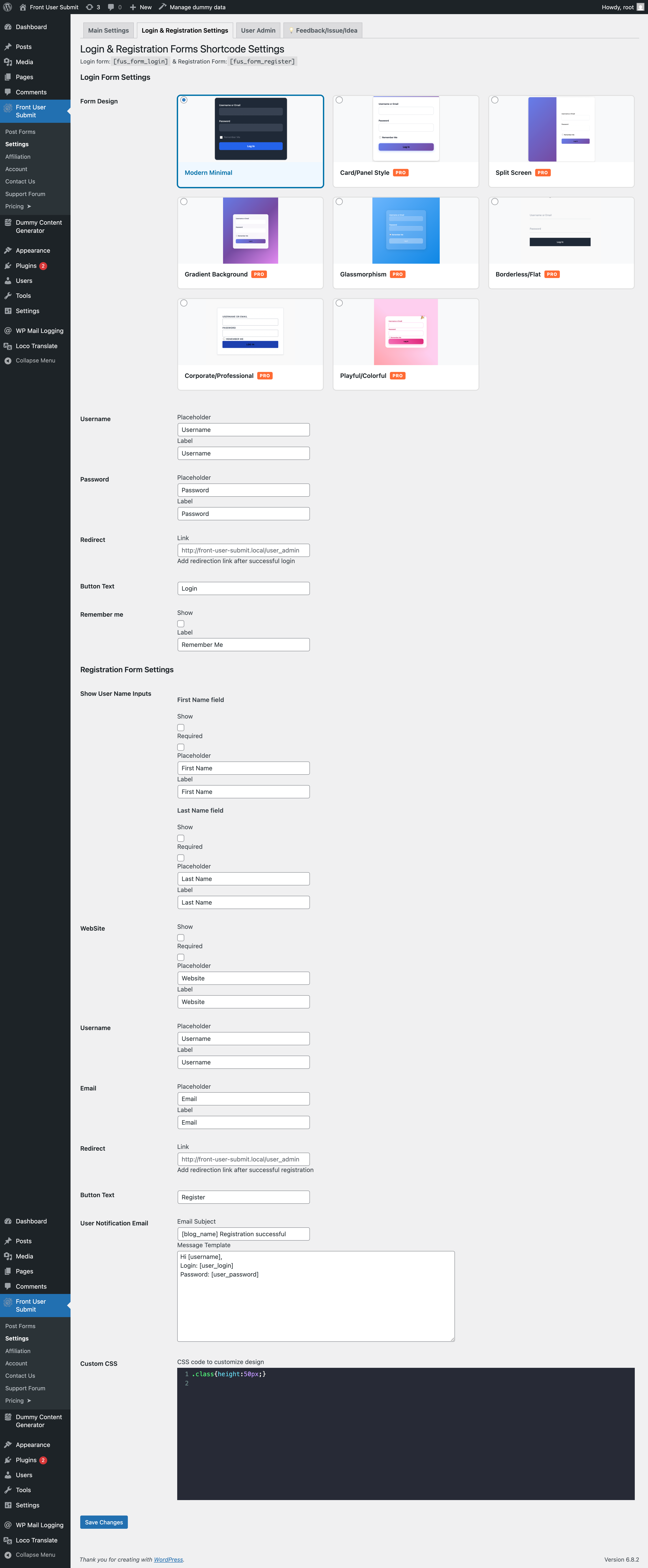
[fus_form_login],[fus_form_register] - Show the login form to visitors who are not logged in, instead of a “restricted” message
- Spam protection: Cloudflare Turnstile, hCaptcha and Google reCAPTCHA v2 fields
- Categories and tags fields: several terms, new terms from users, child terms under their parent
- Custom fields: text, email, phone, password, color, number and hidden
- Layout fields: header and paragraph
- Featured image upload
- File upload field: images and PDF, up to 2 MB per file and 3 files per field
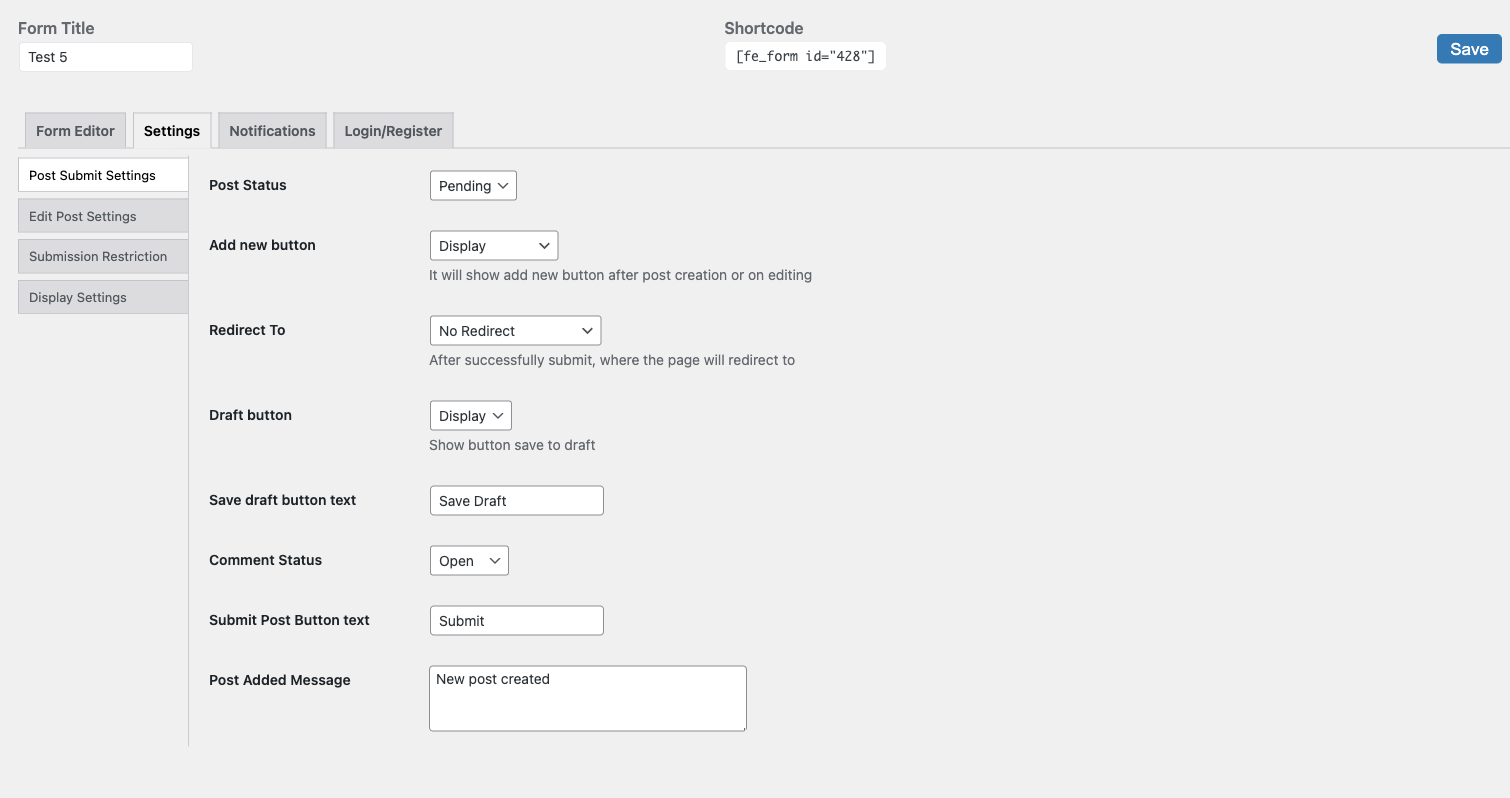
- Choose the post status after submission: pending review, draft or published
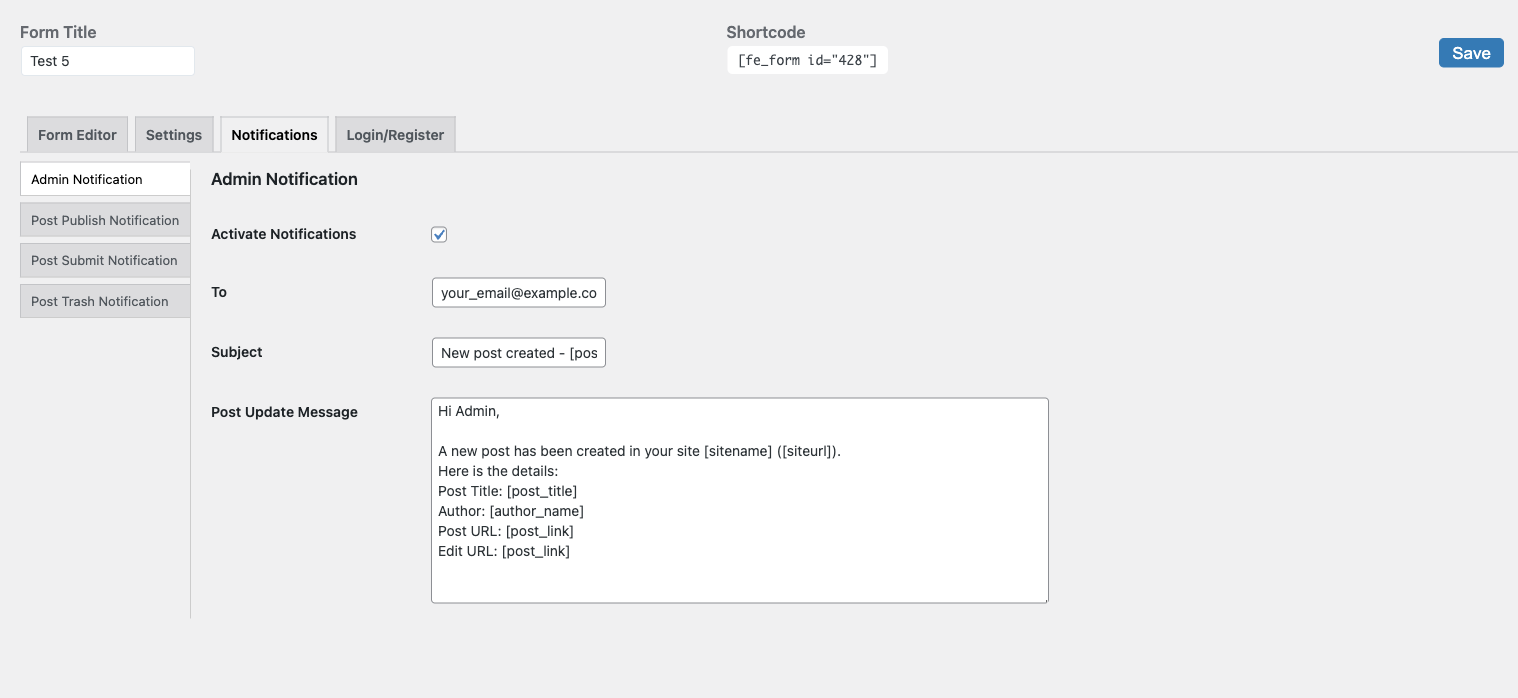
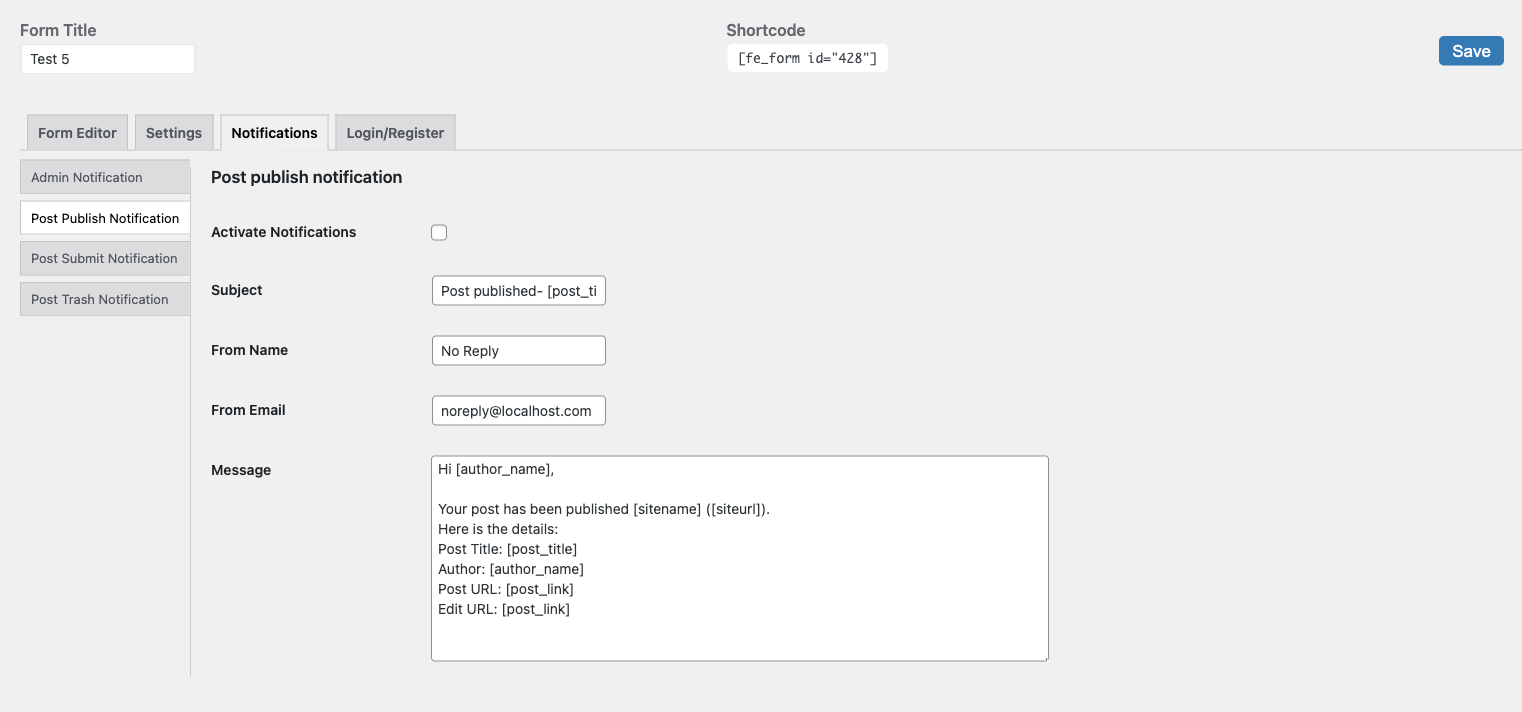
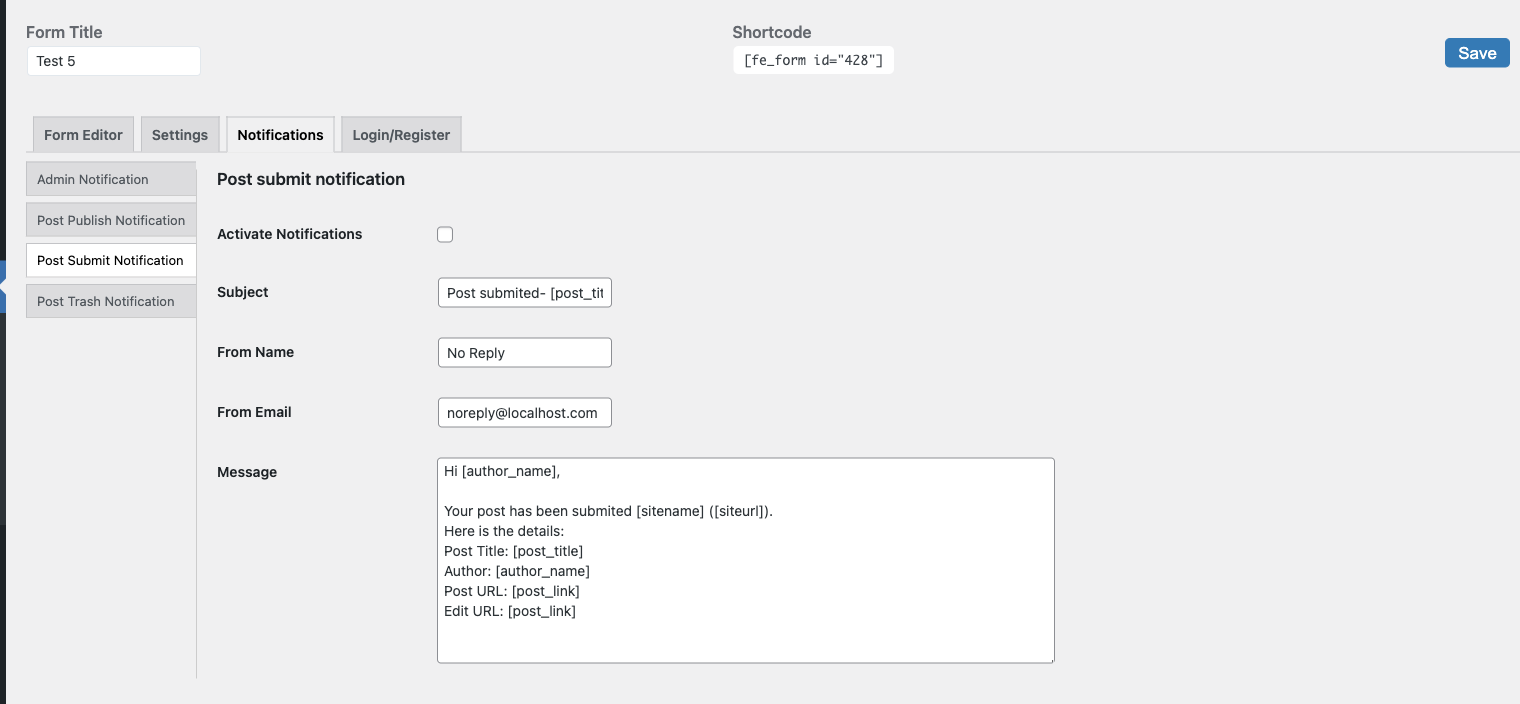
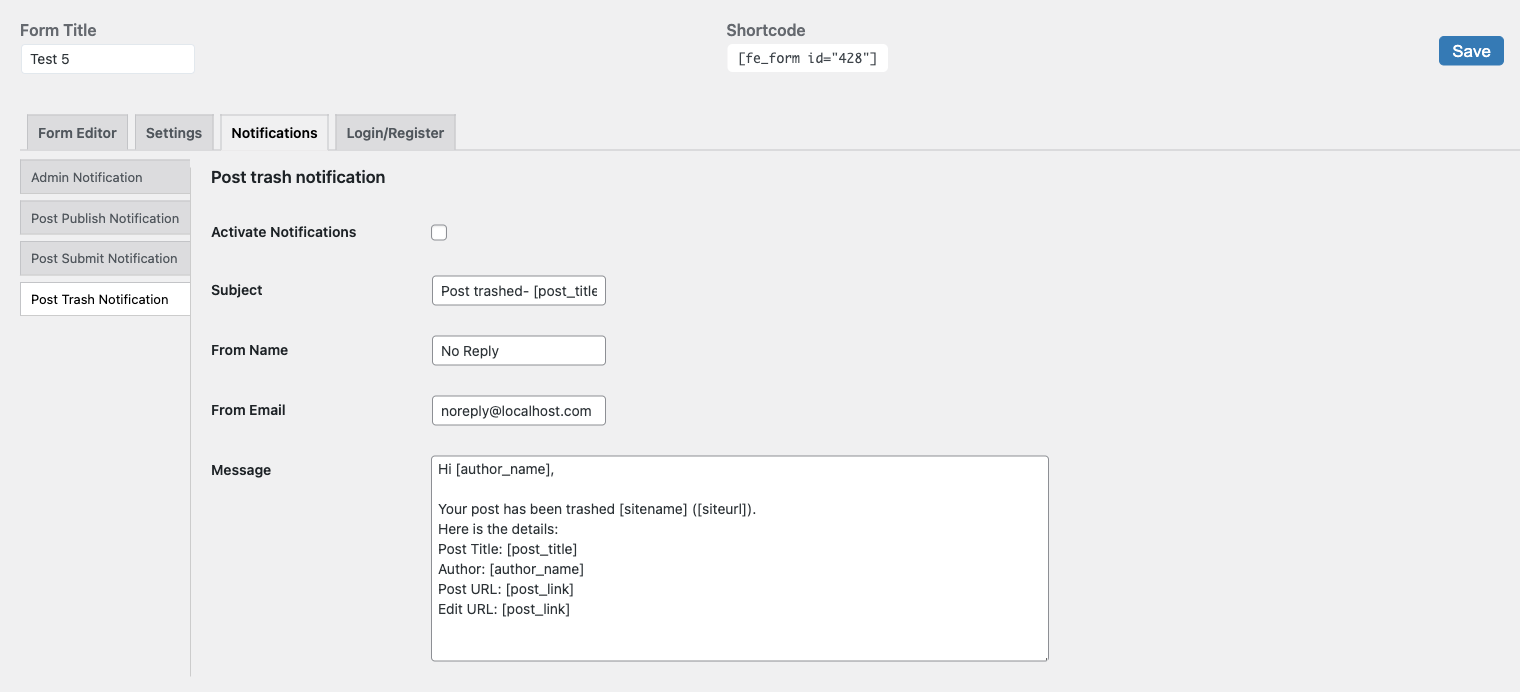
- Admin and user email notifications
- Redirect after submission to any URL or the current page
- Required and optional fields, custom success and error messages
- Shortcode, Gutenberg block or template tag
- Show custom field data on single posts
- Clean form design that looks right with any theme, or add your own CSS
- Preview every design, including Pro ones, on your own form before you choose
- Responsive, translation ready, developer hooks
- Works with ACF and User Role Editor
✨ AI writing assistant (free)
An “✨ AI” button appears next to the title, textarea, Markdown, EditorJS and TinyMCE fields:
- Write from a prompt
- Improve writing
- Fix spelling and grammar
- Make shorter or longer
- Preview the result, then replace the text or insert it below
Works with OpenAI, Anthropic Claude, Google Gemini, OpenRouter and any OpenAI compatible API, including self-hosted models (Ollama, LM Studio). Requests go from your server: the API key is never shown to visitors and can be defined in wp-config.php.
You stay in control of costs: AI is off in every form until you turn it on, you choose who can use it (logged-in users only or everyone) and set a daily request limit per user.
🚀 Pro features
- ✨ AI moderation: check submitted posts for spam, abuse and your own rules, hold flagged posts for review
- ✨ AI auto-fill: excerpt, tags and SEO meta description (Yoast SEO, Rank Math, SEOPress or built-in) after submission
- ✨ AI assistant extras: translate, change tone, custom instructions
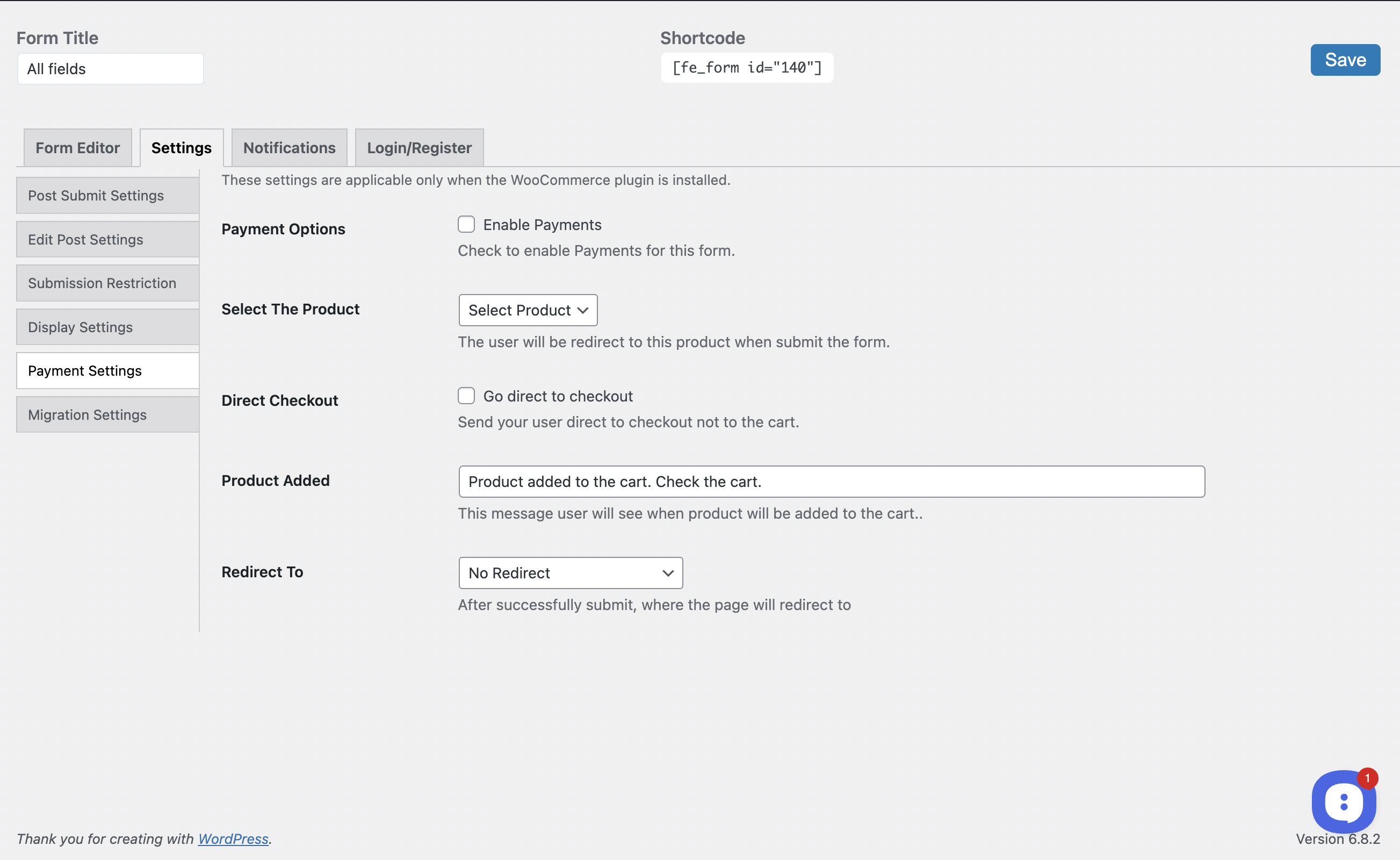
- WooCommerce integration: paid post submissions
- Custom post types and custom taxonomies
- More custom fields: date, select, radio group, checkbox group, button and action hook
- Google Map location field
- File upload settings: choose the allowed file types, the maximum file size and the number of files
- WP Media Library for the featured image and the EditorJS gallery
- More EditorJS blocks: gallery, images carousel, table, file attachments and warning
- Generated post titles built from other fields
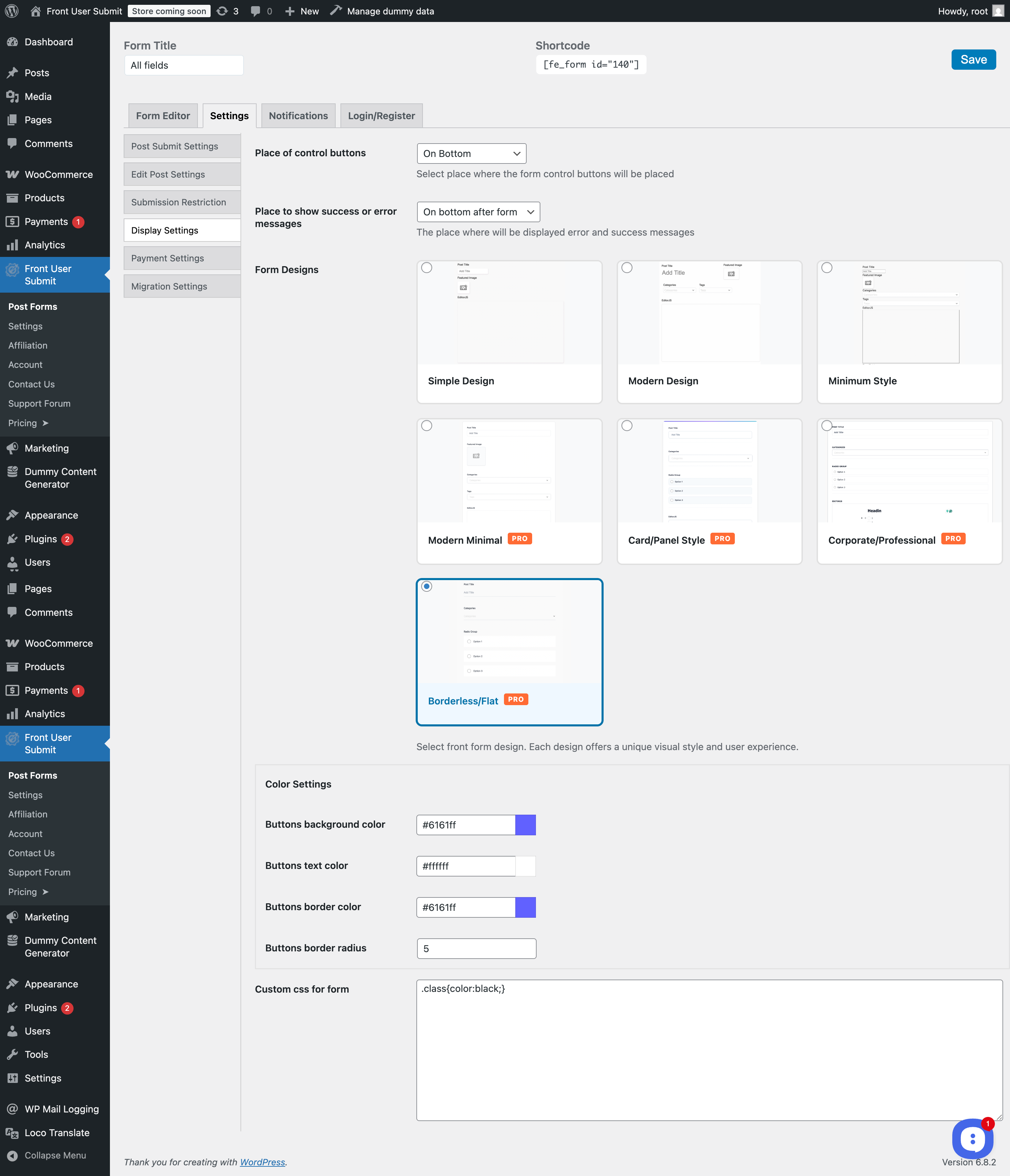
- More form designs: Modern Minimal, Card/Panel, Corporate/Professional and Borderless/Flat
Links
External services
This plugin can connect to external services. Nothing is sent until you configure the service in the plugin settings.
AI providers (Settings ✨ AI). When a user clicks the “✨ AI” button in a form where AI is enabled, the text of that field, the post title and the user instructions are sent to the AI provider selected by the site administrator. The AI form generator in the form builder sends the form description entered by the administrator. With the Pro version, AI moderation sends the submitted post text when a post is submitted, and AI auto-fill sends the post title and content after a post is submitted. The “Test connection” button sends a short test message.
- OpenAI – Terms of use, Privacy policy
- Anthropic Claude – Terms of service, Privacy policy
- Google Gemini – Terms of service, Privacy policy
- OpenRouter – Terms of service, Privacy policy
- Any other OpenAI compatible API URL entered by the administrator – the terms of that service apply.
Captcha services (form builder Custom Fields). Used only when you add a captcha field with your keys to a form. The visitor’s browser loads the captcha widget from the provider. When the form is sent, the plugin sends the captcha answer and your secret key to the provider to check it.
- Cloudflare Turnstile – Terms of use, Privacy policy
- hCaptcha – Terms of service, Privacy policy
- Google reCAPTCHA – Terms of service, Privacy policy
Features.Vote (Settings Suggest Feature). When a project slug is set, the feature request widget script is loaded from features.vote on the plugin settings page. If “Pass User Data” is enabled, the current user’s name, email and ID are passed to the widget. Terms of service, Privacy policy
Translations
- English – default, always included
- Russian – ru_RU
Schermafbeeldingen


Blokken
Deze plugin heeft 1 blok.
- Front Editor
Installatie
Upload the plugin files to the /wp-content/plugins/front-editor directory, or install the plugin through the WordPress plugins screen directly. Activate the plugin through the ‘Plugins’ screen in WordPress.
Using Gutenberg Block Add the ‘Front Editor’ block to any page or post Search for “Front Editor” in the block inserter Configure block settings as needed
Using Shortcode
Add [fe_form id=”form_id”] to any post, page, or widget For user admin functionality, use [fe_fs_user_admin]
After Installation
Visit the Front Editor settings page to configure user permissions Test the form submission process Review moderation settings in the plugin dashboard
For detailed setup instructions, visit: How to install docs
That’s all there is to it! Your site now can accept user-generated content. Everything is super easy to customize via the Plugin Settings page.
FAQ
-
How do I let visitors submit posts without registering?
-
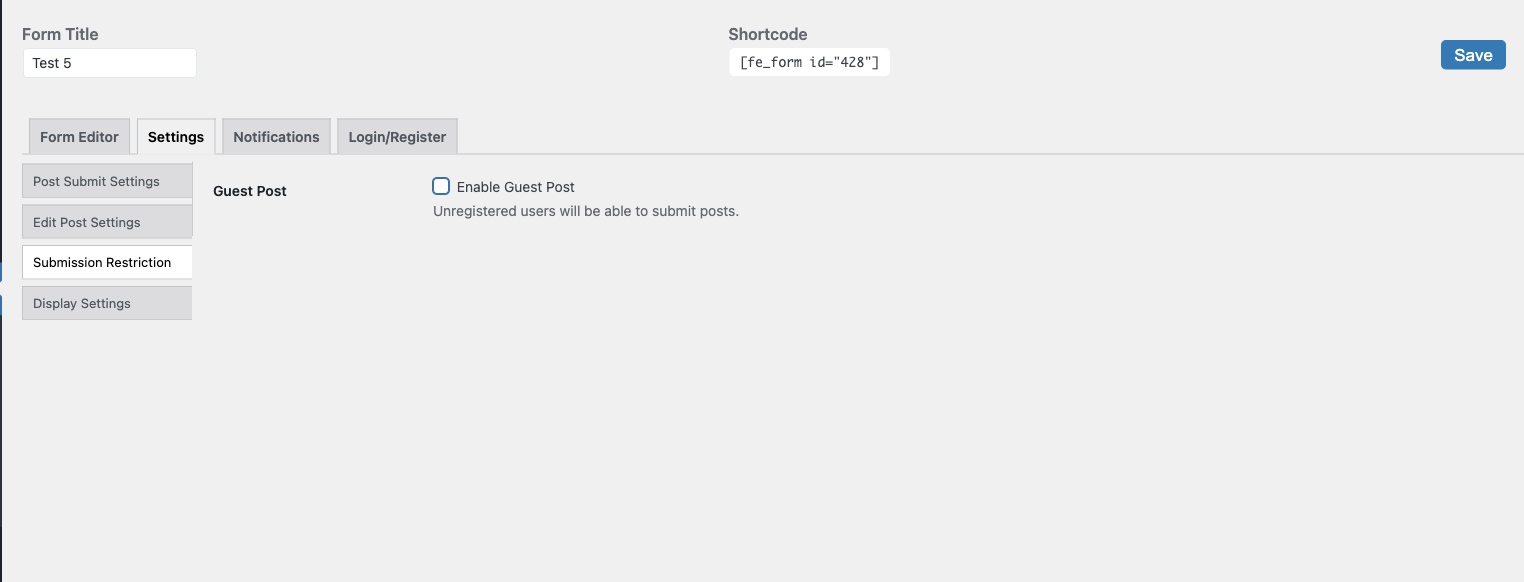
Create a form under Front User Submit Post Forms, tick “Enable Guest Post” in Settings Submission Restriction and add the form to a page with the
[fe_form id="X"]shortcode or the Front Editor block. Set the post status to “Pending” if you want to review guest posts before they go live. Guest posting is free. -
How do I stop spam in guest posts?
-
Add a Cloudflare Turnstile, hCaptcha or reCAPTCHA v2 field to the form (all free) and set the post status to “Pending”, so you review every post before it is published. AI moderation of submitted posts is in Pro.
-
Can users edit and delete their own posts from the front end?
-
Yes. Add the
[fe_fs_user_admin]shortcode to a page to give users a dashboard with their posts, where they can edit and delete them. -
Can users upload images and files?
-
Yes. The featured image field and the EditorJS image block are free. The file upload field is free too: images and PDF files, up to 2 MB per file and 3 files. Pro lets you change the file types, size and number of files, and adds the WP Media Library and EditorJS gallery and file blocks.
-
Is the AI assistant free?
-
Yes, the AI writing assistant (write, improve, fix grammar, shorten, expand) and the AI form generator are in the free version. You pay only your AI provider for the requests made with your own API key.
-
How do I enable the AI assistant?
-
- Go to Front User Submit Settings ✨ AI, choose a provider, paste your API key, click “Test connection” and save.
- Open your form: Post Forms edit form Settings ✨ AI and set “AI assistant” to Enabled. AI is off in every form by default.
-
Which AI providers are supported?
-
OpenAI, Anthropic Claude, Google Gemini, OpenRouter and any OpenAI compatible API, including local models with Ollama or LM Studio.
-
Who pays for AI requests?
-
Requests use your own API key and are billed by your provider. Limit usage with “Who can use it” and “Daily limit per user”. Administrators and editors are not limited.
-
Can I keep the API key out of the database?
-
Yes. Define it in wp-config.php: FUS_OPENAI_API_KEY, FUS_ANTHROPIC_API_KEY, FUS_GEMINI_API_KEY or FUS_CUSTOM_AI_API_KEY.
-
How do I stop spam submissions?
-
Require login for the form, or add a Cloudflare Turnstile, hCaptcha or reCAPTCHA v2 field. Set new posts to “Pending” so nothing is published without your review. Pro adds AI moderation of submitted posts.
-
Can I charge for post submissions?
-
Yes, with the Pro WooCommerce integration you can require a payment for each submitted post.
-
Does it support custom post types and custom fields?
-
The free version has text, email, phone, number, hidden, header, paragraph and file upload fields, and can show custom field data on single posts. Custom post types, custom taxonomies and the date, select, radio, checkbox, Google Map, button and action hook fields are in Pro. ACF is supported.
-
Does it work with the block editor (Gutenberg)?
-
Yes. Use the Front Editor block or the shortcode, with or without the block editor.
-
How do I use shortcode settings?
-
Can I translate the plugin?
-
Yes, the plugin is translation ready. Translate it on translate.wordpress.org or with Loco Translate.
Beoordelingen


Bijdragers & ontwikkelaars
“Front User Submit – Frontend Post Submission, Guest Posting & AI Writing Assistant” is open source software. De volgende personen hebben bijgedragen aan deze plugin.
Bijdragers

“Front User Submit – Frontend Post Submission, Guest Posting & AI Writing Assistant” is vertaald in 1 locale. Dank voor de vertalers voor hun bijdragen.
Interesse in ontwikkeling?
Bekijk de code, haal de SVN repository op, of abonneer je op het ontwikkellog via RSS.
Changelog
5.3.0
- [new] Guest posting is free: tick “Enable Guest Post” in the form settings (Submission Restriction)
- [new] “Show login” is free: show the login form instead of the restricted message
- [new] Cloudflare Turnstile field: free spam protection, once per form
- [new] reCAPTCHA v2 and hCaptcha fields are free
- [new] Text (text, email, password, tel, color, hidden), Number, Hidden, Header and Paragraph fields are free
- [new] File upload field is free with fixed limits: images and PDF, up to 2 MB per file and 3 files. Changing the types, size and number of files stays in Pro
- [new] Categories and tags: “Multiple Selections”, “Allow Add New” and “Show Hierarchically” are free
- [new] TinyMCE: “Media Support”, “Teeny” and “Drag & Drop” are free. Add Media and drag and drop work for users who may upload files (Author and above)
- [new] ✨ AI form generator is free and uses your own AI provider key
- [new] The “Proudly powered by Front User Submit” line under forms is removed
- [fix] The reCAPTCHA field in the free version is now shown and checked. Before, it could be added but did nothing
- [fix] The captcha is reset after each submit, so a second try after an error gets a fresh check
- [fix] Security: the server checks the file type, size and number of files of the File field, not only the browser
- [fix] Security: a taxonomy field without “Multiple Selections” saves one term, and one submit can add at most 5 new terms
- [fix] Header and Paragraph fields allow only heading and text tags
- [fix] The File field works on PHP 7.4 with WordPress older than 5.9
- [new] Files guests uploaded but never sent a post with are deleted once a day, two days after the upload (filter
bfe_guest_upload_cleanup_age) - [fix] reCAPTCHA, hCaptcha and Turnstile are shown compact in narrow forms on phones instead of sticking out of the screen
- [fix] hCaptcha no longer takes over a reCAPTCHA widget on the same page
5.2.5
- [fix] The registration form now sends the new user an email with a link to set their password, and notifies the admin, like the WordPress registration page
- [fix] Security: updated bundled libraries (webpack runtime, jQuery UI 1.13.3 in the form builder)
- Updated EditorJS 2.31, FilePond 4.32, CodeMirror, Parsedown 1.8, HTML To Markdown 5.2 and the Freemius SDK 2.13.5
- Updated Russian translation
5.2.4
- [fix] Pro File field: guests who pick several files at once get all of them saved with the post, and can remove any of them before submitting (in 5.2.3 only some of the files were kept)
5.2.3
- [fix] Security: values saved with a post are now escaped when the edit form, the “FUS Form Data” box and notification emails show them
- [fix] Security: guests can only attach their own uploads to a post; image and gallery blocks can no longer change other posts or pages
- [fix] Security: form export, import and the form builder now need the administrator capability
- [fix] Security: uploads are accepted only from forms that have an upload field, with a valid security token and an hourly limit for guests; guests can only use files they uploaded themselves
- [fix] Security: a form saves only the fields it has; other post data can no longer be written through a form
- [fix] Security: custom field shortcodes no longer show private data: the submitter IP address, data of unpublished posts and protected fields whose name starts with “_”
- [fix] Security: shortcodes in posts submitted by guests and subscribers are shown as text and not run
- [fix] Security: editing a post no longer undoes moderation (pending, private, AI-held or trashed posts keep their status, and the edit time limit of the original form keeps applying)
- [fix] Security: registration follows the WordPress “Anyone can register” setting
- [fix] Security: guest posting works only when it is switched on in the form
- [fix] Security: the featured image must be the user’s own image
- [fix] Security: the delete link in the user dashboard is protected against links from other sites
- [fix] Security: taxonomy fields only set terms of the form’s taxonomies; new terms only when “Add New” is on
- [fix] Security (Pro): file field downloads and uploads check permissions; reCAPTCHA and hCaptcha are always checked
- [fix] The plugin no longer sends error reports to an external service
- [fix] [fus_custom_field_content] and [fus_google_map] shortcodes work again
- [fix] EditorJS content is always saved, also when you submit right after typing; links with “&” and backslashes in text are kept
- [fix] Form labels with quotes no longer break a form after saving
5.2.2
- Links to documentation, pricing and support now point to the new website wpuserpublish.com
- Removed the link to the old online demo
5.2.1
- [fix] Security: a logged-out visitor could edit posts submitted by other guests through a form with guest posting enabled. Guests can now only create new posts
5.2.0
- [new] Clean form design: free, the default for new forms, looks the same on any theme
- [new] “Preview on my form”: see any design, including Pro ones, on your own form before choosing
- [fix] AI button sits on the field label row and keeps its colours on themes that style all buttons
- [fix] Demo form created on activation uses the Clean design with readable buttons
5.1.0
- [new] ✨ AI writing assistant for title, textarea, Markdown, EditorJS and TinyMCE fields: write from prompt, improve, fix grammar, shorten, expand
- [new] AI providers: OpenAI, Anthropic Claude, Google Gemini, OpenRouter / any OpenAI compatible API, with your own API key and model
- [new] AI settings tab with connection test, access control and daily limit per user
- [fix] Textarea fields use the form font instead of the browser monospace font
- [fix] Simple Design: post title input is full width
- [new] Turn AI on or off for every form (off by default)
- [new][pro] AI form generator in the form builder
- [new][pro] AI translate, change tone and custom instructions in the assistant
- [new][pro] AI moderation of submitted posts
- [new][pro] AI excerpt, tags and SEO meta description after submission
- [new] Features.Vote “Suggest a Feature” widget settings
- Fixed: settings page styles and scripts were not loaded when WordPress is not in English
- Fixed: “Settings saved” message was not shown on the plugin settings page
- Fixed: bundled translations are used for strings missing in the WordPress.org language pack
- Fixed: PHP notice in Markdown editor field
- Fixed: PHP warning when the form has no gallery setting
- Tested with WordPress 7.1, requires PHP 7.4
- Updated Russian translation
5.0.7
- Security: file uploads are now checked by their real content, and uploaded files are always served as downloads. Thanks to Enrico Marcolini, Claudio Marchesini and Dottor Marc for the responsible disclosure via WPScan
- Security: featured image upload by URL no longer requests internal addresses
- The File field upload endpoints are now available only in the Pro version, where the field is used
5.0.*
- Small bug fixed
- Fixed login registration redirect settings issue
5.0.6
- Fixed issue with add new form
- Fixed issue when user can not edit his own post
- Security issues was fixed
5.0.1
- Security issue fixed
5.0.0
- Fixed issue with login and register forms shortcodes
- Added 8 new designs for login and register forms
- Added 4 new designs for form
- Added 5 new designs for user admin
- Added post type selection settings for user admin posts
4.9.5
- Fixed notice function loadtextdomain_just_in_time
- Fixed bug with post submitting
4.9.4
- Fixed issue with bug when post not saving related to title generation
- Cross Site Scripting (XSS) vulnerability fixed
4.9.3
- Bug fixes
4.9.2
- Bug fixes
4.9.1
- Bug fixes
- [new] action hook field
- [new] hCaptcha field added
- [new] shortcode added [fus_google_map meta_name=”your_meta_field_name”] to show map content
- [new] shortcode added [fus_custom_field_content meta_name=”user_email”]
4.9.0
- Bug fixes
4.8.9
- Bug fixes
4.8.8
- Fixed issue with admin bar behavior added new option “default”
- [EditorJS] Fixed ui bug
- [EditorJS] Updated
4.8.5
- Fixed bug with replacing content
- Added Russian translation
- Fixed bug _load_textdomain_just_in_time was called incorrectly
4.8.3
- Required logic bug fixed
- Empty post title and post content issue
- Added shortcode to show simple field value in post: [fus_display_field name=”{field_name}”]
4.8.0
- Fixed issue with File field when uploading video
- Fixed registration notification bug
- Fixed date field required functionality
- Added Meta Box to the post create by the plugin form
- Buttons both on top and bottom
- Fixed custom css issue
- Notification admin default email now will be admin email
- In Taxonomy and Select fields search input deactivate and can be activated in settings
- TinyMCE added 3 new settings media buttons, making teeny, activating drag and drop functionality
4.7.9
- All fields require field issue fixed
- In all field now you can modify require issue message
- All select elements added settings to change search placeholder and No Result texts
- Multiple editor fields in one form with with selection where to save content (meta, post content, excerpt)
- EditorJS field added Placeholder settings
- New settings to enable or disable preview button
- New settings to change add new and preview buttons texts from form settings
- WooCommerce integration order checking issue fixed
- Fixed title generation with new taxonomy
4.7.0
- WooCommerce integration ready
- Fixed image issue in editor js
- Fixed edit button in posts issue
4.6.7
- Security bug fixed
- MD editor full screen issue fixed
4.6.5
- Migration settings added
- Date field added
- Google map field added
- MD editor editing post fixed added html to markdown parser
- Added settings to User Admin to show login form or change not logged in message
- Changed permissions from delete_pages -> edit_others_posts to work with permission plugins
- Remove unnecessary input from form
- Now we are using Rest API instead of admin ajax with improving security
4.6.0
- Added settings page for user admin page
- New field in builder Number field
- New field in builder Button field
- New field in builder Header field
- New field in builder Checkbox Group field
- New field in builder Paragraph field
4.5.5
- MD editor now working correctly
- Added login and registration settings page
- Security fixes
- Added hidden field
- Default terms settings added in taxonomy fields
- Added Radio Group field
4.5.0
- fixed issue when saving post
- added google reCaptcha field
4.4.8
- issue fixed
4.4.7
- Security updates
- Fixed issue with publishing
4.4.5
- Fixed security issues
4.4.1
- Fixed post type bug
4.4.0
- [bug] Featured image was fixed
- [bug] Fixed issue with the links
- [New] Lock user from editing after
4.3.5
- Fixed issues with arabic and Russian language
- Added hidden text field type
- Added text input to change placeholder text in EditorJS Quote block
- Added text input to change placeholder text in EditorJS Header block
4.3.0
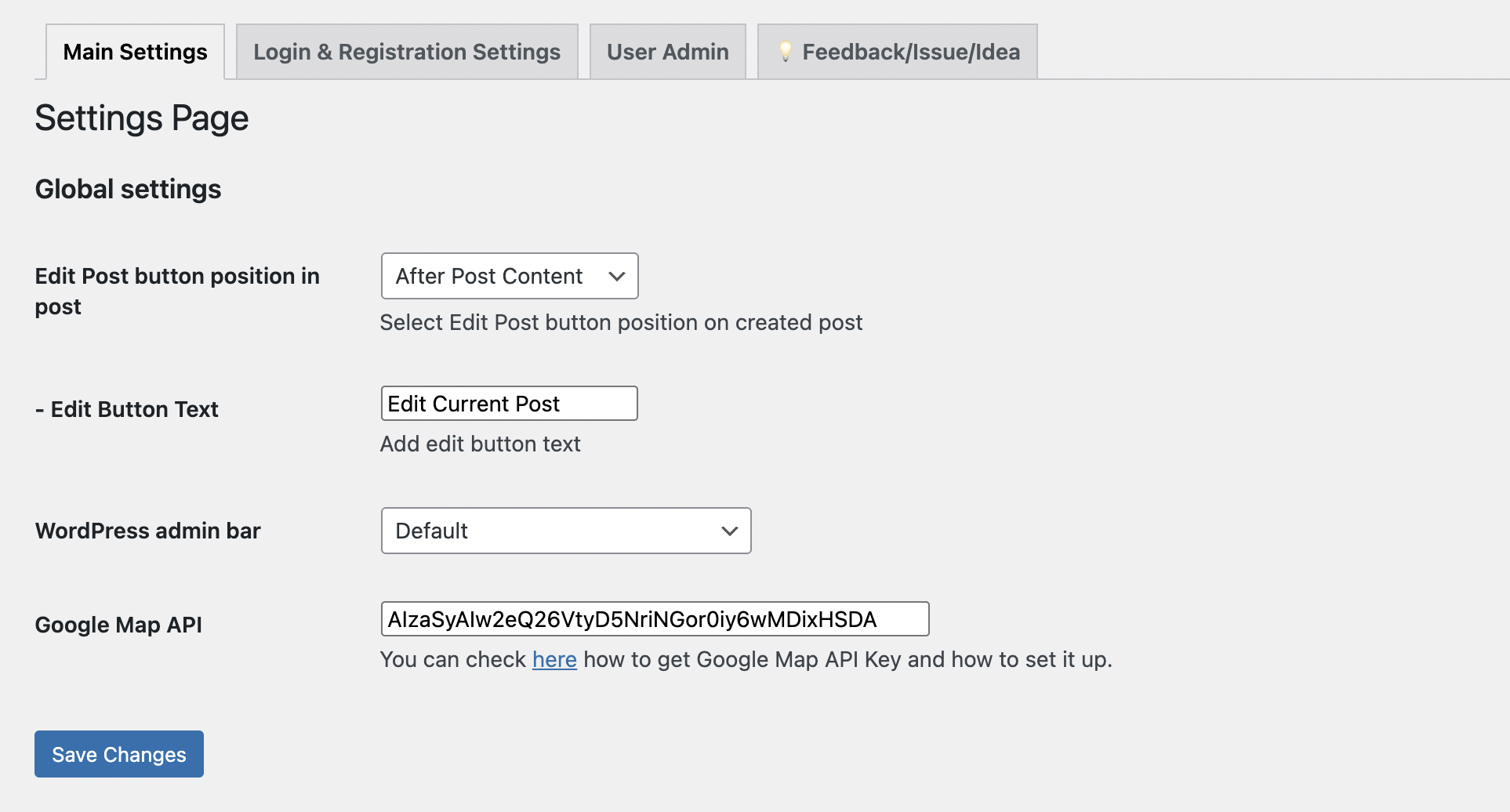
- Now you can hide edit button on posts
- Now you can add your custom text to edit button
- You can now change submit buttons border color and radius
- Title issue fixed
- Every form now have its own settings for selecting edit page
- User dashboard default is 6 posts
4.2.0
- Login settings in form
- [Post Title Field] Refactoring
- [Post Title Field] Hide field setting
- [Post Title Field] Generate title using other field and taxonomy selected by user
- Required icon in label for all fields
- Ordering files in File Field fixed
4.1.2
- Taxonomy bug hot-fix
- Small fixes on showing restriction messages
4.1.0
- New Select custom field
- New File upload field
- Fixed small issues
- Fixed icons issue in form builder in admin
- [Taxonomy] fields add new button issue fixed
- [Taxonomy] fields can be now shown hierarchically
- [Taxonomy] order field fixed
- [Taxonomy] added field in settings to exclude terms by id
4.0.4
- [EditorJS] fixed issue with toolbox
- Fixed issue with post image duplication
- Updating URL after post successfully added
- Updating submit button text to update button text after post successfully added
4.0.0
- ui settings fix
- new default design
- fixe issue with redirect link
- fixed tinyMCE editor not saving bug
- added button background and font color picker
3.9.6
- small ui issue fixed
- security fix
- align issue fixed
- [editor.js] quote fixed now the author in bottom
- added new content editor TinyMCE
- added 3 type of notification with settings on post publish, submit,trash
3.9.2
- inline tool activated again for paragraph
- fixed small issue in admin
3.9.0
- align settings added to header and text blocks in editor.js
- login and registration Shortcodes added with redirect parameter
- added logout button to user admin
- added control buttons place settings show in the top or in the bottom
- added settings to control success and error messages places in form
- [editor.js] warning block issue fixed [Pro]
- [editor.js] table block activated with new version [Pro]
- added new field in form builder textarea
- added loader on front form