

Beschrijving
A site with hundreds of articles and a handful of loose categories is hard to browse. Creator Assistant Categories reads what your articles are about, groups the ones that deal with the same topic, names every group and turns the groups into a tree of categories.
- Three levels: main categories, subcategories and a third level, each one more specific than the one above.
- Every article goes into the most specific category it belongs to. The parent categories show the articles of their subcategories too.
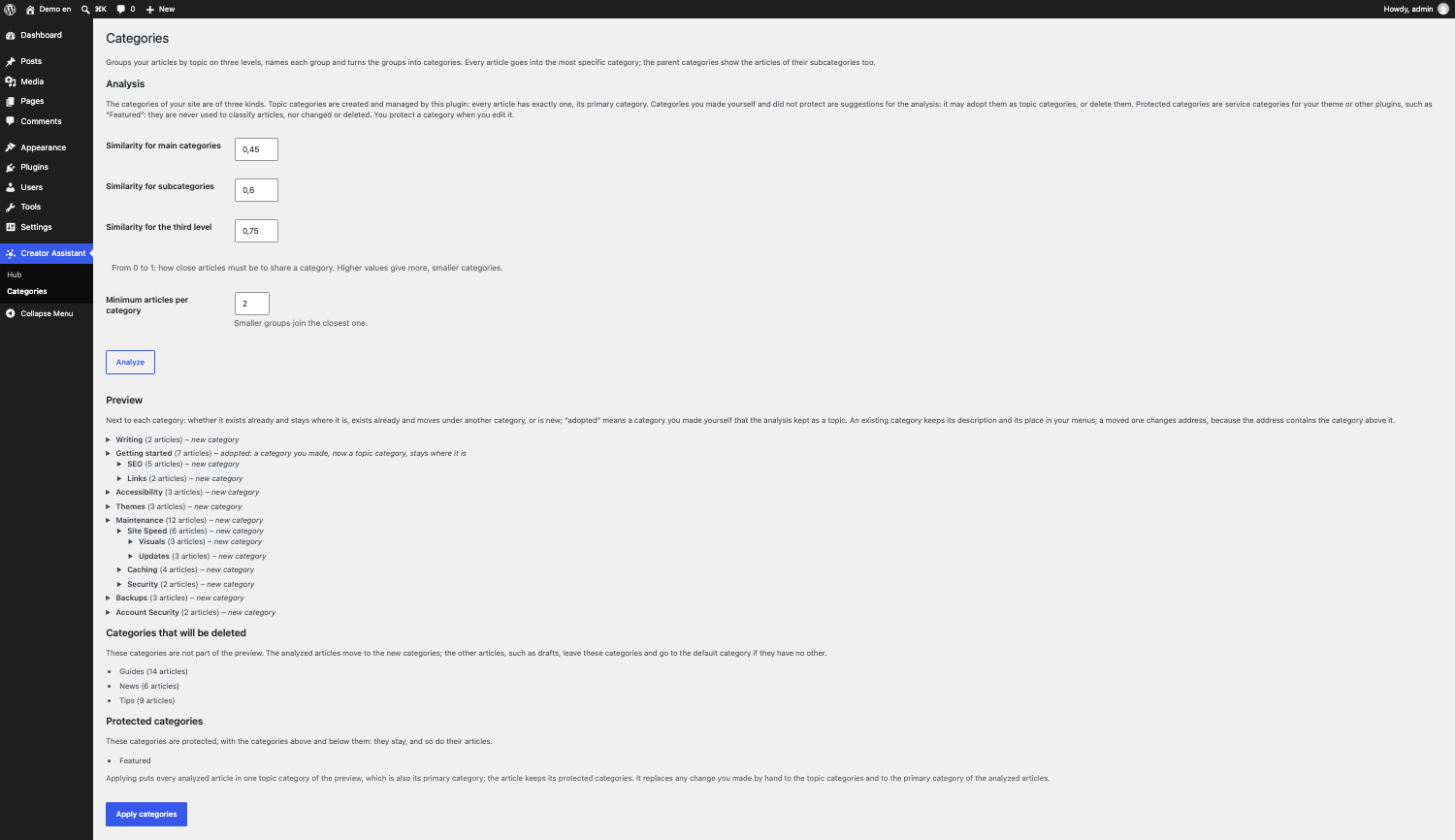
- A preview comes first: you see the tree, how many articles each category holds and the titles the name was taken from, and nothing changes on your site until you press “Apply categories”.
- A new analysis keeps the categories whose topic did not change, even when they move to another place in the tree, and reuses categories with the same name instead of duplicating them.
- After the tree is applied, the categories belong to the tree: every analyzed article has one topic, and the other categories are deleted, the ones you made by hand too. The preview lists them before anything changes. Protect a category, such as a “Featured” one your theme uses, to keep it and its articles.
- After the tree is applied, a new article gets the category of the article most similar to it, without running the analysis again.
- You decide how fine the tree is with three similarity thresholds and a minimum number of articles per category.
Requirements
- Creator Assistant Hub 1.2.0 or higher, connected and with OpenAI and Qdrant configured. This plugin uses the clustering service and the article summaries published by the Hub since 1.2.0: update the Hub first, because WordPress cannot express a minimum version in
Requires Plugins. With an older Hub the plugin stays idle and shows a notice. - WordPress 6.8 or higher.
- PHP 7.4 or higher.
Turning the plugin on also turns on the article summaries of the Hub, because the analysis works on them. Articles are analyzed once they have a summary, so on a large site wait for the Hub to process them before you start.
Part of the Creator Assistant family
- Creator Assistant Hub connects your site to OpenAI and Qdrant (required).
- Creator Assistant Search adds AI search to your site.
- Creator Assistant Knowledge answers questions from private knowledge.
External services
This plugin uses the services configured in Creator Assistant Hub, and only after you accepted its terms there.
- OpenAI: turning this plugin on also turns on a Hub feature that is off by default: the article summaries, which are generated with OpenAI (the Hub sends the text of your articles for that). To give a name to every group, the plugin also sends OpenAI the titles of the articles of the group, the names of the groups above it, the language of the site and, after the first application, the names of the categories it created with the titles of a few articles in each. Terms, privacy policy.
- The Creator Assistant clustering service, run on Amazon Web Services by the plugin author: when you press “Analyze”, it receives the vectors of the summaries of your articles, with their post IDs, through the REST endpoint of the Hub, and groups them by similarity. It does not receive the text of your articles. Privacy policy, terms of service.
Schermafbeeldingen
FAQ
What happens to the categories I made by hand?
They are deleted, unless you protect them. After the tree is applied, the category structure belongs to the tree and every analyzed article is in one category of it. Categories that exist already with the same name are reused, so a hand-made “Travel” is kept if the analysis also finds a group named “Travel”. Every other category is deleted, whether you made it by hand or a previous analysis created it. Articles the analysis does not cover (drafts, scheduled or private articles, and published ones not summarized yet) leave the deleted categories: they keep the categories that stay, or get the default category, and receive the category of the most similar article once they are published.
Some categories are always kept: the default category, the protected ones, and a category you made by hand that also holds other kinds of content, such as pages or the items of another plugin, because this plugin would never give them a category back. A category that has a kept category below it is emptied but not deleted, so that no category moves to another level. The preview lists the categories that will be deleted, those that will be emptied but kept, and the protected ones: read it before you apply it.
How do I keep a category, such as “Featured”?
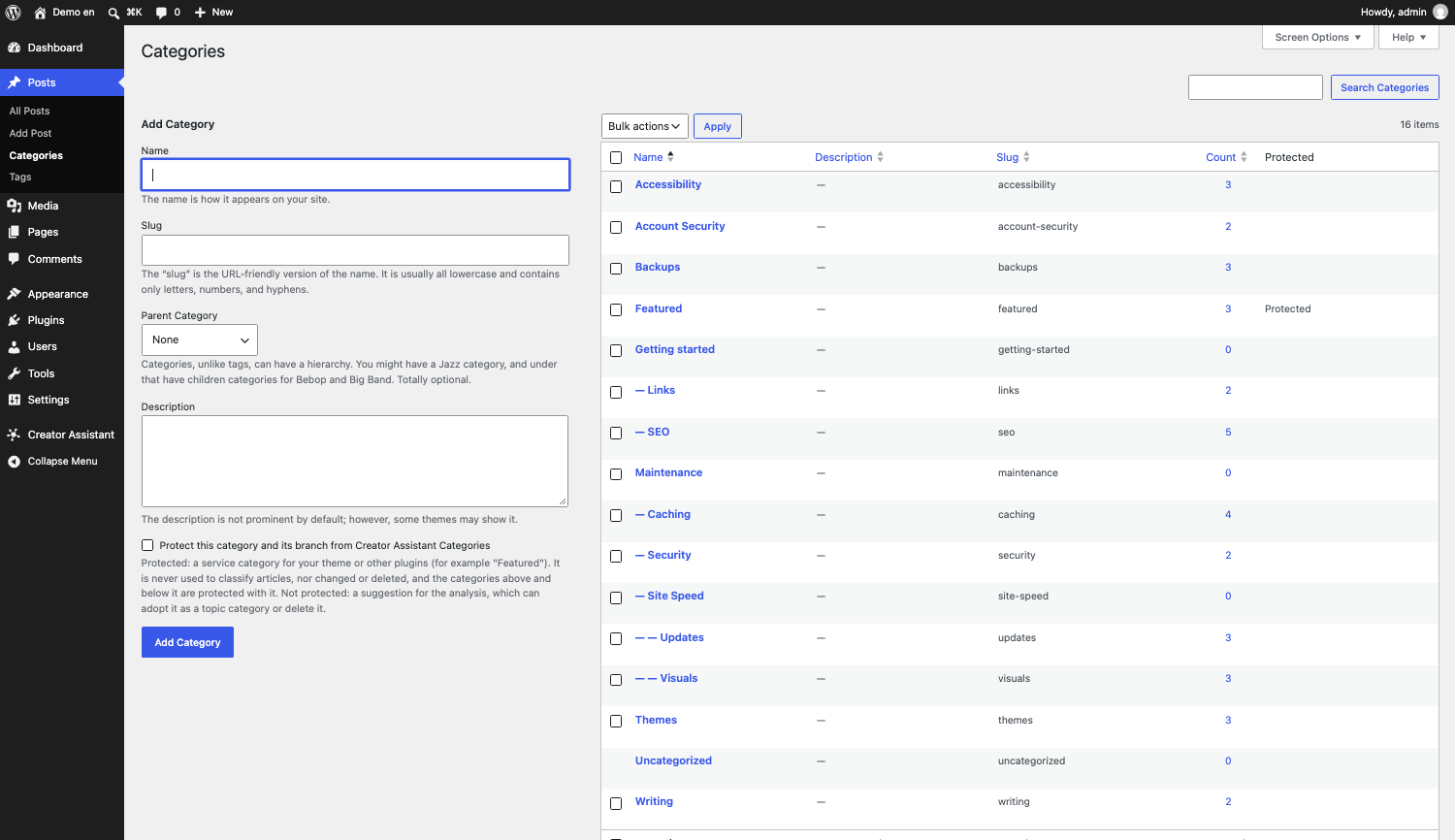
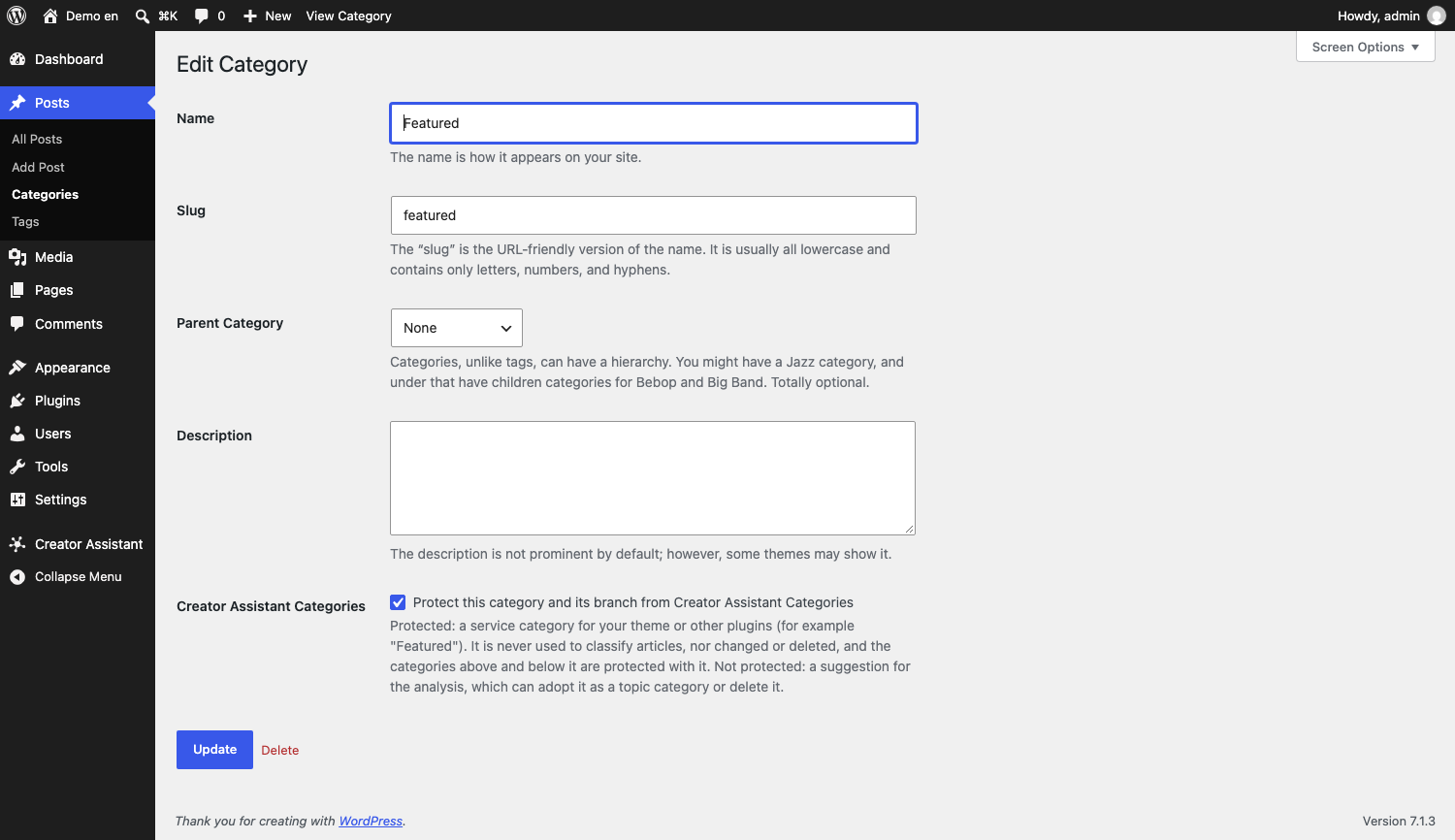
Go to Posts > Categories, edit the category (or create it) and tick “Protect this category and its branch from Creator Assistant Categories”. A protected category is never deleted, and its articles stay in it: they get their topic category in addition to it. Protected categories never move either: they keep their place, and a category with a protected one below it is not moved to another place in the tree (a new category is created there instead).
What happens to the articles I publish later?
A new article receives the category of the most similar article already in the tree, as soon as its summary is ready. It is not a new analysis: to reorganize the tree, run the analysis again.
How do I choose the thresholds?
Each threshold is a number between 0 and 1: the closer two articles must be to share a category, the higher it is. A higher value gives more and smaller categories. The three values must increase from the first to the third. If the preview has a single main category that holds all your articles, the first threshold is too low: raise it and analyze again. The minimum number of articles per category makes smaller groups join the closest one.
Why do I need a newer Hub?
The analysis relies on a clustering service and on a way to read the summaries that arrived with Hub 1.2.0. An older Hub does not have them, so the plugin cannot work with it.
Will a new analysis change my category URLs?
Only where the topics changed. When you analyze again, the AI sees the categories the plugin created last time and keeps a category whose topic is the same, with its current name. Next to each category the preview says what happens to it:
- “existing category, stays where it is”: nothing changes, the address included.
- “existing category, moved”: the category moves under another one (the preview says where it was). It is the same category, so it keeps its description, its SEO data and its place in your menus, but its address changes, because the address of a subcategory contains the category above it.
- “new category”: the category is created, with a new address.
A category left out of the new tree is deleted, unless you protected it, and its address stops working.
Are the old addresses of the categories redirected?
No. A category that is moved or deleted when you apply a tree changes its address, and the plugin does not add a redirect. If your site is already well indexed, check the addresses of your main categories first.
Why was “Pates” matched with my category “Pâtes”?
A category is reused when its name matches an existing one, and the comparison follows the collation of your MySQL database, which usually ignores accents and case. Rename the category afterwards if you want the other spelling.
Is the analysis suited to any site?
It keeps all the vectors in memory and compares every article with every other one, so it is meant for the articles of a blog, not for tens of thousands of them.
Beoordelingen
Er zijn geen beoordelingen voor deze plugin.
Bijdragers & ontwikkelaars
“Creator Assistant Categories” is open source software. De volgende personen hebben bijgedragen aan deze plugin.
Bijdragers
“Creator Assistant Categories” is vertaald in 1 locale. Dank voor de vertalers voor hun bijdragen.
Vertaal “Creator Assistant Categories” in je eigen taal.
Interesse in ontwikkeling?
Bekijk de code, haal de SVN repository op, of abonneer je op het ontwikkellog via RSS.
Changelog
1.0.0
- First version.