

Beschrijving
Most site audits grade the settings. This one also checks what came out: it fetches each page the way a visitor does and reports any block that asked for styling and produced no CSS. What it cannot see (content a builder generates at render, a host that blocks loopback requests) it names instead of counting clean.
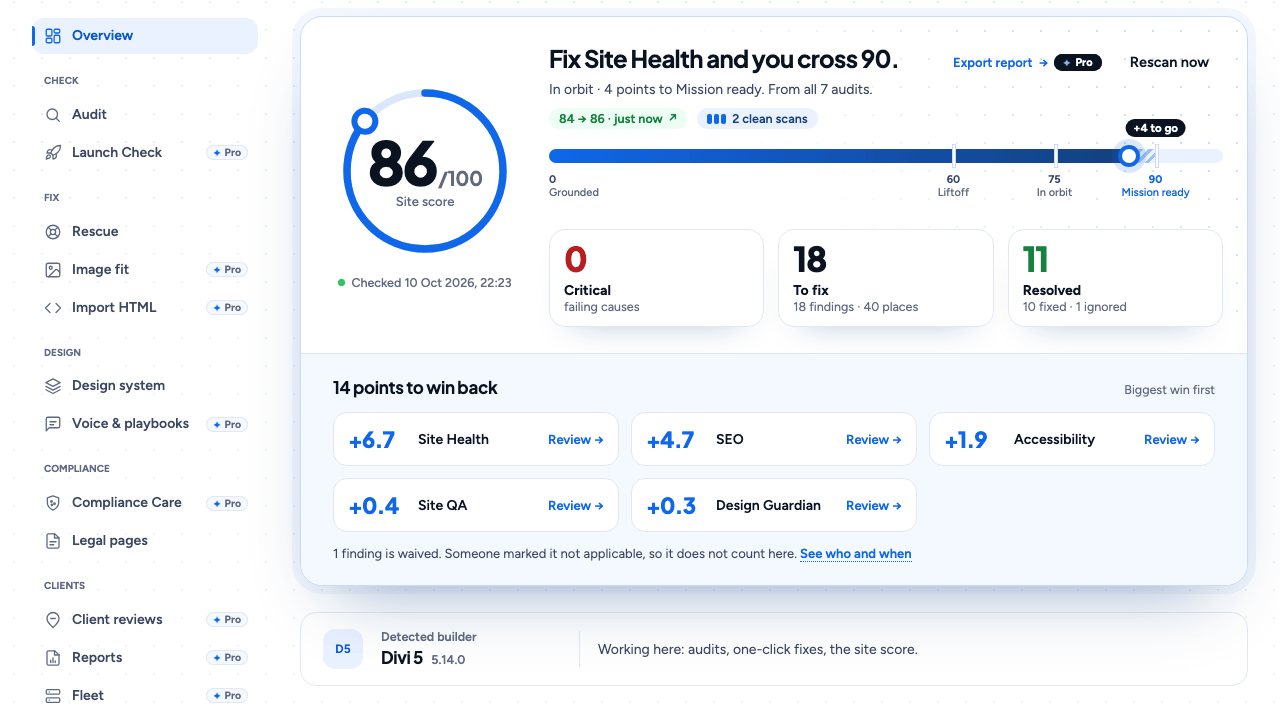
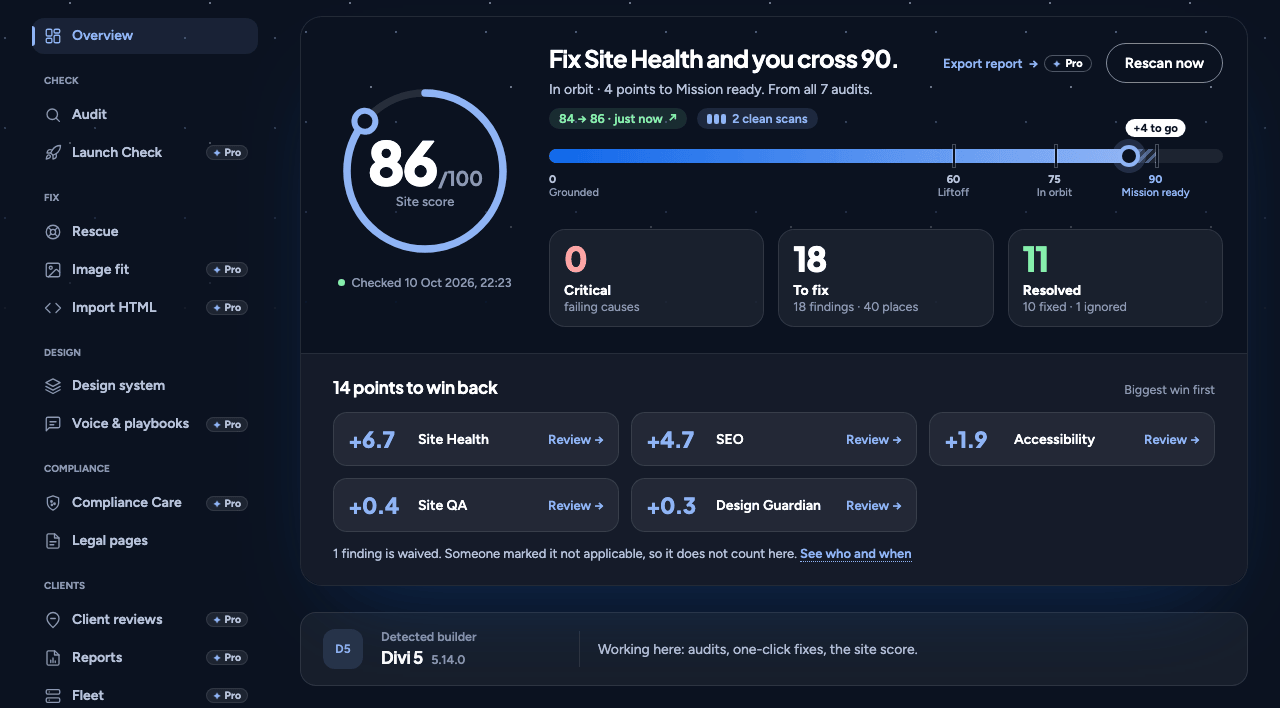
Seven audits run in sequence behind one progress bar: Site Health, site QA, accessibility, performance, SEO, legal documents and design consistency. Every finding names the page, the rule and the fix. A Site Score shows its own arithmetic.
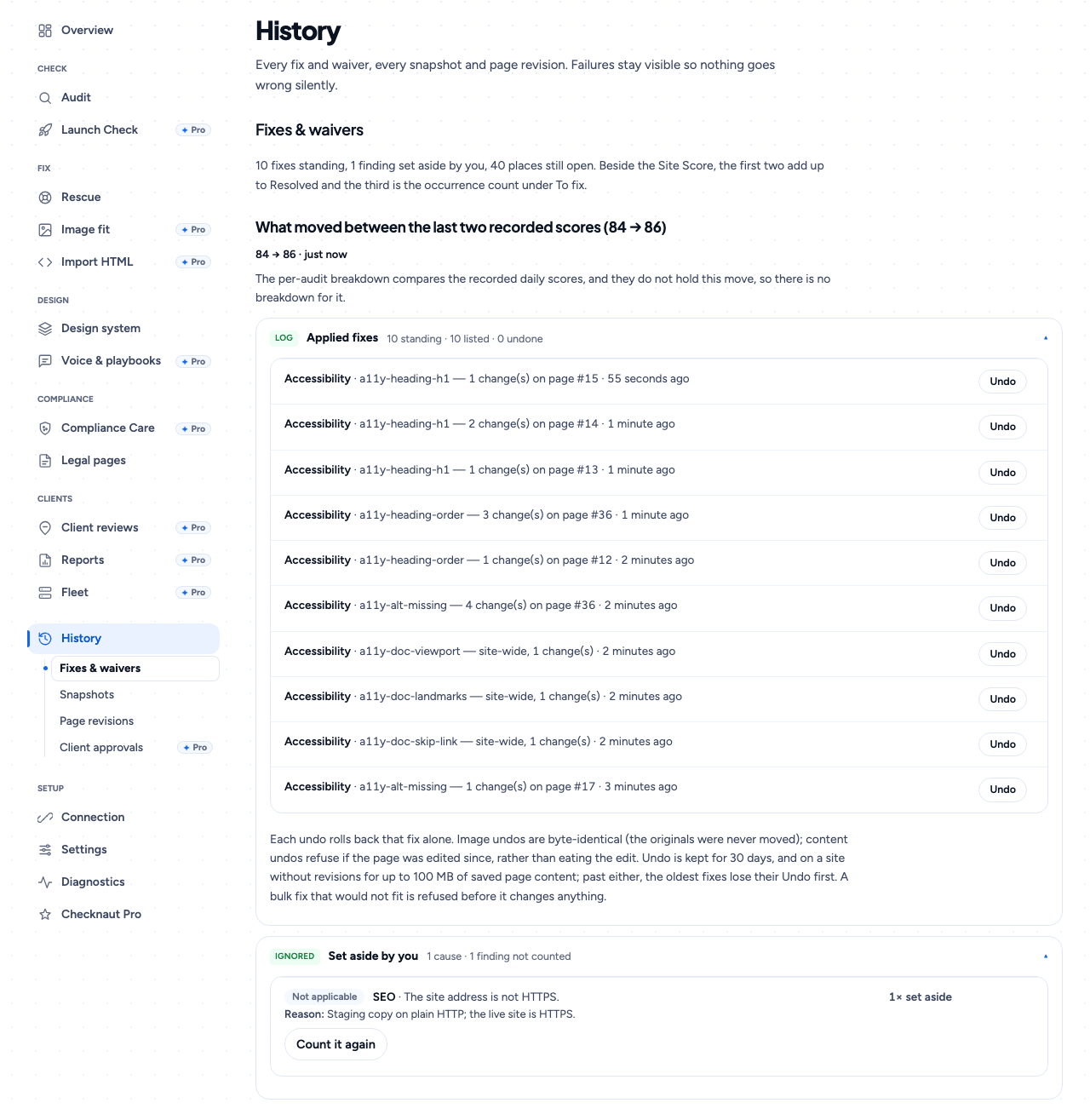
Fixes are written into your database, at the source of the problem. There is no overlay and nothing is detected about your visitors. Every fix has an Undo beside it, and a WordPress revision or a saved copy stands behind every page write.
Three builders are written: Divi 5, Elementor and the block editor. Every other builder (Bricks, Beaver Builder, Breakdance, Oxygen, WPBakery and the rest) is detected by name, audited from its rendered page, and refused for writes rather than guessed at.
This plugin contains no AI connector. It serves no MCP endpoint, registers no REST route of its own and calls no AI service.
What the plugin does
- All seven audits, read-only, across every page of the site, not a sample
- The Site Score, with what each audit is costing
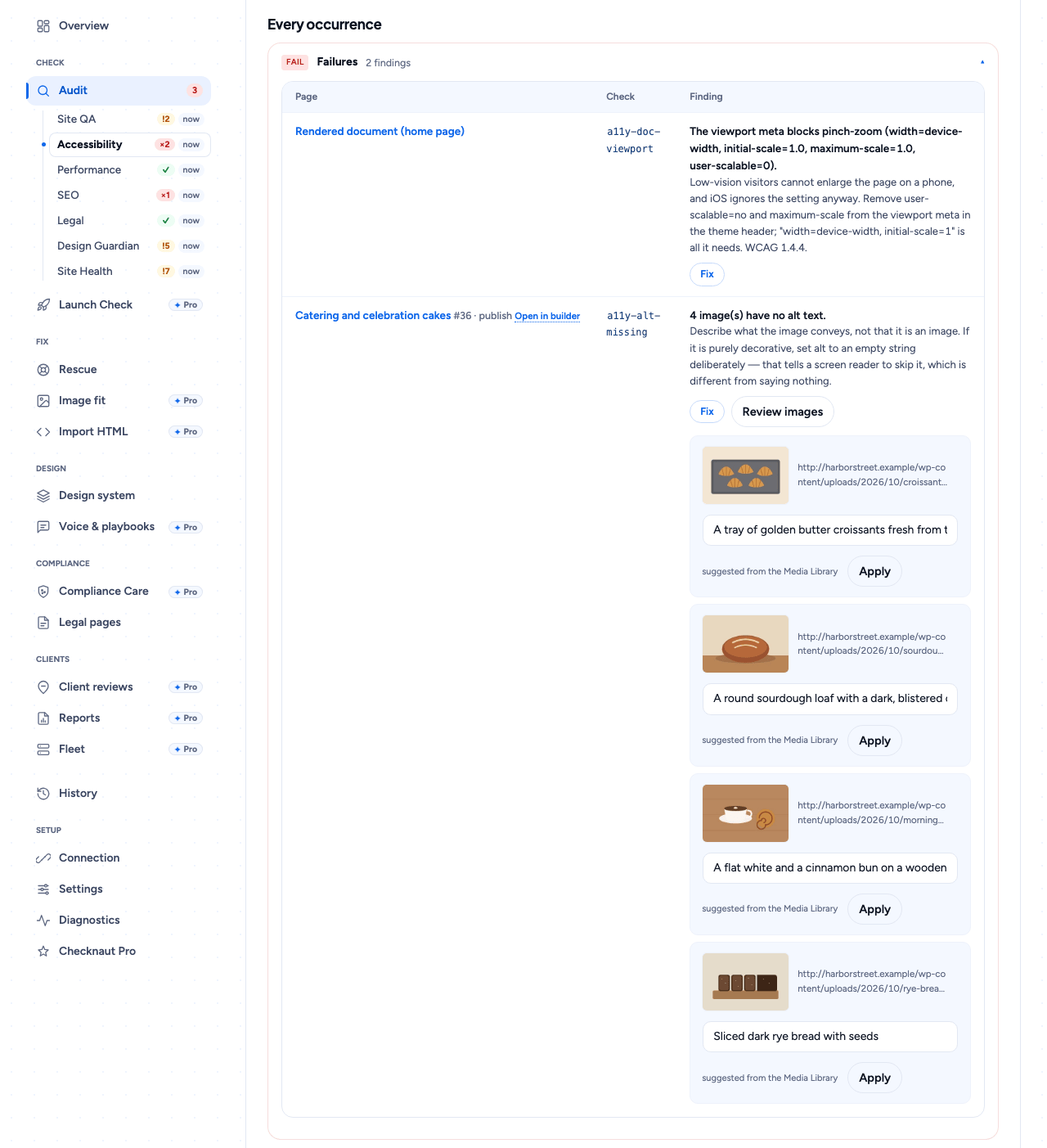
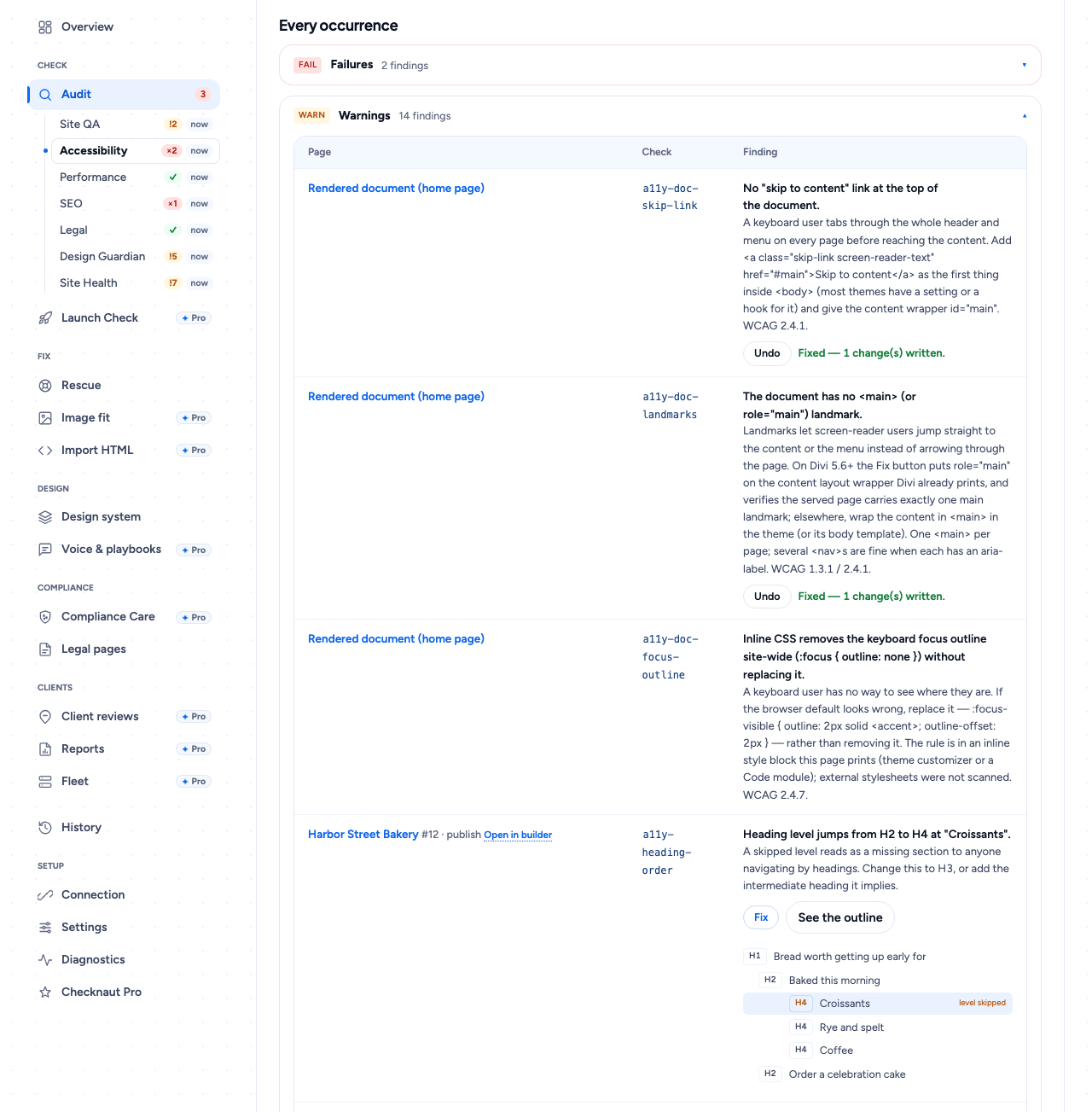
- One-click fixes on every page: alt text, heading structure, link text, SEO fields, image compression, viewport, skip link, main landmark
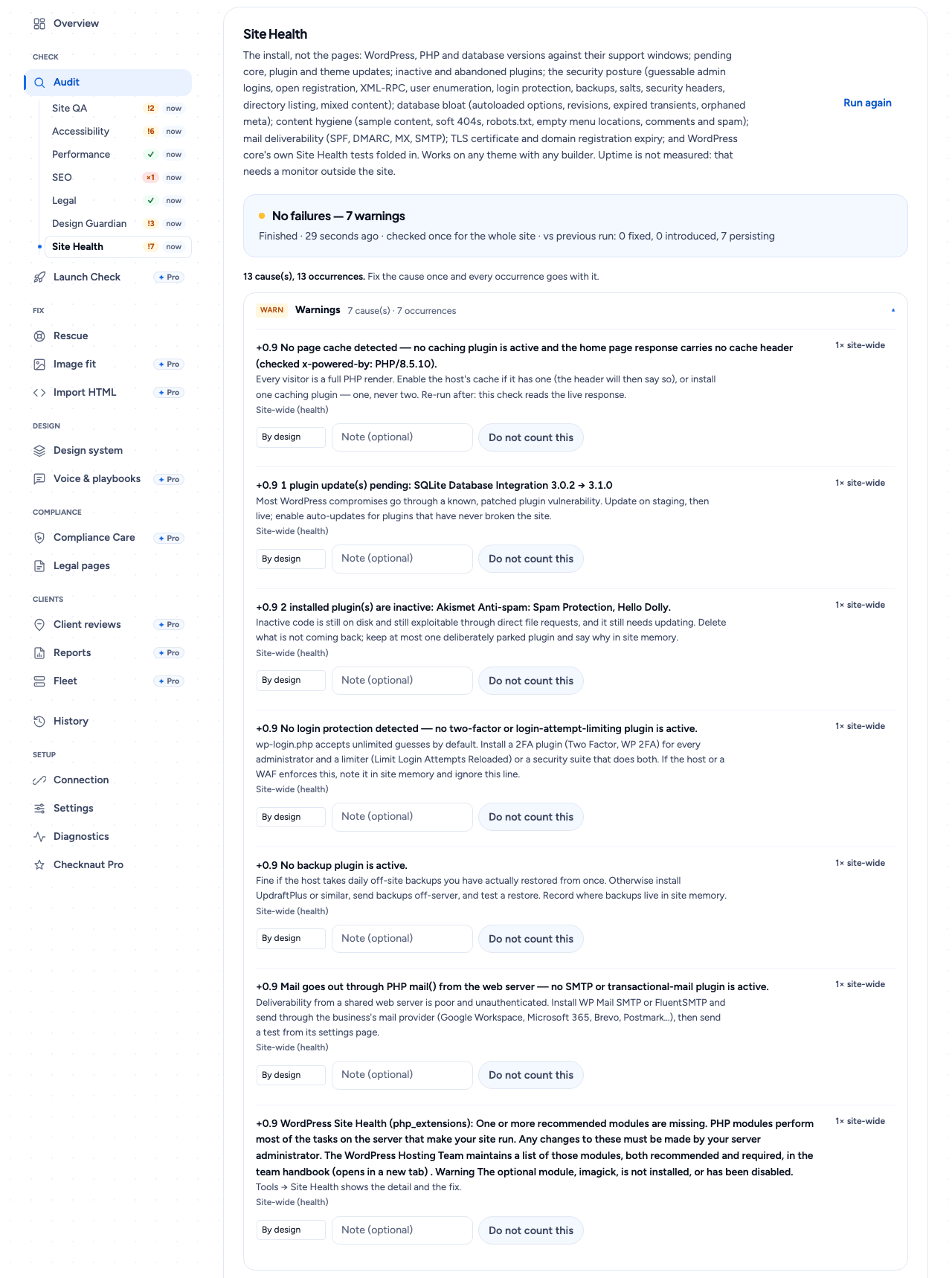
- Site Health: versions against support windows, pending updates, abandoned plugins, security posture, database bloat, mail deliverability, certificate and domain expiry, and WordPress core’s own tests, with reversible one-click hardening
- Broken-link checks, forms health and media reports
- Media audit and Media Library views, Fit to slot per image, alt sync for Divi, launch leftovers and go-live checks
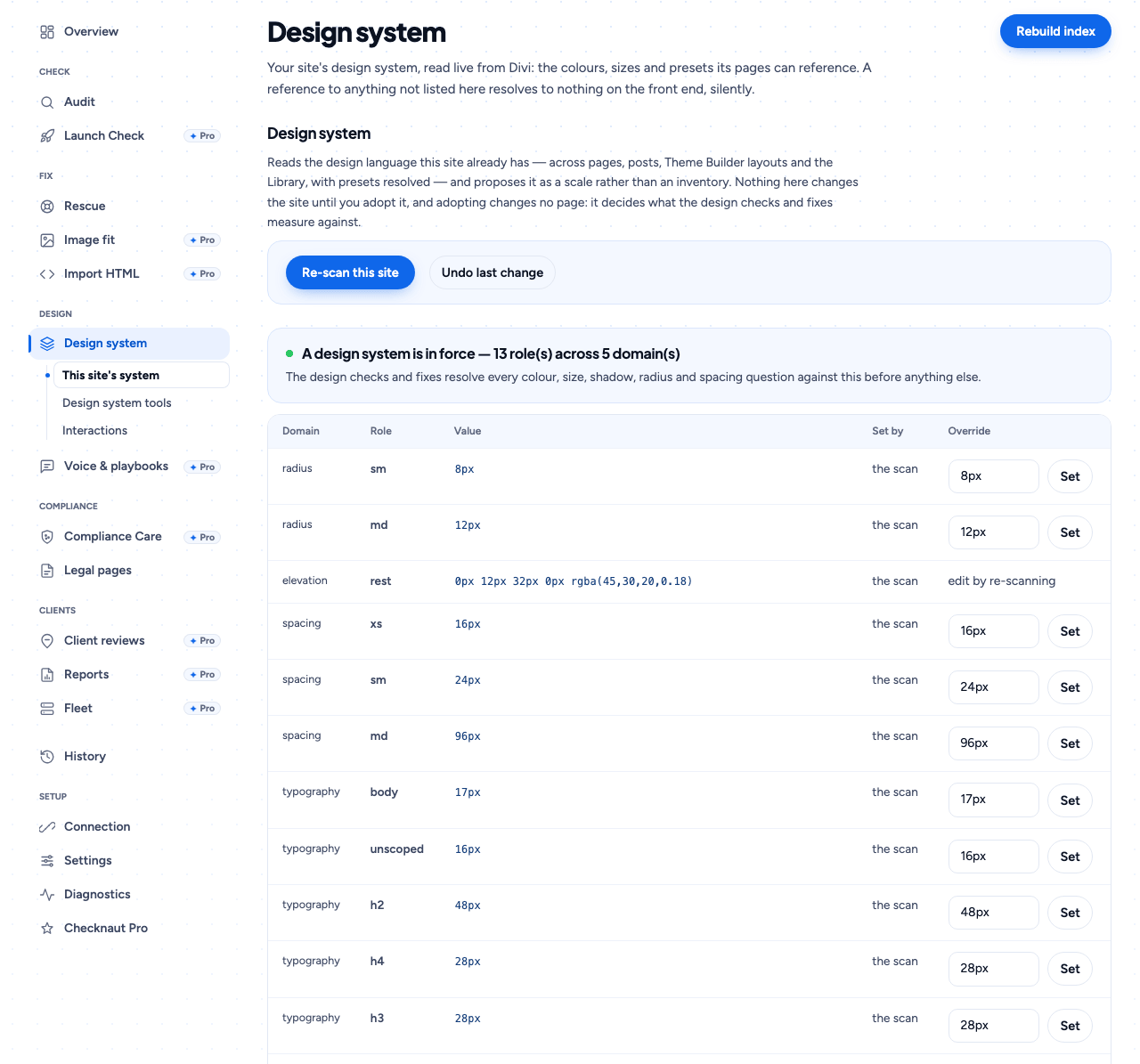
- Reads the design system your site already has; the design checks measure against it
- Legal audit: which expected documents exist, are published and linked, and still describe what the site loads
- Snapshots and rollback
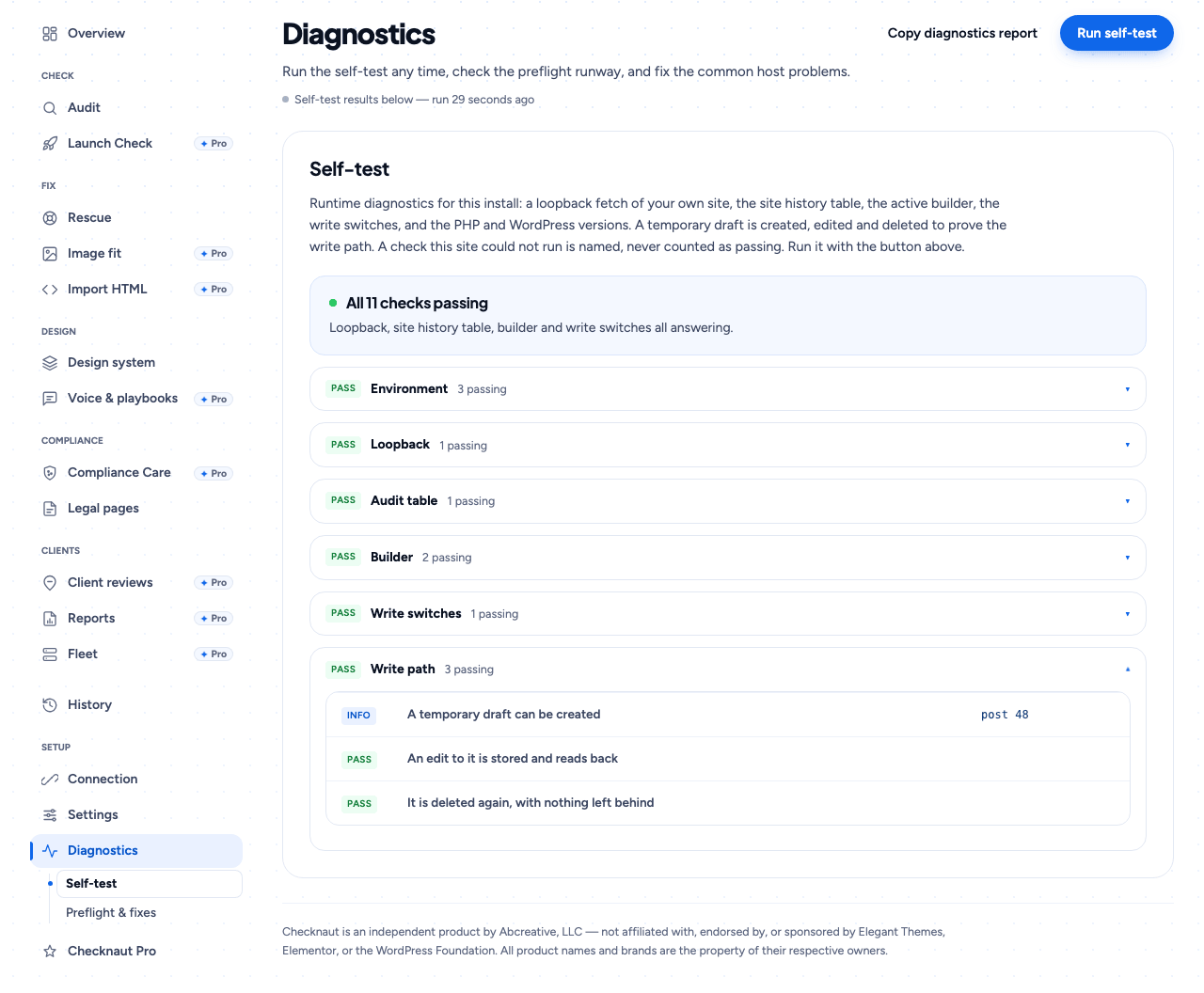
- Runtime diagnostics on your own install; what it could not check is named
- Admin UI in nine languages
Checknaut Pro is a separate, paid plugin sold at checknaut.com. It adds the AI connector (Claude, ChatGPT or any MCP client), page building and editing with your assistant, fixing a cause on every page at once, scheduled audits and client reports. This plugin contains none of that code and works fully without it. Its screens show locked previews of Pro, which each user can hide.
What it will not do. Audit output is automated static analysis: a floor, not a certification of ADA, WCAG, GDPR or any other law, and not legal advice. Nothing is written to a page without a way back.
WordPress is a registered trademark of the WordPress Foundation. Divi is a registered trademark of Elegant Themes, Inc. Elementor is a registered trademark of Elementor Ltd. Checknaut is an independent product by Abcreative, LLC and is not affiliated with, authorized by, endorsed by, or sponsored by any of them. All other product names and brands are the property of their respective owners.
Admin typefaces: Figtree and Plus Jakarta Sans, self-hosted under the SIL Open Font License 1.1.
External services
This plugin connects to the services below, only when the feature that needs them is used.
- WordPress.org (api.wordpress.org): Site Health compares your core files with WordPress.org’s published checksums, runs WordPress’s own update check, and reads each installed plugin’s directory listing (last update, tested version) to flag abandoned plugins. Sends your WordPress version, locale and plugin slugs. Privacy policy: https://wordpress.org/about/privacy/
- Your own site: audits and diagnostics fetch this site’s pages as a visitor would. Nothing leaves the server.
- DNS: Site Health looks up your domain’s SPF, DMARC and MX records with your server’s resolver. Only the domain name is sent.
- RDAP (rdap.org): when the Site Health audit runs, it asks rdap.org (which redirects to your registry) for your domain’s expiry date. Only the domain name is sent; cached 24 hours; the
checknaut_health_domain_lookupfilter turns it off. Privacy: https://about.rdap.org/ · https://www.icann.org/privacy/policy - Link checker: when you run a link check, each URL linked from the checked page(s) gets a HEAD or GET request. Only the URL is sent, not your site’s address.
- Google Fonts (fonts.googleapis.com, fonts.gstatic.com): only when a font family is recorded for loading (Checknaut Pro does this for a Google font Divi does not load), visitors’ browsers fetch its stylesheet from Google. The plugin sends nothing to Google. Privacy FAQ: https://developers.google.com/fonts/faq/privacy · Privacy policy: https://policies.google.com/privacy · Terms: https://policies.google.com/terms
- WPVulnerability (www.wpvulnerability.net): off unless you turn it on in Site Health. Each audit, and Pro’s re-check after an update, sends the WordPress version and plugin/theme folder names, custom ones too (none with a non-wordpress.org Update URI). The service sees your server’s IP address and a Checknaut user agent. Cached 12 hours. Terms: https://www.wpvulnerability.com/license/ · Privacy: https://www.wpvulnerability.com/privacy/
- Checknaut checkout (checknaut.com/buy/): only when you click Choose on Checknaut Upgrade, your browser opens our store’s checkout in a frame. What you enter there goes to our reseller, the merchant of record: https://checknaut.com/privacy-policy/
- Hostinger API (developers.hostinger.com): only if you save a Hostinger API token (Settings Environment), the plugin asks Hostinger to purge its cache after a fix. Sends your domain and token. Terms: https://www.hostinger.com/legal/universal-terms-of-service-agreement · Privacy: https://www.hostinger.com/legal/privacy-policy
Schermafbeeldingen
Installatie
- Upload and activate the plugin. Any theme.
- Open Checknaut Audit and press Run full audit. Every finding the plugin can repair gets a Fix button.
- If anything refuses, Diagnostics Self-test checks the install itself.
Staging first, independent backups on. The plugin’s revisions, snapshots and undo are conveniences, not backups.
FAQ
-
Does it need an AI account?
-
No. Audits, fixes and the Site Score run in wp-admin, and the plugin calls no AI service.
-
I used the AI connector before 1.4.0. Where did it go?
-
To Checknaut Pro. Audits, fixes and reports are unchanged, and your stored connection settings are kept: add Pro and the connection works again.
-
Does it change my live site?
-
Only when you click Fix. Every write preserves the prior content and has an Undo; the read-only switch in Settings refuses every write.
-
Is a clean audit a compliance guarantee?
-
No. It is automated static analysis, a floor, not a certification; each audit states its blind spots.
-
Does it add anything to my visitors’ pages?
-
Only what you switch on or a repair you apply needs: a skip link, a viewport fix, structured data, SEO meta tags when no SEO plugin is active and, on Divi, the CSS variables for your design tokens. No JavaScript unless you switch on the optional Motion framework in Settings.
-
What personal data does it keep?
-
The Site history records sign-ins, user, plugin and content changes, with the username and a shortened IP address. It stays in your own database, is deleted after the retention period you set, and is removed when you delete the plugin. Suggested text is added to Settings Privacy Policy Guide.
-
Which builders?
-
Audits and fixes: any. Page building (Pro): Divi 5, Elementor and the block editor. Divi 4: audits and a rescue plan.
Beoordelingen
Er zijn geen beoordelingen voor deze plugin.
Bijdragers & ontwikkelaars
“Checknaut” is open source software. De volgende personen hebben bijgedragen aan deze plugin.
Bijdragers
Vertaal “Checknaut” in je eigen taal.
Interesse in ontwikkeling?
Bekijk de code, haal de SVN repository op, of abonneer je op het ontwikkellog via RSS.
Changelog
1.9.0
- New Pages screen: every page on your site in one list, with how many fixes each one needs.
- “See it” highlights a page’s problem on a preview of the page.
- Low-contrast text: swap in the nearest accessible colour in one click, with Undo.
- Home: a “Check my site again” button on the score card. After a fix, Fixes refreshes itself and shows All Clear when nothing is left, and a “Back to Fixes” button returns you to the list.
- Image compression: the list of images comes first, with timing and a compress button per image.
- Fixed: a broken text column in the Fixes list, and a button that sometimes needed two clicks.
- The upgrade screen shows the current plans.
1.8.2
- A clearer look: a navy header and menu, and your score on navy, like checknaut.com. The rest of each screen keeps white cards on a soft blue background.
- Deep Space theme: the score ring no longer shows as a wedge.
1.8.0
- Finds links to pages that do not exist, and Divi images with no description (and the one-click fix now fills those).
- Fixed items leave the list the moment you fix them, and removing pages no longer lowers your score.