
Beschrijving
Heb je een tool nodig waarmee je gemakkelijk alle e-mails kunt loggen en bekijken die vanuit WordPress worden verzonden? Check & Log zou wel eens de oplossing daarvoor kunnen zijn.
Deze WordPress plugin help je bij het opslaan van verzonden e-mails voor audit doeleinden, maar ook bij het debuggen van e-mail gerelateerde problemen in je WordPress site. Werkt het beste op eCommerce sites die zijn gemaakt met WooCommerce of Easy Digital Downloads.
Home | Help & Tech Support | Documentation | Premium Features
New Features of the plugin Check & Log Email 2.0
- Export Logs – It allows to export email logs in multiple file format with date range and status Learn More.
- More Fields – Such as Cc, Bcc, Host IP, Reply To etc.
- Log Retention Period – It allows to deletes old emails when a certain amount of logs and time has passed.
- Print or save as PDF – You can print the email log, or save it as a PDF.
- Resend email – This feature allow you to modify email and resend email.
- Forward Email – By using this feature you can automatically forward a copy of all emails sent by WordPress to other email addresses Learn More.
- Easy migration – It is allow you to import data from various plugins like Email Log, Mail logging – WP Mail Catcher, WP Mail Logging, WP Mail Log and export the data.
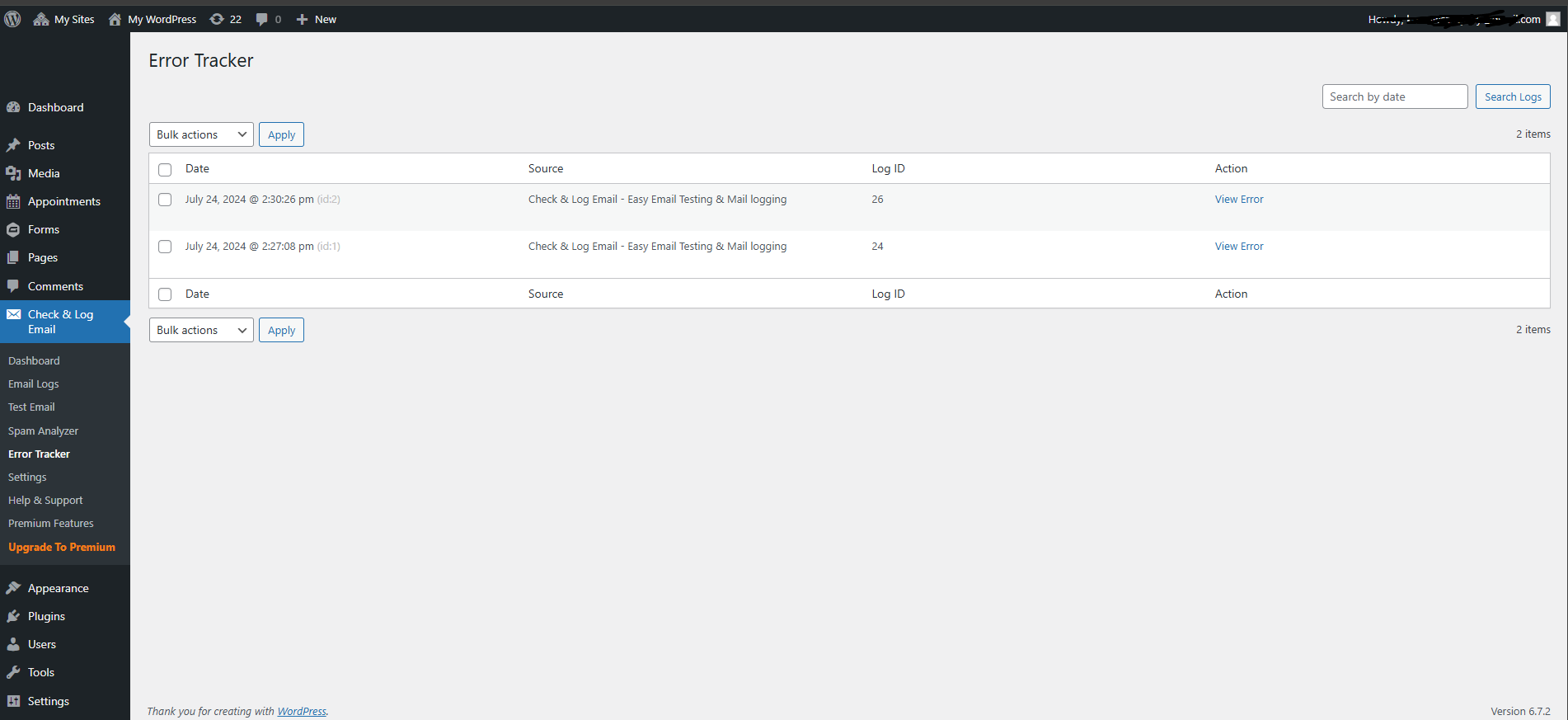
- Email Error Tracking – You can easily see list of errors of emails and view details of error.
- Setup Wizard – Wizard setup allows you to one time setup of this plugin.
- Default Format for Message – Its allow you to Default Format for Message on view of content.
- SMTP – Its allow you to setup your own smtp through Check & Email Log SMTP form.
- Multisite Configure – Its allow to configure global setting for all your sites.
- Encoding – Its allow to encode emails and phone in page content.
- Outlook / MS 360 – Its allow to send email using 360 / outlook configuration Learn More.
- Gmail SMTP – Its allow to send email gmail configuration Learn More.
- Email Spam Testing – Its allow to testing of your mail for accurate delivery Learn More.
Features of the plugin Check & Log Email
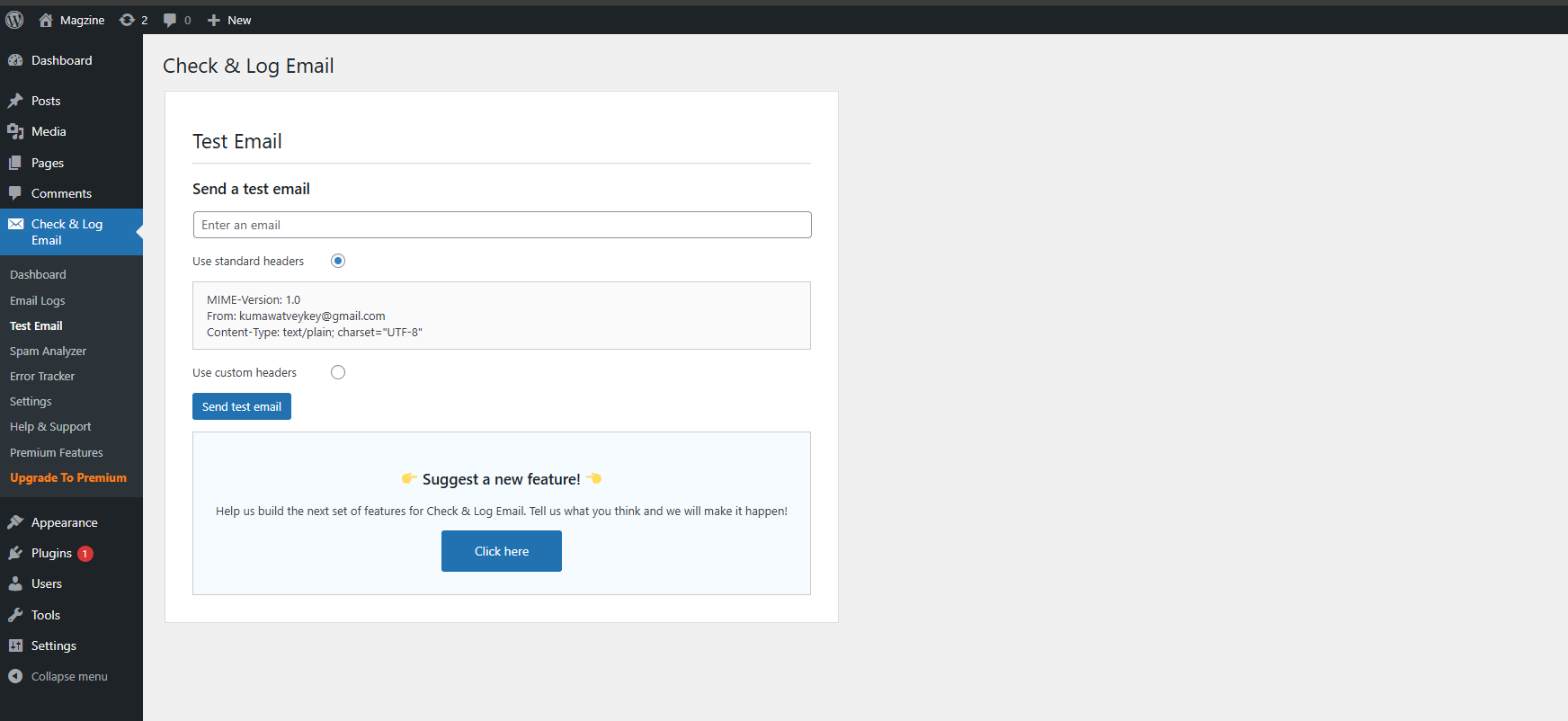
- Test e-mail verzenden – als je niet zeker weet of WordPress e-mails verzendt, kun je deze plugin gebruiken om erachter te komen. Het proces is heel eenvoudig: je moet een adres kiezen dat een eenvoudige test e-mail zal ontvangen. Je kunt zelfs de aangepaste header overschrijven met je eigen waarden, om andere problemen te voorkomen.
- Bekijken van gelogde e-mails – ze kunnen worden bekeken vanuit de beheer interface, aangezien ze zijn opgeslagen in een aparte tabel. Je krijgt de optie om ze te filteren op onderwerp, e-mail, datum, enz.
- Verwijderen van gelogde e-mails – je kunt ze verwijderen door naar de beheer interface te gaan. Je kunt ze ofwel in bulk verwijderen of selectief – op datum, e-mail of onderwerp.
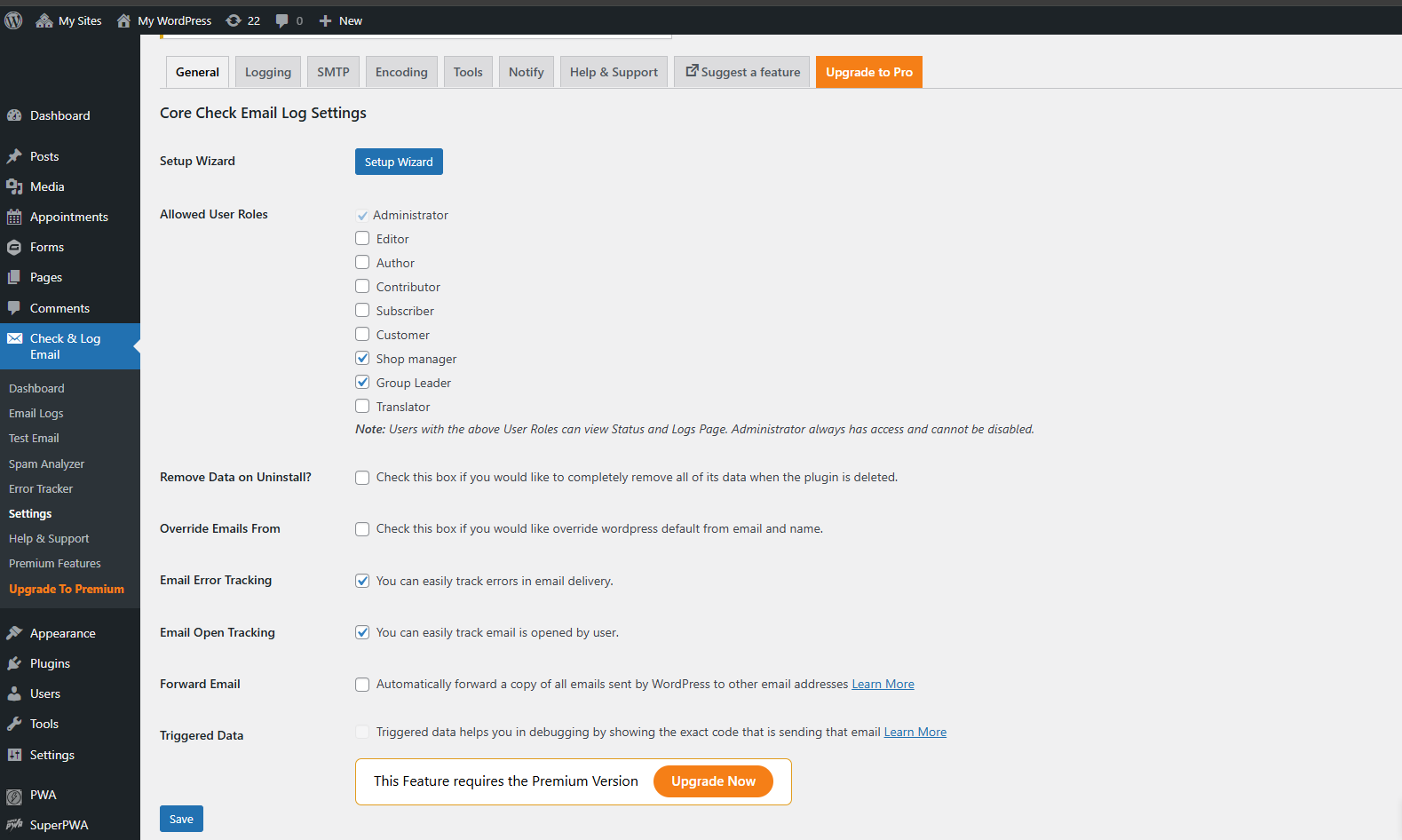
- Ability to change the “mail from” email address, “mail from name” and override default email WordPress addresses.
Premium Features of the plugin Check & Log Email
- Triggered Data – Triggered data helps you in debugging by showing the exact code that is sending that email Learn More
Filters
-
wp_mail_catcher_mail_success – is triggered before an email is sent. It has a single argument that is an array containing original mail info.
-
check_email_email_log_before_insert – is triggered before an email data about to save in check & Log Email. It has a two argument.
- log – It is an array containing argument that will store in database
- original_mail_info – It is an array containing argument of original mail info.
-
wp_check_email_failed – is triggered when an email is failed. It has a two argument.
- mail_error_data – It is an array containing argument that has what possible reasons of error.
- mail_error_message – It is an string containing error message.
Action
-
check_email_log_inserted – is triggered after data successfully saved in log.
-
check_email_loaded – is triggered when check & log email successfully loaded.
Support
We try our best to provide support on WordPress.org forums. However, We have a special community support where you can ask us questions and get help about your Check & Log Email related questions. Delivering a good user experience means a lot to us and so we try our best to reply each and every question that gets asked.
Bug Reports
Bug reports for Check & Log Email are welcomed on GitHub. Please note GitHub is not a support forum, and issues that aren’t properly qualified as bugs will be closed.
Credits
* jsPDF used https://github.com/parallax/jsPDF – License URI: https://github.com/parallax/jsPDF/blob/master/LICENSE
* league/oauth2-client used https://github.com/thephpleague/oauth2-client – License URI: https://github.com/thephpleague/oauth2-client/blob/master/LICENSE
Schermafbeeldingen





Installatie
Using the WordPress Plugin Search
- Navigate to the
Add Newsub-page under the Plugins admin page. - Search for
Check & Log Email. - The plugin should be listed first in the search results.
- Click the
Install Nowlink. - Lastly click the
Activate Pluginlink to activate the plugin.
Uploading in WordPress Admin
- Download the plugin zip file and save it to your computer.
- Navigate to the
Add Newsub-page under the Plugins admin page. - Click the
Uploadlink. - Select Check & Log Email zip file from where you saved the zip file on your computer.
- Click the
Install Nowbutton. - Lastly click the
Activate Pluginlink to activate the plugin.
FAQ
-
Hoe gebruik ik het?
-
Kijk in het WordPress beheerder dashboard voor het menu-item “Check & Log Email”.
-
Waarom schreef je deze plugin?
-
Iemand die een van mijn andere plugins gebruikte had problemen met e-mails die niet werden verzonden. Ik heb dit in elkaar geknutseld om hem (en iemand anders) te helpen.
Beoordelingen


Bijdragers & ontwikkelaars
“Check & Log Email – Easy Email Testing & Mail logging” is open source software. De volgende personen hebben bijgedragen aan deze plugin.
Bijdragers
“Check & Log Email – Easy Email Testing & Mail logging” is vertaald in 13 localen. Dank voor de vertalers voor hun bijdragen.
Vertaal “Check & Log Email – Easy Email Testing & Mail logging” in je eigen taal.
Interesse in ontwikkeling?
Bekijk de code, haal de SVN repository op, of abonneer je op het ontwikkellog via RSS.
Changelog
v2.0.16 – 02/09/2026
- Tested: WordPress version upto 7.1
v2.0.15 – 09/07/2026
- Fixed: Vulnerability reported by WPScan Security and researched by Meher Sudhakar Abbireddi #170
- Enhancement: Fixed Upgrade to Pro banner breaks WordPress default notices #171
v2.0.14 – 18/05/2026
- Fixed: Spam Analyzer option gives Undefined error And Need to fix Go to Email log button. #162
- Fixed: Setting SMTP settings for multisite is broken #166
- Tested: WordPress version upto 7.0
v2.0.13.2 – 13/04/2026
- Fixed: Vulnerability reported by Kishan Vyas
- Fixed: Vulnerability reported by @poloss
v2.0.13.1 – 07/04/2026
- Fixed: Spam Analyzer Tool Response Issue #162
v2.0.13 – 04/04/2026
- Fixed: Spam Analyzer Undefined error and fixed Go to Email log button #162
- Enhancement: PCP Check & Code Improvement #164
- Fixed: Vulnerability reported by WPScan Security
v2.0.12 – 03/03/2026
- Fixed: LifterLMS mail logged by check-email, but not passed to configured SMTP server #152
- Enhancement: PCP check #161
v2.0.11 – 05/01/2026
- Remove: Removed BFCM Banner #156
v2.0.10 – 04/12/2025
- Feature Added: Error Log notification #46
- Improvement: Create backword compatibility #148
- Added: Promotion Banner BFCM #153
- Tested: WordPress version upto 6.9
v2.0.9 – 09/09/2025
- Fixed: PHP Errors #143
- Fixed: Uncaught TypeError: Cannot read properties of null in checkmail-dashboard-chart.min.js when Dashboard Widget is disabled #147
- Enhancement: improved the ux to increase the positioning of premium features #142
v2.0.8 – 07/07/2025
- Fixed: PHP Fatal error: Uncaught TypeError in wp_mail_failed hook due to malformed add_action in Check_Email_Notify_Tab.php #145
- Fixed: Tracking feature not working properly in WordPress Dashboard #134
- Enhancement: Log retention not working #141
- Enhancement: Other notification banner visible in Check Mail dashboard. #135
v2.0.7 – 25/04/2025
- Fixed: PHP Notice: _load_textdomain_just_in_time called too early with check-email domain on WP 6.8 #139
v2.0.6 – 11/04/2025
- Enhancement: Few changes in plugin’s dashboard #133
- Fixed: Critical error after update 2.0.5.1 (could already be present in 2.0.5) #132
- Fixed: No Access to /wp-admin After Update to v2.0.5 #131
- Fixed: Some special characters are getting ignored in the password field while configuring SMPT #127
v2.0.5.1 – 28/02/2025
- Fixed: No Access to /wp-admin After Update to v2.0.5 #131
v2.0.5 – 27/02/2025
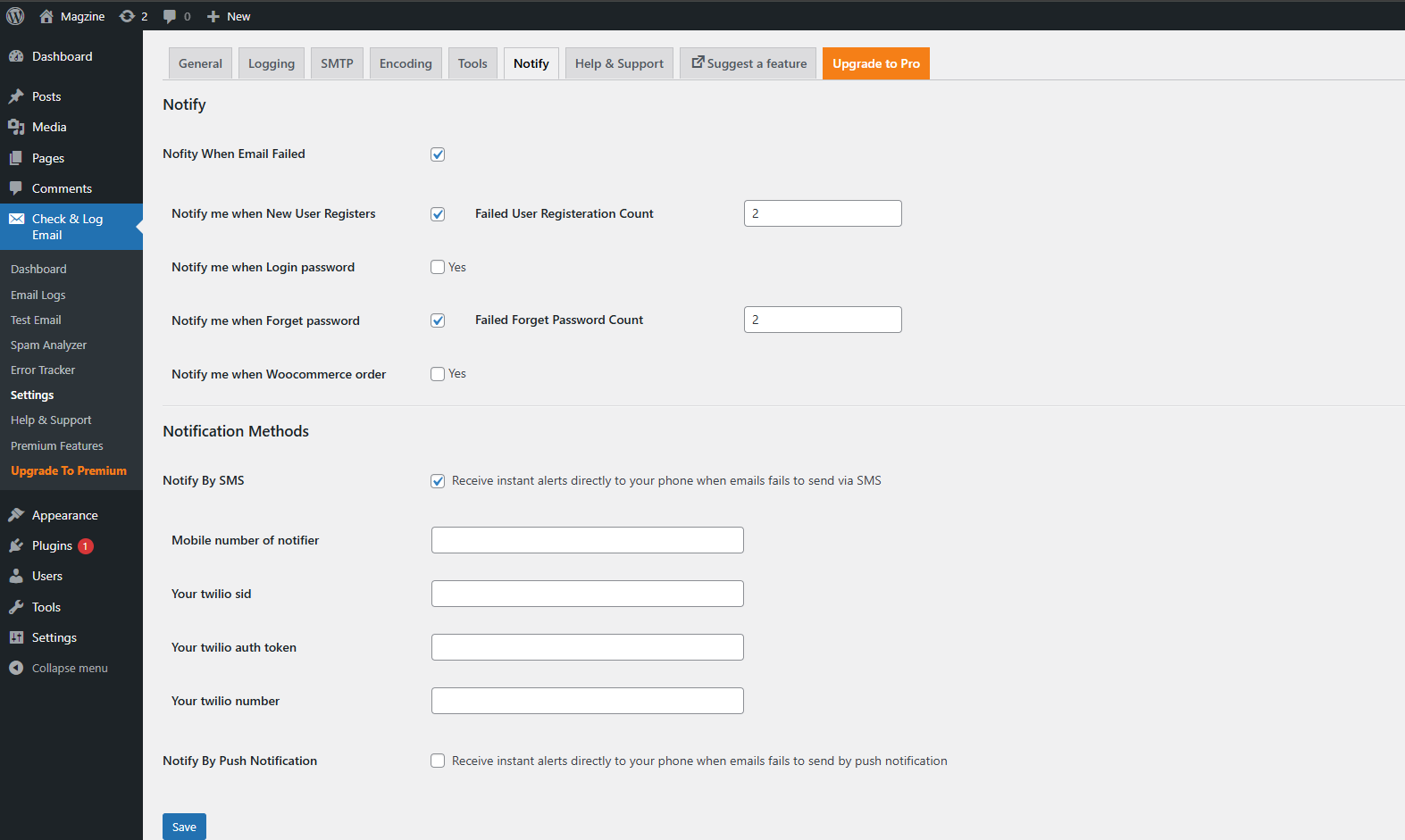
- Feature: Added Notify users after X (user defined) email sending failures #20
- Feature: Added Graph detail of mail delivered and failed #120
- Fixed: Conflict with Gravity Forms #128
- Fixed: Error in debug log #123
- Fixed: Fatal error on user end. #126
- Fixed: Conflict Between “Check & Log Email” v2.0.4 and BackWPup Plugin Causing Dropbox Backup Failures #124
- Enhancement: Some Enhancement #129
- Enhancement: Updated screenshots on wp.org #122
v2.0.4 – 26/12/2024
- Enhancement: Notice “Function _load_textdomain_just_in_time was called incorrectly” since wp 6.7 #116
- Enhancement: Few improvement needed #112
- Enhancement: Make an option to use one SMTP settings for multisite #97
- Feature: Email Spam Analyzer #119
- Fixed: Php error #117
v2.0.3 – 06/11/2024
- Enhancement: Email Logs Show Failure as Success #113
- Feature: Added an option for Opened mails data #79
- Feature: Added Gmail mailer in smtp section #106
- Feature: Added a feature to send the bulk email. #107
- Fixed: Login OAuth Broken After Updating Check-Email Plugin to 2.0.2 #108
v2.0.2 – 27/09/2024
- Feature: Added an option to use one SMTP settings for multisite #97
- Feature: Added encoding of email and phone #55
- Feature: Added integration with Microsoft SMTP that requires oAuth authentication. #100
- Fixed: Some warnings appear while viewing the email log #104
Full changelog available at changelog.txt