

Beschrijving
Bit Integrations is a Easy Automation & Integration Plugin for WordPress
Bit Integrations help WordPress users integrate WordPress and plugin data to 320+ platforms.
🎯 Waarom Bit Integrations?
When a user submit contact form, enroll a course, create order in WooCommerce then the data send to google sheet, MailChimp, Brevo, Zoho CRM and more. It save you time, resource and effort.
Of je nu:
- Een klein bedrijf runnen
- Een e-commerce winkel automatiseren
- Je digitale marketingautomatisering opschalen
Met Bit Integrations kun je apps verbinden, gegevens verzamelen en automatisch acties activeren.
Eenvoudige WordPress automatisering met Bit-integraties – door WPTuts
🔌 Naadloze integratie in je WordPress stack
No-code automatisering en automator plugin voor WordPress, waarmee foutloze workflows mogelijk zijn met Webhooks, WooCommerce, CRM’s, LMS, Zapier en meer.
- Connect with:
- WooCommerce
- Formulier bouwers
- E-mail marketing gereedschap
- CRM
- Learning Management Systems (LMS)
- Spreadsheets en boeking gereedschap
- Top integratie plugins, waaronder Zapier, OttoKit (SureTriggers), Uncanny Automator, FlowMattic en meer
- Webhooks
- REST API
Integrate Elementor Forms to a Notion CRM [with Bit Integrations] – by Jeffrey @ Lytbox
✅ Key Features:
-
⚡ No-code automatisering: No-code automatisering voor kleine bedrijven, marketeers en e-commercesites.
-
🔁 Geautomatiseerde workflows: maak geautomatiseerde workflows voor honderden apps en diensten.
-
🌐 Webhooks integratie: verzend en ontvang gegevens via webhooks naar honderden platforms.
-
🧩 Krachtige gegevens toewijzing: Krachtige gegevens toewijzing voor naadloze automatisering van gegevensoverdracht.
-
🎯 Aangepaste triggers en voorwaardelijke logica: gebruik aangepaste triggers en voorwaardelijke logica om acties op maat te maken.
-
🔄 Realtime gegevenssynchronisatie: zorg voor realtime gegevenssynchronisatie tussen gereedschap.
-
🧩 CRM integraties: automatiseer leadgeneratie en beheer klantgegevens in CRM’s zoals Zoho CRM, Salesforce en HubSpot.
-
💌 Automatisering van e-mail marketing: automatisering van e-mail marketing met Mailchimp, Sendinblue en meer.
-
🛍️ WooCommerce automatisering: Native e-commerce integraties en automatisch bestellingen, klanten en producten synchroniseren.
-
📥 Form Builder integratie: Geautomatiseerde gegevensverzameling vanuit populaire form builder-integraties. Koppel formuliergegevens uit Contact Form 7, WPForms, Bit Form, Elementor Forms, enz. aan CRM’s, e-mail marketingplatforms en meer.
-
📱 Automatisering van sociale media: Verstuur gegevens naar platforms zoals Telegram, WhatsApp, Slack, Discord en meer.
-
⚙️ Eenvoudige installatie: Ga aan de slag met eenvoudige, geautomatiseerde installaties zonder code voor al je integraties.
-
🧠 Gedetailleerde logging: Foutafhandeling met bekijken van al je gegevensinzendingen en geautomatiseerde acties logs.
-
🔁 Toegang tot 320+ integraties: verbind makkelijk met gereedschappen zoals Zapier, Google Sheets, Trello, Slack en meer.
Elementor, Contact Form 7 & other Contact Form Integration
After user submit Elementor form, Contact Form 7 or any contact form send those data to google sheet, mailchimp, brevo, zoho crm realtime.
Follow simple three steps, select form as action, authorized action, map field and done. It save user time, money and resource.
WooCommerce Integration
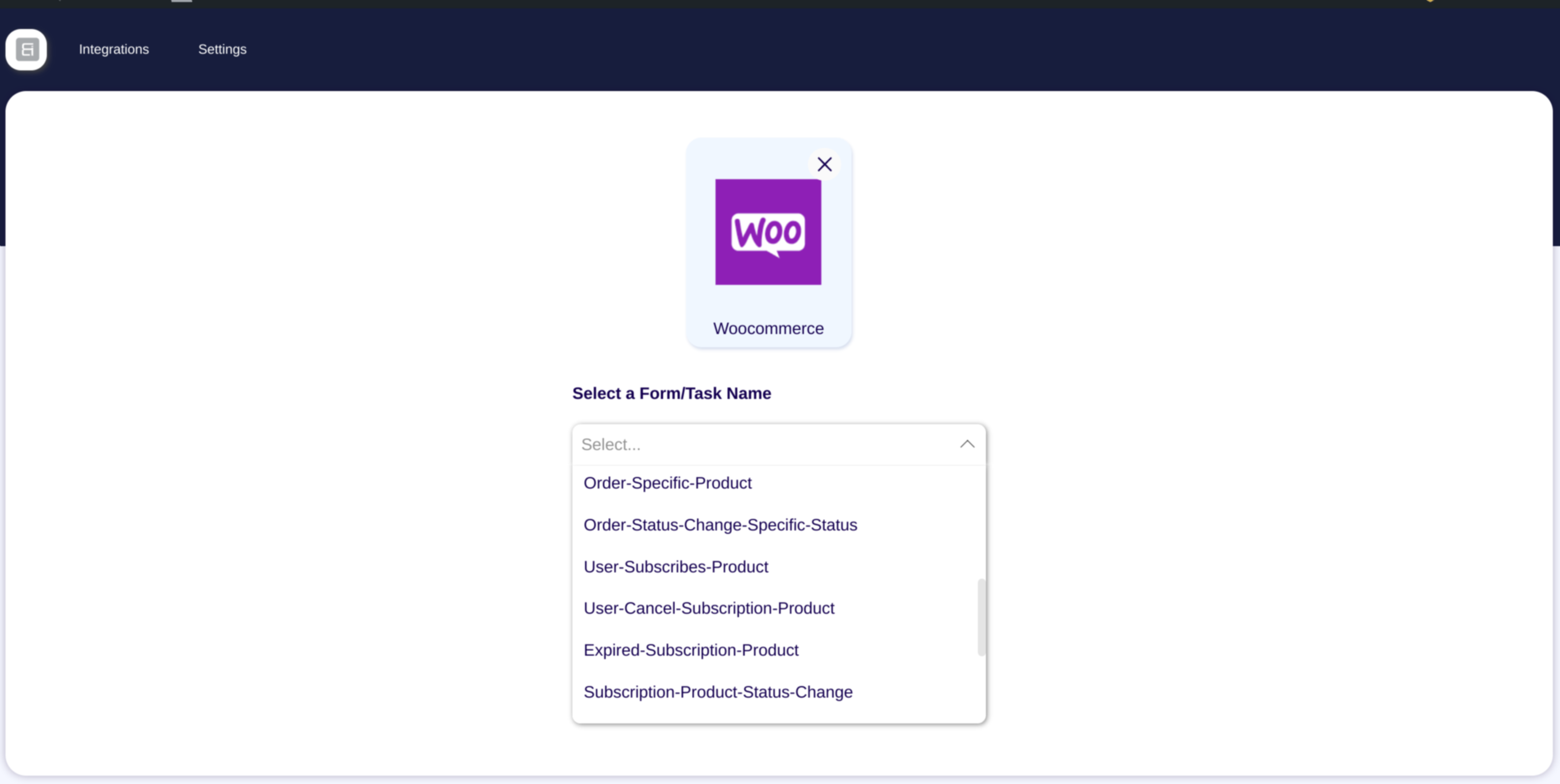
You can easily integrate WooCommerce with Google Sheet, CRM, Email Marketing & more. After Customer Create, Product Create, Order create, Order Status Change then those data send connect platform. It help you track WooCommerce store.
WordPress Integration
Automating WordPress tasks is now smarter with Bit Integrations.
Connect plugins like Elementor, Fluent Forms, Tutor LMS, or Contact Form 7 to your workflows.
For example, when a form is submitted, Bit Integrations can create a post, send emails, and update CRM records (e.g. FluentCRM) automatically.
MailChimp Integration
After submit Elementor, Contact form 7, Bit Form, Enroll Course in LearnDash, Create order in WooCommerce then this user added in Mailchimp subscriber list automatically.
Google Sheet automation
Google Sheet is widely used application. You can easily integrate Google Sheet with WordPress. After user submit a contact form, or any other event created in WordPress this data you can easily send google sheet using Bit Integrations.
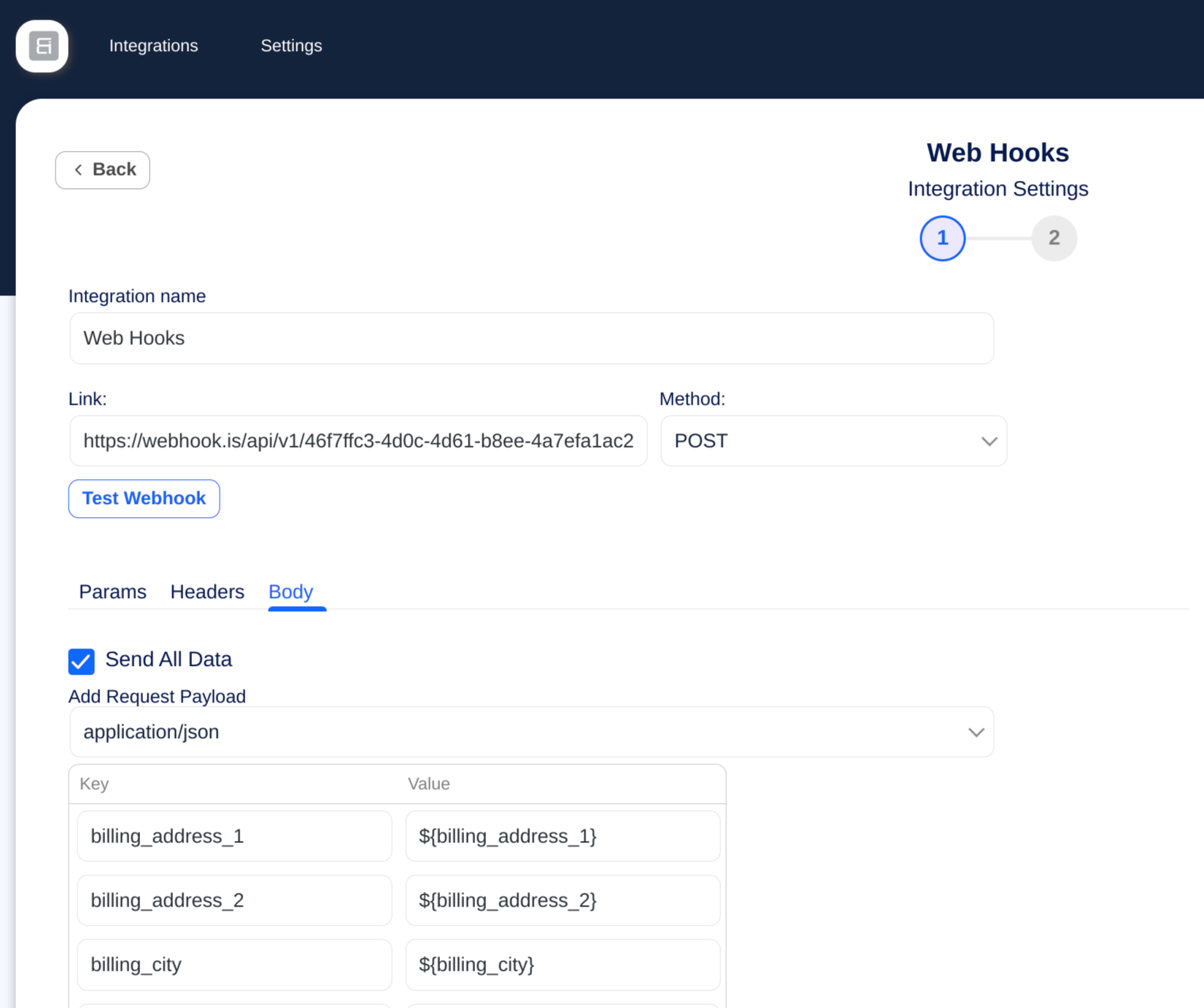
Incoming and Outgoing Webhook
You can receive third party data using webhook then process and send other platform. If some time native integrations missing then webhook is helpful.
Some platform don’t have API but the collect receive data from webhook. That Bit Integrations outgoing webhook help you send data.
⚙️ Automatiseer alles vanaf één dashboard
Automate your WordPress workflow with Bit Integrations — the easy no-code automation plugin, send unlimited data to third party platforms:
- WooCommerce
- Contact Form
- CRM
- LMS
- Bookings
- Google Sheet
- Webhooks
- Sociale media
- E-mail marketing gereedschap
- Automatiseringsplatformen zoals Zapier en meer
Bit Integrations is the automator plugin WordPress users rely on for smart, scalable automation.
🚀 Handige links
🧪 Try Pro Version
🙋 Live Support
🚀 Upgrade to Pro
🐱 Bit Integrations Repository
🔗 Explore all supported Integrations.
📚 Need help? Visit our Documentation.
▶️ Need help? Visit our Video Tutorials.
📢 Join our Bit Apps Community & get updates on our plugins.
💻 Full source code is available at
🔗 GitHub Repository: https://github.com/Bit-Apps-Pro/bit-integrations
Met Bit Integrations is automatisering binnen handbereik. Automatiseer taken op je WordPress site, verhoog de efficiëntie en vereenvoudig je bedrijfsvoering met krachtige automatiseringsfuncties.
Bit Integrations | Best WordPress Automation Software! – by SiteKrafter
Bit Integrations help you Automate everything from simple tasks to complex task.
WP Simple Hacks – WordPress tips en trucs” YouTube-kanalen met gedachten over de WordPress-automatisering plugin Bit Integrations.
Bit Integrations is a go-to automation and automator plugin for WordPress, enabling you to automate tasks and enhance productivity.
Connect WordPress Automatically To All Your Favorite Marketing Platforms – Bit Integrations – by SaaS Master
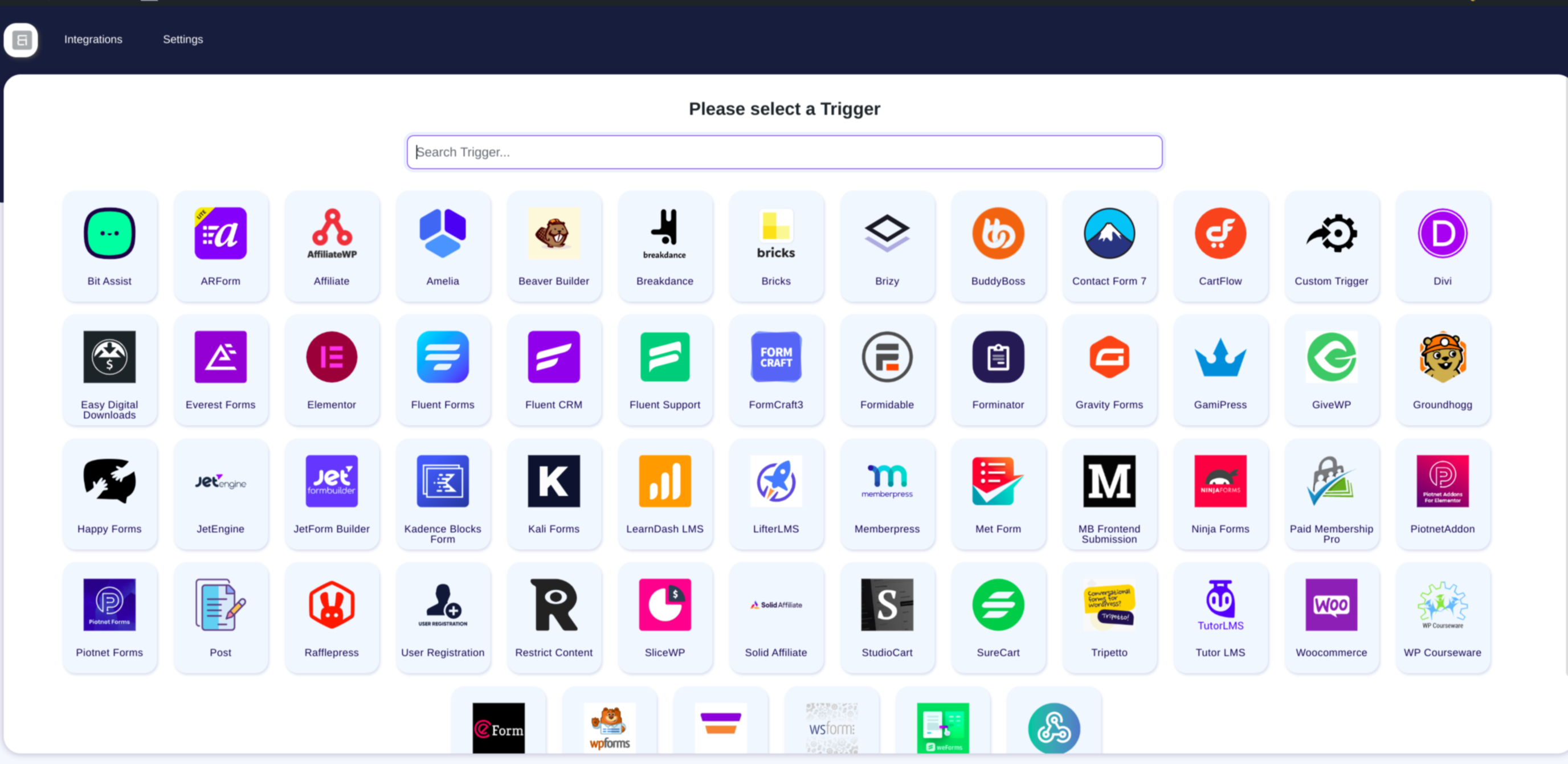
✔ Lijst met beschikbare gratis triggers:
- Elementor Automation
- Automatisering van Contact Form 7
- WooCommerce Integration
- WPForms Automation
- Bit Form Automation
✔Lijst met beschikbare Pro triggers:
- Fluent Forms
- Gravity Forms
- Advanced Custom Fields (ACF)
- WooCommerce Subscriptions
- WooCommerce boekingen
- WooCommerce Memberships
- Ninja Forms
- Piotnet Addons For Elementor
- Divi
- LearnDash
- Tutor LMS
- MemberPress
- Webhook
- Paid Memberships Pro
- Easy Digital Downloads
- JetEngine
- JetFormBuilder
- Beaver Builder
- Formidable
- MetaBox Frontend Submission
- Fluent CRM
- Groundhogg
- WP User Registration
- MailPoet
- Bricks
- Forminator
- Everest Forms
- bbPress
- BuddyPress
- BuddyBoss
- Dokan
- Advanced Coupons For WooCommerce
- Amelia
- MasterStudy LMS
- Academy LMS
- ARForms
- eForm
- FormCraft
- Happyforms
- SureForms
- Tripetto
- weForms
- WSForm
- Newsletter
- Wishlist Member
- SliceWP Affiliate
- Solid Affiliate
- SureCart
- SureFeedback
- SureMembers
- Voxel
- WPFunnels
- FunnelKits CRM
- Jetpack CRM
- … Bekijk meer
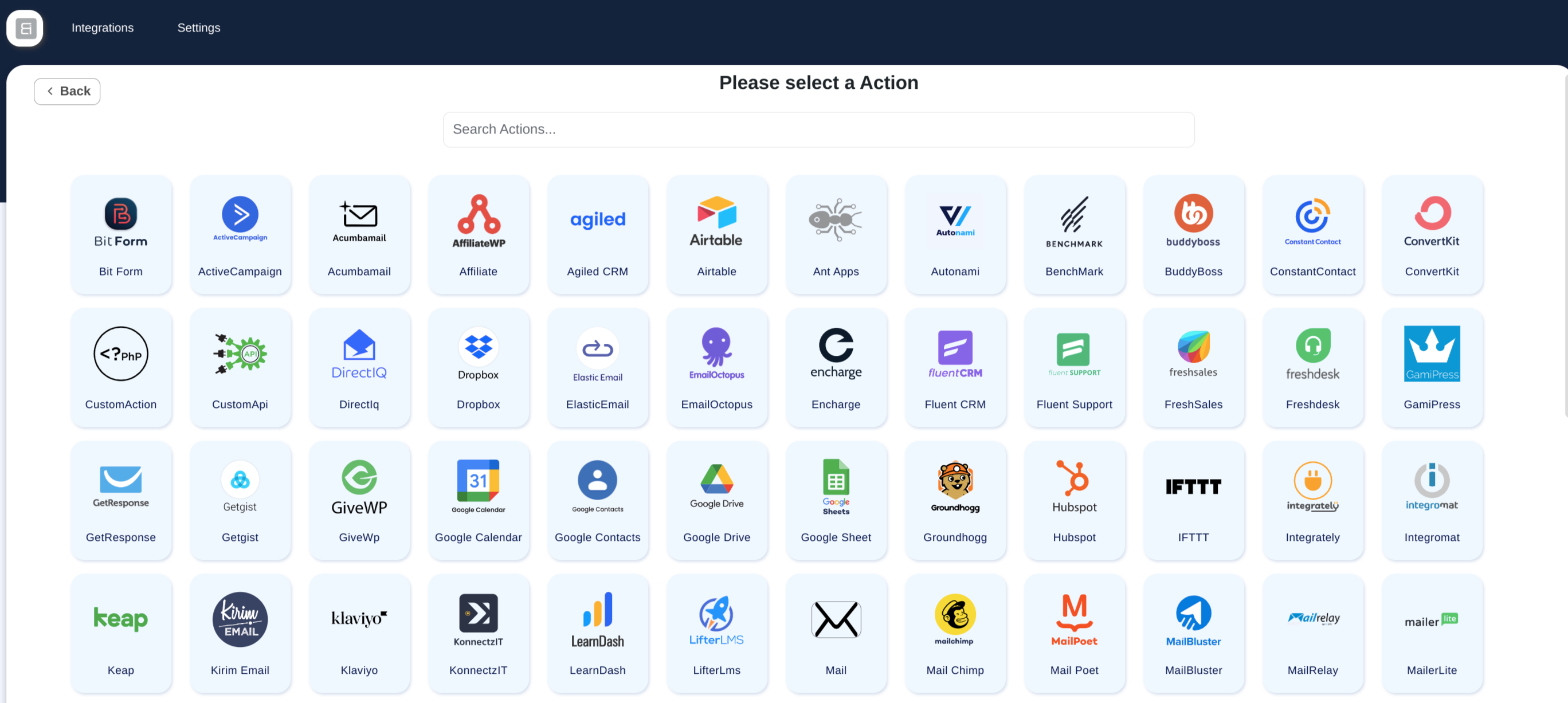
✔Lijst met beschikbare gratis acties:
- Zapier
- Make (Integromat)
- Uncanny Automator
- SureTriggers (OttoKit)
- AutomatorWP
- FlowMattic
- WooCommerce
- ActieveCampaign
- Mailchimp
- HubSpot
- Google Sheet
- Google Calendar
- Google Drive
- Google Contacts
- LearnDash
- Tutor LMS
- MemberPress
- FluentCRM
- Drip
- Klaviyo
- Salesforce
- MailPoet
- BuddyBoss
- Dokan
- Groundhogg
- GiveWP
- GamiPress
- Bit Form
- Geavanceerde formulierintegratie
- Freshdesk
- Freshsales
- Pipedrive
- Zoho CRM
- Zoho Campaigns
- Zoho Sheet
- Zoho Desk
- Zoho Flow
- Zoho Marketing Hub
- Zoho Recruit
- Zoom-vergadering
- Zoom-webinar
- Slack
- Telegram
- Discord
- Trello
- Asana
- ClickUp
- Begrip
- Airtable
- Dropbox
- OneDrive
- SendinBlue(Brevo)
- MailerLite
- Moosend
- Omnizend
- Sarbacane(Mailify)
- Pabbly
- N8N
- SystemeIO
- Thrive Automator
- WP Webhooks
- WPFusion
- Academie LMS
- MasterStudy LMS
- Vloeiende ondersteuning
- Peulen
- JetEngine
- wpForo
- Licentiebeheerder voor WooCommerce
- SliceWP affiliate
- GoHighLevel
- Perfect CRM
- Propovoice CRM
- Zoho Bigin
- Flowlu
- Voxel
- Webhooks
- … Bekijk meer
Hieronder vindt je de meest populaire integratie cases voor meer informatie over deze automatisering plugin
-
Automate order management, customer data syncing, product updates, and more. Common integrations include WooCommerce + Zoho CRM, WooCommerce + GoHighLevel, and WooCommerce + Google Sheets.
-
WooCommerce + Mailchimp voor geautomatiseerde e-mailmarketing en WPForms + Mailchimp voor formuliergebaseerde aanmeldingen of nieuwsbrieven.
-
Bit Form + HubSpot om leads of formulierinzendingen automatisch te synchroniseren met je CRM, en WooCommerce + HubSpot om het volgen van e-commerce klanten te verbeteren.
-
Bit Integrations + Zapier om de mogelijkheden van het platform uit te breiden door verbinding te maken met meer platformen die niet standaard worden ondersteund.
-
LearnDash + WooCommerce voor het automatiseren van cursus registratie en betalingen, of LearnDash + Perfex CRM voor het synchroniseren van gebruiker inschrijvingsgegevens.
-
WooCommerce + Google Sheets voor het automatiseren van bestelgegevens, of WPForms + Google Sheets voor het automatisch invullen van formulierinzendingen.
-
Bit Form + ActiveCampaign om het proces van het toevoegen van formulierinzendingen aan de e-maillijst te automatiseren, of WooCommerce + ActiveCampaign om marketingcampagnes te activeren op basis van aankoopgedrag.
-
WooCommerce + Salesforce om klant- en ordergegevens te synchroniseren, of Bit Form + Salesforce om leads uit formulieren rechtstreeks in Salesforce vast te leggen.
-
WPForms + Trello om automatisch kaarten of taken te maken wanneer een formulier wordt verzonden, of WooCommerce + Trello om taken te maken of bestellingen te volgen als kaarten in Trello.
♻ How does this plugin work?
This plugin acts as a bridge between platforms, using Triggers and Actions. Triggers capture data, like form submissions (Contact Form 7, WP Forms, etc.), while Actions send it to CRM, Email Marketing Software, Project Management Tools, Data Collection Tools, and other WordPress plugins.
For example, a contact form (Bit Form, WP Forms, etc.)
is submitted, and you want to send data in your CRM, Email Marketing Software, Project Management Tools, Data Collection Tools, and other WordPress plugins.
❣ What our customer say about Bit Integrations :
💠 Best in zijn klasse -door @saschinger
💠 Bit Integrations is an affordable alternative to Pabbly Connect and Zapier
-by @barrynthdegreegroupnet
💠 Een game changer voor mijn WordPress automatisering -door @angelitos
💠 Zapier achtige integraties, geen kosten vereist! -door @peterode
💠 Zapier for WordPress made easy! -door @onedogsolutions
💠 Pure Automation at Play! -door @vaishakdamu
✨ Overview of other products we are offering :
📝Bit Form: Een van onze bestsellers. Verslepen formulier bouwer voor WordPress. Maak aangepaste contactformulieren, enquêtes en meer – geen codering vereist!
📝Bit Flows: Een krachtige automatisering plugin (zoals Zapier) die je WordPress & buiten WordPress data naar alle soorten platforms stuurt zoals WordPress plugins, saas, Shopify & alles.
📧 Bit Assist: Maak contact met gebruikers via Messenger, WhatsApp, Telegram, Slack, Viber en meer, met aangepaste formulieren en links.
📧 Bit Social: Automatisch berichten plaatsen, plannen en WordPress berichten eenvoudig delen op Facebook, LinkedIn en Twitter.
📧 Bit File Manager: De ultieme WordPress file manager voor uploaden, verwijderen, verplaatsen, hernoemen en beheren van bestanden—100% gratis!
📧 Bit SMTP: Beveilig en verbeter de bezorging van je WordPress e-mails.
📧 Webhooks.is: Test gratis inkomende en uitgaande webhooks.
📢 We are open for freelance work/custom development. Connect with us for further information.
External Services
This plugin connects to various third-party external services to enable automation workflows between WordPress and 320+ platforms. Data is only sent to external services when you actively configure and enable an integration. No data is transmitted unless you explicitly create a workflow that connects to a specific service.
For a comprehensive list of all external services, including detailed information about what data is sent, when it’s sent, and links to each service’s terms and privacy policies, please see our complete external services documentation:
Complete External Services Documentation
This documentation covers 320+ services including Google (Sheets, Calendar, Drive), Zoho (CRM, Campaigns, Desk), Meta/Facebook (WhatsApp), Email Marketing platforms, CRM systems, Communication tools (Slack, Telegram), Automation platforms (Zapier, Make), Project Management tools, and many more.
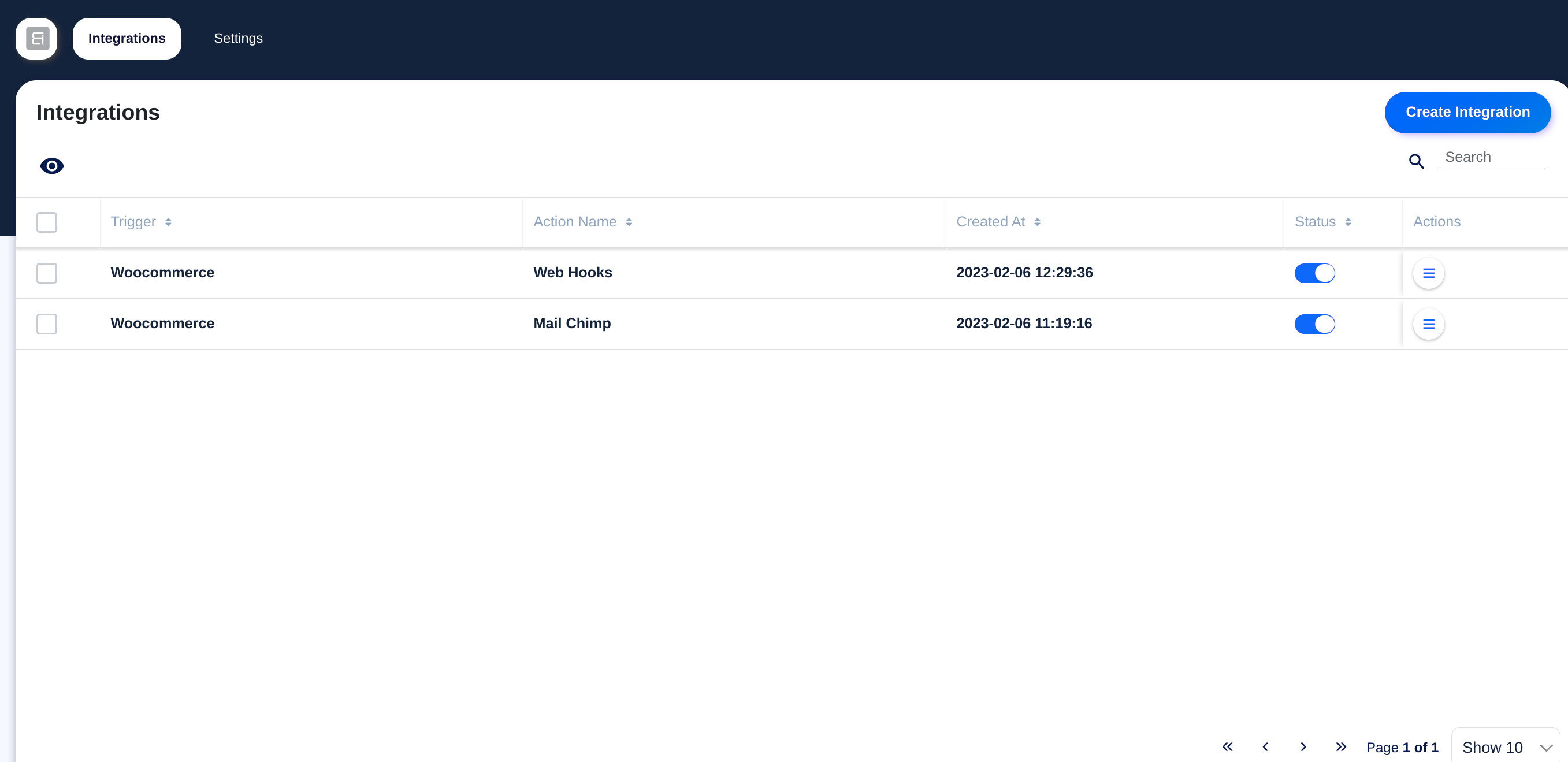
Schermafbeeldingen

Installatie
- Download the automation plugin.
- From the WordPress Admin Panel, click on Plugins => Add New.
- For Uploading the automator plugin click on upload, so you can directly upload your plugin zip file.
- Use the browse button to select the plugin zip file that was downloaded, and then click on Install Now.
- Once installed the integration plugin, click “Activate”.
- Nu kun je beginnen met het bouwen van je eerste geautomatiseerde workflow met behulp van beschikbare platform connectoren.
- Ga naar Start nu met automatisering om je eerste automatisering met triggers te maken.
- Raadpleeg de documentatie voor gedetailleerde setup hulp.
FAQ
-
1. Wat is Bit Integrations en hoe werkt het?
-
Bit Integrations is een no-code WordPress plugin die je helpt gegevens te koppelen en te synchroniseren tussen meer dan 320 platforms zoals WooCommerce, CRM, e-mail marketing gereedschap, Google Sheets en meer. Het automatiseert workflows door gegevens van triggers zoals formulierinzendingen of bestellingen naar gekoppelde apps te sturen, zonder dat coderen nodig is.
-
2. Kan ik WooCommerce workflows automatiseren met Bit Integrations?
-
Ja! Bit Integrations stelt je in staat om WooCommerce workflows te automatiseren, zoals het synchroniseren van klantgegevens, bestelgegevens en abonnementen naar CRM’s, e-mail marketingplatforms en spreadsheets.
-
3. Ondersteunt Bit Integrations populaire formulierbouwers zoals WPForms en Contact Form 7?
-
Absoluut. Bit Integrations ondersteunt populaire WordPress formulierbouwers zoals WPForms, Contact Form 7, Elementor Forms, Bit Form en meer om geautomatiseerde workflows te activeren wanneer formulieren worden ingediend.
-
Is codering vereist om automatisering workflows in Bit Integrations in te stellen?
-
Er zijn geen programmeervaardigheden vereist. Bit Integrations biedt een intuïtieve interface om triggers en acties te creëren met eenvoudige configuratie en veld toewijzing, waardoor het gemakkelijk is voor beginners en niet-ontwikkelaars.
-
5. Welke CRM platforms kan ik integreren met Bit Integrations?
-
Bit Integrations ondersteunt toonaangevende CRM-platforms, waaronder HubSpot, Salesforce, Zoho CRM, Agile CRM en vele andere, waardoor naadloze gegevens synchronisatie van WordPress naar je CRM mogelijk is.
-
6. Kan Bit Integrations gegevens synchroniseren met e-mail marketing gereedschap?
-
Ja, het integreert met populaire e-mail marketing platforms zoals Mailchimp, ActiveCampaign, SendinBlue (Brevo), MailPoet en andere om je e-mail campagnes te automatiseren op basis van gebruikersgegevens.
-
7. Hoeveel integraties en workflows kan ik met Bit Integrations maken?
-
De gratis versie biedt onbeperkte integraties met gratis triggers en acties. De Pro versie ontgrendelt alle 320+ triggers en acties met onbeperkte actieve workflows.
-
8. Ondersteunt Bit Integrations Google Sheets voor gegevenssynchronisatie?
-
Ja, je kunt automatisch formuliergegevens, WooCommerce bestellingen en andere WordPress gegevens synchroniseren met Google Sheets voor realtime volgen en rapportage.
-
9. Kan ik de gegevens flow tussen WordPress en externe platforms zoals Zapier of Integromat (Make) automatiseren?
-
Ja, Bit Integrations ondersteunt webhooks en integreert met platforms zoals Zapier en Make, waardoor je de automatisering verder kunt uitbreiden dan alleen WordPress.
-
10. Werkt Bit Integrations met multisite WordPress installaties?
-
Ja, Bit Integrations is volledig compatibel met WordPress multisite setups, waardoor je workflows kunt automatiseren over meerdere sites.
-
11. Will Bit Integrations affect my website’s performance?
-
Bit Integrations is lichtgewicht en geoptimaliseerd om de impact op de snelheid van de website tot een minimum te beperken en tegelijkertijd krachtige automatisering workflows op de achtergrond uit te voeren.
-
12. Welke ondersteuning en documentatie is beschikbaar voor Bit Integrations gebruikers?
-
We bieden uitgebreide documentatie, videotutorials en actieve ondersteuning via live chat, e-mail en community forums om gebruikers te helpen het meeste uit Bit Integrations te halen.
-
13. Kan ik LMS platforms zoals LearnDash en Tutor LMS automatiseren met Bit integraties?
-
Ja, Bit Integrations ondersteunt populaire LMS plugins, waardoor je taken kunt automatiseren zoals het synchroniseren van cursus inschrijvingen naar CRM of e-mail marketinggereedschap.
-
14. Hoe veilig is Bit Integrations bij het verwerken van gevoelige gegevens?
-
Bit Integrations volgt de codering normen en best practices van WordPress om de beveiliging en privacy van gegevens te garanderen tijdens gegevensoverdrachten tussen platforms.
Beoordelingen


Bijdragers & ontwikkelaars
“Bit integrations – Form Integration, Webhook, Spreadsheets, CRM, LMS & Email Automation” is open source software. De volgende personen hebben bijgedragen aan deze plugin.
Bijdragers
“Bit integrations – Form Integration, Webhook, Spreadsheets, CRM, LMS & Email Automation” is vertaald in 6 localen. Dank voor de vertalers voor hun bijdragen.
Interesse in ontwikkeling?
Bekijk de code, haal de SVN repository op, of abonneer je op het ontwikkellog via RSS.
Changelog
2.10.6
Release Date – 27th September 2026
- Bug Fixes
- wpDataTables: Manual tables now work. Their columns load in the field map and new rows are added to the table (Pro).
- Zoho CRM: Records with a lookup field, such as Account Name, failed with a “MANDATORY_NOT_FOUND” error.
- MailerLite: The “Update subscriber” option was disabled when groups were selected, so existing subscribers failed with “Subscriber already exist”.
2.10.5
Releasedatum – 15 september 2026
-
Nieuwe trigger
- Pointics: 4 new events added (Pro).
-
Nieuwe actie
- Pointics: 8 new events added (Pro).
-
Nieuwe functies
- ActiveCampaign: New “Append ActiveCampaign Tags” option adds your selected tags alongside the tags a contact already has. The existing “Update ActiveCampaign Tags” option now clearly replaces them.
2.10.4
Release datum – 5 september 2026
-
Nieuwe functies
- Choose who an action runs for: pick the logged-in user, or map an email field from your trigger and the action runs for that user. Available in LearnDash, LifterLMS, Tutor LMS, MasterStudy LMS, Academy LMS, WP Courseware, MemberPress, Paid Memberships Pro, Restrict Content, GamiPress, AffiliateWP and SliceWP.
- Google Calendar: Write your event description with headings, bold text, lists and links. A Preview tab shows how it will look before you save (Pro).
-
Improvements
- Asana: Your full list of projects, sections and custom fields now loads, not just the first batch.
- SendPulse: All address books now load, and your selected list no longer resets when its fields fail to load.
- Salesforce: The connection now uses a more secure sign-in flow (PKCE).
- Brevo: If no email reaches the action, the log now tells you that instead of showing Brevo’s unclear error.
- Custom API: New actions start on POST, and the edit screen now shows the request method you saved.
- Triggers: Waiting for test data no longer floods your site with requests, and the button always stops spinning when you press Stop.
-
Bugfixes
- LearnDash and LifterLMS: The unenroll actions removed the wrong person – they always used the same fixed user instead of the one from your flow.
- Brevo: Contacts failed to save when some mapped fields were empty. Emails with a “+” in them created a duplicate contact on every run.
- Notion: Checkboxes always saved as ticked, a single-choice field sent to a multi-select property was dropped, and decimal numbers lost everything after the point.
- Systeme.io: Failed runs were logged as successful.
- Asana: Tasks were not created when some mapped fields were empty.
- Zoho Bigin: Failed runs and Deals actions saved without a layout no longer produce warnings, and the layout dropdown is now sorted by name.
- ActiveCampaign: Fixed reading your account details.
- Custom API: Actions sent the request as a GET with an empty body if you never opened the method dropdown.
- KonnectzIT: Opening a saved integration showed a spinner forever instead of its settings.
- MemberPress: Long membership lists were cut short, so some memberships could not be picked and the trigger kept loading (Pro).
- Avada Forms: Hidden, file upload and consent fields were missing from the trigger data (Pro).
- Popup Maker: The trigger did not show the plugin as installed (Pro).
2.10.3
Release Date – 20th August 2026
-
Nieuwe triggers
- NextCRM: 19 new events added (Pro).
- Sensei LMS: 11 new events added (Pro).
- Events Manager: 10 new events added (Pro).
- LatePoint: 5 new events added (Pro).
- Cart Abandonment Recovery: 5 new events added (Pro).
- ClickWhale: 4 new events added (Pro).
- ConvertForce Popup Builder: 4 new events added (Pro).
- Power Coupons for WooCommerce: 4 new events added (Pro).
- WP Table Builder: 4 new events added (Pro).
- Booking Calendar: 2 new events added (Pro).
- ProfilePress: 2 new events added (Pro).
- Modern Cart: 1 new event added (Pro).
- Popup Maker: 1 new event added (Pro).
-
Nieuwe acties
- SureContact: 42 new events added (Pro).
- NextCRM: 13 new events added (Pro).
- Sensei LMS: 12 new events added (Pro).
- Brilliant Directories: 11 new events added (Pro).
- Popup Maker: 9 new events added (Pro).
- LatePoint: 8 new events added (Pro).
- Power Coupons for WooCommerce: 5 new events added (Pro).
- ConvertForce Popup Builder: 4 new events added (Pro).
- WP Table Builder: 4 new events added (Pro).
- Cart Abandonment Recovery: 3 new events added (Pro).
- ClickWhale: 3 new events added (Pro).
- Modern Cart: 3 new events added (Pro).
- Booking Calendar: 2 new events added (Pro).
- ProfilePress: 2 new events added (Pro).
- BadgeOS: 1 new event added (Pro).
- Events Manager: 1 new event added (Pro).
-
Nieuwe functies
- Trello: Card descriptions now use a rich text editor.
- Custom API: URL path variables added. Fill them from trigger data in the new Path Variables tab.
- Smart Tags: new tags added – date and time, logged-in user, post and post author, site info, visitor info, and true / false values.
-
Improvements
- Connections: A new connection gets a default name, so you do not have to type one.
- Bit CRM: Lead dates now follow your site timezone.
-
Bugfixes
- Custom API: An empty API endpoint is now logged as an error.
2.10.2
Release Date – 4th August 2026
-
Nieuwe functie
- EmailOctopus: Contacts can now be added or updated with the “Pending” status.
-
Improvements
- Connections: API keys, secrets and tokens are now hidden behind dots in the connection form, with an eye button to reveal them when you need to check a value.
- Authorization: Apps now return to a dedicated callback address on your site after you approve them. Providers that refused the old redirect URL can now be connected without any extra setup.
- Trigger data: Field names taken from nested data are now shorter and easier to read – long paths are trimmed, repeated words removed, and list items are shown as “Items 0” instead of a separate level.
-
Bugfixes
- Bit Form: Fixed the site address not being read from the connection, which stopped some Bit Form actions from running.
- Amelia Booking: Appointment triggers now include the appointment location details (Pro).
2.10.1
Releasedatum – 30 juli 2026
-
Nieuwe triggers
- Bit CRM: 66 new events added.
- Fluent Player: 12 new events added (Pro).
-
Nieuwe acties
- Bit CRM: 50 new events added.
- Fluent Player: 26 new events added (Pro).
-
Nieuwe functie
- Webhook (Action): Dynamic URL path variables added to outgoing webhooks, mappable from trigger data.
- Webhook (Action): Smart codes are now available in query parameters, request headers and path variables (Pro).
- Connections: An action’s connection can now be switched from its info page.
-
Beveiligingsoplossingen
- Custom Action: Closed an administrator gate bypass and confined the custom function file to the plugin’s custom-function directory.
- Timeline: Log re-execution now applies the same administrator check as custom action save, update and delete.
- AJAX Routes: Integration routes now require a write capability instead of view-only access.
- Mail: Recipient addresses and headers are validated in all cases, and header display names are sanitized.
- Admin Menu: Submenu is registered only when the capability check passes.
-
Bugfixes
- Connections: Fixed credentials not resolving for renamed integrations.
- Integration Info: Fixed legacy actions rendering a blank info page.
- Webhook (Action): Run status is now judged by the response HTTP status code, and path variables sync even when their tab is never opened.
- ACF: Fixed field reading when the meta value is missing (Pro).
- WP Post: Fixed trashed and internal posts firing the post created/inserted triggers (Pro).
-
Note: “Legacy” integrations
- Since 2.10.0, credentials live in reusable Connections. Integrations you set up before that still keep their own credentials, so we call them legacy – their info page shows a short explainer instead of a connection to view or switch.
- They keep working exactly as before, and credentials stay safe on your server (never sent to your browser, which is why the fields look empty). To move one over, just open its settings and authorize the app once.
2.10.0
Releasedatum – 25 juli 2026
-
Nieuwe functie
- Connections: New centralized connection manager – authorize an app once and reuse the same credentials across every integration, with linked integration listing, inline editing and clearer authorization errors.
- Timeline: Integration logs can now be re-executed, with nested re-run history kept for each attempt.
- Timeline: Redesigned log page with server-side status filtering, search and column controls.
-
Beveiligingsoplossingen
- Hardened AJAX authorization, credential storage and input handling across request routing.
- Stopped credentials from being returned in connection responses and made the token refresh lock reliable.
- Escaped OpenSSL error output in encryption exception handling.
-
Bugfixes
- OAuth2: Fixed refresh URL template resolution and credentials being lost during token refresh.
- Google Sheets: Improved access token validation.
- Zoho Desk: Guarded against null API response data.
-
For Older Changelogs :