
Beschrijving
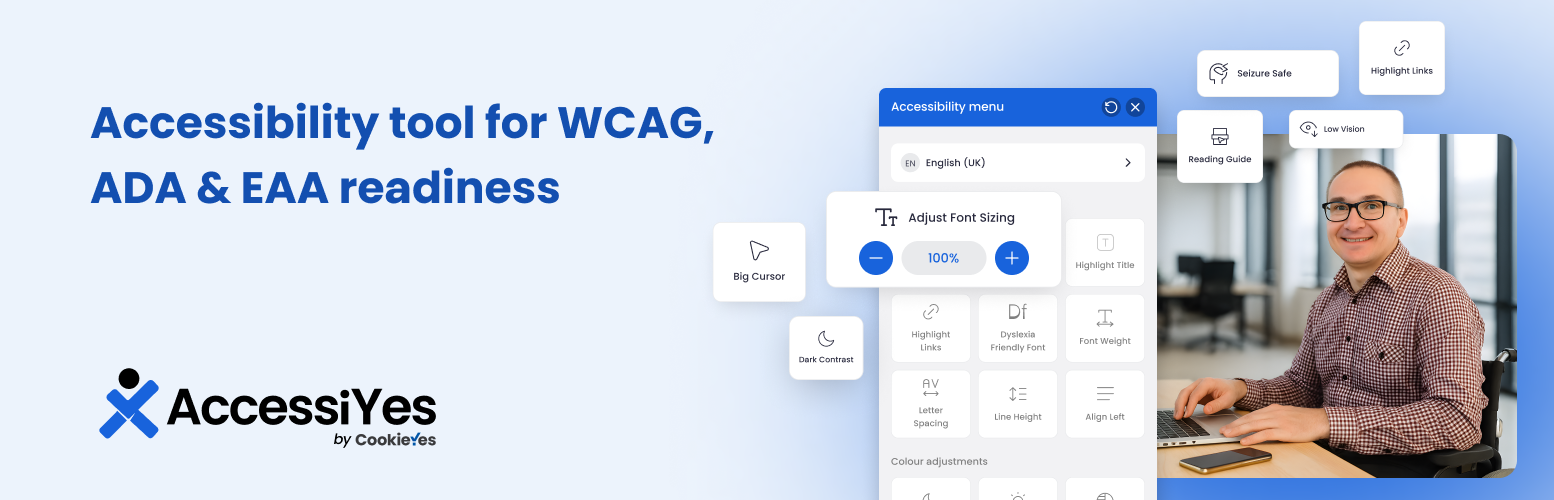
AccessiYes Accessibility Widget is een gratis, lichte en makkelijke plugin die een toegankelijkheid overlay toevoegt aan je WordPress site.
The accessibility widget provides tools to help your site better align with accessibility standards such as the Web Content Accessibility Guidelines (WCAG) 2.1 AA, as well as accessibility laws like the Americans with Disabilities Act (ADA) and the European Accessibility Act (EAA).
With just a few clicks, your website visitors can customise font size, color contrast, spacing, and more to create a browsing experience that fits their accessibility needs.
Disclaimer:
AccessiYes Accessibility Widget is intended to support your accessibility efforts. It does not guarantee conformance with WCAG or compliance with laws such as the ADA, EAA, or other regulations. Full compliance may still require a comprehensive audit and remediation.
Waarom toegankelijkheid belangrijk is
Meer dan 1 miljard mensen wereldwijd leven met een handicap. Daarom is webtoegankelijkheid van essentieel belang om ervoor te zorgen dat je inhoud voor iedereen bruikbaar is, ook voor mensen met een visuele, cognitieve, motorische of neurologische beperking.
With WordPress powering over 43% of all websites in 2026, improving accessibility on WordPress sites can make a big difference in creating a more inclusive web.
AccessiYes Accessibility Widget helps you take a step in that direction by giving visitors simple tools to adjust how your WordPress website looks and behaves based on their needs.
Functies
Inhoud aanpassingen
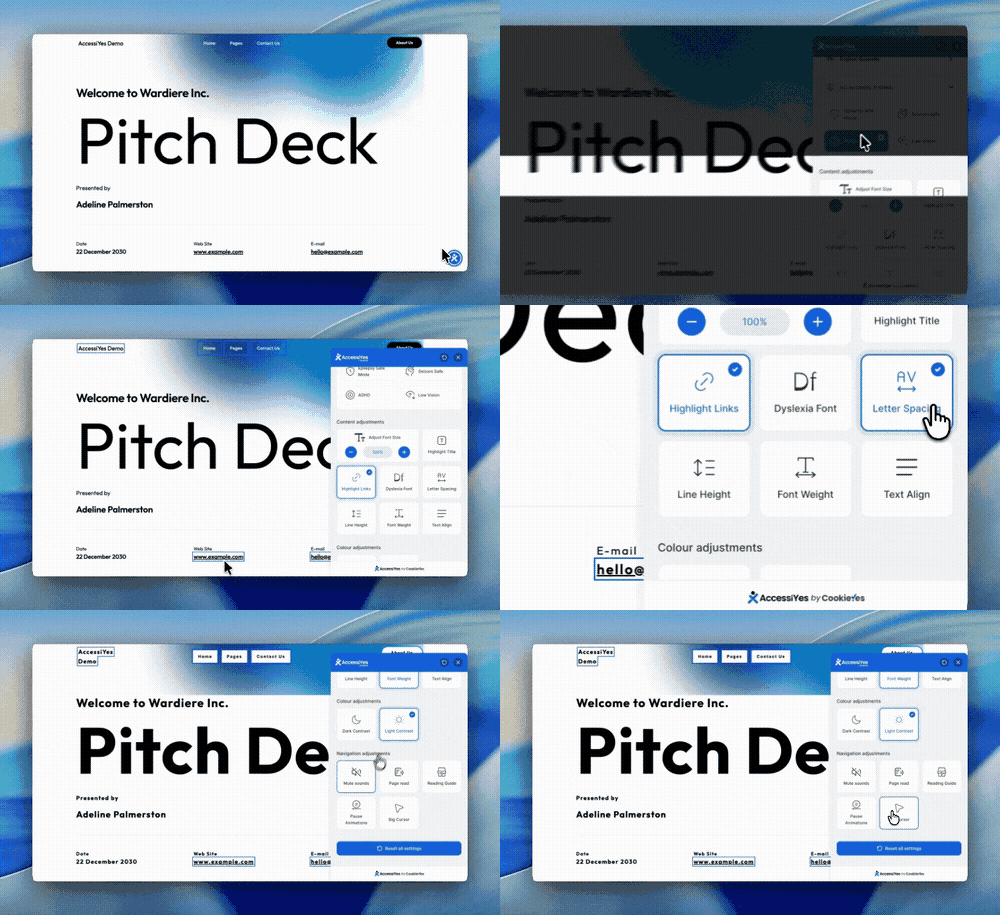
- Lettertype grootte instellen: laat mensen de lettertypegrootte aanpassen voor een betere leesbaarheid.
- Titel markeren: maak paginatitels vet om het scannen en begrijpen makkelijker te maken.
- Belangrijkste functies: markeer alle links en/of paginatitels, zodat je makkelijker kunt scannen en je beter kunt concentreren.
- Dyslexievriendelijke lettertypen: laat gebruikers overschakelen naar goed leesbare lettertypen voor een betere cognitieve toegankelijkheid.
- Lettertype gewicht aanpassen: maak tekst op je site vet om het contrast en de zichtbaarheid te verbeteren.
- Letterafstand en regelafstand aanpassen: je kunt de tekstlay-out precies instellen om mensen met dyslexie of leesproblemen te helpen.
- Tekstuitlijning: Alle inhoud aan de linker- of rechterkant uitlijnen voor een consistente leeservaring.
Kleuraanpassingen
- Contrastmodi: inclusief donkere modus, lichte modus en hoog contrast voor visueel comfort.
- Opties voor verzadiging: toestaan dat gebruikers togglen tussen lage verzadiging, hoge verzadiging en zwart-wit (grijstinten) weergave.
Navigatie aanpassingen
- Leesgids: een horizontale gids die je helpt om tijdens het lezen de regels tekst te volgen.
- Animatie pauzeren: laat mensen animaties of bewegingen die afleiden of ongemak veroorzaken even stoppen.
- Big cursor: Increase cursor size and contrast for better navigation visibility.
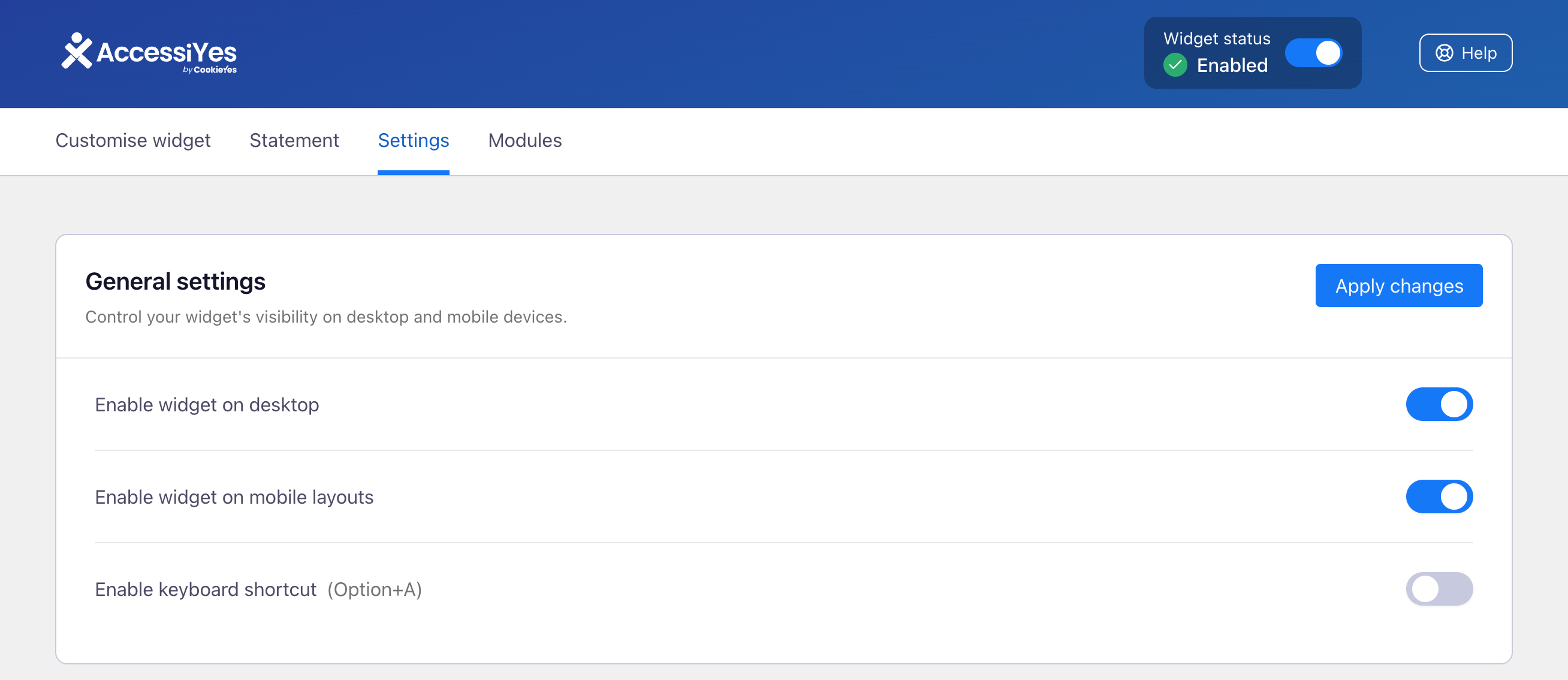
- Keyboard shortcut: Let visitors open the accessibility widget with the Option+A keyboard shortcut for quicker, mouse-free access.
- Page reader: Let visitors have page content read aloud for a more accessible browsing experience.
- Mute sounds: Allow users to mute all sounds on the page to reduce distractions.
Accessibility profiles
- Preset accessibility profiles: Let visitors apply pre-configured combinations of accessibility settings tailored to common needs, such as visual, cognitive, or motor impairments, with a single click.
Accessibility statement
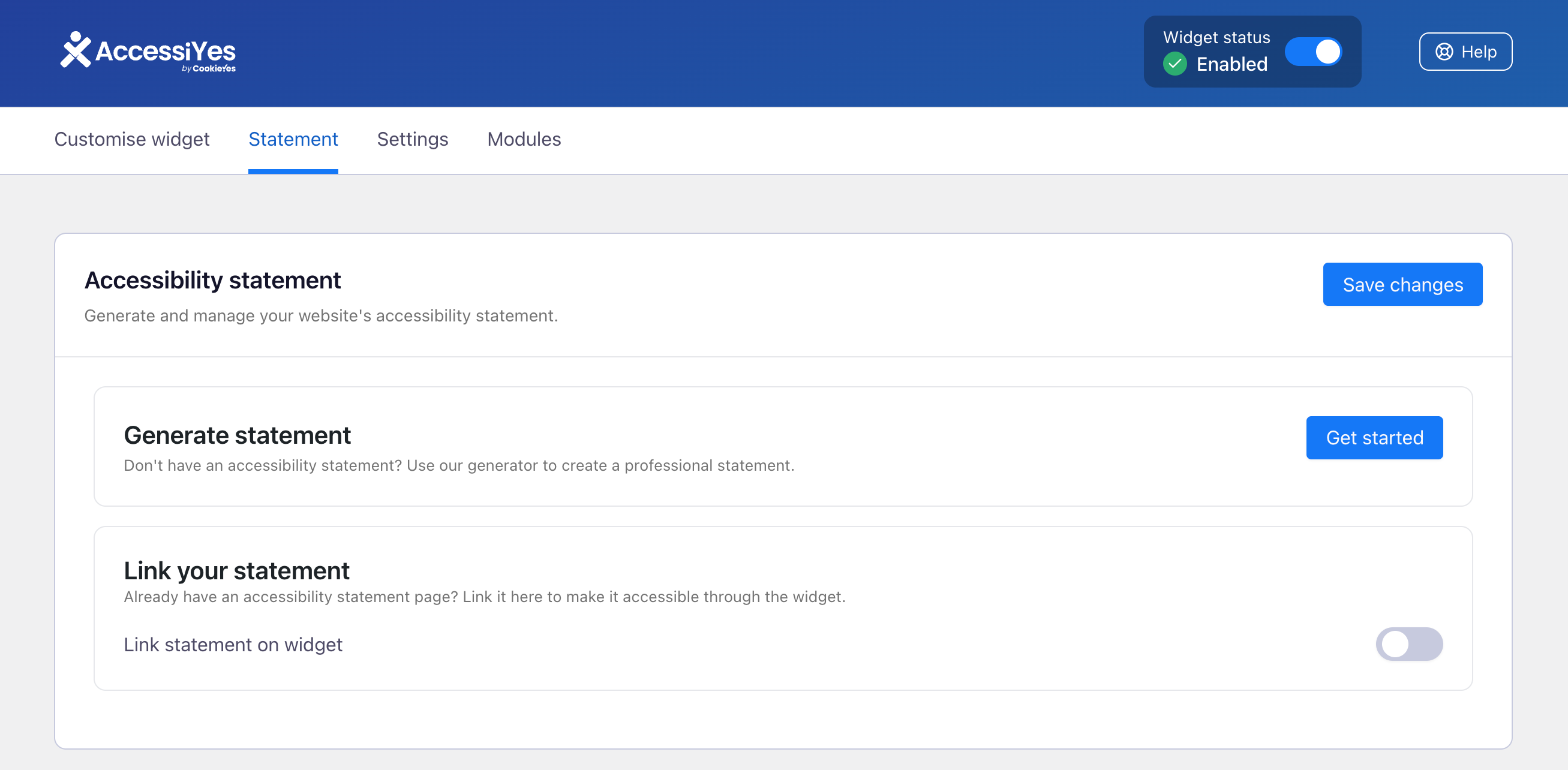
- Create an accessibility statement: Generate your website accessibility statement inside the tool and display it in the widget.
- Link an existing statement: Connect your existing accessibility statement or VPAT and display it within the widget.
Widget customisation
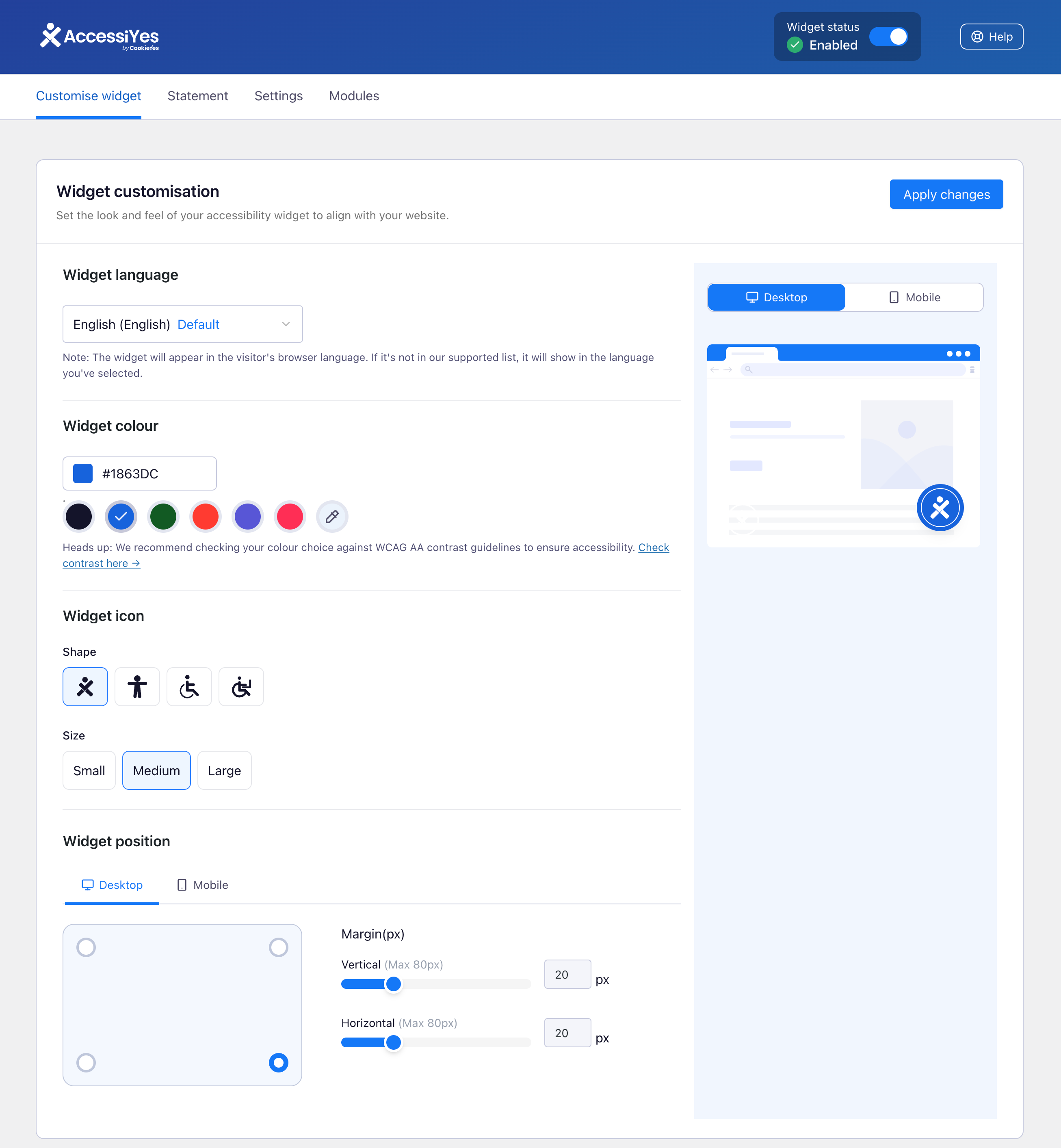
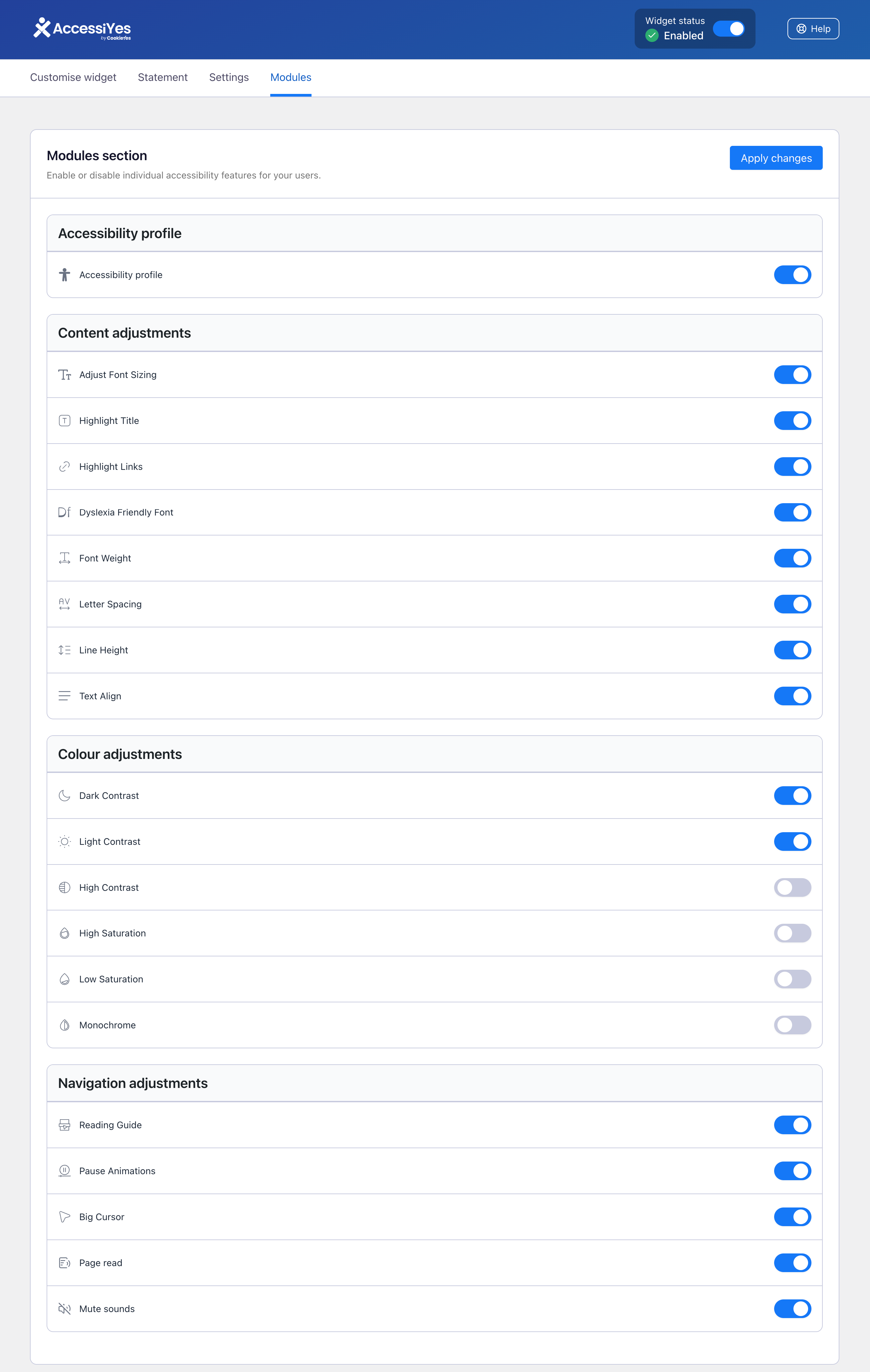
- Customise widget options: Choose which accessibility features appear in the widget for your front-end visitors. Enable or disable individual modules across Content, Colour, and Navigation adjustments from the new Modules tab, so the widget only surfaces the options that matter to your audience.
Hulp nodig? Stuur ons een mailtje naar support@cookieyes.com met in het onderwerp: CookieYes Accessibility Widget
Feedback over de plugin? We horen het graag! Stuur een bericht naar support@accessiyes.com.
Opmerking: AccessiYes is een losse toegankelijkheidswidget die is gemaakt door CookieYes. Het is een aparte tool die onafhankelijk van het CookieYes platform werkt.
Schermafbeeldingen
Installatie
- Zet de plugin bestanden in de folder
/wp-content/plugins/of installeer de plugin direct via het WordPress plugin scherm. - Activeer de plugin via het ‘Plugins’ scherm in WordPress.
- De toegankelijkheidswidget verschijnt automatisch op je site. Geen setup nodig.
FAQ
-
Helpt deze plugin om aan de toegankelijkheidswetgeving te voldoen?
-
Ja. Het is ontworpen om ondersteuning te bieden voor naleving van WCAG-, ADA-, EAA- en EN 301 549-normen. Het AccessiYes Accessibility Widget zorgt echter niet voor volledige juridische naleving van ADA, WCAG, EAA, EN 301 549 of vergelijkbare normen. Een volledige audit en herstelproces kan nog steeds nodig zijn.
-
Worden er gebruikersgegevens verzameld door de plugin?
-
Nee. De plugin houdt geen gebruikersgegevens bij of slaat deze op, zodat de AVG wordt nageleefd.
-
Kunnen gebruikers de instellingen die ze hebben toegepast weer resetten?
-
Ja. Er is een knop ‘Instellingen resetten’ waarmee je alle wijzigingen snel ongedaan kunt maken.
-
Kan de plugin op sites in meerdere talen worden gebruikt?
-
Zeker weten. De plugin werkt in meer dan 50 talen en past zich aan de geselecteerd taal aan.
-
Can I choose which accessibility features appear in the widget?
-
Yes. From the Modules tab in the plugin settings, you can enable or disable individual accessibility features across Content, Colour, and Navigation adjustments. Only the modules you enable will be shown to front-end users in the widget.
Beoordelingen


Bijdragers & ontwikkelaars
“AccessiYes Accessibility Widget for ADA, EAA & WCAG Readiness” is open source software. De volgende personen hebben bijgedragen aan deze plugin.
Bijdragers

“AccessiYes Accessibility Widget for ADA, EAA & WCAG Readiness” is vertaald in 3 localen. Dank voor de vertalers voor hun bijdragen.
Vertaal “AccessiYes Accessibility Widget for ADA, EAA & WCAG Readiness” in je eigen taal.
Interesse in ontwikkeling?
Bekijk de code, haal de SVN repository op, of abonneer je op het ontwikkellog via RSS.
Changelog
3.2.6 2026-08-24
[Add] – Renamed widget menu categories for clarity
[Enhancement] – Improved color contrast in the widget’s dark and light themes.
[Fix] – Widget aria-labels are now translatable.
[Fix] – Fixed translation function issue in the settings dashboard, backend strings can now be translated using translation plugins.
3.2.5 2026-07-09
[Fix] – Page reader now reads content on click and keyboard focus, in addition to text selection.
[Fix] – Updated and corrected widget translations across all supported languages.
3.2.4 2026-06-30
[Fix] – Pause Animations now also stops animated GIFs and autoplaying videos, not just CSS animations.
[Fix] – Reading Guide no longer leaves a fixed dark overlay on mobile/touch devices; the reading band can be repositioned by tapping a line or dragging the handle.
3.2.3 2026-06-18
[Add] – Additional widget language support: Simplified Chinese and Traditional Chinese.
3.2.2 2026-05-21
[Fix] – Admin settings UI conflict with other plugins declaring React globally.
3.2.1 2026-05-06
[Add] – Accessibility profile feature.
[Add] – Add screen reader and mute sound features.
[Enhancement] – Improve the low sturation and text alignment features.
[Compatibility] – Tested OK with WordPress version 7.0.
3.2.0 2026-04-22
[Add] – New Modules tab in admin settings to enable or disable individual accessibility features.
[Add] – Keyboard shortcut support to open and close the accessibility widget (default: Alt+A/Option+A).
[Enhancement] – Focus indicators on widget interactive elements are now dynamic for improved keyboard navigation visibility.
3.1.3 2026-03-30
[Fix] – Resolved missing pointer cursors on various interactive UI elements within the plugin settings dashboard.
[Fix] – Fixed translation issue for the “Reset settings” button in the accessibility widget.
[Add] – Global WordPress admin notice for the review banner to improve visibility.
[Enhancement] – Refactored uninstall feedback modal layout and removed the mandatory option selection requirement.
[Enhancement] – Updated plugin support links to point directly to the WordPress.org support forum.
3.1.2 2026-03-13
[Add] – Accessibility statement generator.
[Fix] – Ensure ‘disableContrast()’ removes the class from ” instead of ‘documentElement’.
[Enhancement] – Add ‘cya11y-dark-contrast’ body class when Dark Contrast mode is active to allow site CSS overrides.
[Enhancement] – Add ‘nav’ to ‘DARK_CONTRAST_SELECTORS’ to support pagination elements in Dark Contrast mode.
3.1.1 2026-02-19
[Add] – Implemented the uninstall feedback pop.
[Enhancement] – Removed the tooltip from the widget button and enhanced widget focus visibility.
[Fix] – Minor bugs.
3.1.0 2026-02-04
[Fix] – The Reading Guide is not functional when color adjustment modes such as High Contrast, High Saturation, Low Saturation, or Monochrome are enabled.
3.0.9.1 2026-02-02
[Fix] – Font size reset preserves original inline styles.
3.0.9 2026-01-13
[Fix] – Font size override issue.
3.0.8 2025-12-26
[Oplossing] – onjuist probleem met de lettertypegrootte.
3.0.7 2025-12-4
[Compatibiliteit] – Goedgekeurd getest met WordPress versie 6.9.
[Toevoegen] – Ondersteuning voor de Oekraïense taal.
[Oplossing] – Kleine oplossingen.
3.0.6 2025-10-16
[Toegevoegd] – Letse en Litouwse taalondersteuning.
[Oplossing] – Kleine oplossingen.
3.0.5 2025-09-24
[Oplossing] – Dubbele invoer van Sloveense taal verwijderd.
3.0.4 2025-08-18
[Oplossing] – De taal wordt niet correct geladen wanneer Noors is geselecteerd.
[Verbetering] – Aangepaste gebeurtenis “cya11y:widgetStateChanged” toegevoegd om widget wijzigingen bij te houden.
3.0.3 2025-07-31
[Oplossing] – Conflict met de MonsterInsights plugin opgelost.
[Oplossing] – Fallback taalgedrag gecorrigeerd wanneer vertaling voor de site taal niet beschikbaar is.
[Oplossing] – Taalbestanden werden niet correct geladen wanneer een caching plugin actief was.
3.0.2
[Oplossing] – Vertaling toegevoegd aan de tooltip van de widgetknop
3.0.1
[Verbetering] – Nieuwe, betere gebruikersinterface
3.0.0
[Compatibiliteit] – Getest en goed bevonden met WordPress versie 6.8
[Verbetering] – Toegankelijkheidswidget toegevoegd
[Verbetering] – Nieuwe verbeterde gebruikersinterface