
Beschrijving
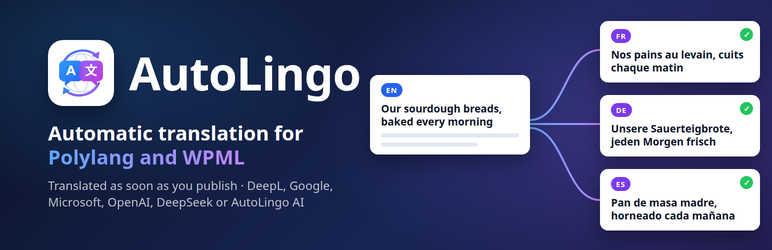
AutoLingo translates your Polylang or WPML site automatically. Publish a post in your language and AutoLingo creates its translations in every other language, with DeepL, Google Translate, Microsoft Translator, OpenAI (ChatGPT) or DeepSeek, on your own API keys, with no markup.
The free version includes
- All five providers, with automatic fallback when a quota runs out: about 3,000,000 free characters a month with free DeepL, Google and Microsoft accounts
- Translation on publish, a Translate link in the post list and the editor, and bulk translation with WP-CLI
- Categories, tags, menus and image alt text, not just posts
- Gutenberg, the Classic Editor and shortcode builders (Divi, WPBakery, Flatsome)
AutoLingo Pro adds Elementor, Bricks and Beaver Builder, SEO meta (Yoast, RankMath, SEOPress, The SEO Framework), ACF fields and WooCommerce, plus AutoLingo AI with no API key.
Features (Free)
- Translate Gutenberg content (title, blocks, excerpt) on publish or manually
- Manual translate button in the post editor and post list
- Bulk translation via WP-CLI (
translate-missing,translate-all) - Nav menu translation (Polylang and WPML)
- Five providers: DeepL (Free and Pro, auto-detected from the
:fxkey suffix), Google Translate, Microsoft Translator, OpenAI and DeepSeek - Automatic fallback: when the selected provider runs out of quota, the next one that has a key translates — free DeepL, Google and Microsoft accounts add up to about 3,000,000 characters a month
- Credit balance check before each translation
- Admin alert + dashboard widget when credit runs low
- Category and tag translation — term names (and descriptions) are genuinely translated via your chosen provider, not just linked to an existing Polylang/WPML translation
- Image alt text translation — when a translated media item exists, its alt text is translated too, not just copied
- Image alt and title text inside your content (Gutenberg images, HTML) translated in the same call as the rest
- Context-aware: the provider is told what it translates (blog post, page, product, category, menu item) for better short texts
- Post meta copy on creation (theme settings, page templates, layout options)
- Shortcode-based builders (Divi, WPBakery, Flatsome) — shortcodes preserved verbatim
Features (Pro)
AutoLingo Pro adds:
- Page builder support: Elementor, Beaver Builder, Bricks Builder
- SEO meta translation: Yoast SEO, RankMath, SEOPress, The SEO Framework
- ACF field translation: text, textarea, wysiwyg, link, repeater, flexible content
- WooCommerce: custom product attributes and purchase note
Page builder support (Pro)
- Elementor —
_elementor_data(JSON), all common widget types - Beaver Builder —
_fl_builder_data(serialized PHP), global nodes skipped - Bricks Builder —
_bricks_page_content_2(JSON), nested items (accordion, tabs)
Shortcode-based builders (Divi, WPBakery, Flatsome) are supported on the free plan — their shortcodes are preserved verbatim during translation.
SEO plugin support (Pro)
- Yoast SEO — title, meta description, focus keyword
- RankMath — title, description, focus keyword
- SEOPress — title, description
- The SEO Framework — title, description
- SEO template variables (
%%title%%,%sep%,%sitename%…) are preserved automatically
ACF (Pro)
Translates text, textarea, wysiwyg, and link (title only) fields, including repeater and flexible_content layouts.
WooCommerce (Pro)
Translates custom product attributes (name + pipe-separated values) and the purchase note. Price, stock, and SKU are never modified.
Reliability
- Exponential back-off retry on HTTP 429 (rate limit): 2 s 4 s 8 s, up to 3 retries
- Dual lock (static + transient) prevents duplicate translations on Gutenberg REST saves
- Translation log viewer in the admin (DB-backed, 30-day retention)
- Integration test suite — 41 tests covering all modules
External Services
This plugin optionally connects to one of four external translation APIs depending on which provider you choose in Settings AutoLingo. No data is ever sent without an explicit translation action and a valid API key that you supply yourself.
DeepL
What it is: DeepL is a machine translation service. This plugin uses the DeepL REST API to translate your post content.
What data is sent: The text content of your posts (title, body, excerpt) is sent to DeepL’s servers for translation. If you use the Glossary feature, your glossary terms (source and target words) are also sent to create a DeepL glossary. No personally identifiable information about your site visitors is transmitted.
When it is sent: Only when a translation is triggered — either manually via the Translate button, automatically on publish (if enabled in settings), via WP-CLI, or when syncing a glossary.
Service endpoint: api.deepl.com (Pro) or api-free.deepl.com (Free plan)
- Terms of Service: https://www.deepl.com/legal/terms
- Privacy Policy: https://www.deepl.com/privacy
OpenAI
What it is: OpenAI provides the GPT language model API. This plugin uses the gpt-4o-mini model to translate your post content when OpenAI is selected as the provider.
What data is sent: The text content of your posts is sent to OpenAI’s servers. No visitor data is transmitted.
When it is sent: Only when a translation is triggered manually or on publish.
Service endpoint: api.openai.com
- Terms of Service: https://openai.com/policies/terms-of-use
- Privacy Policy: https://openai.com/policies/privacy-policy
DeepSeek
What it is: DeepSeek provides a GPT-compatible language model API. This plugin uses the deepseek-chat model to translate your post content when DeepSeek is selected as the provider.
What data is sent: The text content of your posts is sent to DeepSeek’s servers. No visitor data is transmitted.
When it is sent: Only when a translation is triggered manually or on publish.
Service endpoint: api.deepseek.com
- Terms of Service: https://chat.deepseek.com/downloads/DeepSeek%20Terms%20of%20Use.html
- Privacy Policy: https://cdn.deepseek.com/policies/en-US/deepseek-privacy-policy.html
Microsoft Translator
What it is: Microsoft Translator (Azure AI Translator, Text API v3) provides machine translation. This plugin uses it to translate post content when Microsoft Translator is selected as the provider, or when it takes over because the selected provider’s quota is used up.
What data is sent: The text content of your posts is sent to Microsoft’s servers. No visitor data is transmitted.
When it is sent: Only when a translation is triggered manually or on publish, and only if you entered a Microsoft Translator key.
Service endpoint: api.cognitive.microsofttranslator.com
- Terms of Service: https://www.microsoft.com/licensing/terms/productoffering/MicrosoftAzure/MCA
- Privacy Policy: https://privacy.microsoft.com/privacystatement
Google Cloud Translation
What it is: Google Cloud Translation API provides machine translation. This plugin uses it to translate post content when Google Translate is selected as the provider.
What data is sent: The text content of your posts is sent to Google’s servers. No visitor data is transmitted.
When it is sent: Only when a translation is triggered manually or on publish.
Service endpoint: translation.googleapis.com
- Terms of Service: https://cloud.google.com/terms
- Privacy Policy: https://policies.google.com/privacy
Configuration
- Get one or more API keys. Free tiers: DeepL API Free (500,000 characters a month, key ends with
:fx), Google Cloud Translation (500,000), Microsoft Translator (2,000,000). - Paste the keys under Settings AutoLingo and pick the provider to use first. When its quota runs out, the next provider with a key translates.
- Check the source language (the one you write in) and the target languages.
- Choose which content types to translate (default: posts and pages, plus products when WooCommerce is active).
WP-CLI Commands
wp pdat audit — list all source posts with translation status per language
wp pdat audit --format=csv — same output as CSV
wp pdat translate-missing --dry-run — simulate without creating anything
wp pdat translate-missing — translate only missing translations
wp pdat translate-all — translate or update all source posts
wp pdat translate-options — translate ACF Options Page fields
wp pdat audit-acf — list all translatable ACF fields
Schermafbeeldingen


Installatie
- Set up your languages in Polylang or WPML first (at least two languages).
- In Plugins Add New, search for “AutoLingo”, then install and activate it.
- Go to Settings AutoLingo and paste at least one API key (DeepL, Google, Microsoft, OpenAI or DeepSeek).
- Publish a post: it is translated into every target language.
On a new install, AutoLingo takes its source and target languages from Polylang or WPML: your default language is the source, the others are the targets. You can change them in the settings.
Via WP-CLI:
wp plugin install autolingo-polylang-translate --activate
FAQ
-
Which DeepL plan do I need?
-
Both plans work. The Free plan gives 500,000 characters/month at no cost — the key ends with
:fx. The Pro plan is billed per character with no monthly cap. -
Is it free to use?
-
The free plugin is free. Translation itself is billed by the provider you choose, on your own account — and DeepL, Google and Microsoft each have a free monthly quota. Enter several keys and AutoLingo uses them one after the other: when one quota runs out, the next provider translates. That is about 3,000,000 free characters a month, with no AutoLingo translation subscription.
-
I published a post and nothing was translated. Why?
-
AutoLingo only translates posts written in the source language set under Settings AutoLingo. If that language is not one of your site’s languages, the settings page says so. Also check that at least one API key is saved and that “Auto-translate” is on. Every request, with its error if any, is listed in the translation log.
-
Does the free version translate Elementor pages?
-
No. Elementor, Beaver Builder and Bricks content is translated by AutoLingo Pro. Gutenberg, the Classic Editor and shortcode builders (Divi, WPBakery, Flatsome) are translated by the free version.
-
Does it work with Polylang free or only Polylang Pro?
-
It works with both Polylang (free) and Polylang Pro.
-
Will it overwrite my existing translations?
-
No translation you edited by hand is overwritten: when the source post changes, AutoLingo skips that translation and notes it in the translation log. Otherwise, auto-translate on publish updates the translations when the source changes.
translate-missingonly creates translations that do not exist yet;translate-allalso updates the others. -
Are shortcodes translated?
-
No. Shortcodes (
[contact-form-7 …],[vc_row], Divi modules, etc.) are replaced by neutral placeholders before sending to the translation API and restored verbatim in the output. This protection applies to all five providers (DeepL, Google Translate, Microsoft Translator, OpenAI, DeepSeek). SEO template variables (%%title%%,%sep%) are also preserved automatically. -
What happens if the DeepL rate limit is hit?
-
The plugin retries automatically up to 3 times with exponential back-off (2 s, 4 s, 8 s). If all retries fail the error is logged and the translation is skipped for that request.
-
Does it work with Polylang and WPML?
-
Yes. AutoLingo supports both Polylang (free and Pro) and WPML via an adapter layer — the same translation logic works with whichever multilingual plugin is active. Posts are translated on publish, in bulk, or via WP-CLI, using DeepL, Microsoft Translator, OpenAI, DeepSeek or Google Translate.

Bijdragers & ontwikkelaars
“AutoLingo — Automatic Translation for Polylang & WPML” is open source software. De volgende personen hebben bijgedragen aan deze plugin.
Bijdragers
Vertaal “AutoLingo — Automatic Translation for Polylang & WPML” in je eigen taal.
Interesse in ontwikkeling?
Bekijk de code, haal de SVN repository op, of abonneer je op het ontwikkellog via RSS.
Changelog
1.4.9
- Fix: with WPML, a post published in the block editor showed its new translation as needing an update in the posts list
- The settings page links to the 90-second demo video
1.4.8
- Fix: with Polylang, publishing a new post in the block editor created its translation twice (one linked, one left unlinked)
- Fix: the dashboard widget showed “DeepL Credit” and a DeepL plan when AutoLingo AI was the provider
- Readme: a translation you edited by hand is kept when the source post changes
1.4.7
- Free version: the AutoLingo box in the post editor says when a page is built with Elementor, Bricks or Beaver Builder, whose layout the free version does not translate
- Free version: the settings page lists the active plugins whose content only Pro translates (page builders, Yoast SEO, Rank Math, SEOPress, The SEO Framework, ACF, WooCommerce)
- Readme: a clearer description of what the free version includes
1.4.6
- New installs take their source and target languages from Polylang or WPML (default language source, the others targets). The French English defaults translated nothing on most sites. Existing settings are not changed
- The settings page warns when the source language is not one of the site’s languages, since nothing is translated then
- “AutoLingo Pro” links go to the WordPress pricing on auto-lingo.com
- Readme: installation, configuration and two new FAQ entries
1.4.5
- Premium: Freemius SDK updated to 2.13.5 (security hardening of admin notices and the opt-in flow)
1.4.4
- Fix (WPML): with English set up as “en-us” (WPML 5’s default), nothing was translated — WPML language codes now match AutoLingo’s
- Fix (WPML): editing a source post detached its translation, so the next save created a duplicate
- Fix (WPML): posts created and published in one go (REST API, WP-CLI, imports) were not translated
- Fix (WPML): translated categories and tags could be filed under the wrong language on sites where term IDs and term taxonomy IDs differ
- Fix (WPML): translated menus are now French menus linked to their source, with their items (they used to be English and empty)
- Tested on a real WPML 5.2 site
1.4.3
- Fix: with AutoLingo AI, a translated title or alt text could keep the Markdown code fence the AI wrapped it in (“
html …“). The fence is now removed, also from the translations already in the translation memory - Fix: when a translation fails, the log now gives the real cause (for example the AutoLingo AI characters of the month used up) instead of “DeepL error”, whichever provider failed; WP-CLI shows it too
1.4.2
- Fix: with AutoLingo AI, some translated posts lost their block structure (the block markers came back altered from the AI and were not put back). They are now recovered, or the text is translated again piece by piece
1.4.1
- Fix: translating a post or page that links to another post of the site stopped with a fatal error (since 1.4.0), and the translation was not created
1.4.0
- Premium: AutoLingo AI is included: translation with no API key, 1,000,000 characters a month, packs of 10,000,000 characters from the settings. Used automatically when the selected provider has no key, and last when the others run out of quota
1.3.0
- Image alt and title text inside your content (Gutenberg images, HTML) is translated, in the same call as the rest
- Better translations of short texts: the provider is told what it translates (blog post, page, product, category, menu item, image alt text) — DeepL context, OpenAI / DeepSeek instructions
1.2.0
- Microsoft Translator as a fifth provider (free tier: 2,000,000 characters a month)
- Automatic fallback: when the selected provider runs out of quota (DeepL 456, Microsoft free quota, Google daily limit, OpenAI / DeepSeek balance), AutoLingo translates with the next provider that has a key — DeepL, Microsoft, Google, then OpenAI and DeepSeek. Free DeepL, Google and Microsoft accounts add up to about 3,000,000 characters a month. A provider out of quota is skipped for an hour; any other error is still reported. Can be switched off in the settings.
- The settings page shows every API key field while the fallback is on
1.1.30
- Translate category and tag names when no translation exists yet — when a source term has no linked translation on Polylang/WPML, its name (and description) is now genuinely translated via your provider and created as a real linked term, instead of tagging the translated post with the untranslated source term
1.1.29
- Translate image alt text (
_wp_attachment_image_alt) — when the media library item itself has a translated counterpart, its alt text is now genuinely translated instead of left in the source language
1.1.28
- Complete the WP.org asset set — plugin icon and banner were never inside the folder the release pipeline actually syncs to SVN, so the listing showed a placeholder icon and no banner on every release; also adds the 2 missing screenshots (settings page, post list)
1.1.27
- Add estimated time and money saved (vs. a translation agency) to the dashboard widget
- Add a real dashboard-widget screenshot to the WP.org listing (screenshot #3) — previously the listing’s 3 screenshot captions had no images behind them because the release pipeline never synced an assets directory to SVN
1.1.26
- Fix “Tested up to” being stuck at 7.0 — WP.org excludes plugins with an outdated value from search results entirely
- Fix plugin name mismatch between readme.txt and the plugin file header
- Add a dismissible admin notice inviting a WP.org review after 20 successful translations
1.1.25
- Add WPML support via adapter pattern — all translation logic now works with Polylang or WPML, whichever is active
- Introduce
AutoLingo_Multilingual_Adapterinterface and dedicated adapters for Polylang and WPML - Skip WPML internal post meta (
_icl_,_wpml_) during meta copy, alongside existing Polylang exclusions
1.1.24
- Rename plugin to “AutoLingo — Automatic Translation for Polylang” for clarity
- Rewrite readme copy (title, description, FAQ) to target “Polylang automatic translation”
- Split Features into Free / Pro sections — page builders, SEO, ACF and WooCommerce are clearly marked as Pro
1.1.23
- Fix HTML tags (,
1.1.22
- Add [notranslate]…[/notranslate] shortcode: wrap any passage to have it reproduced verbatim in every language — brand names, codes, or quotes are never sent to the translation API
1.1.21
- Reduce synchronous save time: batch title, content and excerpt into a single DeepL API call instead of three sequential requests (3× fewer HTTP round trips per target language)
- Skip API entirely when post content is unchanged since last translation (hash-based detection)
- Add configurable async translation threshold: posts above N characters are translated in the background via WP-Cron; admin settings show WP-Cron status and pending job count
- Improve async translation settings UI: explicit on/off toggle with WP-Cron health indicator
1.1.19
- Fix custom HTML blocks (wp:html) not being protected on large posts — replaced fragile regex with strpos-based scanner; now works regardless of block content size
1.1.18
- Skip translation of custom HTML blocks (wp:html), embed blocks (wp:embed), code blocks (wp:code) and preformatted blocks (wp:preformatted) — their inner content is now preserved verbatim and never sent to the translation API
1.1.17
- Fix Elementor hook firing for free users —
elementor/document/after_saveis now gated on premium, preventing unwanted API calls on free installs
1.1.7
- WordPress.org compliance: remove premium license gating — all features (page builders, SEO, ACF, WooCommerce) are now fully available without a license
- Convert inline
<script>and<style>tags towp_enqueue_script()/wp_enqueue_style()/wp_add_inline_script()/wp_add_inline_style() - Fix ACF options key prefix:
options_pdt_acf_to avoid collision with global namespace - Set Freemius
is_premium => falseandis_org_compliant => truefor WP.org compliance - Rename plugin: “AutoLingo — Translation for Polylang” (remove DeepL trademark from name)
1.1.6
- Fix shortcode and SEO-variable protection not applying when Google Translate or OpenAI is the active provider — protection is now applied universally in the translation wrapper
1.1.5
- Add module toggle checkboxes in settings for page builders, SEO, ACF, and WooCommerce
- Settings page: module checkboxes now saved per-option (pdt_module_*)
- Docs (EN + FR): two-card pricing section, updated hero and FAQ
1.1.4
- Resolve all WordPress Plugin Check issues for WordPress.org submission
- Fix
wp_redirectwp_safe_redirectin manual translate handler - Add ABSPATH guard to CLI file
- Escape all dynamic output (CSS vars, numeric values) throughout admin pages
- Gate all
error_log()calls onWP_DEBUG_LOG - Remove
load_plugin_textdomain()(auto-loaded since WordPress 4.6) - Integration tests now save and restore source/target language settings
1.1.3
- Fix SEO meta (Yoast, RankMath, SEOPress) not re-translating when updated independently from post content
1.1.2
- Fix Elementor Flexbox Container (v4+) translation — atomic $$type format now handled
1.1.1
- Rebranded to AutoLingo — slug renamed to
autolingo-polylang-translate, Plugin URI updated toauto-lingo.com - Multi-provider architecture — DeepL, Google Translate, and OpenAI share a common provider interface
1.1.0
Bug fixes
* Polylang language not correctly assigned to the translated post after creation
* DeepL HTTP 400 on complex Gutenberg content — resolved by wrapping in a <div>
* ACF url and email field types are no longer sent to DeepL
* Polylang internal taxonomies excluded from term sync
* Admin notices now use transients instead of GET parameters (security fix)
Page builders
* Elementor — widget settings translated via _elementor_data
* Beaver Builder — module settings translated via _fl_builder_data; global nodes skipped
* Bricks Builder — elements and nested items translated via _bricks_page_content_2
* Shortcode protection for Divi, WPBakery, Flatsome, Contact Form 7
SEO
* Yoast SEO, RankMath, SEOPress, The SEO Framework meta fields translated
* SEO template variables preserved via <span translate="no">
WooCommerce
* Custom product attributes translated (name + pipe-separated values)
* Purchase note (_purchase_note) translated
* Price, stock, SKU excluded from meta copy
Technical
* Automatic post meta copy on translation creation
* DeepL HTTP 429 retry with exponential back-off (2 s 4 s 8 s)
* Integration test suite: 18 tests covering all modules
* Full i18n — French (fr_FR) translation included
* Freemius SDK integrated for license management
1.0.0
- Initial release