

Beschrijving
EU Order Withdrawal Button for WooCommerce adds compliance with the EU directive 2023/2673 to WooCommerce. With the help of this little plugin you may easily allow your customers to submit (partial) withdrawal requests to their orders.
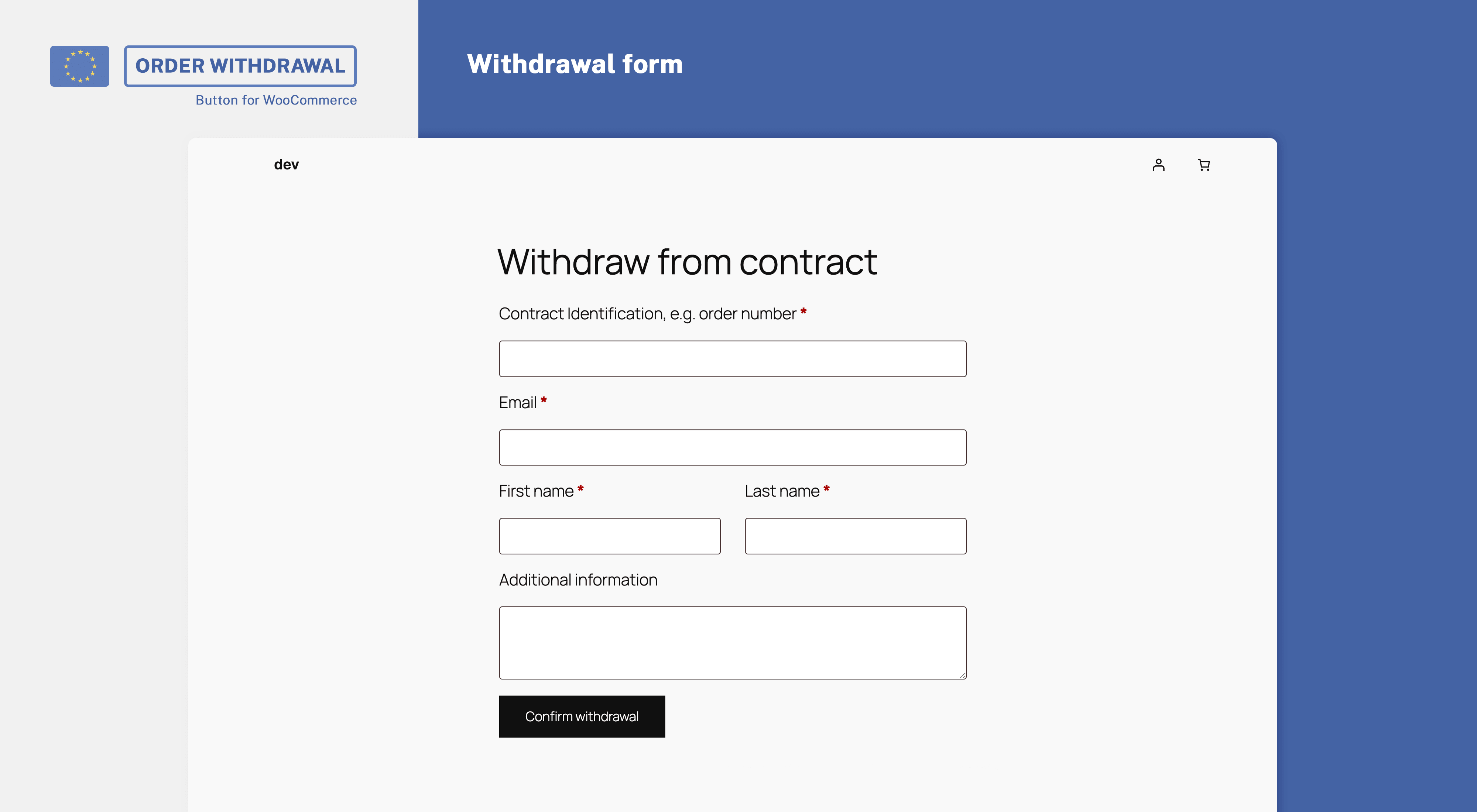
- Withdrawal request form – Use a shortcode to embed a withdrawal request form which works both for guest orders and registered customers.
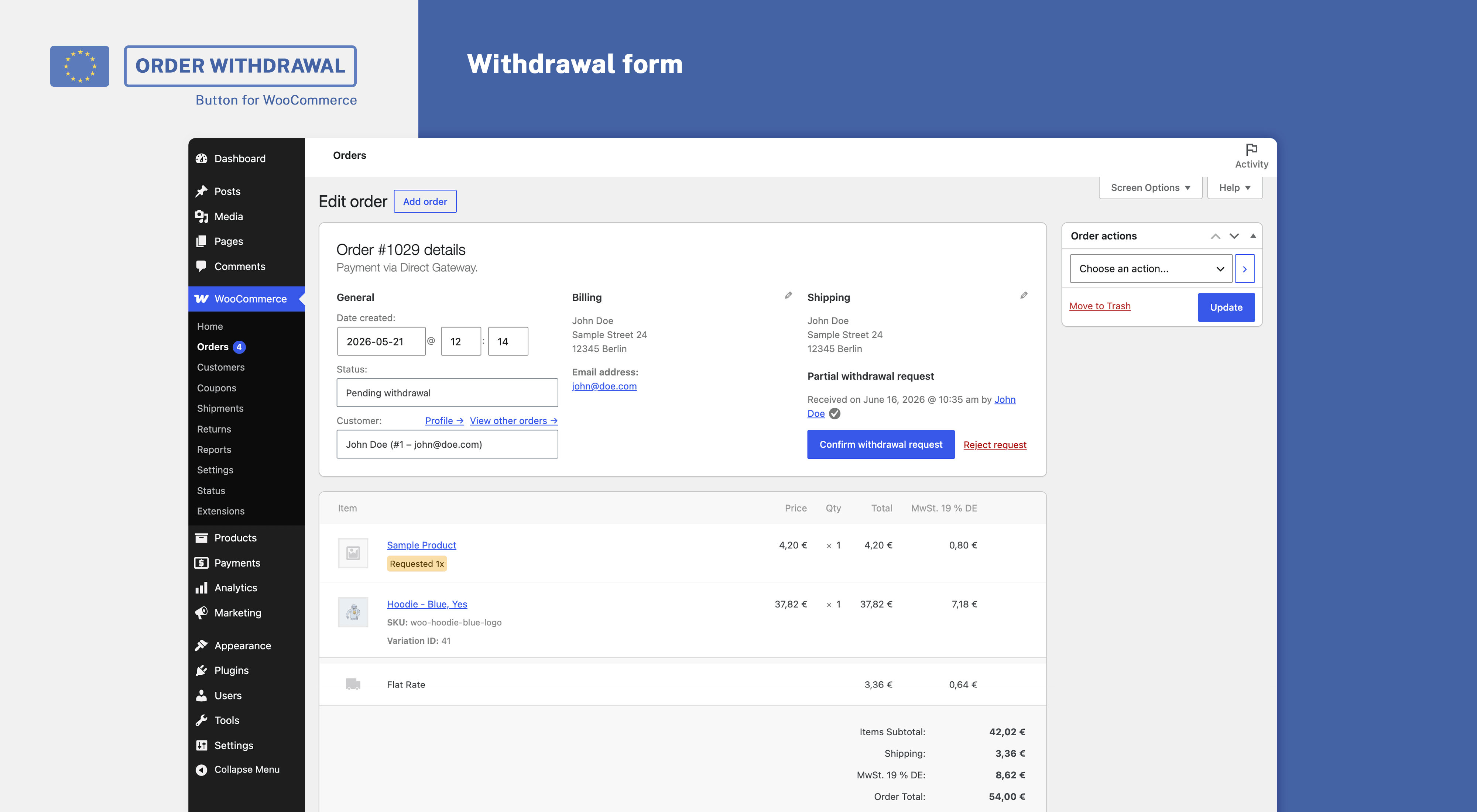
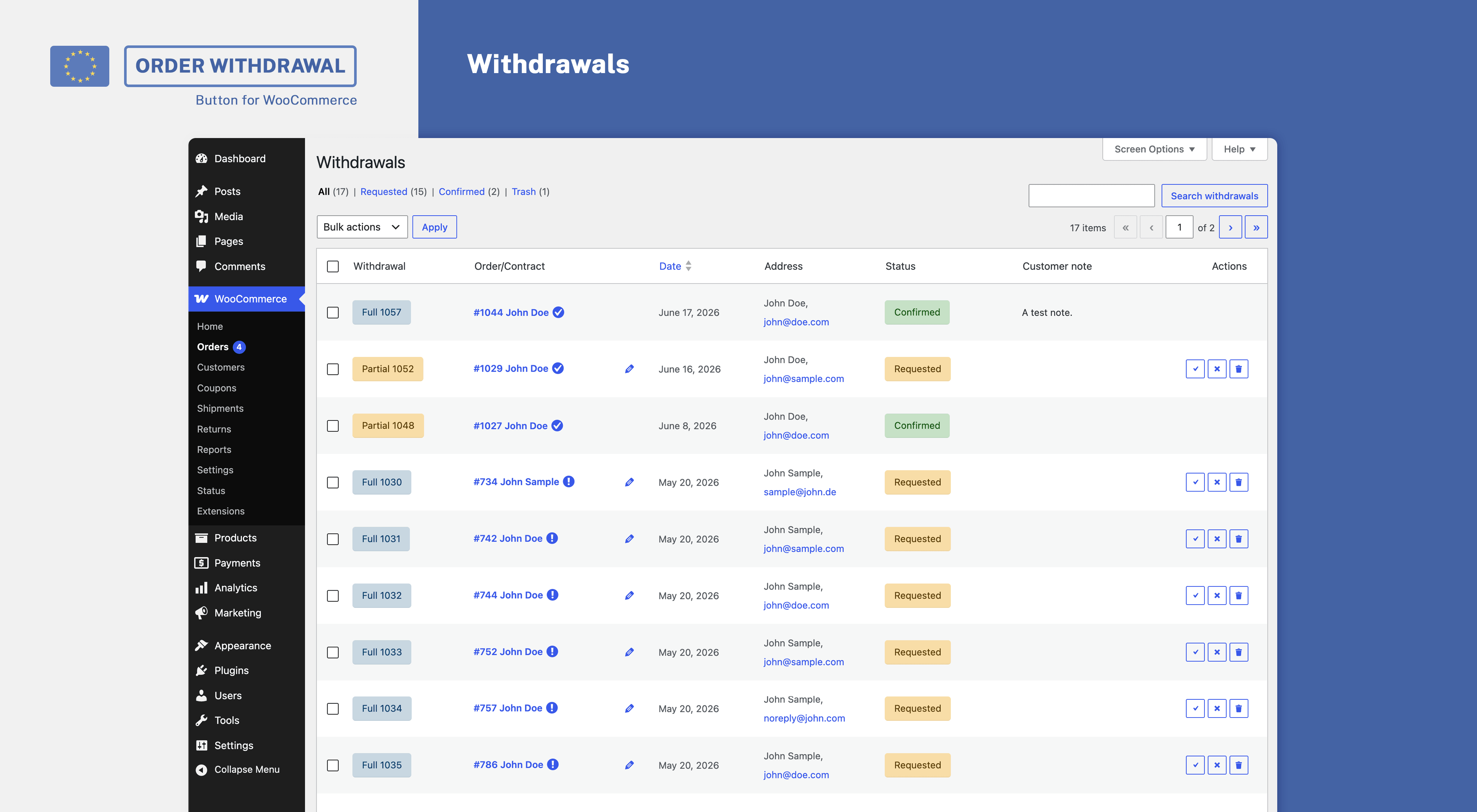
- Manage withdrawals – Easily manage withdrawals from your WooCommerce order page by either confirming or rejecting requests.
- Send confirmation emails – Automatically confirm receipt of the withdrawal by email including all required information.
- Partial withdrawals – Optionally allow customers to submit partial withdrawal requests.
- GDPR ready – Comes with privacy policy proposal, support for personal data export and erasure.
- WPML compatibility – Comes with built-in compatibility for multilingual shops using WPML
Initial setup and withdrawal button placement
After installation, a new page (withdraw from contract) is created as a draft. This page includes the [eu_owb_order_withdrawal_request_form] shortcode to output the withdrawal form.
- Review the page created and your settings under WooCommerce > Settings > Advanced > Withdrawals (In case you are using our plugin Germanized for WooCommerce find your settings under WooCommerce > Settings > Germanized > General)
- Publish the page containing the withdrawal form shortcode
- Make sure that the withdrawal button is shown in your footer on shop-related pages
- Review the email templates provided to confirm the receipt, confirmation and rejection of withdrawals under WooCommerce > Settings > Emails
- Test the withdrawal procedure both as a guest and as a customer
If you don’t want the button to be injected automatically, disable the related setting and either use the shortcode [eu_owb_order_withdrawal_button] to output the button or manually create a link to your withdrawal page within your theme or pagebuilder.
Integrated with Shiptastic for WooCommerce
Use our plugin Shiptastic for WooCommerce to handle returns with ease. After confirming a withdrawal request, Shiptastic automatically adds a return shipment including all items of the original request. Provide your customer with all the information needed to return the goods to you. Use Shiptastic to exclude certain products from being returnable at all.
Schermafbeeldingen
Installatie
Minimal Requirements
- WordPress 4.9 or newer
- WooCommerce 3.9 (newest version recommended)
- PHP Version 7.0 or newer
Automatic Installation
We recommend installing EU Order Withdrawal Button for WooCommerce through the WordPress backend. Please install WooCommerce before installing the plugin.
Follow the initial setup steps to configure the plugin.
FAQ
-
How to render the withdrawal form?
-
Place the shortcode [eu_owb_order_withdrawal_request_form] anywhere on a page to render the form.
-
Use the option to embed the button directly within your footer or your theme’s options, e.g. a footer menu, to link the withdrawal page.
You may furthermore use the shortcode [eu_owb_order_withdrawal_button] to place the button wherever you want. -
Make sure that you’ve published your withdrawal page (which by default is created as a draft during installation). The embedded button does only show on shop-related pages.
-
Need help?
-
You may ask your questions within our free WordPress support forum.
-
Want to file a bug or improve the plugin?
-
Bug reports may be filed via our GitHub repository.
Beoordelingen


Bijdragers & ontwikkelaars
“EU Order Withdrawal Button for WooCommerce” is open source software. De volgende personen hebben bijgedragen aan deze plugin.
Bijdragers

“EU Order Withdrawal Button for WooCommerce” is vertaald in 4 localen. Dank voor de vertalers voor hun bijdragen.
Vertaal “EU Order Withdrawal Button for WooCommerce” in je eigen taal.
Interesse in ontwikkeling?
Bekijk de code, haal de SVN repository op, of abonneer je op het ontwikkellog via RSS.
Changelog
2.3.1
- New: Withdrawal preview modal
- Improvement: Link withdrawal items with refunds to prevent reducing withdrawable quantity twice
- Fix: Edge-case where edit withdrawal guest links where missing the current order
2.3.0
- New: WPML compatibility
- New: Privacy additions (export, erase, policy suggestions)
- New: Setting to select which fields to be mandatory
- New: Setting to add an “additional information” textarea
- New: Added sha256 verification code which reflects the data contained within the withdrawal request
- Improvement: Allow setting days to withdraw to 0 to keep order withdrawable indefinitely
- Improvement: Renamed order number field to “Contract identification” and make it mandatory by default
- Improvement: Explicitly exclude checkout-draft status
- Improvement: Add order notes to withdrawals, e.g. on status updates
- Fix: Woo < 10.X backwards compatibility
2.2.1
- Improvement: Show withdrawal page valid/invalid status in settings
- Improvement: Use a more consistent HTML markup for checkboxes
- Improvement: Do not pass (parent) order object in case existent to emails for consistency
2.2.0
- Improvement: Use additional content within withdrawal confirmation email to allow for a more customized message
- Improvement: Backwards compatibility with Woo < 8.7
- Improvement: Use woocommerce_form_field to output form fields within withdrawal form
- Improvement: Prevent rejected unverified withdrawal requests from reducing the quantity available to withdraw
- Improvement: Introduce sane first name, order number and last name maxlength
- Improvement: Check whether a new withdrawal request actually has any updates
- Fix: Allow (guest) withdrawal requests to be overridden (in case verified) – thanks to Ilyess Ghalem from fraudless.tech
- Fix: Plaintext email template usage
2.1.1
- Improvement: Basic spam protection via honeypot field + direct post check
- Improvement: Prevent guests from submitting
- Fix: Performance improvement for legacy withdrawal imports by using direct queries
2.1.0
- New: Accept withdrawal requests without matching order
- New: Withdrawal admin UI
- New: Store withdrawals as custom order type
- New: Allow choosing a different support email via setting
2.0.2
- Improvement: List all orders for logged-in users and show non-withdrawable notices on request
2.0.1
- Fix: Prevent calling customer in admin context
2.0.0
- Improvement: Allow withdrawal requests without order number and differing email address
- Improvement: Mark withdrawal requests as verified/unverified based on email address
- Improvement: Separately list unverified withdrawal requests by default
- Improvement: Allow verified guests to choose another order in case multiple orders are withdrawable
- Improvement: Allow choosing first + last name
1.0.2
- Improvement: Inform guest customers about partial withdrawals within original form
- Fix: HPOS order number search
1.0.1
- Fix: Partial withdrawal request check
- Improvement: Fallback to customer_id in case billing_email differs
1.0.0
- Initial commit