

Beschrijving
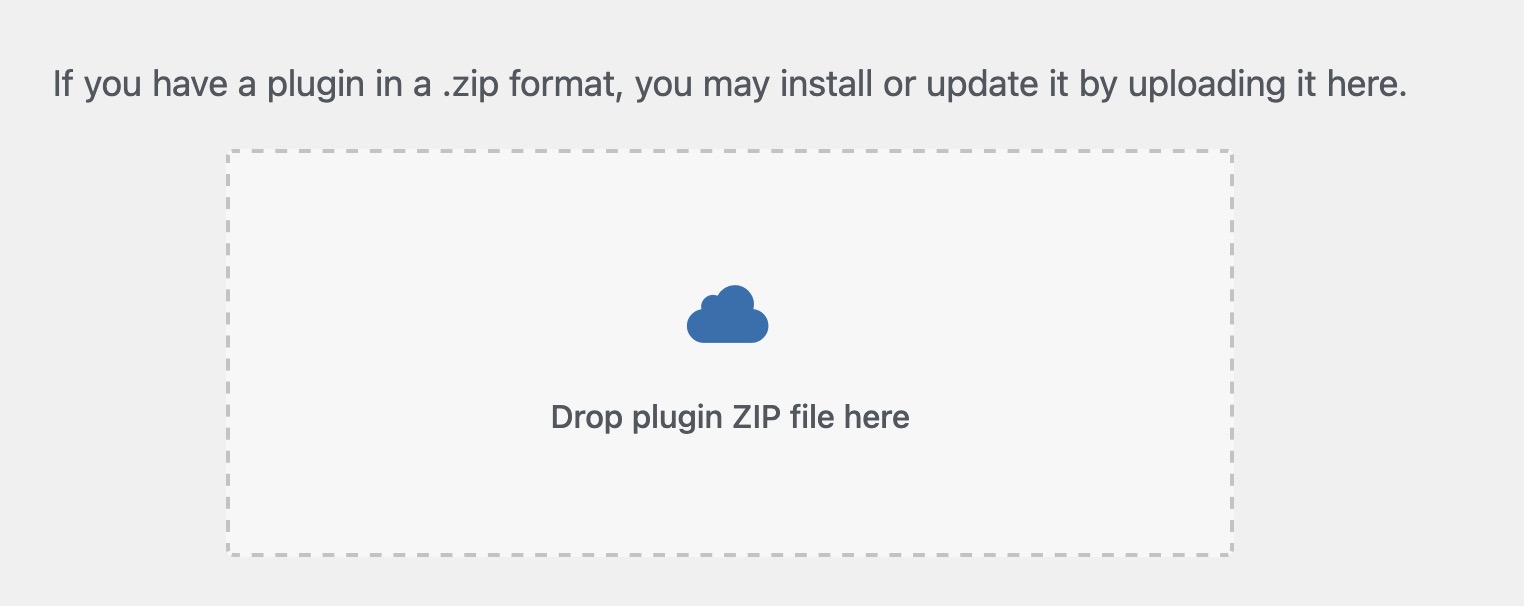
A WordPress plugin that adds drag and drop capabilities to plug-in uploads across the admin: the plug-in installer (/wp-admin/plugin-install.php), the Plugins page (/wp-admin/plugins.php), and the install/update result pages (/wp-admin/update.php), so you can keep uploading plug-ins without leaving the page.
Features:
- Drag and drop ZIP files directly onto the upload form
- Drag and drop one or more plugin ZIPs directly onto the Plugins list (
plugins.php) — no need to open the upload form first - Upload multiple plug-in ZIP files at once – they are installed one at a time with a per-file status list
- Upload queue: added files append to the list, each on its own line with a remove button
- “Upload Plugin” button on the Plugins page, next to “Add Plugin”, that reveals the upload form
- Upload form shown again after each install or update, so you can upload another plug-in right away
- One-click “Activate Uploaded Plugins Now” button after installation completes
- In-place replacement of already-installed plug-ins via a “replace existing [current version] with new [uploaded version]” link
- Click-to-browse functionality on the drop zone
- Automatic file validation (ZIP files only)
- Visual feedback, success/error messages, and smooth animations
How It Works:
The plug-in:
* Loads on the plug-in install page (plugin-install.php), the Plugins page (plugins.php), and the upload result pages (update.php)
* Adds a visual drop zone in place of the standard upload form
* On the Plugins list page, also accepts drops anywhere on the list (shows an overlay while dragging)
* Handles drag and drop events and validates dropped files (must be ZIP files)
* Queues the selected files and installs them one at a time using WordPress’s own upload handler
* Shows a per-file result list with options to replace already-installed plug-ins and activate the new ones
* Provides visual feedback during drag operations
Browser Support:
Works in all modern browsers that support the HTML5 Drag and Drop API:
* Chrome
* Firefox
* Safari
* Edge
Schermafbeeldingen
Installatie
- Upload the plug-in folder to
/wp-content/plugins/ - Activate the plug-in through the ‘Plug-ins’ menu in WordPress
- Navigate to Plug-ins > Add New > Upload Plug-in
- Drag and drop a plug-in ZIP file onto the form
FAQ
-
What browsers are supported?
-
This plug-in works in all modern browsers that support the HTML5 Drag and Drop API, including Chrome, Firefox, Safari, and Edge.
-
What file types can I drag and drop?
-
Only ZIP files are supported. The plug-in automatically validates that dropped files are ZIP archives.
-
Where does this plug-in work?
-
The drag and drop functionality appears on the plug-in upload page (
/wp-admin/plugin-install.php), on the Plugins page (/wp-admin/plugins.php) — drop ZIP files onto the plugin list itself, or use the “Upload Plugin” button next to “Add Plugin” — and on the install/update result pages (/wp-admin/update.php) so you can upload another plug-in right away. -
Can I upload more than one plug-in at a time?
-
Yes. Drop or select several ZIP files and they are added to an upload queue, each on its own line with a remove button. Clicking “Install Now” installs them one at a time and shows the result for each file.
-
What happens if a plug-in is already installed?
-
The result list shows a “replace existing [current version] with new [uploaded version]” link for that plug-in. Clicking it replaces the installed version with the uploaded one, without leaving the page.
-
Can I activate the uploaded plug-ins right away?
-
Yes. After the uploads finish, an “Activate Uploaded Plugins Now” button appears; clicking it activates all plug-ins that were just installed. Plug-ins that were already active stay active.
Beoordelingen

Bijdragers & ontwikkelaars
“Enable Drag and Drop on Adding Plugin Upload” is open source software. De volgende personen hebben bijgedragen aan deze plugin.
Bijdragers
Vertaal “Enable Drag and Drop on Adding Plugin Upload” in je eigen taal.
Interesse in ontwikkeling?
Bekijk de code, haal de SVN repository op, of abonneer je op het ontwikkellog via RSS.
Changelog
1.0.65
- Updated plugin description
1.0.64
- Updated plugin info
1.0.63
- Updated plugin description
1.0.62
- Updated Tested up to WordPress 7.0.2 and corrected the minimum PHP version requirement
1.0.61
- Incremental update
1.0.6
- Added drag and drop of one or more plugin ZIP files directly onto the Plugins list page (
plugins.php), with a full-page drop overlay while dragging.
1.0.5
- Minor code updates
1.0.4
- Added upload tracking pixel after each uploaded plugin filename
- Added total plugins uploaded badge below the support button
1.0.3
- Added drag and drop upload form to the Plugins page (
plugins.php), hidden behind a new “Upload Plugin” button next to “Add Plugin” - Added the upload form to the install/update result pages on
update.php, including after replacing an existing plugin, so another plugin can be uploaded right away - Added support for uploading multiple plugin ZIP files at once, installed one at a time with a per-file status list
- Added an upload queue: newly added files append to the list, each file shown on its own line with a remove button; a new session starts automatically after a finished batch
- Added “Activate Uploaded Plugins Now” button to activate the just-uploaded plugins after installation completes
- Added in-place replacement for plugins that are already installed, via a “replace existing [current version] with new [uploaded version]” link
- Added a support button shown after uploads and activation are complete
- Fixed the drop zone incorrectly appearing on the plugin conflict (“replace current with uploaded”) screen
- Fixed page detection matching the plugin’s own script source, which prevented the upload form from being inserted
- Fixed single plugin uploads stalling at “Installing” when the native submit button was disabled by WordPress core
- Fixed clicks on links and buttons inside the drop zone unintentionally opening the file picker
1.0.0
- Initial release
- Added drag and drop functionality to plug-in upload form
- Visual feedback during drag operations
- Automatic file validation for ZIP files
- Click-to-browse functionality on drop zone