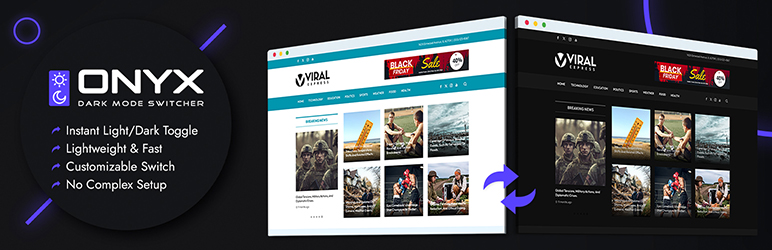

Beschrijving
A lightweight WordPress plugin that lets your visitors switch between light and dark mode in one click.
No setup pages. No confusing options. No performance overhead.
Just install, activate, and your visitors can switch between light and dark mode instantly with one click.
The plugin automatically handles your site’s colors and works out of the box with any WordPress theme. It’s built for site owners who want a modern feature without complexity.
If you believe features should be simple, fast, and invisible — this plugin is for you.
OS Aware Dark Mode
Automatically detects the user’s system preference and applies dark mode when enabled.
Keyboard Shortcut Support
Allow users to toggle between light and dark mode using a keyboard shortcut.
Enable Dark Mode on Page Load
Start your website in dark mode by default for a comfortable browsing experience.
Skip Dark Mode on Selected Elements
Exclude specific CSS selectors from dark mode styling for full control.
Display Switch Button in Menu
Easily add the light/dark mode switch button to your WordPress navigation menu.
Switch Button Customization
Customize the switch icon, shape, position, size, and color to match your website design.
Use Custom Switch Button
Replace the default toggle with your own custom switch button.
Replace Images in Dark Mode
Show alternative images when dark mode is enabled for better visibility.
Invert Images in Dark Mode
Automatically invert images to maintain contrast in dark mode.
Invert SVG Graphics
Apply smart inversion to SVG icons and graphics in dark mode.
Enable Image Grayscale Mode
Convert images to grayscale for a cleaner dark mode appearance.
Darken Background Images
Reduce brightness of background images for improved readability.
Multiple Preset Dark Mode Color Schemes
Choose from multiple ready-made dark mode color presets.ependencies, no bloat
Installatie
The easy way to install the plugin is via WordPress.org plugin directory.
- Go to WordPress Dashboard > Plugins > Add New
- Search for “Onyx Dark Mode Switcher” and install the plugin.
- Activate Plugin from “Plugins” menu in WordPress.
Beoordelingen
Er zijn geen beoordelingen voor deze plugin.
Bijdragers & ontwikkelaars
“Onyx Dark Mode Switcher” is open source software. De volgende personen hebben bijgedragen aan deze plugin.
Bijdragers
Vertaal “Onyx Dark Mode Switcher” in je eigen taal.
Interesse in ontwikkeling?
Bekijk de code, haal de SVN repository op, of abonneer je op het ontwikkellog via RSS.
Changelog
1.0.2, 13 Feb 2026
- Media upload button not working – Fixed
- Added more color Schemes
- Code refinements
1.0.1, 17 Jan 2026
- Option for custom code added
1.0.0
- Release