Beschrijving
Timeline Full Widget is a lightweight and flexible WordPress timeline plugin that allows you to create timelines using both Elementor and Gutenberg.
The plugin provides a consistent editing experience across builders and gives you full control over layout, styling, and content without unnecessary complexity.
Key advantages:
- Works with Elementor and Gutenberg
- Schone en eenvoudige bewerkervaring
- Aanpasbare stijlen (kleuren, typografie, spatiëring)
- Support for images and video
- Responsive layout
- Reusable styles between timeline items
You can use it for:
- Project timelines
- Roadmaps
- Bedrijfsgeschiedenis
- Evenement tijdlijnen
- Milestones
Contribute
Would you like to help translate Timeline Full Widget into your language?
You can contribute translations here:
https://translate.wordpress.org/projects/wp-plugins/timeline-full-widget/
Schermafbeeldingen


Blokken
Deze plugin heeft 1 blok.
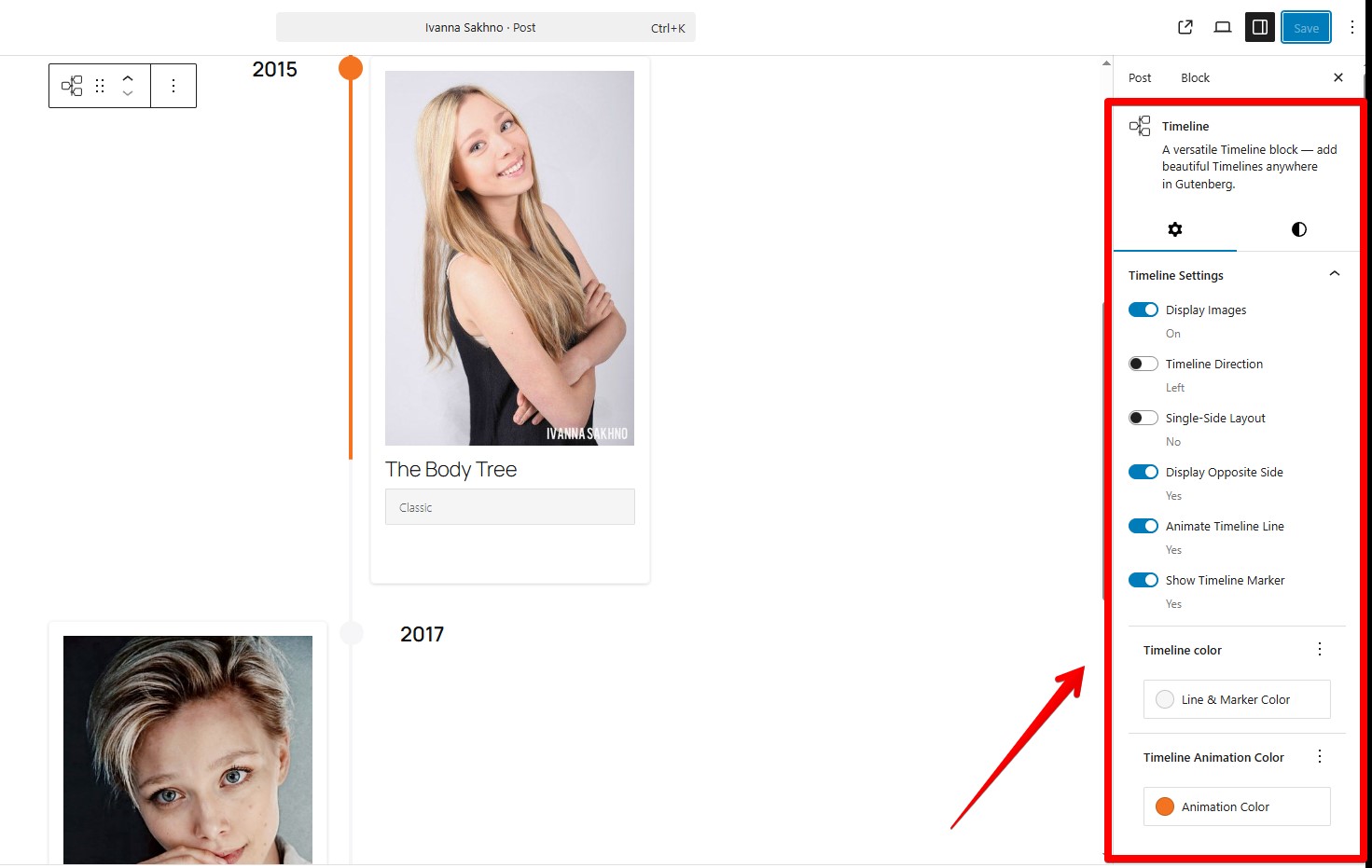
- Timeline Full Widget A versatile Timeline block — add beautiful Timelines anywhere in Gutenberg.
Installatie
- Upload the plugin files to the
/wp-content/plugins/timeline-full-widgetdirectory, or install it through the WordPress plugins screen directly. - Activeer de plugin via het ‘Plugins’ scherm in WordPress.
- Use the Elementor editor or Gutenberg editor.
FAQ
-
Werkt het met de nieuwste Elementor?
-
Yes, tested with Elementor 4.0.3 and WordPress 6.9.
-
Ondersteunt het Gutenberg (blok-editor)?
-
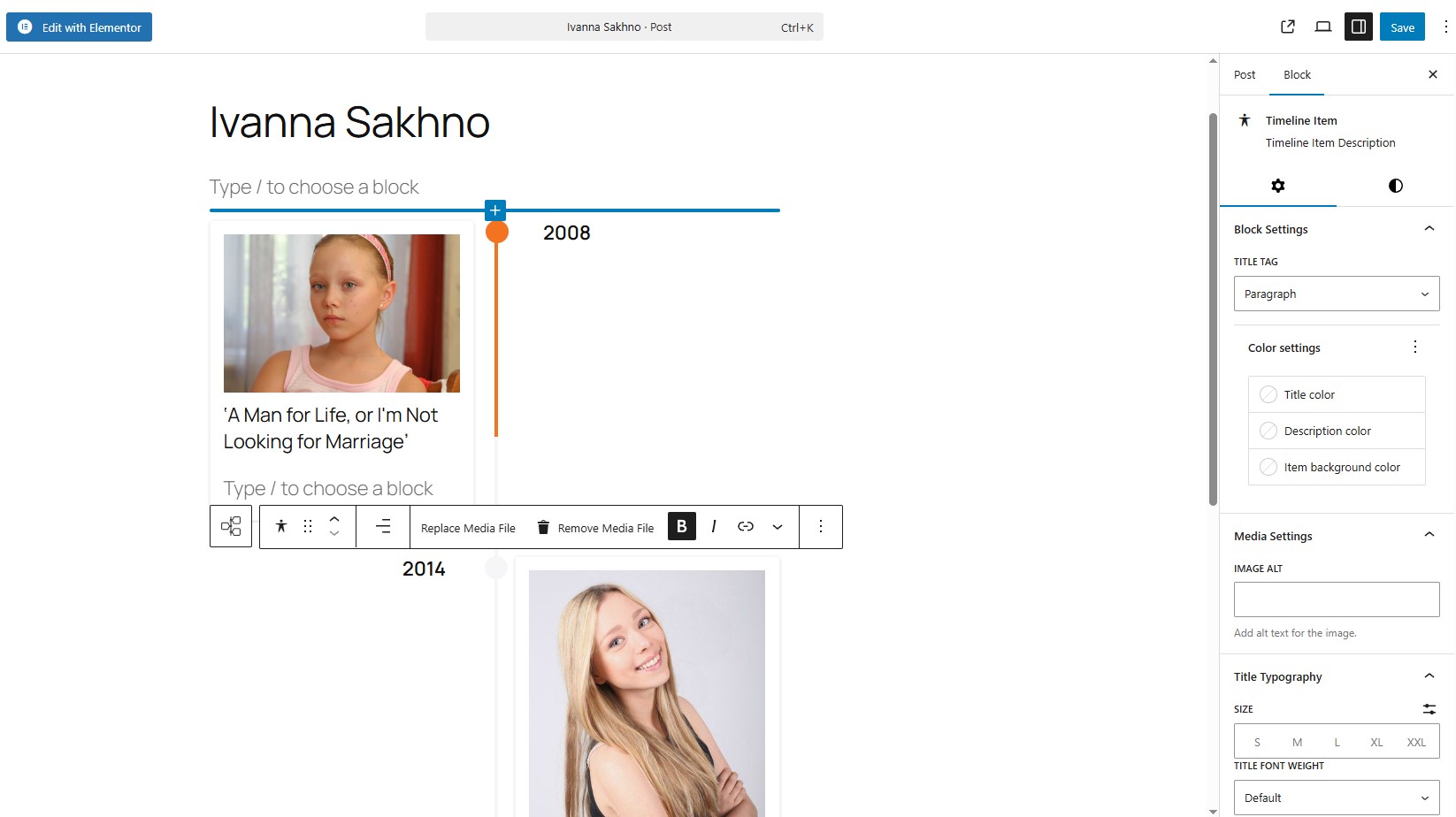
Yes, the plugin includes a native Gutenberg block. Type “/timeline”
-
Kan ik de markering op de tijdlijn items wijzigen?
-
Yes, you can. Use the “Edit marker” button. In “Marker Settings” you need choose “Unique Marker” option, after that you would be able to set a personal marker like a image.
-
Kan ik tijdlijn item stijlen aanpassen?
-
Yes, you can control colors, typography, spacing, and alignment for each item.
-
How to apply the same styles to all Timeline items in block component?
-
Use the “Apply item styles to other items” button. It copies styles from the current item to all other items.
-
Kan ik een unieke markering instellen die breder (breedte) is dan 30 px?
-
Yes, but timeline styles may need adjustment. Example:
@media (min-width: 701px) {
.tl-mark:has(img) {
max-width: 42px !important;
height: 30px;
left: calc(50% + 2px);
}
} -
Is it responsive?
-
Yes, the timeline layout adapts to different screen sizes.
-
Will it work with my theme?
-
Yes, it works with most WordPress themes, including block and classic themes.
Beoordelingen
Er zijn geen beoordelingen voor deze plugin.
Bijdragers & ontwikkelaars
“Timeline Full Widget” is open source software. De volgende personen hebben bijgedragen aan deze plugin.
Bijdragers
“Timeline Full Widget” is vertaald in 9 localen. Dank voor de vertalers voor hun bijdragen.
Vertaal “Timeline Full Widget” in je eigen taal.
Interesse in ontwikkeling?
Bekijk de code, haal de SVN repository op, of abonneer je op het ontwikkellog via RSS.
Changelog
2.2.1
- Fixed an issue with module script optimization.
- Improved Gutenberg block frontend script loading to ensure animations initialize correctly.
2.2.0
- Added showing step numbers of items.
2.1.1
- Bugfixes.
2.1.0
- WordPress Playground ondersteuning toegevoegd.
- Ondersteuning voor horizontale en verticale inhoud lay-outs toegevoegd.
- Een optie toegevoegd om de volgorde van media en inhoud om te keren.
2.0.0
- Bugfixes.
- Improved Title Typography controls.
- Link wrapper ondersteuning voor media elementen toegevoegd.
- Tijdlijn breedte stijl besturingselementen toegevoegd.
1.3.0
- Een knop toegevoegd om stijlen van het huidige item te kopiëren.
- Toegevoegd responsive media queries voor het Gutenberg blok timeline.
- Toegevoegd responsive media queries voor de Elementor widget tijdlijn.
- Besturingselementen voor mediabreedte binnen timeline items toegevoegd.
- Fixed Content Typography style issues in Elementor.
- Separated line and marker color styles.
1.2.0
- Aangepaste tijdlijn stijlen in het Gutenberg blok.
- Bugfixes.
1.1.0
- Bugfixes.
- Lettertypefamilie selectie voor titelelementen toegevoegd in het Gutenberg blok.
1.0.1
- Sticky tekst instellingen voor de andere kant van de tijdlijn toegevoegd.
- Markering animatie gedrag gecorrigeerd.
1.0.0
- Release Date – 25th September 2025.
- Initial Release.