
Beschrijving
Options:
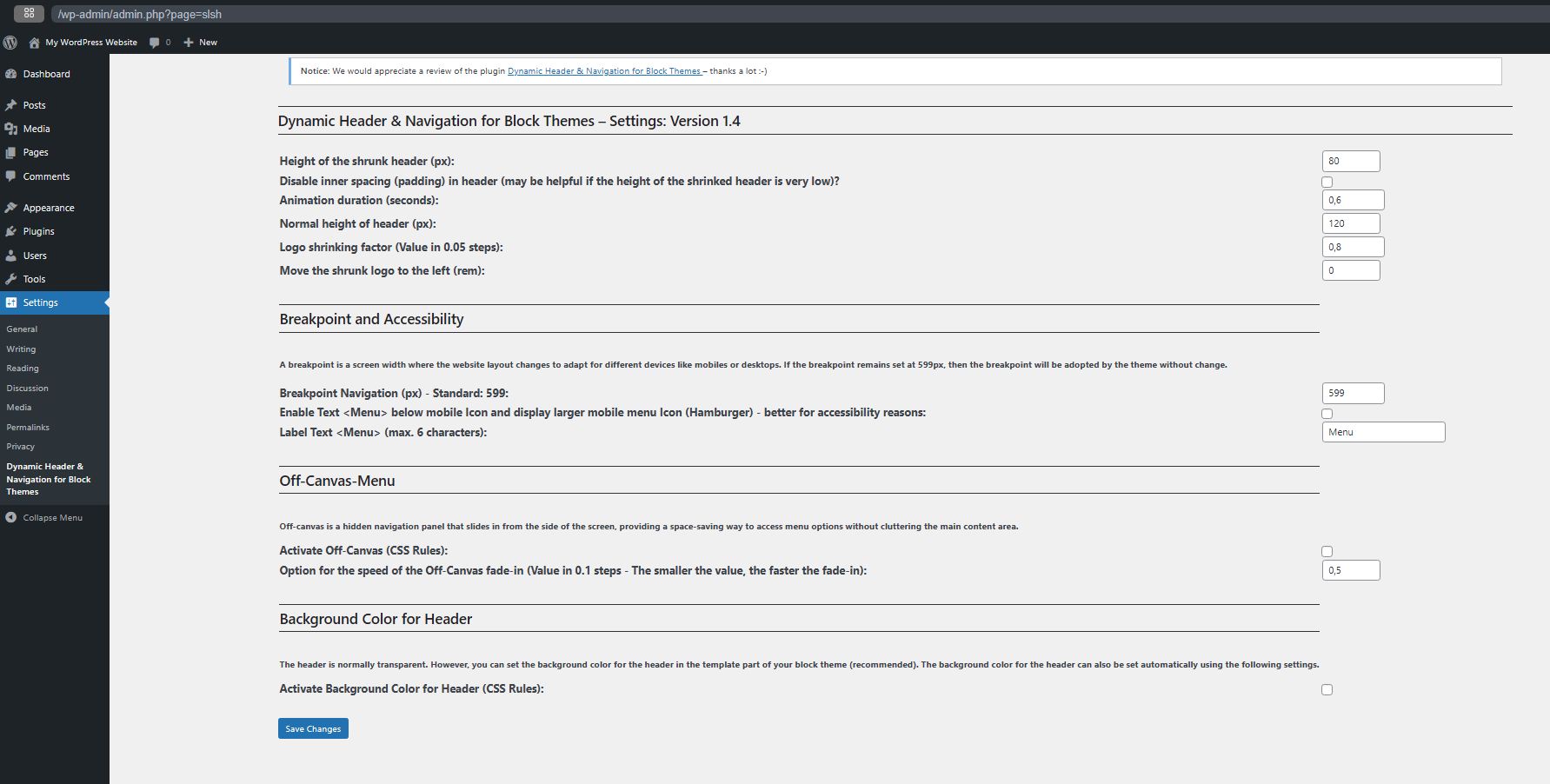
- Set height for header
- Set height for shrinking header
- Set Logo shrinking factor
- Set shrinked Logo left (added in Version 1.3)
- Set Animation duration (seconds) for shrinking header
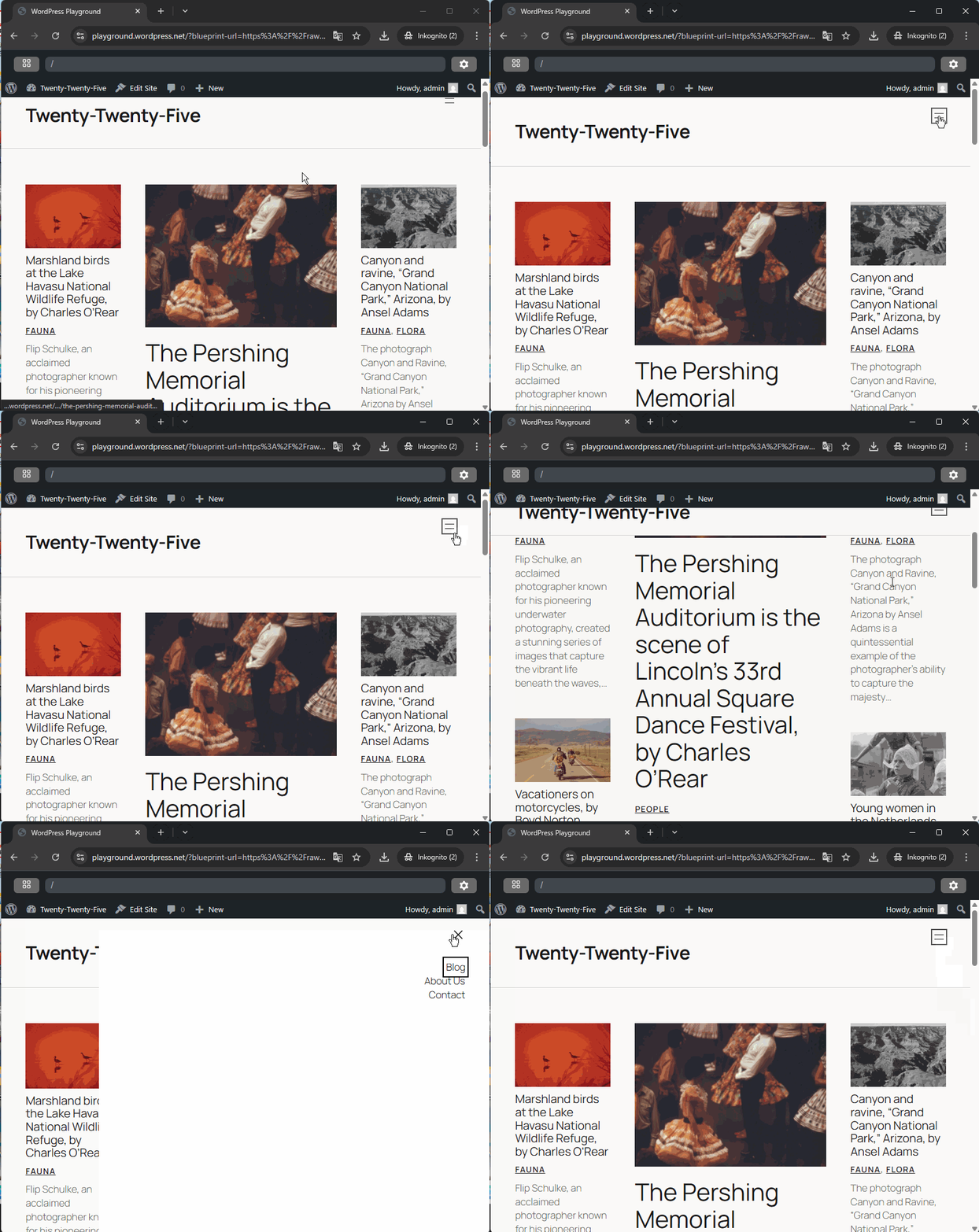
- Option to set a breakpoint for navigation (added in Version 1.1)
- Option to set Off-Canvas (added in Version 1.2)
- Option for the speed of the Off-Canvas fade-in (added in Version 1.3.1)
- Option to disable inner spacing (padding) in header (added in Version 1.4)
- Option to enable Text below mobile Icon and display larger mobile menu Icon (Hamburger) – better for accessibility reasons (added in Version 1.4)
- Option to Label Text (added in Version 1.4)
- Option: Menu does not appear as sticky on mobile devices – may be better for accessibility reasons. (added in Version 1.4.1)
- Option: Above the header, there may be a margin set by the theme. This margin can be disabled if desired. (added in Version 1.5.1)
Dynamic Header & Navigation for Block Themes (Previous name of the plugin: Shrinking Logo Sticky Header) is a lightweight WordPress plugin developed specifically as a navigation solution for most Block Themes.
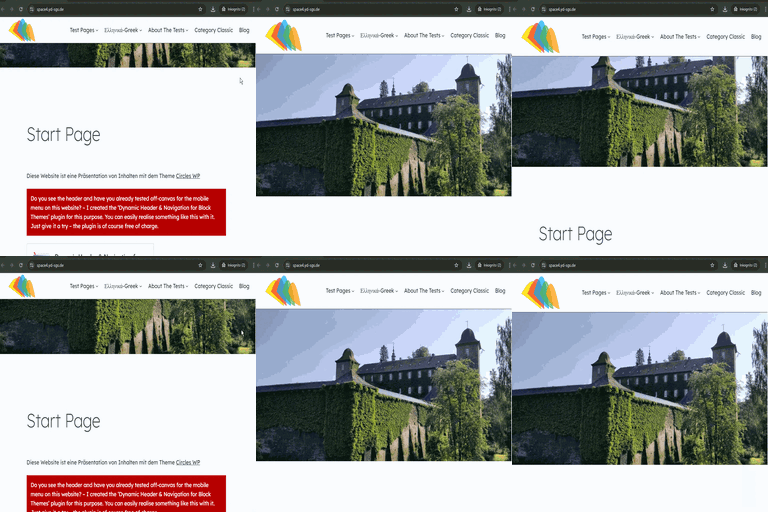
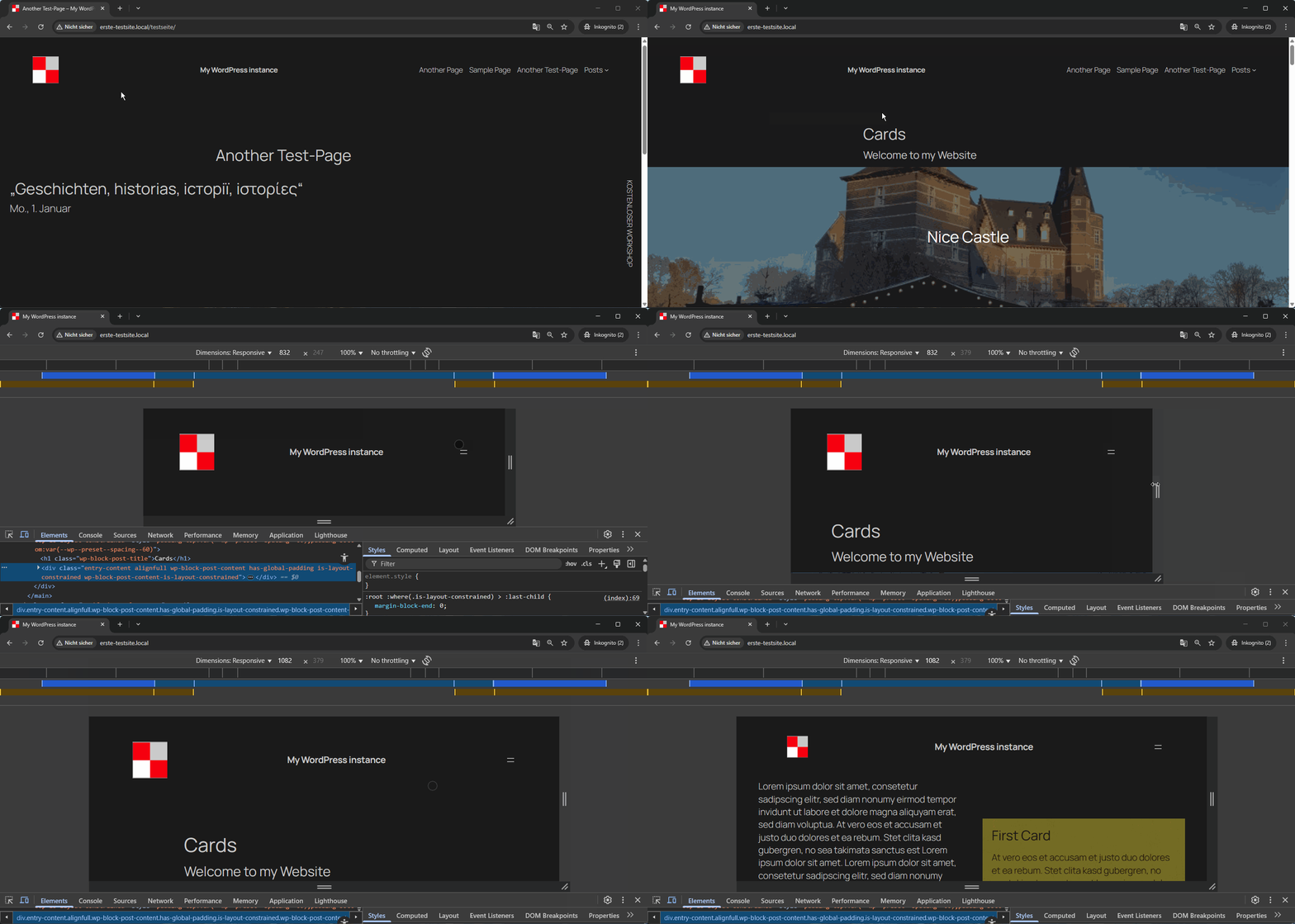
It adds a modern sticky header with smooth, animated shrinking effects for both the header and the site logo.
As users scroll down the page, the header and logo automatically reduce in size, maximizing on-screen space and keeping navigation easily accessible without disrupting the browsing experience.
The plugin allows you to individually configure the heights for the header and logo in both their normal and shrunken states, giving you full control over your site’s appearance.
These settings can be easily adjusted to match your branding or design preferences.
One of the key advantages of Dynamic Header & Navigation for Block Themes is its simplicity:
After activation, the sticky and shrinking effects work in principle immediately – no additional setup or configuration is required.
This makes it ideal for users who want a professional, dynamic header effect without dealing with complex options or custom code.
Translations
- (French): Thanks to Patricia BT
Schermafbeeldingen
Installatie
- Go to
Pluginsin the Admin menu - Click on the button
Add new - Search for
shrinking Logo Sticky Headerand click ‘Install Now’ or click on theuploadlink to uploadshrinking-logo-sticky-header.zip - Click on
Activate plugin
FAQ
-
Is it possible to use this plugin for all Block Themes?
-
Tested with Twenty Twenty-Three, Twenty Twenty-Four, Twenty Twenty-Five, Ollie, Circles WP.
If the plugin does not work with your block theme, please write to the support forum. I will then see what I can do. -
Why is the sticky header transparent and how can I change this?
-
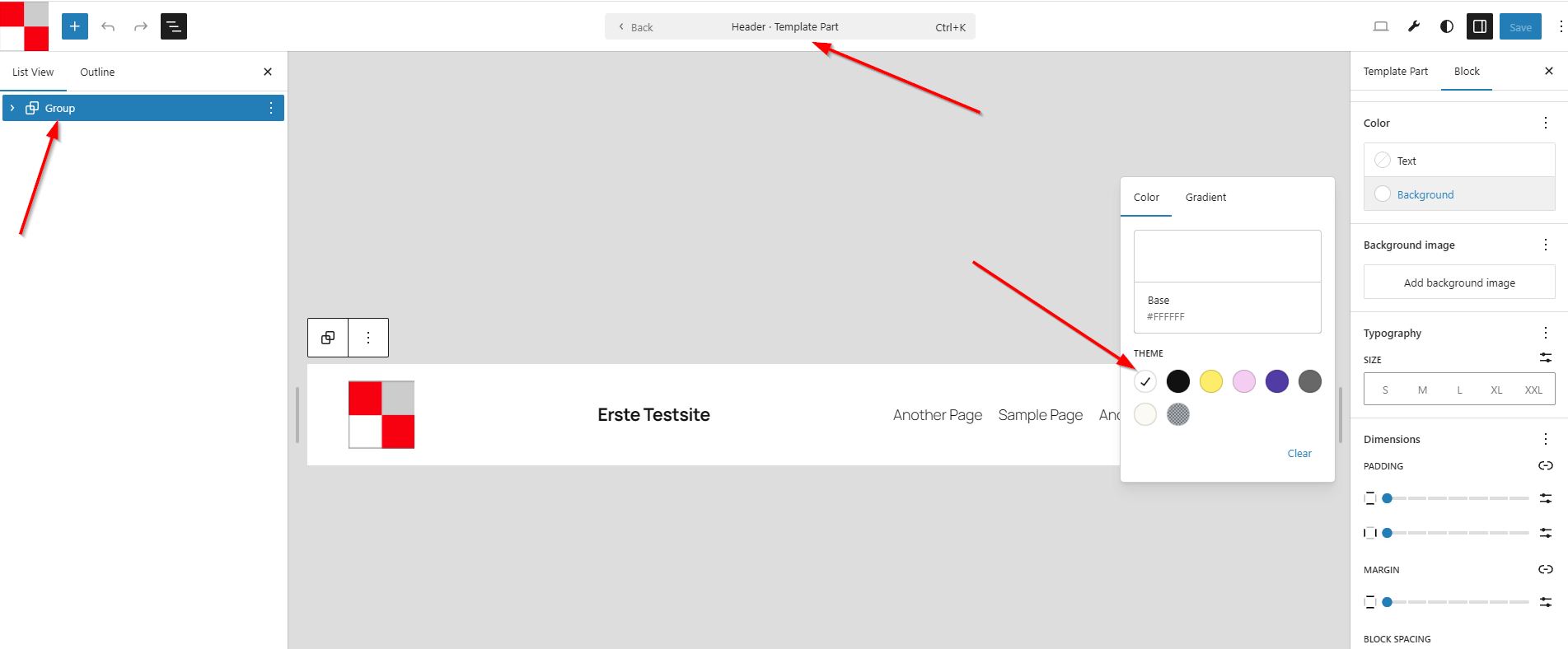
The template part for the header is initially transparent in many block themes.
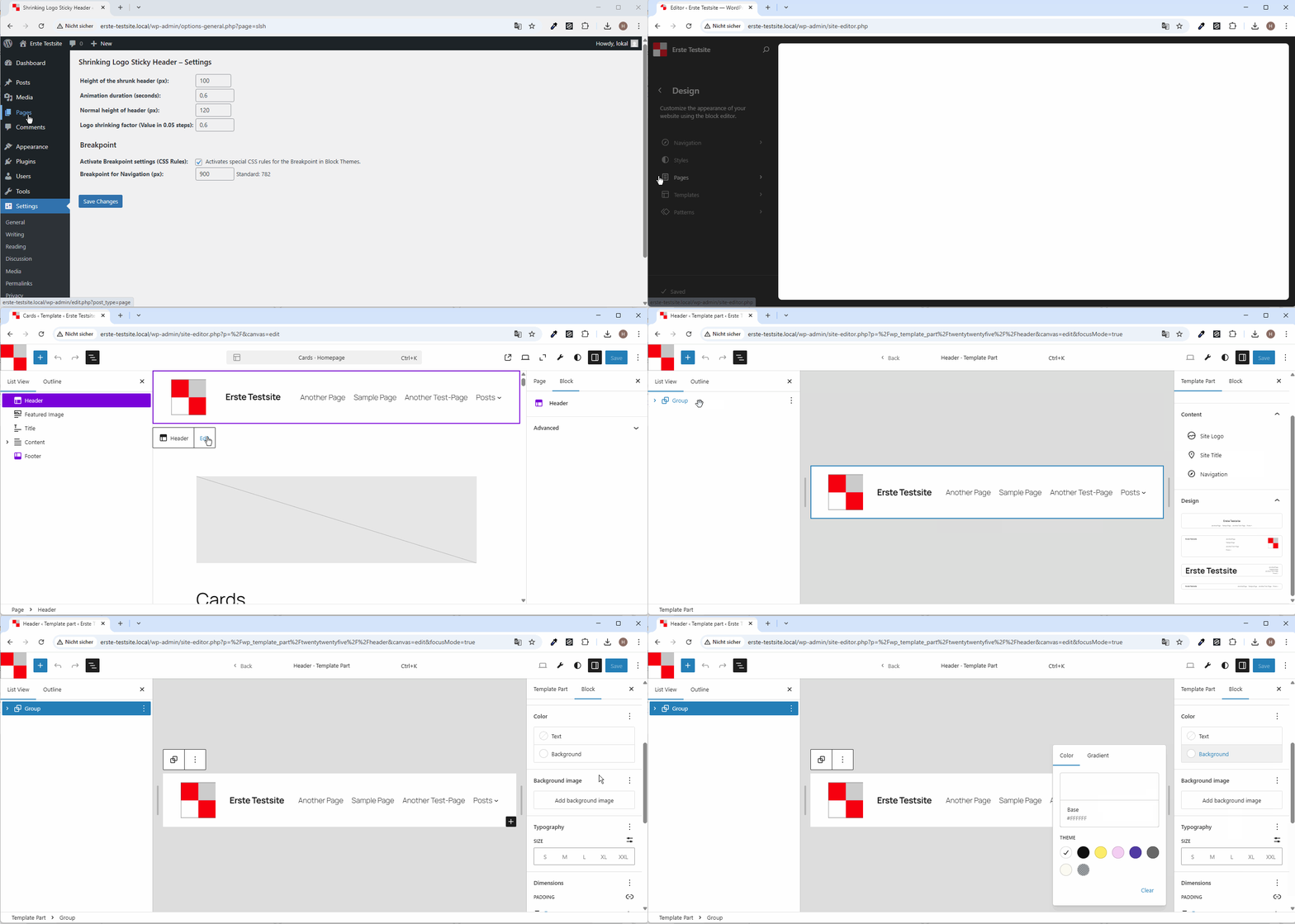
For this reason, the background colour of the outer group block for the header must be changed to a colour such as white, for example.
If the header has a background colour, then the header ‘covers’ the content when scrolling. See also the screenshot. This is the recommended procedure.
If the recommended option described above does not work for you, you can also set the background colour for the header automatically via the settings. -
Yes, no problem at all: From version 1.4.1 onwards, you can optionally deactivate the sticky option on mobile devices. Please see setup of the Plugin.
-
The spacing above and below changes when you scroll down (shrink). How can this be changed?
-
If you set the values for the top and bottom paddings to 0 in the settings for the header (and possibly for all groups contained in the header),
the inner margins will be controlled by the plugin, and the margins (paddings) should be set correctly.
You can find the settings in the header template section (see Appearance -> Editor -> Patterns -> Header) -
Is it possible to use this plugin also for classical Themes (e. g. Astra, OceanWP, GeneratePress)?
-
Classic themes sometimes offer such an option, but possibly only in a paid version. This plugin can only be used with block themes.
-
Can you show me examples that demonstrate these effects?
-
Yes, with pleasure:
https://haurand.com/ and https://space4.yd-sgs.de/ -
Is there any documentation and further information about the plugin?
-
Yes, of course:
* (English): https://haurand.com/plugin-shrinking-logo-sticky-header/
* (German): https://haurand.com/das-plugin-shrinking-logo-sticky-header/ -
Who are you?
-
I’am Hans-Gerd, a WordPress enthusiast.
My work on this plugin will be sponsored by https://haurand.com/ -
How can I report security bugs?
-
You can report security bugs through the Patchstack Vulnerability Disclosure Program. The Patchstack team helps validate, triage and handle any security vulnerabilities. Report a security vulnerability.
Beoordelingen


Bijdragers & ontwikkelaars
“Dynamic Header & Navigation for Block Themes” is open source software. De volgende personen hebben bijgedragen aan deze plugin.
Bijdragers
“Dynamic Header & Navigation for Block Themes” is vertaald in 2 localen. Dank voor de vertalers voor hun bijdragen.
Vertaal “Dynamic Header & Navigation for Block Themes” in je eigen taal.
Interesse in ontwikkeling?
Bekijk de code, haal de SVN repository op, of abonneer je op het ontwikkellog via RSS.
Changelog
1.5.1: August 14, 2026
- Added Option: Above the header, there may be a margin set by the theme. TThis margin can be disabled if desired.
- Enhancement: Improved Control of the Anchors
- Added FAQ regarding spacing in the header.
- Plugin Check: No errors, no warnings (“Checks complete. No errors found.”)
- Tested up to WordPress 7.1
1.5: January 4, 2026
- Fix: Flickering in header when scrolling up in most cases completely prevented (Code improvements)
- Fix: Language Files corrected – prevent direct access
- Plugin Check: No errors, no warnings
1.4.1: November 20, 2025
- Added Option: Menu does not appear as sticky on mobile devices – may be better for accessibility reasons
- Fix: ID in form field corrected
- Tested up to WordPress 6.9
1.4: September 10, 2025
- Added: Option to disable inner spacing (padding) in header
- Added: Option to enable Text below mobile Icon and display larger mobile menu Icon (Hamburger) – better for accessibility reasons
- Enhancement: Height and width of mobile icon (SVG) changed to 44px (AAA) when the above option is used
- Added: Option to Label Text below mobile Icon
- Enhancements: Explanations and Design in the settings cleaned up
1.3.2: August 1, 2025
- Fix: Anchors are now controlled at the correct height.
- Enhancements: Various CSS rules optimised (better support for various block themes for example Ollie)
1.3.1: July 11, 2025
- Added: Option for the speed of the off-canvas fade-in
- Added: Show Version of the Plugin in Settings (header)
1.3: June 22, 2025
- Added: Optional setting of background Color for Header
- Added: Optional setting to move the shrunk logo to the left
- Added: Notice for review
1.2: May 22, 2025
- Added: Optional Off-Canvas-Menu
- Added: Uninstall: Delete the Options in Table when unistalling this Plugin
- Renaming the Plugin: “Dynamic Header & Navigation for Block Themes” instead of previous name of the plugin: “Shrinking Logo Sticky Header”
- Updating the language files
- Fix: Loading language Files Notice: “This plugin is not properly prepared for localization.”
- Enhancements: Code improvement (Delete superfluous option)
1.1: May 9, 2025
- Added: Optional Breakpoint settings
- Enhancements: Code improvement
1.0: May 1, 2025
- Enhancement: Security (Additional escaping of the values)
- Enhancement: Rename the text domain due to Internationalize this plugin
- Check with Plugin Check: “Check completed. No errors were found.”
0.4.4: April 26, 2025
- Enhancement: Optimize CSS
0.4.3: April 26, 2025
- Added: Option for Logo shrinking factor (Value in 0.05 steps)
- Enhancement: CSS optimised
0.4.2: April 26, 2025
- Added: Translation option and Translation files in language folder
- Added: Option for Header Height
0.4.1: April 25, 2025
- Fix: Issue with inner group
0.4: April 25, 2025
- Added Settings in Backend for Heigth of Header/Logo, Animation duration
0.3: April 24, 2025
- Optimized shrinking effect
0.1: April 24, 2025
- Birthday of shrinking Logo Sticky Header