

Beschrijving
Stop losing readers in long articles – add one block and get an automatically generated, clickable table of contents that takes visitors straight to the section they want.
Why Table Of Content Block?
Readers often get lost in lengthy content. Table Of Content Block automatically scans your post or page, identifies all headings, and creates a beautiful, clickable navigation menu that helps readers instantly jump to the sections they’re most interested in – improving navigation, boosting time-on-page, and enhancing the overall experience.
It’s more than a simple list of links: it works automatically the moment you add the block, stays synchronized with your content as you edit, looks great on all devices, and helps search engines understand your content structure for better SEO.
Whether you’re a blogger, content creator, or business owner, this plugin makes long-form content more professional, accessible, and user-friendly.
Free Features
- Automatic Generation: Builds the table of contents from the headings in your post or page – no manual setup.
- Customizable Styles: Adjust the appearance, including font, size, and colors.
- Smooth Scrolling: Clicking an entry smoothly scrolls the page to the corresponding heading.
- Anchor Links: Every entry is linked to its heading with an anchor link.
- Nested Headings: Display sub-headings as a nested hierarchy.
- Gutenberg Integration: Seamlessly integrates with the block editor.
- Responsive Design: Adapts to different screen sizes automatically.
How to Use
- Install and activate the Table Of Content Block plugin.
- In the Gutenberg editor, add the Table Of Content Block from the “Widgets” block category.
- The block automatically generates entries from your headings.
- Adjust styles and settings from the right-side settings sidebar.
- Publish – readers can now jump to any section instantly.
For installation help, click on the Installation tab.
Use Cases
- Blog Posts: Keep readers scrolling longer.
- Documentation & FAQs: Make help articles easier to navigate.
- Tutorials & Guides: Improve readability for step-by-step content.
- Knowledge Bases & Wikis: Organize long-form content like a pro.
- Affiliate & Review Sites: Help users find key sections faster.
Did you like this plugin? Dislike it? Have a feature request? Please share your feedback with us.
⭐ Check out the Parent Plugin of this plugin-
🔥 B Blocks – Best gutenberg blocks collections for WordPress.
⭐ Check out our other WordPress Plugins-
🔥 Html5 Audio Player – Best audio player plugin for WordPress.
🔥 Html5 Video Player – Best video player plugin for WordPress.
🔥 PDF Poster – A fully-featured PDF Viewer Plugin for WordPress.
🔥 Document Embedder – Best WordPress Document Embedder Plugin.
🔥 3D Viewer – Display interactive 3D models on the webs.
🔥 Advanced Post Block – Best Post Display Plugin for WordPress.
External Service Integration
Service Name: package.js
- Docs link: package docs link
Developer Notes
-
Assets file name
assets file destination. ex: public/js/*.min.js -
Public source code GitHub link for review, study, and contribute.
For more information on how to contribute to this plugin, please visit our GitHub repository.
Schermafbeeldingen
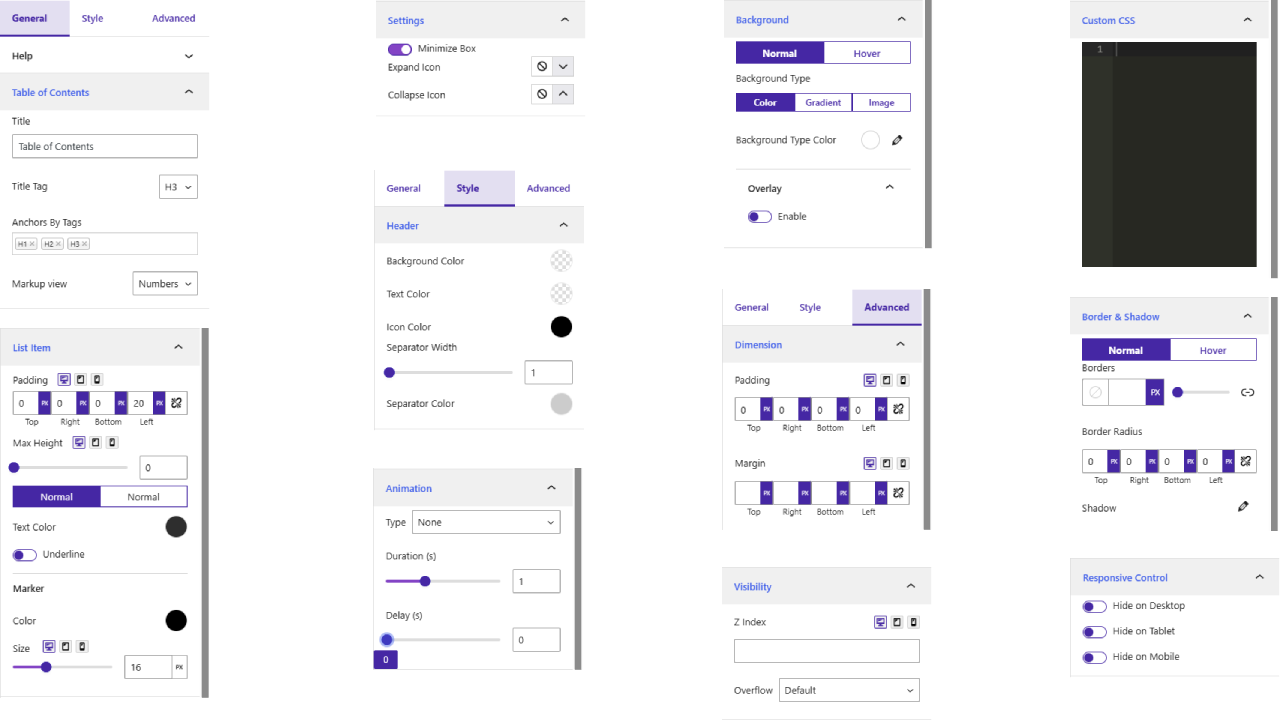
Blokken
Deze plugin heeft 1 blok.
- Table of Contents The Table of Contents block automatically generates a table of contents for your WordPress post or page.
Installatie
From your WordPress dashboard (recommended):
- Go to Plugins Add New.
- Search for “Table Of Content Block”.
- Click Install Now, then Activate.
- In the Gutenberg editor, add the Table Of Content Block to any post or page.
Manual installation:
- Download the Table Of Content Block plugin (.zip file).
- In your admin area, go to Plugins Add New and click Upload Plugin.
- Choose the
table-of-content-block.zipfile and click Install Now. - Activate the plugin through the Plugins menu in WordPress.
FAQ
-
Does it work with any WordPress theme?
-
Yes, it works with any standard WordPress theme.
-
Can I change block settings?
-
Yes, you can change block settings from the Gutenberg editor’s right-side sidebar.
-
How many times can I reuse the block?
-
You can use the block an unlimited number of times across your site.
-
Do I have to add the table of contents entries manually?
-
No. The block automatically generates the table of contents from the headings in your post or page, and it stays synchronized with your content as you edit.
-
Does clicking an entry jump or scroll to the section?
-
Clicking a table of contents entry smoothly scrolls the page to the corresponding heading using anchor links.
-
Does it support nested headings?
-
Yes. A nested heading option displays sub-headings as a hierarchy under their parent headings.
-
Can a table of contents help my SEO?
-
Yes. A clear table of contents helps search engines understand the structure of your content, which can improve your SEO performance.
-
Where can I get support?
-
You can post your questions on the support forum here.
Beoordelingen


Bijdragers & ontwikkelaars
“Table Of Content Block – help readers jump to any section instantly” is open source software. De volgende personen hebben bijgedragen aan deze plugin.
Bijdragers


Vertaal “Table Of Content Block – help readers jump to any section instantly” in je eigen taal.
Interesse in ontwikkeling?
Bekijk de code, haal de SVN repository op, of abonneer je op het ontwikkellog via RSS.
Changelog
1.0.9 – 14 June 26
- Fix iframe issues in latest wp version.
- Change Block Icon Color.
- Fix jump issue in smooth scroll.
- Fix anchor link issue.
1.0.8 – 29 April 26
- Added Nested heading option.
1.0.7 – 10 Mar 26
- Fixed heading innerTag remove issue.
1.0.6 – 6 Aug 25
- Integrate free SKD
1.0.5 – 15 May 25
- Fixed navigation
1.0.3 – 21 April 25
- Fixed toggle icon
1.0.2 – 16 April 25
- Update readme and block icon
1.0.1 – 30 Mar 25
- Improvements
1.0.0
- Initial Release