

Beschrijving
Advanced Email Filter for Elementor Forms adds enterprise-grade email validation to your Elementor pro forms. Protect against spam submissions while maintaining flexibility for legitimate users.
Features
- Global blocklist/allowlist management
- Per-form email filtering rules
- Wildcard support for domains and patterns
- Business email only filter
- Disposable / temporary email blocking
- Automatically refreshed domain databases with a local last-known-good cache
- Compatible with Elementor Pro forms only
Learn more about all features | Read Documentation
Configuration
There are two places where you can control email filtering.
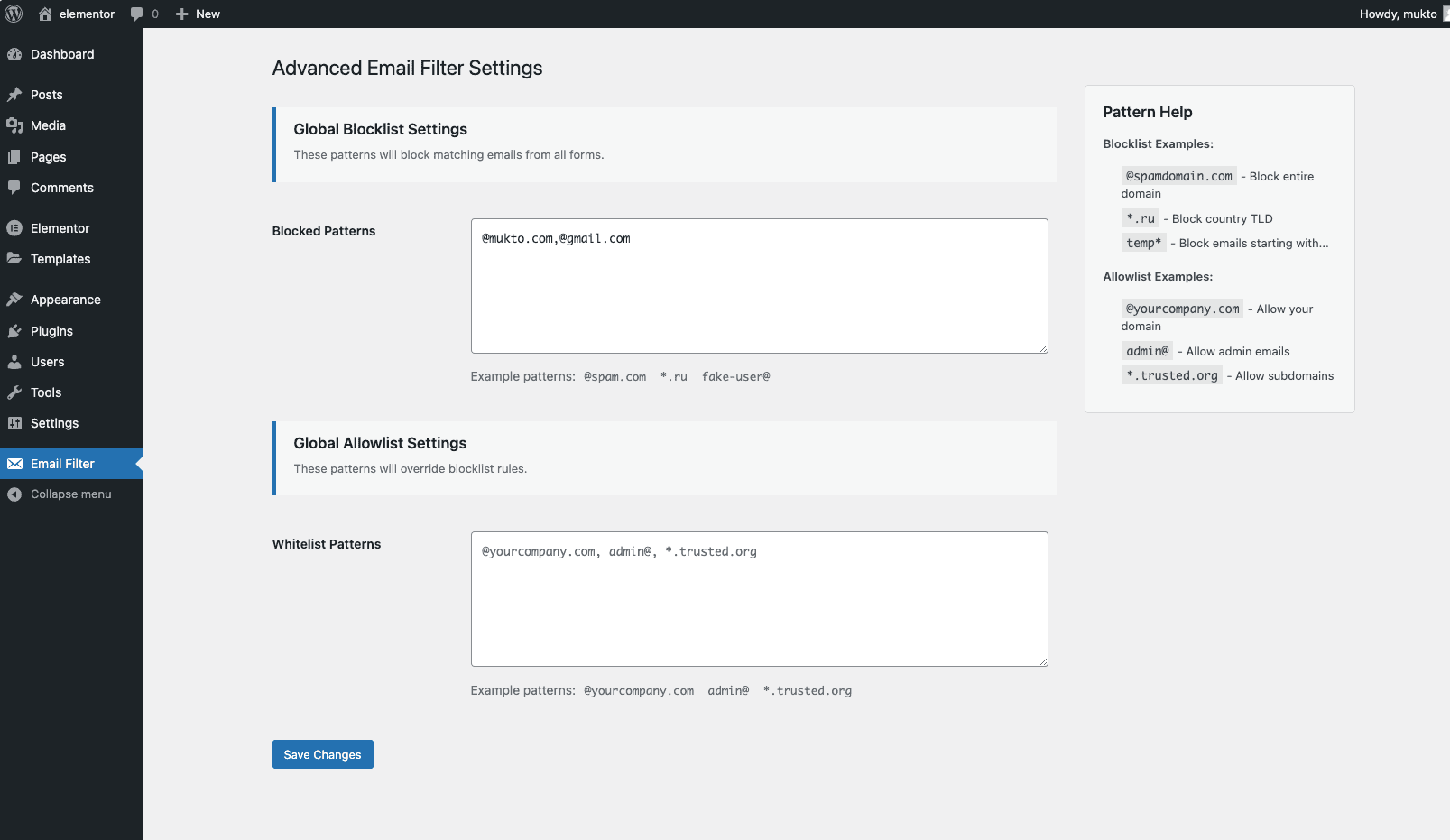
Global Settings
Navigate to Email Filter -> Settings to configure:
-
Blocklist: @spamdomain.com, *.ru, fake-user@
-
Allowlist: @yourcompany.com, admin@, *.trusted.org
Form-Specific Settings
- Edit Elementor Form widget
- Open Email Filtering section
- Add patterns:
- Blocklist (form-specific)
@temp-domain.com, *.xyz - Allowlist (form-specific)
@client-domain.com, manager@
- Blocklist (form-specific)
External services
When Business Email Only or Disposable Email Blocking is enabled, this plugin downloads public domain databases from https://lists.mukto.info/aefe/. These lists are required to identify personal and disposable email providers.
The submitted email address and form contents are never sent to this service. A request is made only to download the domain-list JSON files. As with any web request, the server may receive standard connection information such as the requesting site’s IP address and user agent.
Downloaded lists are stored under wp-content/uploads/aefe/ and refreshed no more than once every seven days. If an update fails, the previous valid local list remains in use.
This service is operated by the plugin author. Privacy policy
Hooks & Filters
Customize validation behavior using these hooks:
// Modify validation error message
add_filter('aefe_validation_error', function($message, $email) {
    return sprintf(__('Error: %s is blocked', 'text-domain'), $email);
}, 10, 2);
Schermafbeeldingen

Installatie
- Upload the plugin files to the
/wp-content/plugins/advanced-email-filter-for-elementor-formsdirectory - Activate the plugin through the ‘Plugins’ screen in WordPress
- Configure global settings under Email Filter -> Settings
- Set form-specific rules in Elementor Form widget settings
FAQ
-
Is Elementor Pro required to use this plugin?
-
Yes. This plugin extends Elementor Pro form features, so Elementor Pro must be installed and active.
-
How do multiple patterns work?
-
Separate patterns with commas. Both global and form rules apply cumulatively.
-
Which takes priority – allowlist or blocklist settings?
-
Matching allowlist rules take priority over blocklist, business email, and disposable email rules. Global and form-specific patterns are combined.
Beoordelingen

Bijdragers & ontwikkelaars
“Advanced Email Filter for Elementor Forms” is open source software. De volgende personen hebben bijgedragen aan deze plugin.
Bijdragers
Vertaal “Advanced Email Filter for Elementor Forms” in je eigen taal.
Interesse in ontwikkeling?
Bekijk de code, haal de SVN repository op, of abonneer je op het ontwikkellog via RSS.
Changelog
1.3.0
- Fixed allowlist priority so matching addresses bypass all other filters
- Improved partial and wildcard pattern matching
- Added validated, automatically refreshed personal and disposable domain lists
- Store downloaded domain lists under
wp-content/uploads/aefe/instead of the database - Added last-known-good fallback and safe handling of remote failures
- Added request timeouts, domain normalization, deduplication, and JSON validation
- Removed duplicate settings registration
- Added validation regression tests
1.2.0
- Minimize plugin size & update email list
1.1.1
- Personal & Disposable email list updated
1.1.0
- Added Business Email filter
- Added Disposable / temporary email blocking
- Improved validation error message
1.0.0
- Initial release with core filtering features
- Global blocklist/Whitelist functionality
- Elementor Form widget integration