

Beschrijving
DEMO: https://demo.add-ons.org/demo-drag-and-drop-fields/
Download Pro Version: https://add-ons.org/plugin/drag-and-drop-file-upload-for-elementor-forms-pro/
Document: https://add-ons.org/document-elementor-drag-and-drop-multiple-file-upload/
Drag and Drop File Upload for Elementor Forms is a powerful, lightweight, and user-friendly add-on designed to enhance the default Elementor form capabilities. If you are looking for an intuitive way to collect files, documents, or images from your users, this plugin provides a robust multiple file upload area completely integrated with the native Elementor Forms builder.
Enhance your user experience by allowing visitors to effortlessly drag and drop files or use the traditional browse button. With full control over file size limits, allowed file types, and upload quantity, you can securely and effectively collect the exact assets you need without cluttering your inbox.
Whether you are collecting resumes, user-generated content, portfolio submissions, or support documents, this plugin offers premium functionality including direct integration with Dropbox and the WordPress Media Library.
Features
- Seamless Drag & Drop Interface: Provide a modern, interactive upload area that users love.
- Multiple Files Upload: Allow users to upload one or several files at once.
- Limit Upload Quantity: Prevent spam by restricting the maximum number of files per submission.
- Secure File Type Validation: Specify exact file extensions (e.g., pdf, docx, jpg, zip) to restrict unwanted uploads.
- File Size Validation: Set maximum file size limits to save server storage and improve performance.
- Image Thumbnails Preview: Instantly display attractive thumbnail previews for uploaded images.
- Email Attachments: Automatically attach uploaded files directly to your Elementor Form notification emails, or send them as clean HTML links.
- Save to WordPress Media Library: Store submitted files directly within your native WP Media dashboard.
- Save to Dropbox: Offload file storage by automatically syncing user uploads directly to your Dropbox account.
- Fully Customizable UI: Tweak button styles, padding, colors, and borders right from the Elementor editor.
- Translation Ready: Easily translate “Drag & Drop Files Here” or “Browse Files” buttons to any language.
- Mobile Responsive: Flawlessly works on all mobile devices and touch screens.
Pro Versions
- Save files to Dropbox
- Show Thumbnail for images
- Flash Message Support
Schermafbeeldingen
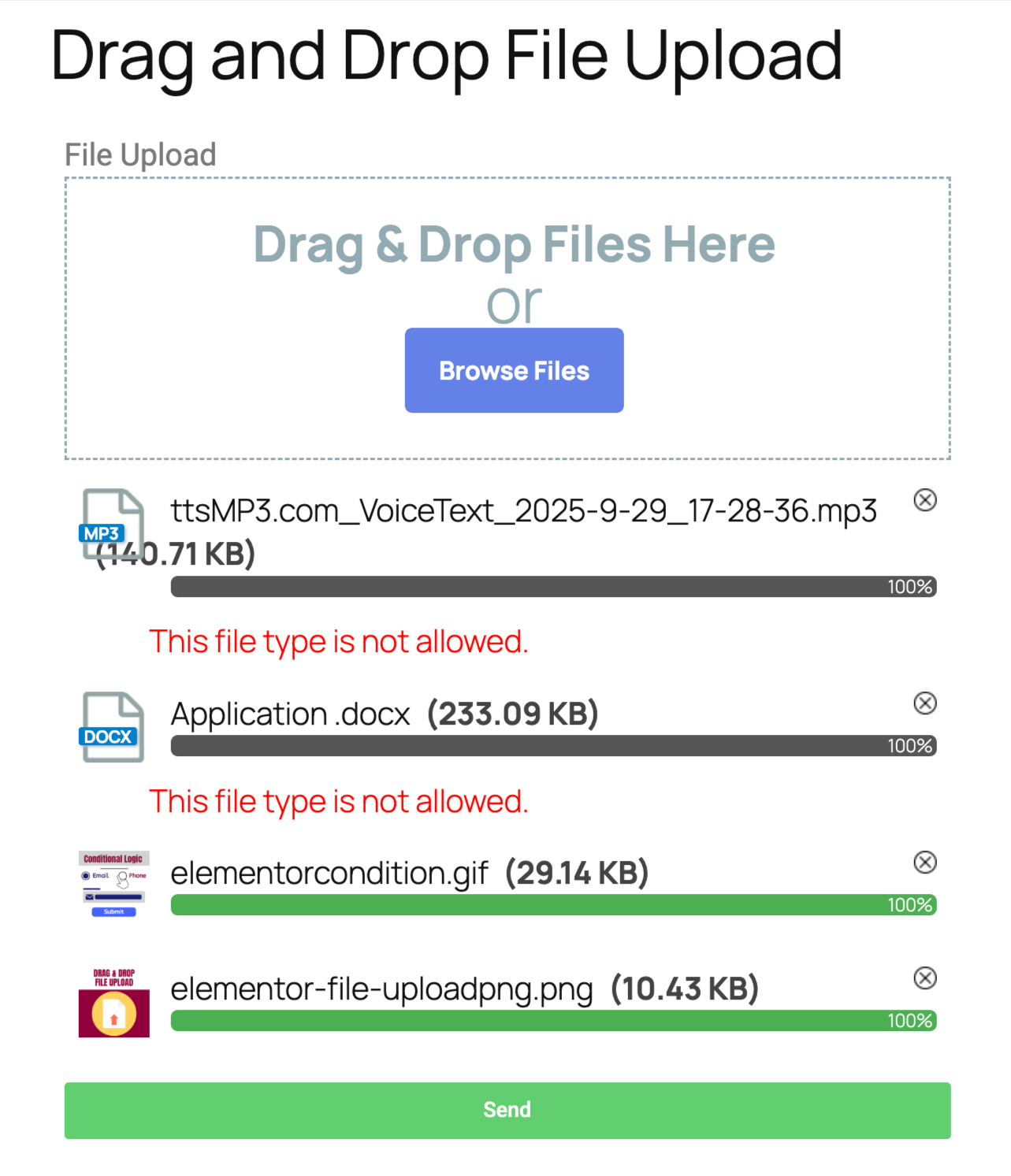
Frontend elementor forms uploads 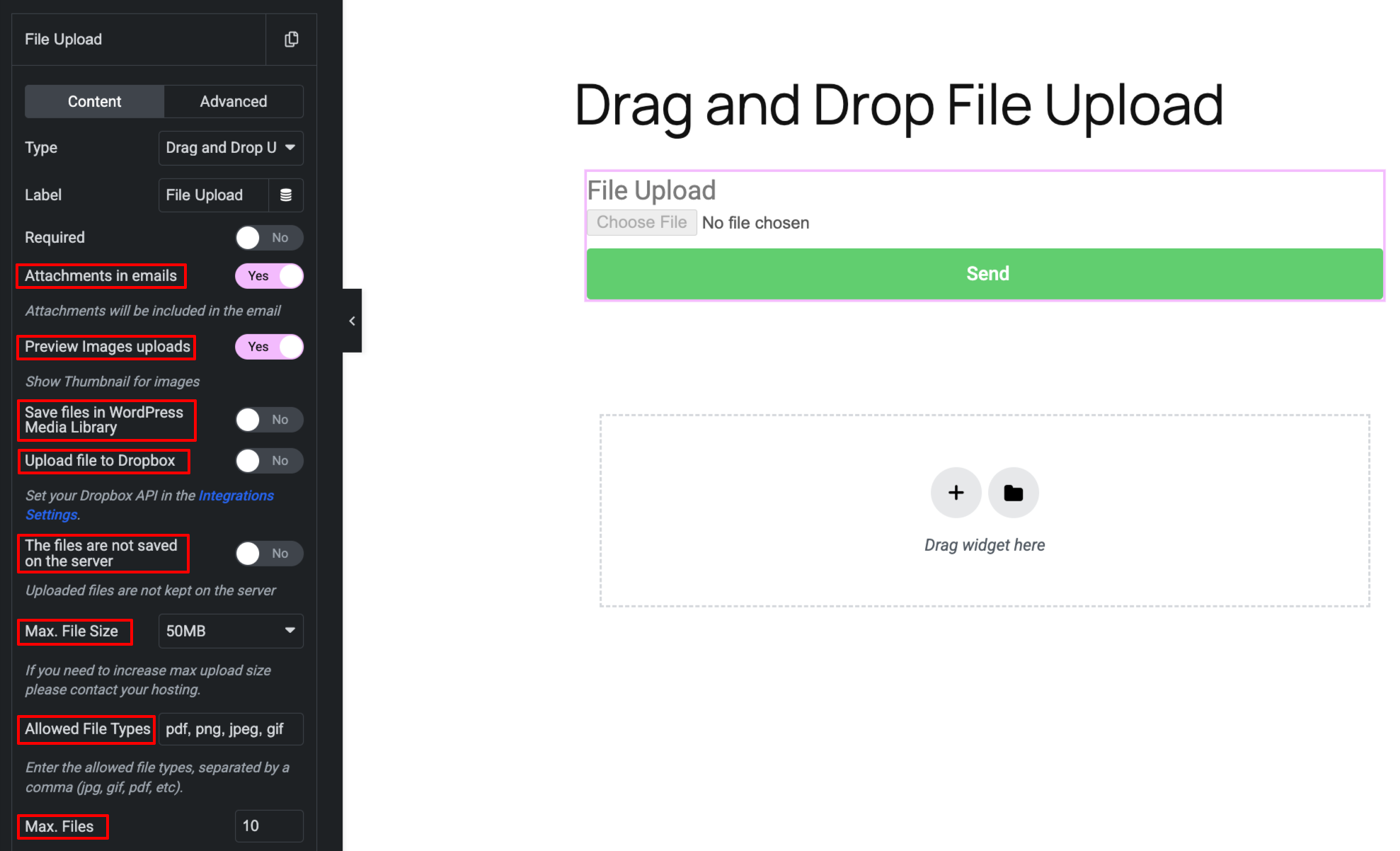
Backend elementor forms uploads
Installatie
Normal installation
- Download the drag-and-drop-file-upload-for-elementor-forms.zip file to your computer.
- Unzip the file.
- Upload the
drag-and-drop-file-upload-for-elementor-formsdirectory to your/wp-content/plugins/directory. - Activate the plugin through the ‘Plugins’ menu in WordPress.
- Document: https://add-ons.org/document-elementor-drag-and-drop-multiple-file-upload/
Beoordelingen


Bijdragers & ontwikkelaars
“Drag and Drop File Upload for Elementor Forms” is open source software. De volgende personen hebben bijgedragen aan deze plugin.
Bijdragers
Vertaal “Drag and Drop File Upload for Elementor Forms” in je eigen taal.
Interesse in ontwikkeling?
Bekijk de code, haal de SVN repository op, of abonneer je op het ontwikkellog via RSS.
Changelog
1.5.6
- Changed: move_uploaded_file to wp_handle_upload
1.5.1
- Changed: Hide style on mobile
1.5.0
- Fixed: Security hole
1.4.3
- Fixed: Remove files
1.4.2
- Changed: Hide style on mobile
1.3.0
- Fixed: Save files to Dropbox
- Fixed: small problem
1.2.0
- Added: Save files to Dropbox
1.1.0
- Added: Save files in WordPress Media Library
1.0.7
- Fixed: Popup Forms
1.0.6
- Fixed: Change style overwritten
1.0.2
- Fixed: Attachments email
1.0.1
- Added: Supports Elementor Pro versions older than 3.21
- Added: Keep the names of uploaded files intact
1.0.0
- Version 1.0 Initial Release