
Beschrijving
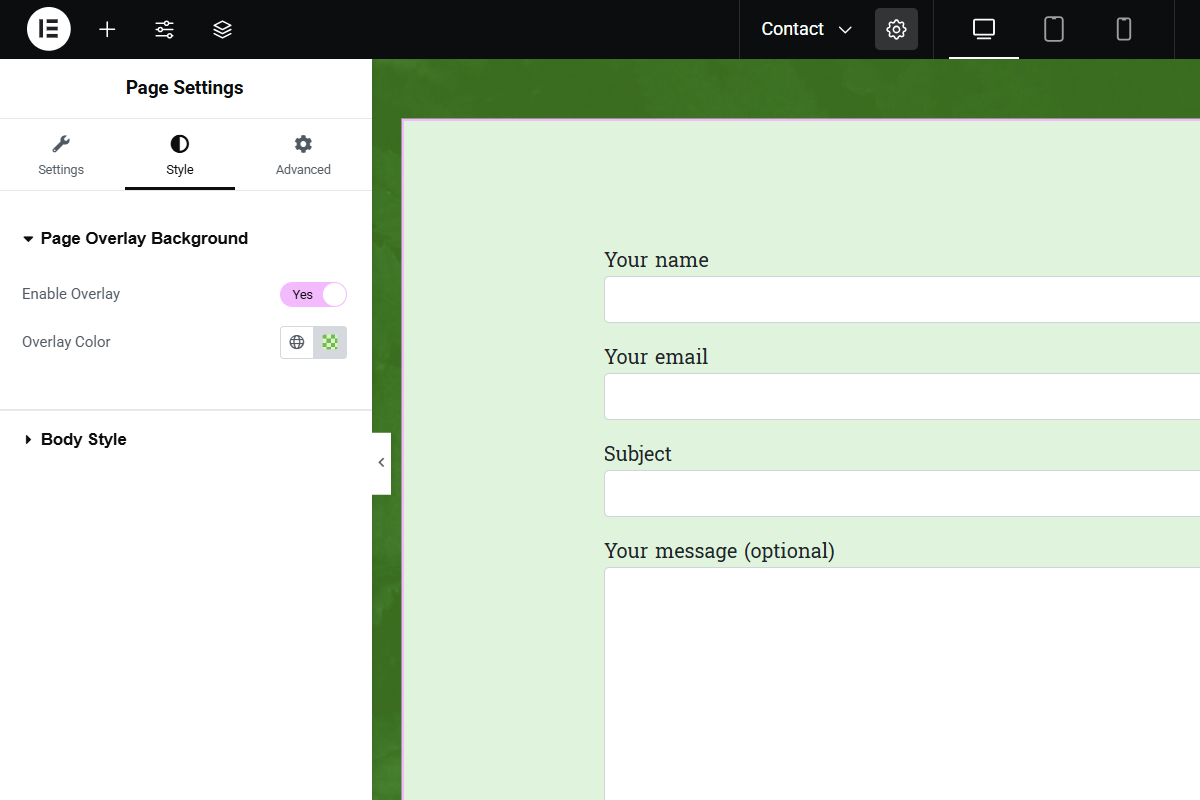
Page Overlay Background for Elementor adds a full-page overlay background option to Elementor pages. Users can enable a page overlay and customize its color. The overlay works seamlessly in both the Elementor editor and the frontend.
Features:
– Enable or disable a full-page overlay.
– Choose any overlay color (supports RGBA for transparency).
– Works on all Elementor pages with live preview.
How It Works:
The plugin adds a fixed overlay element on top of the page content with the selected color. When enabled, the overlay appears immediately without interfering with user interaction.
Schermafbeeldingen

Installatie
- Upload the plugin files to the
/wp-content/plugins/page-overlay-background-for-elementordirectory, or install the plugin through the WordPress Plugins screen. - Activate the plugin through the Plugins screen in WordPress.
- Open the Elementor editor, edit a page, and go to the Style tab in Page Settings.
- Look for the Page Overlay Background section, enable the overlay, and select your desired color.
FAQ
-
Can I disable the overlay on certain pages?
-
Yes, simply turn off the Enable Overlay switch in the Page Settings for that page.
-
Can I use transparent colors for the overlay?
-
Yes, you can use RGBA values for transparency (e.g.,
rgba(0,0,0,0.5)).
Beoordelingen
Er zijn geen beoordelingen voor deze plugin.
Bijdragers & ontwikkelaars
“Page Overlay Background for Elementor” is open source software. De volgende personen hebben bijgedragen aan deze plugin.
Bijdragers
Vertaal “Page Overlay Background for Elementor” in je eigen taal.
Interesse in ontwikkeling?
Bekijk de code, haal de SVN repository op, of abonneer je op het ontwikkellog via RSS.
Changelog
1.0
- Initial release