
Beschrijving
Login Security Captcha is a security plugin for WordPress to add CAPTCHA or CAPTCHA-free services like Cloudflare Turnstile and Google reCAPTCHA to the WordPress login, registration, lost password, and comment form. This is a fast and very lightweight security plugin to place captcha on standard WordPress forms with minimal footprints to prevent spam comments and protect against Brute-force attacks. It has simple settings to configure the plugin quickly.
It supports Cloudflare Turnstile, Google reCAPTCHA Version 2, and Version 3 with multiple options. This is the best WordPress captcha plugin for antispam protection to secure comment form and WordPress login page. You can even make use of different versions of reCAPTCHA and also Turnstile on different forms at the same time. The plugin comes with a set of simple options to quickly set up captcha validation on the forms. Also, you can monitor error logs.
Using this security plugin, you can change the captcha theme to light or dark for Cloudflare Turnstile and Google reCAPTCHA. You can configure other parameters like the score value for reCAPTCHA version 3. Also, you can adjust the captcha size to compact or normal for Cloudflare Turnstile.
Login Security Captcha Features
- Cloudflare Turnstile
- Google reCAPTCHA v2
- Google reCAPTCHA v3
- Set reCAPTCHA v3 Position
- Captcha Theme and Size
- Secure Login Form
- Secure Registration Form
- Secure Lost Password Form
- Protect Comment Spam
- Monitor Error Logs
- Prevent Brute-force Attack
Upgrade To Pro – Click Here
Login Security Pro Features
- Limit Login Attempts by IP Address
- Check and Monitor Last Login
- Check Login History by Username
- Recent Login Dashboard Widget
- Cloudflare Turnstile Support
- Google reCAPTCHA v2 and v3
- Redirect after Login or Logout
- Role-Based Redirection
- Secure Login and Registration Form
- Secure Lost Password Form
- Easy to Protect Comment Spam
- Login Form – WooCommerce
- Lost Password Form – WooCommerce
- Registration Form – WooCommerce
- Secure WooCommerce Checkout Form
- Advanced Security and Much More
Check Pro Plugin – Click Here
Schermafdrukken
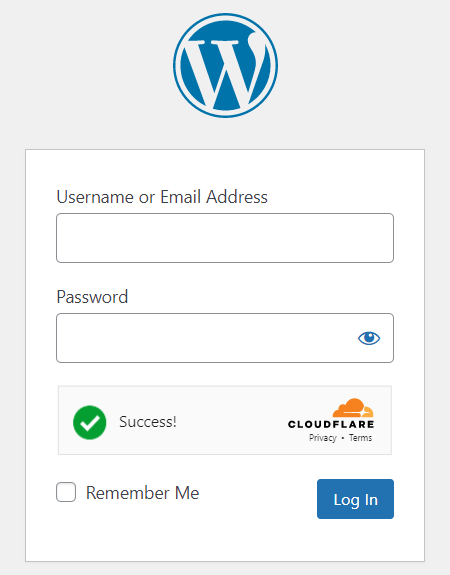
Cloudflare Turnstile Challenge - Login Form 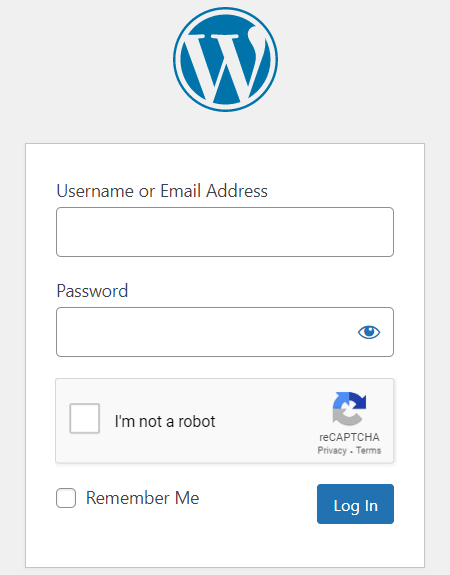
Google reCAPTCHA Version 2 - Login Form 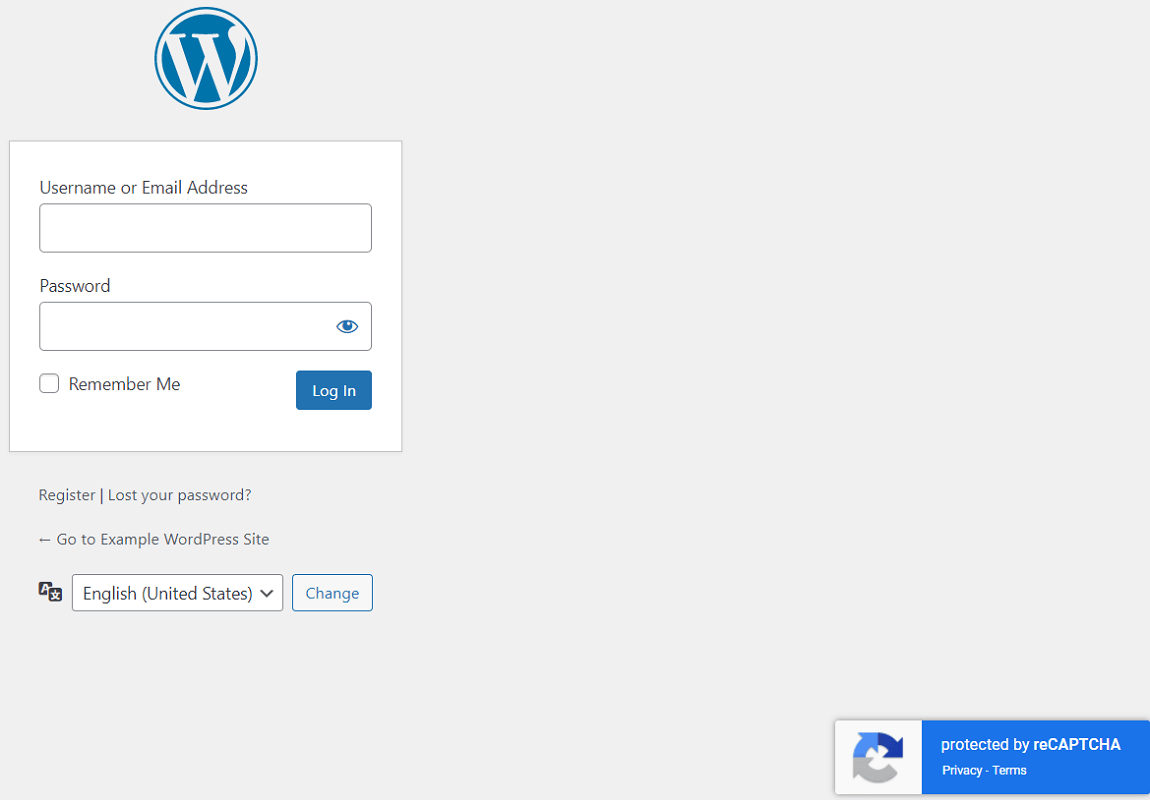
Google reCAPTCHA Version 3 - Login Form 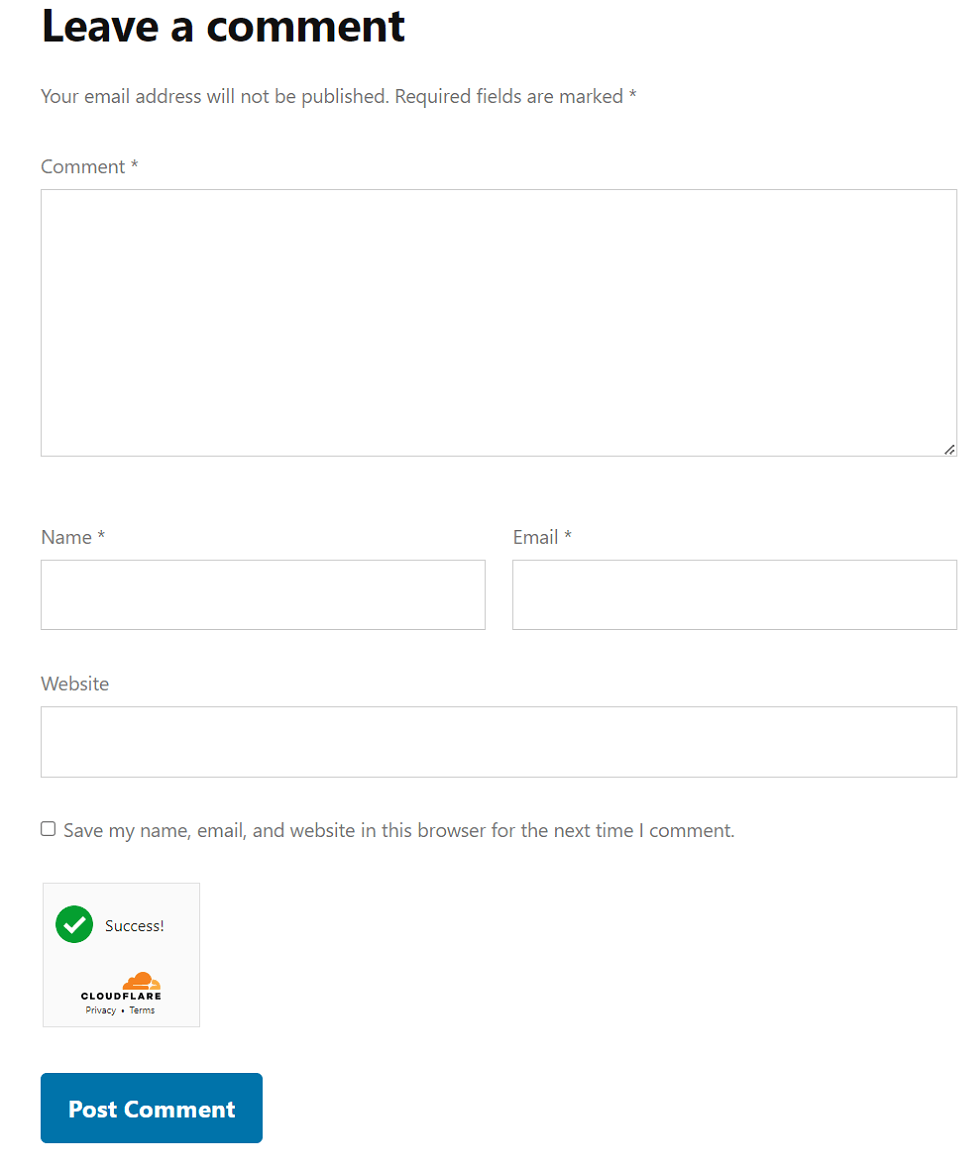
Comment Form - Cloudflare Turnstile Compact Size 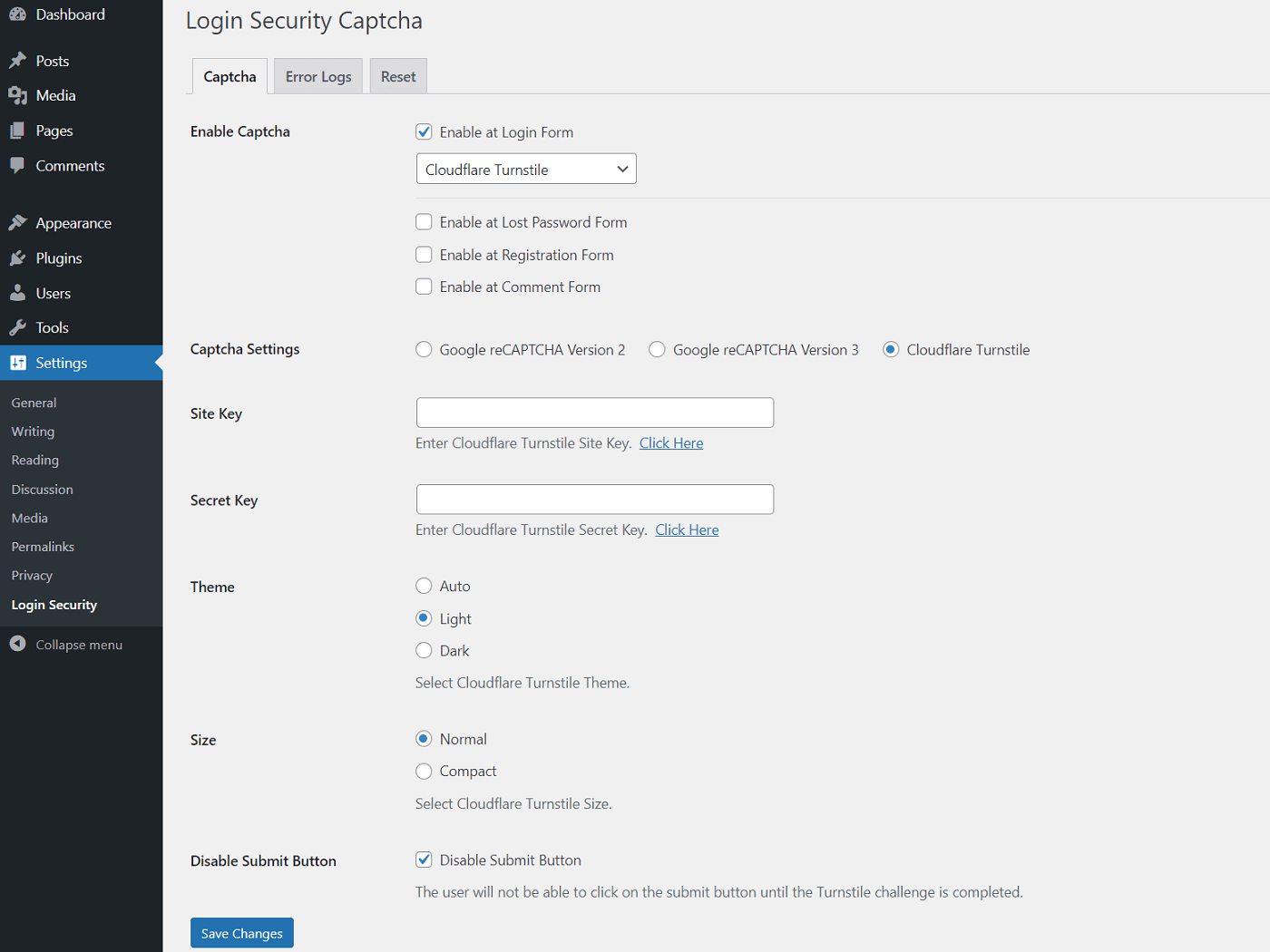
Cloudflare Turnstile Settings - Login Security Captcha 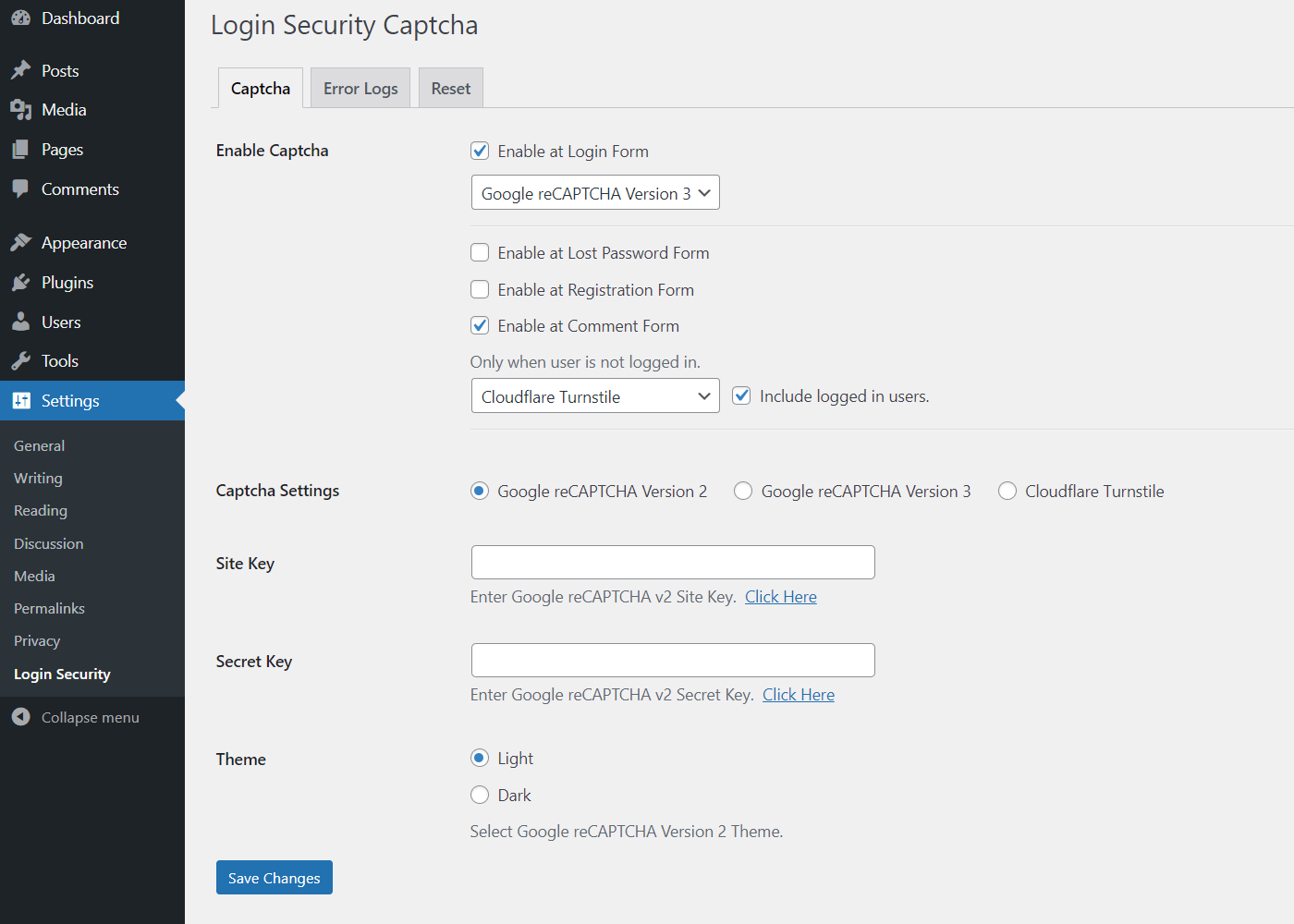
Google reCAPTCHA Options - Login Security Captcha 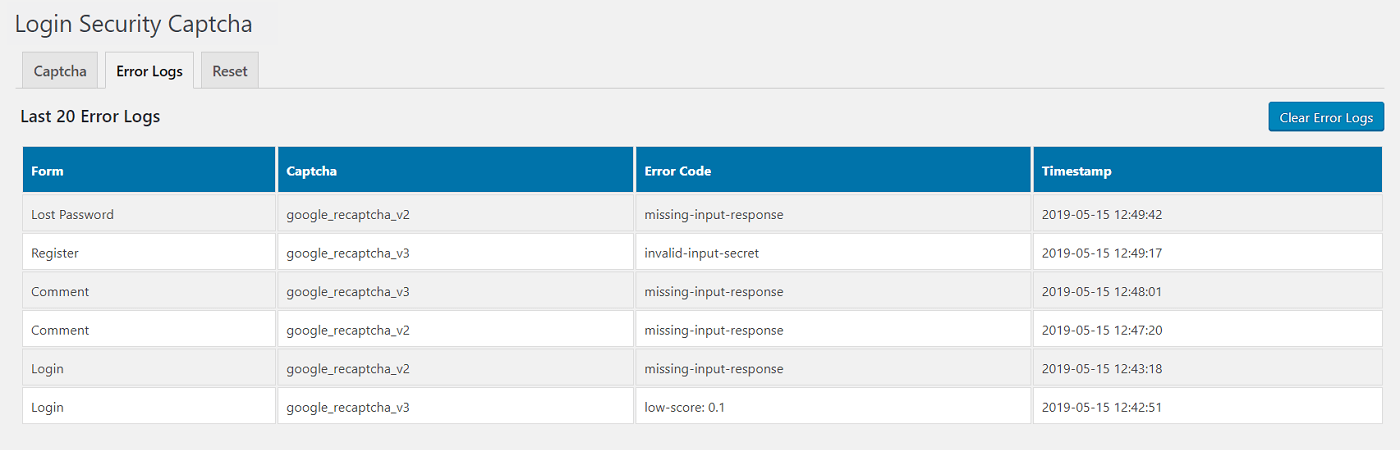
Monitor Captcha Error Logs
Installatie
Login Security Captcha [Installation Guide]
- You can:
- Upload the entire
login-security-recaptchafolder to the/wp-content/plugins/directory via FTP. - Upload the zip file of plugin via Plugins -> Add New -> Upload in your WordPress Admin Panel.
- Search Login Security Captcha in the search engine available on Plugins -> Add New and press Install Now button.
- Upload the entire
- Activate the plugin through Plugins menu in WordPress Admin Panel.
- Click on Login Security under Settings menu to configure the plugin.
- Ready, now you can use it.
FAQ
-
How to get Cloudflare Turnstile Site Key and Secret Key?
-
- To get the Site Key and Secret Key, signup for the Cloudflare account and navigate to Cloudflare Turnstile dashboard.
- Next, provide your domain to generate Site Key and Secret Key for Turnstile.
- You may also read our guide on How to Get Site Key and Secret Key for Cloudflare Turnstile.
-
How to get Google reCAPTCHA Site Key and Secret Key?
-
- To get the Site Key and Secret Key, go to Google reCAPTCHA Admin Console.
- Sign in into your Google account to proceed next into reCAPTCHA dashboard.
- After Sign in, you will be redirected to your Google reCAPTCHA dashboard.
- Now, you will need to provide your domain (website URL) and specify reCAPTCHA version to create Site Key and Secret Key.
- You can also read our Step-by-Step Instructions in Detail.
Beoordelingen


Bijdragers & ontwikkelaars
“Login Security Captcha” is open source software. De volgende personen hebben bijgedragen aan deze plugin.
Bijdragers
“Login Security Captcha” is vertaald in 3 talen. Dank voor de vertalers voor hun bijdragen.
Vertaal “Login Security Captcha” naar jouw taal.
Interesse in ontwikkeling?
Bekijk de code, haal de SVN repository op, of abonneer je op het ontwikkellog via RSS.
Changelog
1.6.3
- Readme updated.
- Improvement: Settings page.
1.6.2
- Tags updated.
1.6.1
- Tested up to 6.5.
- Readme updated.
1.6.0
- Tested up to 6.4.2.
- Tested compatibility with PHP 8.3.
- Readme updated.
1.5.9
- Readme updated.
1.5.8
- Tested up to 6.4.
1.5.7
- Changed minimum PHP version requirement.
- Readme updated.
1.5.6
- Tested up to 6.3.
1.5.5
- Added: Option to generate reCAPTCHA v3 token on page load.
1.5.4
- Readme updated.
1.5.3
- Tested up to 6.2.
1.5.2
- Tags updated.
- Readme updated.
1.5.1
- Readme updated.
1.5.0
- Added: Support for Captcha-free Cloudflare Turnstile.
- Improvement: Code refactor.
- Readme updated.
1.4.6
- Updated readme.
1.4.5
- Improvement: Settings page.
1.4.4
- Tested up to 6.1.
1.4.3
- Improvement: Settings page.
1.4.2
- Updated readme.
1.4.1
- Tested up to 6.0.1.
1.4.0
- Updated readme.
1.3.9
- Tested up to 6.0.
1.3.8
- Added: Badge position for reCAPTCHA version 3.
1.3.7
- Improvement: Check for empty token before making a remote call.
1.3.6
- Improvement: Generate v3 token on form submission only.
1.3.5
- Improvement: Load plugin translations using the init action.
1.3.4
- Getest tot en met 5.9.
1.3.3
- New: Added option to show reCAPTCHA for logged-in users in comment form.
1.3.2
- Updated settings page design.
1.3.1
- Improvement: Compatibility with reCAPTCHA script being deferred.
1.3.0
- Improvement: Regenerate v3 token every 2 minutes to solve timeout error.
1.2.9
- Getest tot en met 5.8.
1.2.8
- Improvement: Settings page UI.
- Improvement: Code cleanup.
1.2.7
- Updated pro banner placement.
1.2.6
- Improvement: Settings page.
- Improvement: Code clean-up.
1.2.5
- Improvement: Upsell banner clean-up.
1.2.4
- Improvement: Removed version and changed handle name of reCAPTCHA API v2 and v3.
1.2.3
- Getest tot en met 5.7.
1.2.2
- Plugin settings page UI improvements.
- Improved code.
1.2.1
- Compatibility with PHP 8.
1.2.0
- Tested up to 5.6.
1.1.6
- Improved reCAPTCHA v3 verification in multiple forms of the same page.
1.1.5
- Updated readme text.
1.1.4
- Added welcome notice on activation.
1.1.3
- Tested up to 5.5.
1.1.2
- Fixed admin notice width issue.
1.1.1
- Redirect to settings after activation.
1.1.0
- Added Plugin URI.
- Set local time zone for logs.
- Compatibility with WooCommerce.
- Added link to pro version.
1.0.8
- Tested up to 5.4.
1.0.7
- Code refactor.
1.0.6
- Tested up to 5.3.
1.0.5
- Moved menu under WordPress settings.
1.0.4
- Added permission checks for admin actions.
- Added plugin action link.
1.0.3
- Added IP Address column in Error Logs.
1.0.2
- Added reCAPTCHA support for WordPress lost password and registration form.
1.0.1
- Added reCAPTCHA support for WordPress comment forms.
1.0.0
- New release.