
Beschrijving
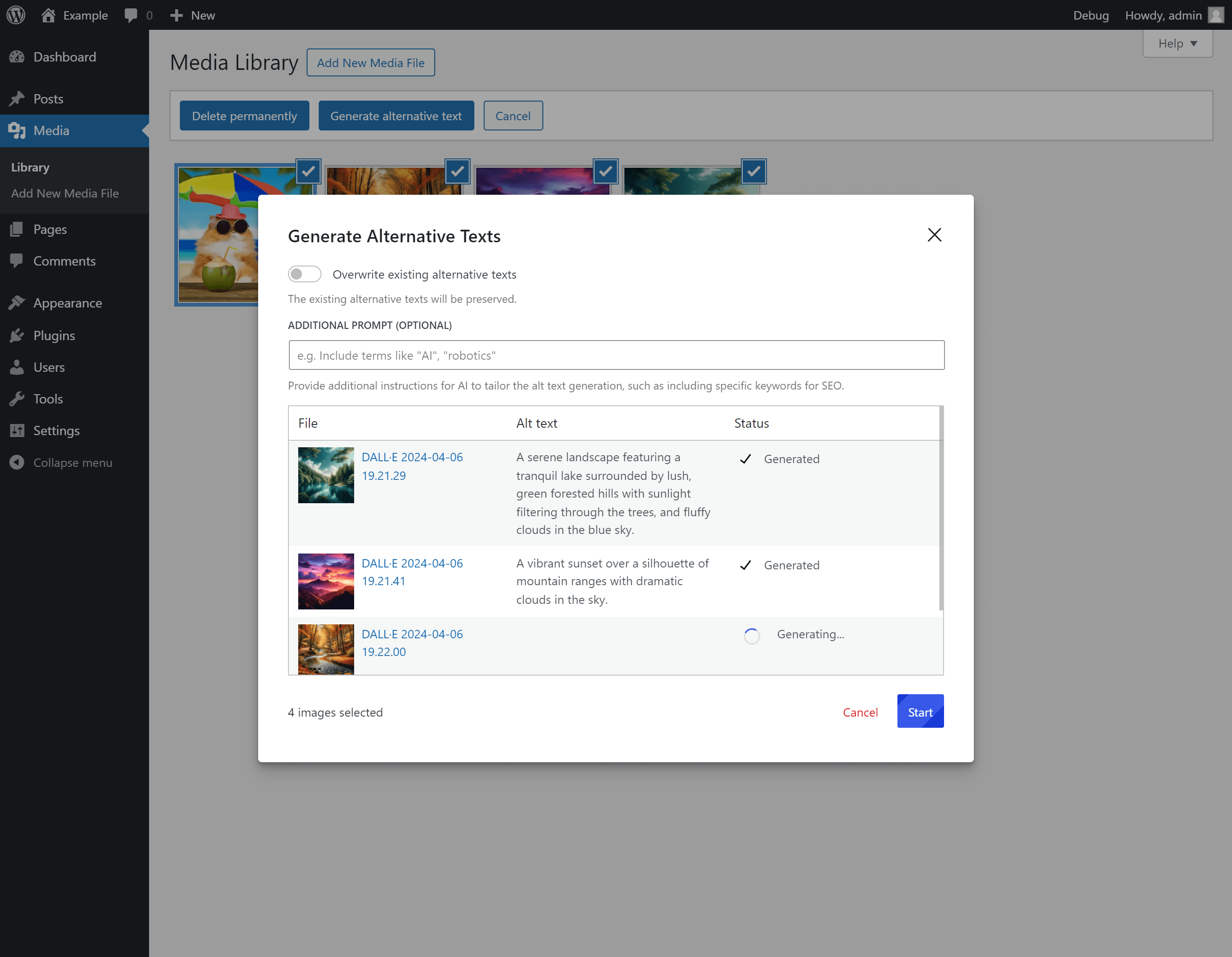
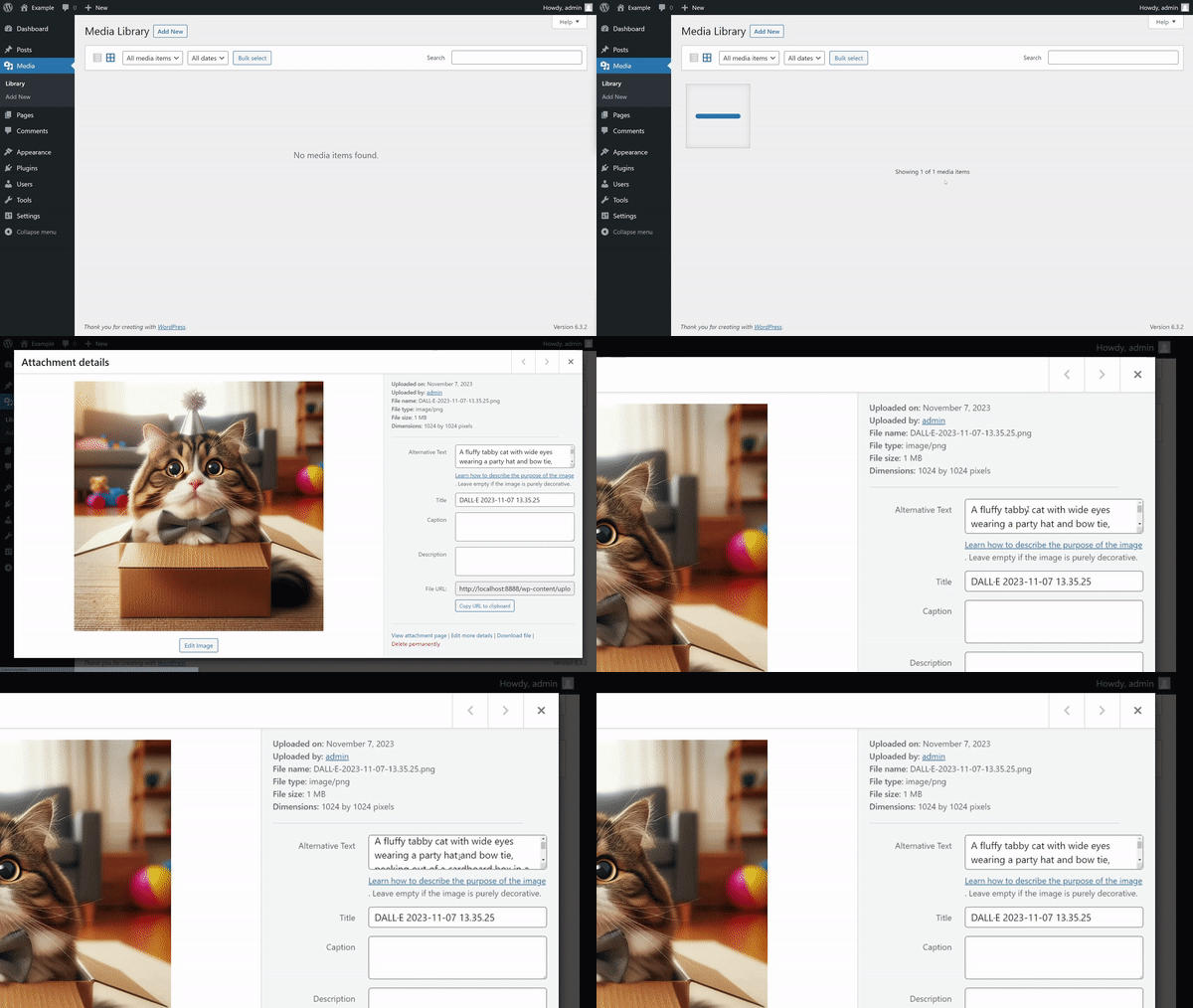
Generate image alt text in your site’s language to help improve accessibility and SEO. Uses the WordPress AI Client with your choice of AI provider, including OpenAI, Google Gemini, and Anthropic Claude. Configure a provider with an image-capable model under Settings Connectors.
Features:
– On-demand generation in the image block and media library
– Bulk generation in the media library and gallery block
– Optional automatic generation on upload
– Support for multiple AI providers and vision models
– Custom instructions and model selection under Settings Media
Integrations
Polylang: automatically detects the language of the image or the post being edited.
External Service Usage
This plugin relies on the WordPress AI Client to generate alt text for images. Depending on which AI provider you have configured, your images will be sent to that provider’s API. Please review the terms of use and privacy policy of your chosen provider before using this plugin.
For Developers
See the developer documentation for filters and Abilities API usage.
Schermafbeeldingen

Installatie
- Install the plugin via Plugins Add New, or upload the plugin ZIP there.
- Activate the plugin.
- Configure an AI provider with an image-capable model under Settings Connectors.
- Open Settings Media to choose a model, add custom instructions, or enable automatic generation on upload.
FAQ
-
Is there a cost associated with using this plugin?
-
It depends on the AI provider you have configured. Most providers charge per API request. Please check your provider’s pricing page for details.
Beoordelingen


Bijdragers & ontwikkelaars
“AI Image Alt Text Generator” is open source software. De volgende personen hebben bijgedragen aan deze plugin.
Bijdragers
“AI Image Alt Text Generator” is vertaald in 1 locale. Dank voor de vertalers voor hun bijdragen.
Vertaal “AI Image Alt Text Generator” in je eigen taal.
Interesse in ontwikkeling?
Bekijk de code, haal de SVN repository op, of abonneer je op het ontwikkellog via RSS.
Changelog
For the plugin’s changelog, please see the Releases page on GitHub.